

제품 출시
@open-design Create a tactile product launch page for Oryzo, a sustainable rice-husk material. Use a cutting-mat grid, cork-toned product photography, oversized typography, technical labels, and a warm editorial layout. 아래 안내 문구를 원하는 작업의  ChatGPT 데스크톱 앱에 입력하세요
Read open-design.ai/codex-plugin to install the Open Design plugin and set up a new task for me.먼저 Codex와 Open Design의 전체 작업 공간을 살펴본 뒤, 실제 설치부터 결과물 완성까지의 과정을 따라가세요.
01 설치
이 안내 문구를 Codex 작업에 붙여 넣으세요. Codex가 저장소의 설치 절차를 읽고, 공개 마켓플레이스 등록 없이도 플러그인과 로컬 MCP 설정을 완료합니다.
Read open-design.ai/codex-plugin to install the Open Design plugin and set up a new task for me.02 사용
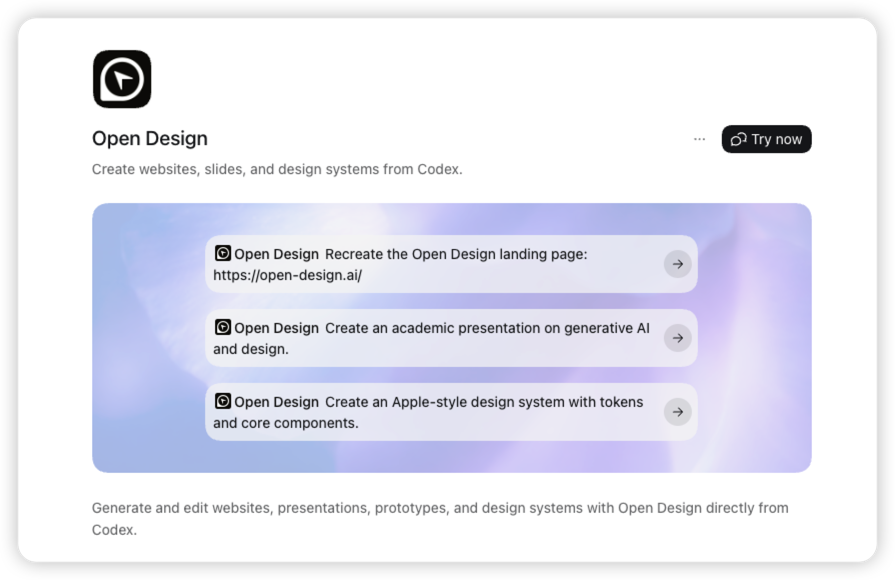
Codex가 설치를 마치면 새 작업에서 설치된 Open Design 플러그인을 열고 “Try now”를 선택해 시작하세요.
03 제작
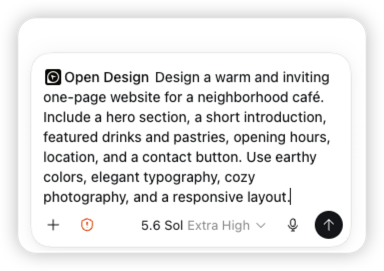
Open Design을 멘션한 뒤 만들 결과물과 콘텐츠, 시각적 방향, 반응형 요구사항을 설명하세요.
04 제작
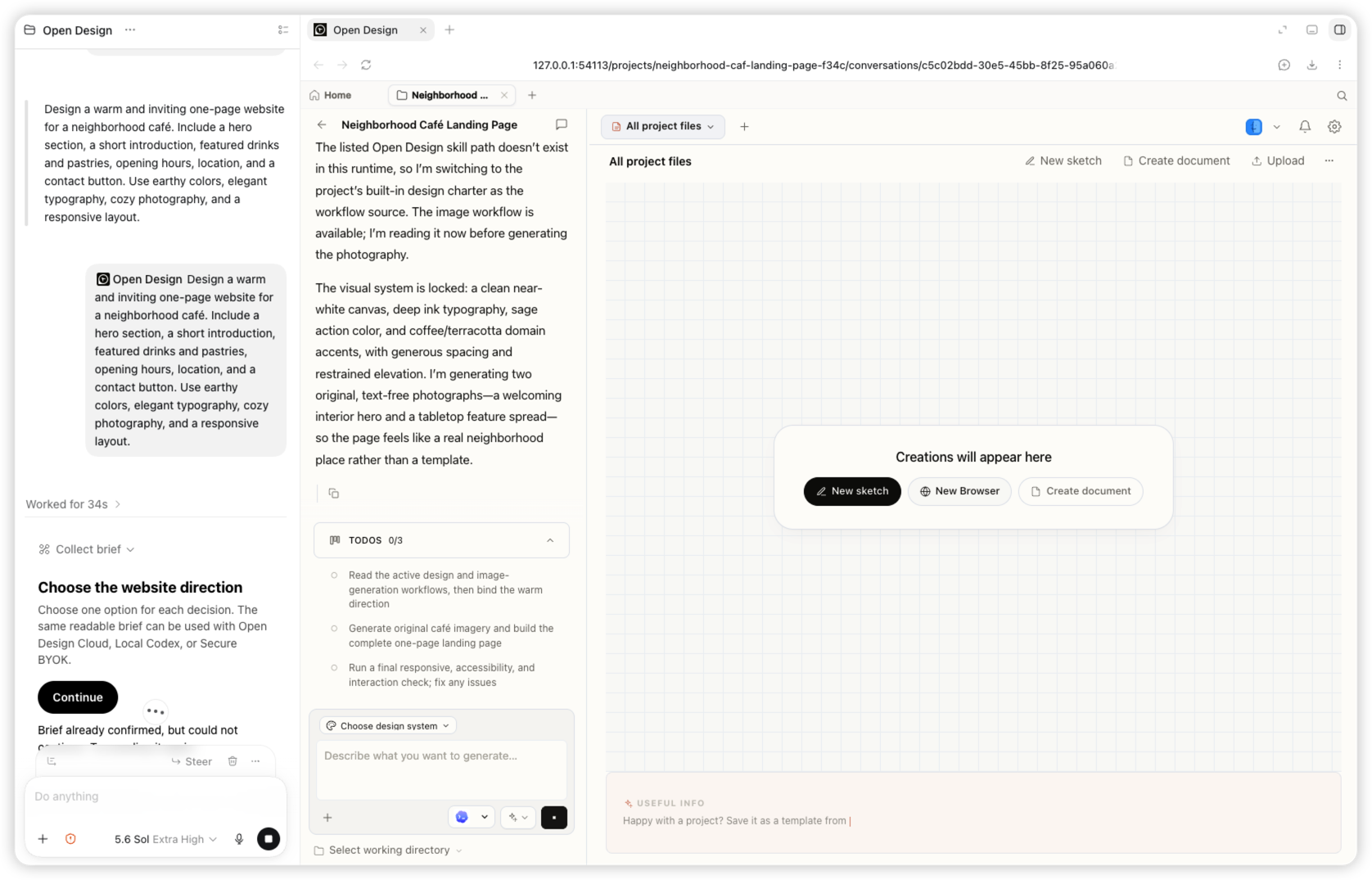
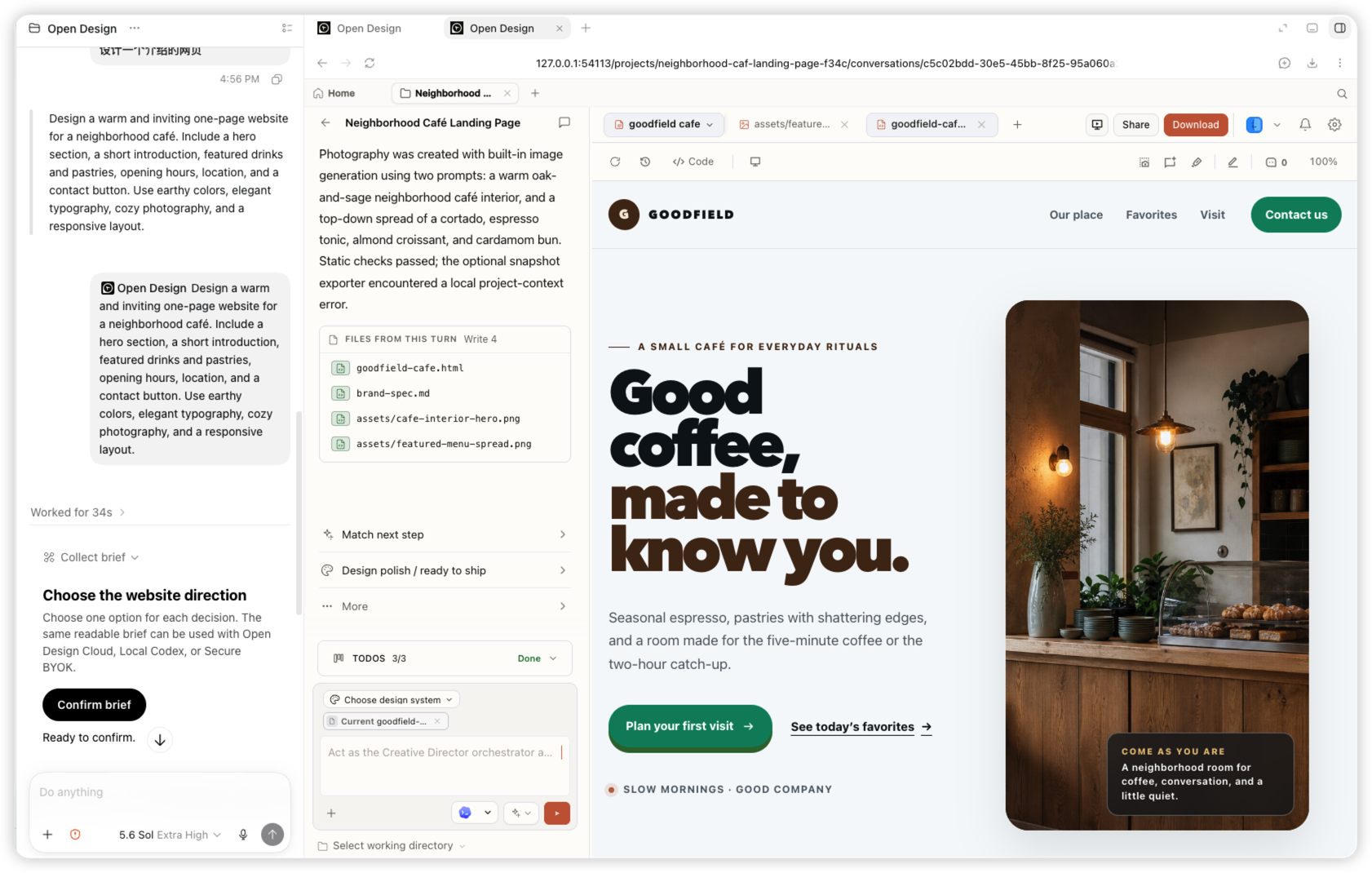
Codex가 방향을 확인하고 프로젝트를 만든 뒤 Open Design에 작업을 넘기면 파일이 실시간으로 나타납니다.
05 제작
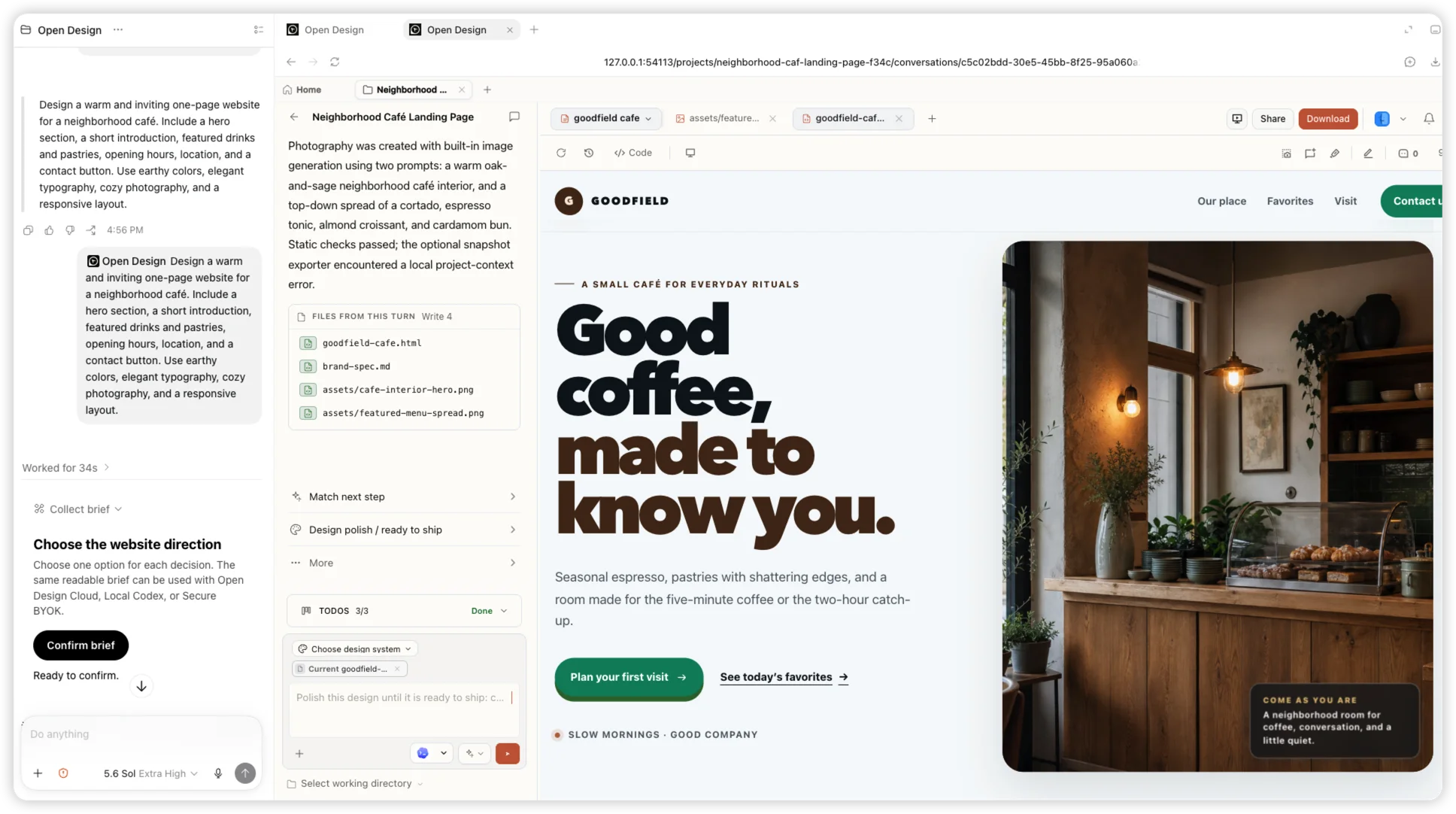
같은 작업 안에서 반응형 Goodfield 카페 랜딩 페이지와 생성된 이미지, 편집 가능한 파일을 받을 수 있습니다.
Codex의 플러그인 메뉴에서 Open Design을 선택하고 결과물을 설명한 뒤 같은 작업에서 계속 다듬으세요. Codex는 플러그인 멘션을 Open Design 칩으로 표시합니다.
@open-design Create a tactile product launch page for Oryzo, a sustainable rice-husk material. Use a cutting-mat grid, cork-toned product photography, oversized typography, technical labels, and a warm editorial layout. 
@open-design Create an event landing page for Open Design Osaka. Lead with a typographic map of Japan, restrained ivory and olive colors, the date and location, speaker details, and a clear registration action. 
@open-design Create a dark editorial website for Fable 5. Use a near-black canvas, small navigation, a bold serif headline, restrained white typography, and subtle interactive controls. 
@open-design Create an interactive release story for Open Design 0.9.0. Visualize a model timeline on a bright canvas with floating cards, connecting lines, color-coded labels, and responsive horizontal exploration. 작업 제어는 Codex가 맡고, 시각적 제작 과정은 Open Design이 처리합니다.
웹사이트, 슬라이드, 프로토타입, 디자인 시스템을 위한 Open Design 워크플로가 Codex에 추가됩니다. 플러그인은 브리프, 프로젝트, 결과물 생성을 위해 로컬 Open Design MCP에 연결됩니다.
현재 패키지는 Codex Desktop과 Codex CLI를 지원합니다. Codex가 첫 번째 지원 호스트입니다.
Codex CLI 0.144.6 이상과 Open Design 0.17.0 이상이 필요합니다. 로컬 MCP를 등록하기 전에 Open Design을 설치하세요.
Codex는 작업을 시작할 때 플러그인과 MCP 기능을 불러옵니다. 새 작업을 열어야 방금 설치한 Open Design Cloud 플러그인을 사용할 수 있습니다.
아니요. 등록된 로컬 MCP는 필요할 때 서명된 Open Design 런타임을 헤드리스 모드로 시작할 수 있습니다.
플러그인을 설치하고 로컬 MCP를 연결한 뒤 @open-design을 호출하세요.