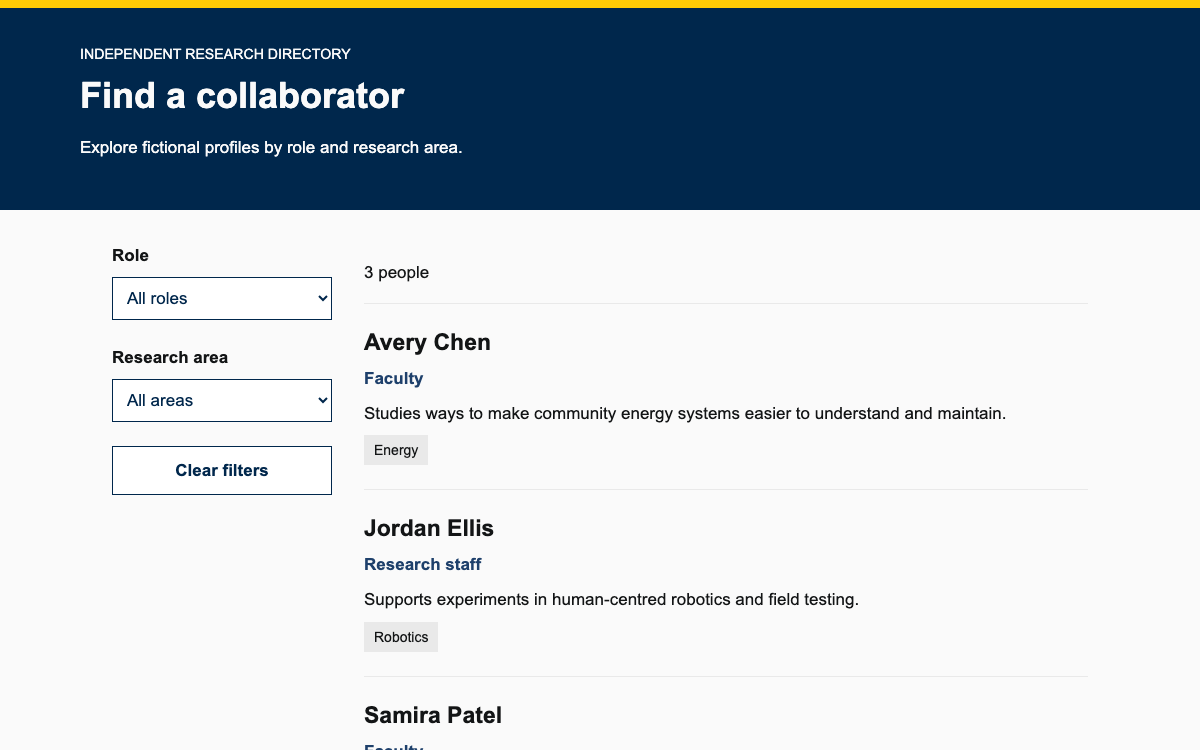
Build university pages with Rivet’s real token scale, HTML component anatomy, and native keyboard interactions. Explore a compact workshop detail page with accessible visit-information tabs.
Native Rivet 2.9.1 CSS and JavaScript; original fictional content, Arial font fallback, and application wrapper. · Implementation reference
02
Rivet Design System Design Reference
Rivet 2.9.1 published CSS and official token/utility documentation. Rem conversions assume a 16px root; the local specimen substitutes Arial/Georgia fonts and chooses its own 64rem outer width.
Rivet supplies CSS, JavaScript, utility classes, and page layouts for Indiana University interfaces. The working example uses the 2.9.1 browser bundle directly: it needs neither React nor a component compiler. Its purpose is a small workshop detail page with secondary visit information, rather than an admissions application disguised as a dashboard.
Institutional identity and sample content remain separate. This page does not reproduce an IU signature, claim to register a visitor, or confirm a real facility. Use the university’s approved branding and content ownership process for a production university service. The code license does not turn invented event details into official information.
Rivet’s sans-serif family starts with BentonSans; the serif family starts with GeorgiaPro. The local specimen deliberately uses Arial and Georgia fallbacks and makes no remote font request. A production implementation must resolve institutional font permissions and delivery rather than copy font binaries from this preview.
The numeric scale is a rounded Major Second progression. The example title uses rvt-ts-32 and the panel heading rvt-ts-23; their compiled sizes are 2rem and 1.4375rem respectively. The base text is 1rem. Use rvt-lh-base for 1.5 line height, rvt-lh-tight for 1.2, and rvt-lh-loose for 1.65. Apply these classes to text elements so controls nested in a container do not inherit an unintended display scale.
The reference palette distinguishes crimson-500 (#990000) from blue-500 (#006298). The specimen uses crimson as a restrained top rule and native Rivet controls for interactive treatment. Its text uses black-500 (#243142), with black-000 (#f8f9fa) for the supporting information surface and black-100 (#e2e7e9) for dividers. These are actual palette entries, not values extracted from a screenshot.
A color name is not a guarantee that every pairing passes contrast. Keep the native tab focus treatment and selected state together with its visible content and aria-selected value. Do not convey an active panel solely by turning its label crimson. The example’s fictional-event notice remains ordinary readable text above the switcher.
Rivet spacing is not a list of consecutive four-pixel increments. It moves from xxs 4px to xs 8px, sm 16px, md 24px, lg 32px, xl 40px, xxl 64px, 3-xl 128px, and 4-xl 192px at a 16px root. The example uses sm for the mobile page inset, md for the panel-adjacent rhythm, and lg for major vertical separation.
The specimen’s 64rem maximum reading shell is an application choice, not a claimed Rivet container token. Within that shell, the 4-xl width token is 48rem/768px; spacing-4-xl is 12rem/192px. The shared suffix does not mean shared dimensional value. Radius-sm is .125rem, md .25rem, and lg .5rem; do not replace all components with a single large rounded-card aesthetic.
A tab set has one rvt-tabs wrapper, a rvt-tabs__tablist with a meaningful aria-label, button triggers, and rvt-tabs__panel siblings. data-rvt-tab and data-rvt-tab-panel values match each pair. The initial selection marker data-rvt-tab-init belongs on a panel, not its button. Rivet can generate identifiers, but explicit pairs make this example easier to inspect.
Rivet.init() adds tab roles, selection state, panel relationships, and keyboard behavior. Do not implement a second click handler that independently toggles hidden: two competing state owners can leave the selected tab and visible panel out of sync. The complete markup below contains original short content and can be placed between the stylesheet and script tags in the setup.
html
<div class="rvt-tabs" data-rvt-tabs="visit">
  <div class="rvt-tabs__tablist" aria-label="Plan your workshop visit" data-rvt-tablist>
    <button class="rvt-tabs__tab" data-rvt-tab="overview">Overview</button>
    <button class="rvt-tabs__tab" data-rvt-tab="arrival">Arrival</button>
    <button class="rvt-tabs__tab" data-rvt-tab="access">Access</button>
  </div>
  <div class="rvt-tabs__panel" data-rvt-tab-panel="overview" data-rvt-tab-init>
    <h2 class="rvt-ts-23 rvt-text-bold">A practical introduction to archives</h2>
    <p>Compare a photograph, a newspaper page, and a handwritten letter. A facilitator will explain how to record a source and distinguish an observation from an interpretation.</p>
  </div>
  <div class="rvt-tabs__panel" data-rvt-tab-panel="arrival">
    <h2 class="rvt-ts-23 rvt-text-bold">Arrive at the learning studio</h2>
    <p>In this fictional example, the welcome desk opens at 9:45. The workshop starts at 10:00 in Room 204. Bring a notebook; all source materials are provided.</p>
  </div>
  <div class="rvt-tabs__panel" data-rvt-tab-panel="access">
    <h2 class="rvt-ts-23 rvt-text-bold">Choose a comfortable way to participate</h2>
    <p>The example session offers large-print copies and a quiet reading space. Visitors can work with a partner or review material independently. These are specimen details, not verified campus facilities.</p>
  </div>
</div>
The event title, date, duration, and fictional-example notice stay outside the tabs. A visitor should not have to discover a hidden panel to learn whether the content describes a real booking. Each panel holds a short heading and paragraph; the three labels are brief enough to remain a single row on a narrow screen.
Tabs are appropriate when related material can be read separately. They are poor for comparing multiple programme fees or two study plans because switching hides one side of the comparison. A table or an open list is a better composition for that task.
Use Overview, Arrival, and Access for separately useful supporting explanations.
Keep deadlines, cancellation notices, and the main action visible outside the tab panels.
Use a comparison table when the reader must inspect values across categories simultaneously.
Rivet’s breakpoints are 30em, 46.25em, 67.5em, 78.75em, and 87.5em. With the usual 16px initial font size these correspond to 480, 740, 1080, 1260, and 1400px. The medium boundary is 740px, not a borrowed 768px convention. Responsive utilities append the breakpoint and -up, such as rvt-ts-32-md-up.
The tab strip must not become several stacked rows. Keep labels short and test the actual text at narrow widths; shrinking text to fit is not a substitute for choosing the right navigation component. In the native interaction, Left and Right move focus among tabs and wrap at the ends. Enter or Space activates the focused tab. Closed panels must not leave their interactive descendants in the tab order.
Rivet Design System Install and verify the example
A browser bundle with one initialization
The supplied installation pins 2.9.1 and copies its published CSS and minified browser JavaScript into the site’s static directory. Serve those assets before calling Rivet.init(). If a framework mounts the HTML later, use the documented JavaScript integration lifecycle rather than assuming the initial page scan saw the new nodes.
The standalone preview runs those official CSS and JavaScript assets locally. Its typography fallback and wrapper width are explicit application overrides. It has no network booking request, persistence, analytics, or generated confirmation. The native tabs are the complete interaction being demonstrated.
Load the local stylesheet and inspect that all three tab triggers and panels exist before initialization.
Initialize Rivet, switch each tab with a pointer, then repeat using arrow keys and Enter or Space.
Check the selected trigger, visible panel, focus ring, and document width at desktop and narrow mobile sizes.
Explicit matching data attributes and an initial panel; native Rivet owns focus and visibility.
html
<div class="rvt-tabs" data-rvt-tabs="visit">
  <div class="rvt-tabs__tablist" aria-label="Plan your workshop visit" data-rvt-tablist>
    <button class="rvt-tabs__tab" data-rvt-tab="overview">Overview</button>
    <button class="rvt-tabs__tab" data-rvt-tab="arrival">Arrival</button>
    <button class="rvt-tabs__tab" data-rvt-tab="access">Access</button>
  </div>
  <div class="rvt-tabs__panel" data-rvt-tab-panel="overview" data-rvt-tab-init>
    <h2 class="rvt-ts-23 rvt-text-bold">A practical introduction to archives</h2>
    <p>Compare a photograph, a newspaper page, and a handwritten letter. A facilitator will explain how to record a source and distinguish an observation from an interpretation.</p>
  </div>
  <div class="rvt-tabs__panel" data-rvt-tab-panel="arrival">
    <h2 class="rvt-ts-23 rvt-text-bold">Arrive at the learning studio</h2>
    <p>In this fictional example, the welcome desk opens at 9:45. The workshop starts at 10:00 in Room 204. Bring a notebook; all source materials are provided.</p>
  </div>
  <div class="rvt-tabs__panel" data-rvt-tab-panel="access">
    <h2 class="rvt-ts-23 rvt-text-bold">Choose a comfortable way to participate</h2>
    <p>The example session offers large-print copies and a quiet reading space. Visitors can work with a partner or review material independently. These are specimen details, not verified campus facilities.</p>
  </div>
</div>
Keep the event title and essential facts outside the panels.
Include the published CSS and JavaScript and call Rivet.init() once.
Arrow keys move focus; Enter or Space activates the focused tab.
Complete standalone specimen
The full document includes its layout, controls and initialization. Extract the linked example archive to obtain the exact relative vendor assets, then serve it over HTTP.
html
<!doctype html><html lang="en"><head><meta charset="utf-8"><meta name="viewport" content="width=device-width,initial-scale=1"><title>Workshop visit — Rivet specimen</title><link rel="stylesheet" href="vendor/rivet-2.9.1/rivet.min.css"><style>:root{--rvt-font-sans:Arial,sans-serif;--rvt-font-serif:Georgia,serif}body,body *,body *::before,body *::after{font-family:Arial,sans-serif!important}body{border-top:8px solid #990000;margin:0;background:#fff;color:#243142}.shell{max-width:64rem;margin:auto;padding:2rem 1rem 3rem}.eyebrow{font-size:.875rem;letter-spacing:.06em;color:#4c5a69}.intro{max-width:48rem}.facts{display:flex;gap:1.5rem;flex-wrap:wrap;padding:1.5rem;margin:2rem 0;background:#f8f9fa;border:1px solid #e2e7e9}.facts p{margin:0}.facts strong{display:block;font-size:.875rem}.rvt-tabs__panel{min-height:13rem}footer{margin-top:2rem;padding-top:1rem;border-top:1px solid #e2e7e9;font-size:.875rem;color:#4c5a69}h1{margin:.5rem 0 1rem}@media(min-width:46.25em){.shell{padding:3rem 2rem}.rvt-tabs__panel{min-height:12rem}}</style></head><body><main class="shell"><p class="eyebrow">LEARNING STUDIO · RIVET COMPONENT EXAMPLE</p><h1 class="rvt-ts-32 rvt-text-bold rvt-lh-tight">Reading the archive</h1><p class="intro rvt-ts-18">A hands-on introduction to working with historical sources. Explore the visit information below.</p><div class="facts"><p><strong>Session</strong>Saturday · 10:00–11:30</p><p><strong>Format</strong>Small-group workshop</p><p><strong>Location</strong>Learning studio · Room 204</p></div><p class="rvt-ts-14 rvt-m-bottom-lg">Fictional event for interface demonstration. No reservation is made.</p><div class="rvt-tabs" data-rvt-tabs="visit">
  <div class="rvt-tabs__tablist" aria-label="Plan your workshop visit" data-rvt-tablist>
    <button class="rvt-tabs__tab" data-rvt-tab="overview">Overview</button>
    <button class="rvt-tabs__tab" data-rvt-tab="arrival">Arrival</button>
    <button class="rvt-tabs__tab" data-rvt-tab="access">Access</button>
  </div>
  <div class="rvt-tabs__panel" data-rvt-tab-panel="overview" data-rvt-tab-init>
    <h2 class="rvt-ts-23 rvt-text-bold">A practical introduction to archives</h2>
    <p>Compare a photograph, a newspaper page, and a handwritten letter. A facilitator will explain how to record a source and distinguish an observation from an interpretation.</p>
  </div>
  <div class="rvt-tabs__panel" data-rvt-tab-panel="arrival">
    <h2 class="rvt-ts-23 rvt-text-bold">Arrive at the learning studio</h2>
    <p>In this fictional example, the welcome desk opens at 9:45. The workshop starts at 10:00 in Room 204. Bring a notebook; all source materials are provided.</p>
  </div>
  <div class="rvt-tabs__panel" data-rvt-tab-panel="access">
    <h2 class="rvt-ts-23 rvt-text-bold">Choose a comfortable way to participate</h2>
    <p>The example session offers large-print copies and a quiet reading space. Visitors can work with a partner or review material independently. These are specimen details, not verified campus facilities.</p>
  </div>
</div><footer>Native Rivet 2.9.1 tabs · Arial font fallback · Original example content<br>Keyboard: use Left and Right to move between tabs, then Enter or Space to activate.</footer></main><script src="vendor/rivet-2.9.1/rivet.min.js"></script><script>Rivet.init();</script></body></html>
Download the complete example from Sources. Its README gives the exact local launch command.
Keep vendor paths relative to this document; the archive includes the complete assets used by this preview.
04
Rivet Design System Agent Setup
Implementation Starting Point
Published rivet-core 2.9.1 browser asset paths verified against the official getting-started guide. Adjust the public directory to your server; preview uses local copies and a font fallback. The complete working-example ZIP in Sources also provides the exact preview dependencies and full document. Extract it, run python3 -m http.server 8080 in that directory, then open http://localhost:8080/indiana-rivet.html. Do not open module-based examples through file://.
bash
npm install [email protected]
mkdir -p public/vendor/rivet
cp node_modules/rivet-core/css/rivet.min.css public/vendor/rivet/
cp node_modules/rivet-core/js/rivet.min.js public/vendor/rivet/

# Add these tags to the HTML served from public/:
# <link rel="stylesheet" href="/vendor/rivet/rivet.min.css">
# ...component markup...
# <script src="/vendor/rivet/rivet.min.js"></script>
# <script>Rivet.init();</script>
A Prompt for Your Project
Agent Prompt
Create a Rivet 2.9.1 university workshop detail page using native HTML tabs. Load rivet.min.css and rivet.min.js and call Rivet.init(). Use matching data-rvt-tab/data-rvt-tab-panel values, a meaningful tablist label, and data-rvt-tab-init on the first panel. Keep title, date, and essential notices outside tabs. Use 16px body, 23px panel titles, a 32px page title, and Rivet spacing tokens. Respect 480/740/1080/1260/1400px breakpoints. Keep panels short, retain keyboard focus and selection behavior, and identify all invented event details as demonstration content. Do not use IU identity marks without authorization.
05
Rivet Design System Sources and Scope
A technical Rivet reference and fictional workshop demonstration. Institutional marks and font permissions remain subject to Indiana University rules; no real visit or booking is offered.