What Does Codex Do, and What Does OpenDesign Do?
Codex is the agent: it reads your brief, writes and runs the code, and revises. OpenDesign is the workspace around it: design systems, skills, a preview, comments and versioned files. OpenDesign is an independent open-source project and is not affiliated with OpenAI.
What Do I Need Before I Start?
The desktop app, a working Codex connection for your chosen mode and a small task to test. See
compatibility; source-build requirements are separate. A design system helps; pick one from the library if you have none.
I Already Installed OpenDesign. What's Next?
Follow the connection instructions for your installed version and run the small test in the
setup section. Then bring a real brief. The
technical quickstart covers the separate source-run path.
How Is the Design Plugin Different From This Guide?
This page explains the UI workflow. The
plugin directory helps you choose resources; the
installation entry contains instructions for your agent to follow. They serve different tasks.
Can I use Codex for design if I don't code?
Yes. You can describe the screen in plain language, attach screenshots or a moodboard, and judge the rendered result visually. A design system and clear constraints help avoid a generic result; the desktop workflow lets you preview and iterate without treating the task as a coding session.
How do I avoid generic-looking Codex designs?
Give Codex concrete references and design tokens, state brand rules in project instructions such as AGENTS.md or DESIGN.md, and verify the rendered page at the target breakpoints. A frontend design skill can also provide a more deliberate visual direction. Review the result yourself; browser checks do not replace design judgment.
Can Codex build a UI from a screenshot or Figma design?
A screenshot can serve as a visual reference for an implementation. Figma workflows are separate: use the official Figma integration when you need design-file context or a round trip to editable Figma frames. This guide focuses on reviewing a rendered web interface, not producing an editable vector design file.
How do I give Codex a design system?
Provide the system's color, typography, spacing and component rules in project instructions such as
DESIGN.md or
AGENTS.md, and ask Codex to follow them. OpenDesign also has a
design-system library you can choose from before generating an interface.
Can I connect Codex to Figma?
Yes. OpenAI's Figma integration supports working between Figma designs and code. Set it up using the
current Codex documentation; exact commands and capabilities can change. This page's primary workflow produces and reviews HTML, not editable Figma files.
What does BYOK mean when using Codex with OpenDesign?
Bring Your Own Key means you authenticate Codex with your own OpenAI account or API key, subject to the billing and usage terms of the mode you choose. OpenDesign does not proxy your credentials. Check the
compatibility section and OpenAI's current authentication guidance for the details that apply to your setup.
Does Codex UI mean the Codex app or an interface built with Codex?
The phrase can mean either OpenAI's Codex application or a product interface generated with the Codex agent. This page is about the second: designing and reviewing a web interface with Codex.
What should I check before shipping a Codex-generated interface?
Review the rendered interface at desktop and mobile widths, test every interaction and keyboard path, check focus and accessibility, and compare the result with the brief and references. A successful build or an agent's own browser check is only a first pass; a person should verify the artifact before handoff.
What OpenAI Codex actually is (and what it isn’t)
First, a disambiguation that trips up almost everyone searching for “Codex.” The original OpenAI Codex was a 2021 code-completion model that powered early GitHub Copilot and was deprecated in 2023. That is not what this page is about. Today’s Codex is OpenAI’s agentic coding tool, it plans, writes, runs, and verifies code from natural-language tasks.
Modern Codex ships across four surfaces: a terminal CLI (rewritten in Rust, Apache-2.0 licensed), an IDE extension for VS Code, Cursor, and Windsurf, a cloud/web experience for delegated async tasks, and a desktop app with an in-app browser and Computer Use.
A second disambiguation, because searches for “Codex UI” split two ways. One is Codex’s own interface: the desktop and web app OpenAI ships for running the agent. The other, and the one this page is about, is the UI you build with Codex: your product’s components, layouts, and screens.
Default model: As of mid-2026 the recommended model is gpt-5.5, with gpt-5.4 being the model OpenAI explicitly trained for frontend and computer use.
Instruction file: Codex reads an AGENTS.md file in your project (a cross-tool standard) for project rules, the natural place to encode your design conventions.
Sandbox: It runs in a kernel-level sandbox (workspace-write by default), so an agent editing your UI cannot wander outside the project.
Credential: OpenAI API key (BYOK) or ChatGPT subscription (Free / Go / Plus / Pro / Business / Enterprise)
Vendor: OpenAI
License of the CLI: Apache-2.0, open source
Why Codex is good at design now
Three things converged in early 2026 to make Codex a real design tool rather than a generic code generator.
A frontend-trained model: OpenAI shipped GPT-5.4, its first mainline model trained for
frontend and computer use, with much better image understanding across the design workflow and stronger self-verification. It can even generate mood boards and visual options before committing to final assets.
An official frontend design skill: The
openai/skills catalog ships a curated frontend design skill that enforces real taste: cardless layouts, full-bleed heroes, brand-first hierarchy, restrained motion, at most two typefaces and one accent color, and makes Codex write a visual thesis before building. Adding this frontend design skill is the fastest single lift to Codex's output.
Browser verification: With the Playwright skill Codex opens a real browser, resizes to breakpoints, and compares its output back to the reference instead of just checking that the build passes.
Taste comes from three inputs you provide: a design system, a skill, and real reference images.
The lesson behind all three: Codex does not have taste by default. It produces good design when you give it constraints, a design system, an aesthetic skill, and concrete references. OpenDesign packages exactly those inputs, which is why the two fit together (more below).
Set Up Codex for Design Work, Starting From Zero
Here is the full path from a clean machine to a Codex that can build and verify UI.
Prefer a one-click path?
Download the OpenDesign desktop app, it bundles Codex with a curated skill and design-system library, so you pick Codex as your agent and start designing with no CLI setup at all. The steps below are the manual route if you would rather wire Codex up yourself.
The setup sequence: install → authenticate → configure AGENTS.md → install the frontend skill → enable browser verification.
Encode your design rules: Put your tokens, primitives, and conventions in AGENTS.md or a DESIGN.md and point Codex at them, so output matches a brand instead of defaulting to a generic look.
Choose the right reasoning level: OpenAI notes that low-to-medium reasoning levels often produce stronger frontend results than the highest setting.
Use the current setup section for commands and version-specific details, which may change.
# 1. Install the Codex CLI
npm install -g @openai/codex
# or: brew install --cask codex
# or: curl -fsSL https://chatgpt.com/codex/install.sh | sh

# 2. Authenticate (ChatGPT sign-in recommended for higher limits)
codex            # then choose “Sign in with ChatGPT”

# 3. Generate project context
codex            # inside your project, run /init to create AGENTS.md

# 4. Add the official frontend skill, then restart Codex
# (in the Codex app) $skill-installer frontend-skill

# 5. Wire the Figma MCP server (optional, for design handoff)
codex mcp add figma --url https://mcp.figma.com/mcp
Historical command example from the previous guide; verify current syntax in the linked vendor documentation.
The Screenshot-to-UI Workflow With Codex
The highest-leverage design loop with Codex is turning a reference image into working, responsive UI and iterating until it matches.
OpenAI’s own guidance distills to five steps.
Start from the clearest visual references you have, and include multiple states (desktop and mobile, hover, empty, loading), not just one hero shot.
Be specific in the prompt; vague prompts produce generic UI.
Prepare a design system and tell Codex where the tokens and canonical primitives live.
Enable the Playwright interactive skill so Codex renders in a real browser and resizes to breakpoints.
Iterate by having Codex compare its implementation back to the screenshots, not merely confirm it builds.
Feed images by dragging a screenshot into the terminal or with the image flag, then prompt with concrete constraints:
Run a dev server in a second terminal, keep prompts small and focused, and commit good iterations / revert bad ones (telling Codex when you revert) so each pass builds on a clean base.
codex -i reference-desktop.png -i reference-mobile.png \
  "Implement this design in React + Vite + Tailwind + TypeScript.
   Reuse my existing design-system components and tokens.
   Match spacing, layout, and hierarchy; make it responsive.
   Use the Playwright skill to verify the UI matches the
   references and iterate until it does."
Historical command example from the previous guide; verify current syntax in the linked vendor documentation.
Codex UI design: from components to a shipped frontend
Codex builds UI from three kinds of input: a written description, a reference screenshot, or a Figma frame. With a design system in context and the Playwright skill enabled it produces responsive, component-based frontends and verifies its own work in a real browser.
Turning one screenshot into a page is the demo; shipping a real frontend is the job. Codex UI design work gets good when you treat it as building a system, reusable components, responsive layouts, and every interaction state, not a single hero shot. GPT-5.4's stronger image understanding and self-verification make this practical, but the structure still comes from you.
Components first: Ask Codex to build atomic, reusable components (buttons, inputs, cards, nav) against your tokens before composing whole pages, so the frontend stays consistent instead of one-off.
Responsive by default: Give desktop and mobile references and name the breakpoints; have Codex resize in a real browser and fix layouts that break, rather than trusting a single viewport.
Every interaction state: Spell out hover, focus, active, empty, loading, and error states, the states that make UI feel finished and that generic AI output usually skips.
Accessible markup: Require semantic HTML, labelled controls, visible focus rings, and adequate contrast, and ask Codex to check them as part of the build.
Prompt for a component and its states explicitly, then let Codex verify against the reference:
The pattern that separates good frontend output from “AI slop” is verification: Codex renders the UI, compares it to your references across breakpoints, and iterates, instead of only confirming that the build passes.
codex "Build a responsive pricing section in React + Tailwind + TypeScript.
   Reuse my design-system tokens and Button/Card components.
   Include hover, focus, and mobile-stacked states.
   Use the Playwright skill to check it against pricing-desktop.png
   and pricing-mobile.png at 375px and 1280px, and iterate until it matches."
Historical command example from the previous guide; verify current syntax in the linked vendor documentation.
Building a design system with Codex
A design system is the single biggest lever on output quality, it is how Codex knows your colors, type scale, spacing, and components instead of defaulting to the generic Inter-and-purple look. Give Codex a design system to build against and every screen it produces inherits the same taste.
Define tokens: Capture color, typography, spacing, radius, and shadow as named tokens, the vocabulary Codex reuses instead of inventing values per screen.
Capture primitives: Point Codex at your canonical components (Button, Input, Card, Modal) so it composes from them rather than re-drawing each one.
Write it where Codex reads it: Encode the rules in an AGENTS.md or DESIGN.md the agent loads every run: no hero cards, at most two typefaces, one accent color, brand-first hierarchy.
Enforce on every pass: Ask Codex to check new UI against the system and flag drift, so the design system stays real instead of decaying after the first screen.
You can also work the other direction: hand Codex a few reference screens and ask it to extract a starter design system, tokens plus primitives, that you then refine. Either way, the system is the artifact that makes results repeatable.
Codex + Figma: Round-Tripping Between Design and Code
In February 2026 OpenAI and Figma announced an
official partnership, turning the earlier Figma MCP beta into a first-class, bidirectional integration. It works in both directions.
Design → Code: Copy a frame’s “link to selection” in Figma, paste it into Codex with get_design_context, and ask it to implement the design using your existing component library.
Code → Design: The generate_figma_design tool (“Code to Canvas”) turns a live, running UI back into editable Figma frames, entire screen, a selected element, or a whole file.
The Figma MCP runs as a remote server and is exempt from rate limits. Add it once and it is available to Codex,
Claude Code,
Cursor, VS Code, and more, which is exactly the kind of portable, multi-agent capability OpenDesign is built to orchestrate.
Codex, Cursor and Claude Code Compared for Design
There is no single winner for design work, each agent has a different strength, and experienced teams stack them. A fair summary:
Codex — Strong visual polish after GPT-5.4 + frontend-skill; image understanding — Delegated async builds, sandboxed runs, portable AGENTS.md rules
Cursor — Visual build-and-see loop with live preview and inline edits — Tight iterate-and-watch UI work inside an IDE
Claude Code — Specific design decisions (hex, spacing, type) and codebase-aware UX — Frontend reasoning and large-context refactors
The recurring community verdict is that taste comes from humans: all three default to a generic aesthetic without skills, references, and constraints. That is the real problem to solve, and it is design-tool-shaped, not model-shaped.
Agent — Design strength — Best for
Codex design plugins compared (including OpenDesign)
Codex's design ability comes almost entirely from what you plug into it. Here are the main design plugins and tools you can use with Codex today, and where OpenDesign fits among them:
OpenAI Product Design plugin — OpenAI's role plugin: explore directions, audit user flows, prototype from a live URL, make screenshots interactive, export to Figma or Canva — No — Quick official design tasks inside Codex
openai/skills frontend-skill — A curated aesthetic, cardless layouts, brand-first hierarchy, restrained motion, a visual thesis before building — Yes (Apache-2.0) — Lifting raw output quality
Figma integration (MCP) — Two-way Figma ↔ code: implement frames in code, push a running UI back into editable Figma — No (official) — Teams that live in Figma
OpenDesign — An open, local-first design layer around Codex: curated skill + design-system library, a render pipeline, a desktop UI, and BYOK — Yes (Apache-2.0) — A real, portable design workflow you own
How to choose: if you want OpenAI's own design flow inside Codex, the Product Design plugin covers exploring directions, auditing flows and prototyping from a live URL. For raw output quality, the
frontend design skill is the highest-leverage add. The official
Figma integration is essential if your team lives in Figma, and it is portable, so you can pair it with any of the others, including
Claude Code and
Cursor.
OpenDesign is the only option that is open-source, local-first and BYOK end to end. It wraps Codex in a curated
skill and
design-system library, a structured render pipeline and a local desktop UI, so the design context that makes Codex good is there from the first run, not assembled by hand each project, and every artifact stays in your own repo.
Plugin / tool — What it adds — Open source — Best for Codex for designers who don't code
You do not have to be an engineer to design with Codex. The agent takes plain-language intent and real references and returns working, responsive UI, which makes it a genuine tool for designers and product people, not only frontend developers. The trick is to drive it like a design brief, not a coding session.
Describe in plain language: Say what you want in design terms, layout, hierarchy, tone, the feeling, and let Codex translate it into markup.
Work from references: Drop in screenshots, a moodboard, or a brand's site; concrete references beat any amount of prose for getting the look right.
Preview in a real browser: Let Codex render and open the result so you judge it with your eyes, resize it, and point at what is off.
Iterate and revert safely: The agent runs sandboxed, so you can try a direction, keep the good passes, and revert the bad ones without breaking anything.
Pitfalls, and how to avoid the “AI slop” look
The most common complaint about Codex-generated design is that it looks generic, soft gradients, floating panels, oversized rounded corners, dramatic shadows, an Inter-and-purple vibe that “screams an AI made this.” Other reported issues include broken mobile layouts, instructions leaking into UI copy, and hitting usage limits quickly.
Install a frontend skill: A curated aesthetic skill forces Codex to commit to a real direction instead of the default look.
Enable Playwright verification: Make Codex render and self-check across breakpoints so layouts do not silently break on mobile.
Supply tokens and references: Real design tokens and reference screenshots are the single biggest lever on output quality.
Encode rules in AGENTS.md: Put “no hero cards, max two typefaces, brand-first hierarchy” style rules where the agent reads them every run.
Notice that every mitigation is about giving the agent a curated design context. Maintaining that context by hand, per project, is the toil OpenDesign removes.
BYOK: your OpenAI key, your ChatGPT plan, your limits
Codex is bring-your-own-key (BYOK): you authenticate with your own OpenAI API key or your ChatGPT subscription, and your credentials belong to you. That matters for cost control and for privacy, nothing about your key or your work has to route through a third party.
OpenAI API key (BYOK) — Pay-as-you-go per token — Fine-grained cost control, automation, and CI
ChatGPT subscription — Included in Plus / Pro / Business / Enterprise — Higher, more predictable limits for daily interactive design
Pick the right reasoning level: OpenAI notes low-to-medium reasoning often gives stronger frontend results than the highest setting, and it costs less.
Keep prompts small and focused: Short, specific tasks use fewer tokens and produce cleaner diffs than one giant prompt.
Commit good iterations: Save the passes that work and revert the rest, so you are not paying to regenerate a clean base each time.
Option — How it bills — Best for
Designing with Codex inside OpenDesign
OpenDesign is the open-source design layer the workflow above keeps asking for. It treats Codex as a first-party adapter and wraps it in a curated skill and design-system library, a structured render pipeline, and a local desktop UI, so the design context that makes Codex good is there from the first run, not assembled by hand each time.
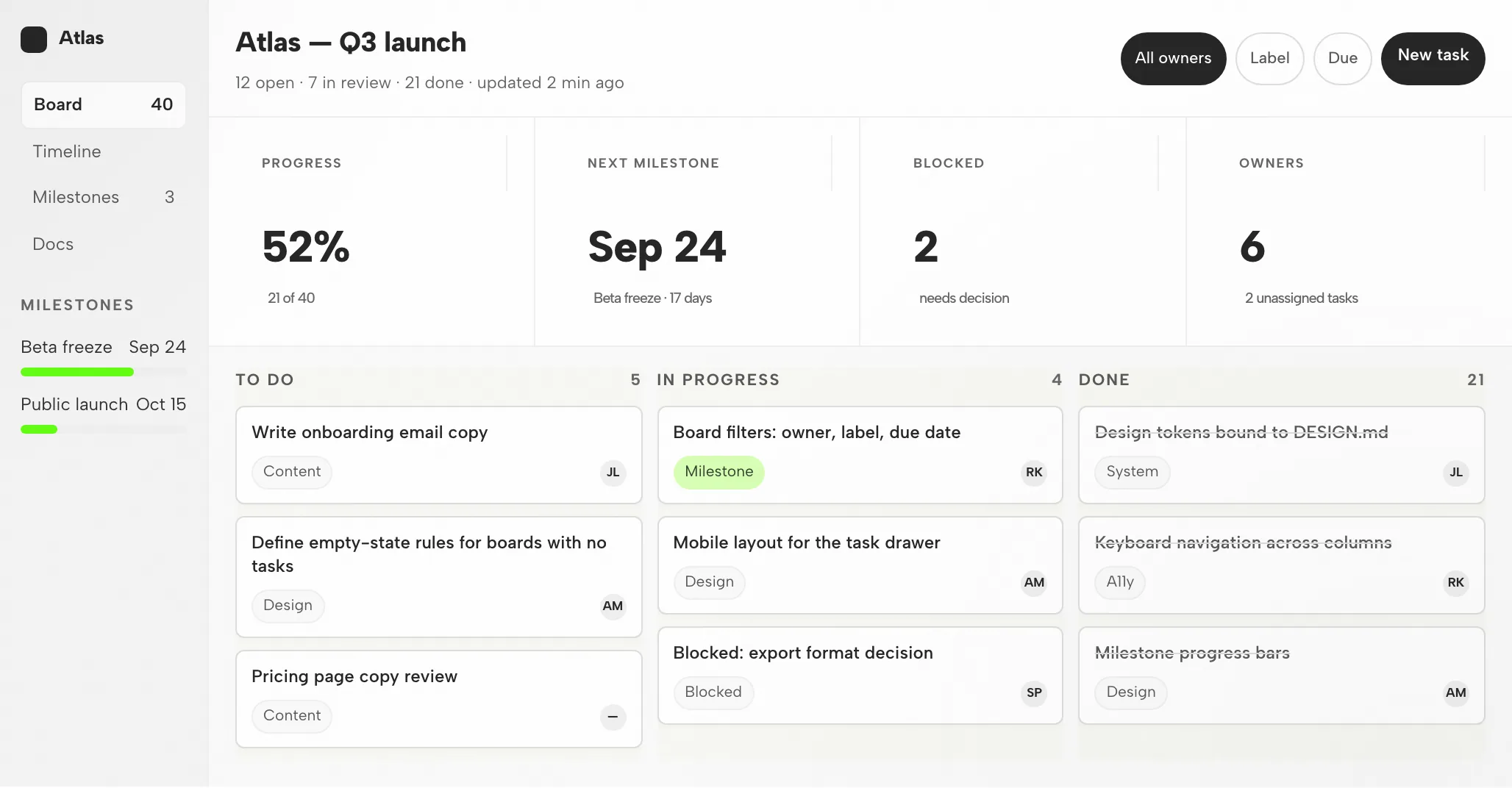
OpenDesign's desktop app: pick a plugin, describe what you want, and Codex builds it, no command line.
Authenticate with your OpenAI API key (BYOK) or ChatGPT subscription, credentials stay on your machine and are never proxied through us.
Pick a
design system and a
skill, then generate decks, prototypes, and landing pages with consistent taste.
Every artifact and DESIGN.md file lives in your own repo, not a hosted cloud.
Codex deploys OpenDesign locally and opens it in its in-app browser, then drives the canvas from there.
Same Codex agent, same key, plus a real, portable, open-source design workflow around it. It is local-first and Apache-2.0, so nothing about your work or your credentials leaves your machine.
Real output from one Codex + OpenDesign session: decks, landing pages, and a rendered video, all saved in your own repo.
Install OpenDesign and select Codex as your agent.
Is OpenDesign affiliated with OpenAI?
No. Codex is a product of OpenAI; OpenDesign is an independent open-source project that supports it as a first-party adapter.


 Codex
Codex OpenDesign