FURTHER READING
Further Reading for Mistral Vibe
Tutorials, documentation, and walkthroughs for Mistral Vibe design work, as collected in the published guide.


 Mistral Vibe
  OpenDesign
 How to design interfaces with Mistral Vibe CLI in OpenDesign: a Devstral model running locally or on your key, one product-page task from brief to reviewed file, and the limits to know before you start.
THREE WAYS TO BEGIN WITH MISTRAL VIBE
What this guide offers: a brief, references, design rules and an HTML artifact that goes through review.
Read this guide SETUPThe complete route from a fresh machine to a Vibe CLI that produces and checks UI.
Go to setup COMPARISONWhere Mistral Vibe stands apart from Codex, Claude Code and Cursor on design tasks, and when a different workflow makes more sense.
See the comparisonA Full Mistral Vibe Design Task
You supply a brief and constraints; Mistral Vibe returns an artifact; then you perform the remaining checks before calling it complete. The interface below is an illustrative example created for this page, not a recorded Mistral Vibe run.
BriefCreate a product page for a ceramics studio shop: large photo, price, quantity and glaze options, an add-to-cart control, and three related pieces. Local model, local files. Desktop and phone.
data-od-id hooksYou write the brief, choose the design system and set the acceptance criteria.
Mistral Vibe plans the layout, writes HTML, CSS and JavaScript, then revises on request.
OpenDesign provides the design system and skill, renders the preview, and stores each version as a file in the project.
Before handoff, visual hierarchy, 8px-grid spacing, both breakpoints and every interaction are checked.
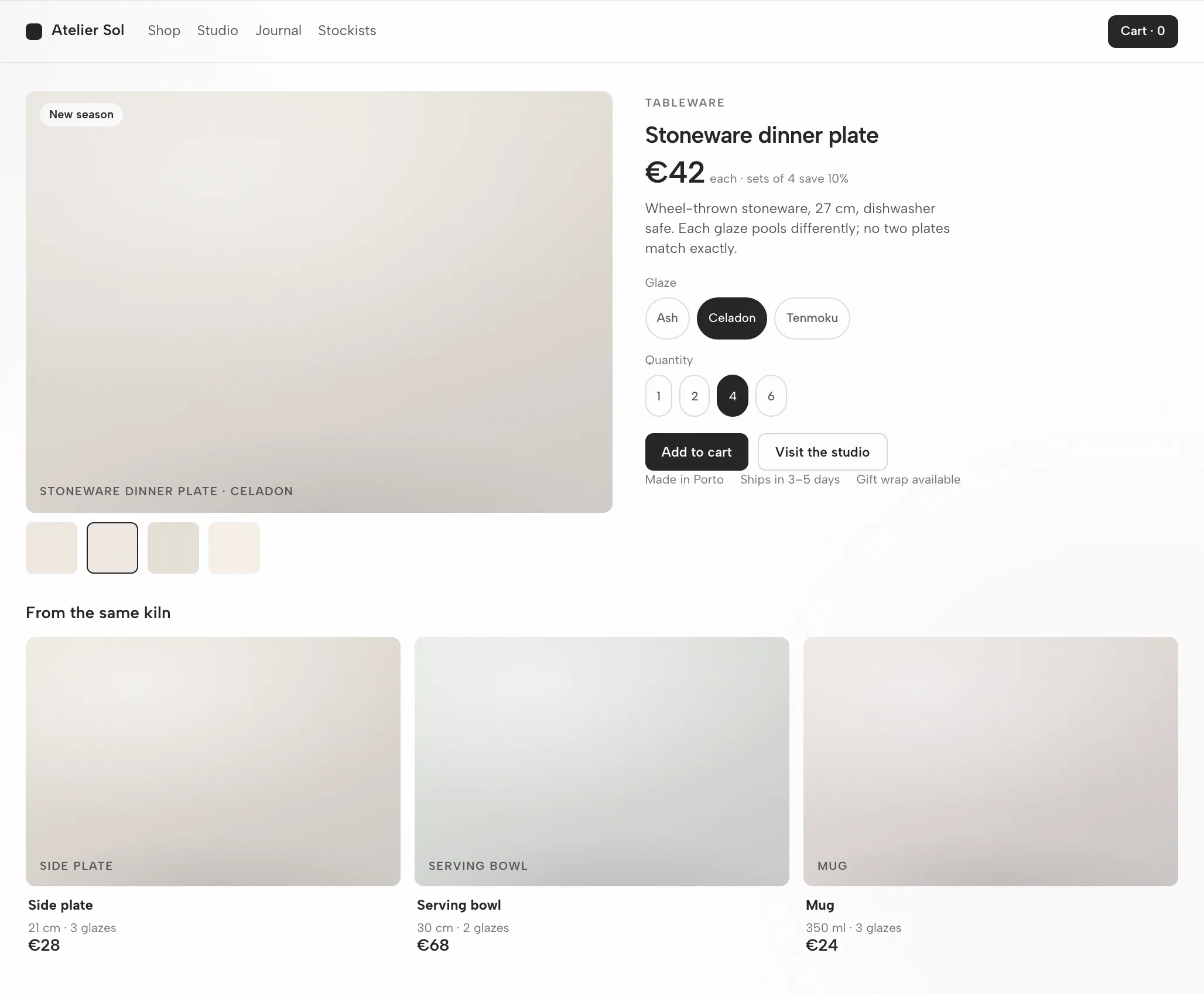
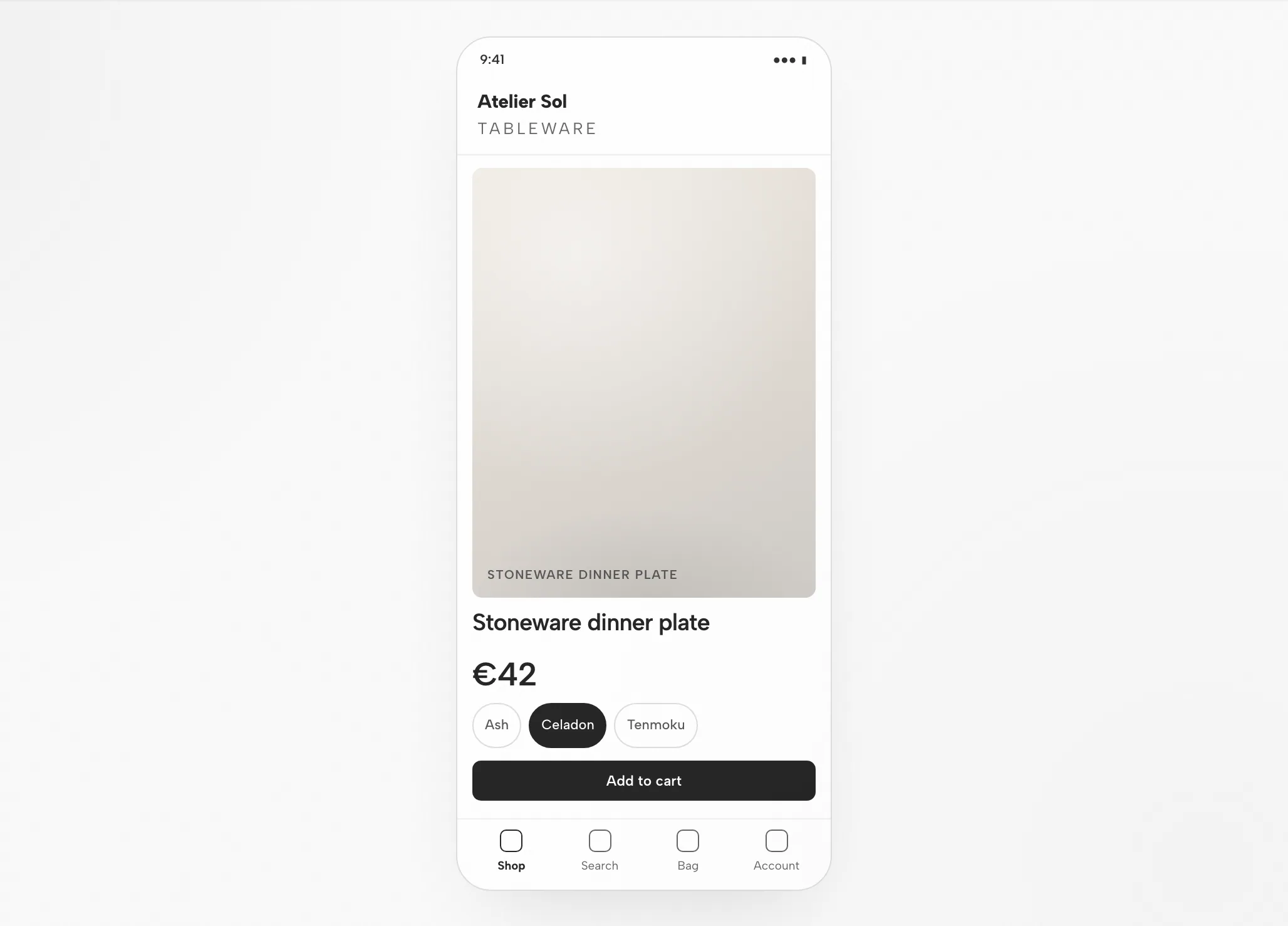
Photo and information sit on the 8px grid; the photo maintains a 4:5 ratio at all widths.
Name and price lead; the accent appears only on the add-to-cart button.
Photo, then name and price, glaze chips, a full-width button; related pieces scroll.
Choose a glaze, change quantity, add to cart, scroll related items.
Fit
Compatibility
This guide covers Mistral Vibe as connected via the OpenDesign desktop app. Published references checked on 6 September 2026.
Mistral Vibe CLI is Mistral AI's open-source (Apache-2.0) terminal coding agent. It scans project files and Git status, edits code, searches, runs commands and handles version control from natural-language tasks. This page addresses designing interfaces with Mistral Vibe through OpenDesign, not Mistral Vibe's own interface. OpenDesign's setup notes list the available agents.
Mistral API key (BYOK) or local models. Authenticate with your Mistral API key (BYOK) or local models — credentials remain on your machine. This page does not promise a quota or price.
See the download page for desktop builds. The Node.js and pnpm requirements in the source quickstart apply to running from source, not to installing a desktop package. Minimum compatible Mistral Vibe version: not verified here.
Follow the connection instructions your installed version shows, then run a small task. Confirm that Mistral Vibe handled it and that the artifact opens. A download alone does not establish a working connection.
Start with the desktop app
Download first, complete Mistral Vibe setup for your installed version, then check a small result. Building OpenDesign from source is not required for this path.
Pick the package for your computer, install it and open the app.
Download OpenDesignFollow the Mistral Vibe instructions in your installed version. Authenticate with your Mistral API key (BYOK) or local models — credentials stay on your machine.
mistral-vibe README and setup (GitHub)# 1. Install Mistral Vibe CLI
uv tool install mistral-vibe
# or: pip install mistral-vibe
# 2. Run the setup wizard to register your API key
vibe --setup # saves config to ~/.vibe/config.toml and ~/.vibe/.env
# or set it directly: export MISTRAL_API_KEY=...From the Mistral Vibe setup notes in the published guide; check the vendor documentation for the current command.
Keep the brief small so you can judge the full cycle, including one revision.
Build a settings screen with a profile form and a save confirmation. Use my design rules. Check it at desktop and mobile widths.
To run OpenDesign from source, follow the technical quickstart instead.
The Mistral Vibe design workflow
One storefront page carried from a written brief to a file you have verified. Every step names your input, Mistral Vibe's work, OpenDesign's contribution, and the check still owed by you.
Three to six plain sentences. Say who the screen serves, what it must accomplish, and which platforms it has to hold on.
A design system plus a few firm rules. That pairing is what keeps output on-brand instead of generic.
Out comes one self-contained HTML file from Mistral Vibe — layout, styles, interactions, and stable hooks.
Inside OpenDesign the file renders at the widths you specified — and that render, not the code, is what gets judged.
data-od-id targets that anchor comments and edits.Point at preview elements to request changes. Each revision lands as a new file — nothing is overwritten without you seeing it.
Resources
Tutorials, documentation, and walkthroughs for Mistral Vibe design work, as collected in the published guide.
Every artifact type Mistral Vibe can produce inside OpenDesign, with one skill per type.
Tokens and components worth binding before Mistral Vibe generates a single artifact.
Openers for decks, landing pages, and product screens.
Limitations
FAQ
# 1. Install Mistral Vibe CLI
uv tool install mistral-vibe
# or: pip install mistral-vibe

# 2. Run the setup wizard to register your API key
vibe --setup     # saves config to ~/.vibe/config.toml and ~/.vibe/.env
#    or set it directly:  export MISTRAL_API_KEY=...
# 3. Start Vibe in your project
cd your-project
vibe
# 4. Wire the Figma MCP server (optional, for design handoff)
# add an [[mcp_servers]] entry in your config.tomlvibe
# in the prompt:
> @design-spec.md @tokens.css
Implement this design in React + Vite + Tailwind + TypeScript.
Reuse my existing design-system components and tokens.
Match spacing, layout, and hierarchy; make it responsive.
Run the dev server, render it in the browser, and iterate until
it matches the references across breakpoints.