AI Website BuilderOpenDesign

AI Website Builder. Your Vision, Built Your Way.

OpenDesign brings design systems, visual editing, and your choice of AI setup into one AI website builder. Create a site that feels like your brand, refine it in the preview, and keep the frontend files.

From Brief to Website01 / OpenDesign
website.html · Desktop Preview
Creative StudioWork    Services    AboutStart a Project
Independent Design StudioWebsites People Remember.

Brand, product, and editorial work with room to breathe.

Start a Project
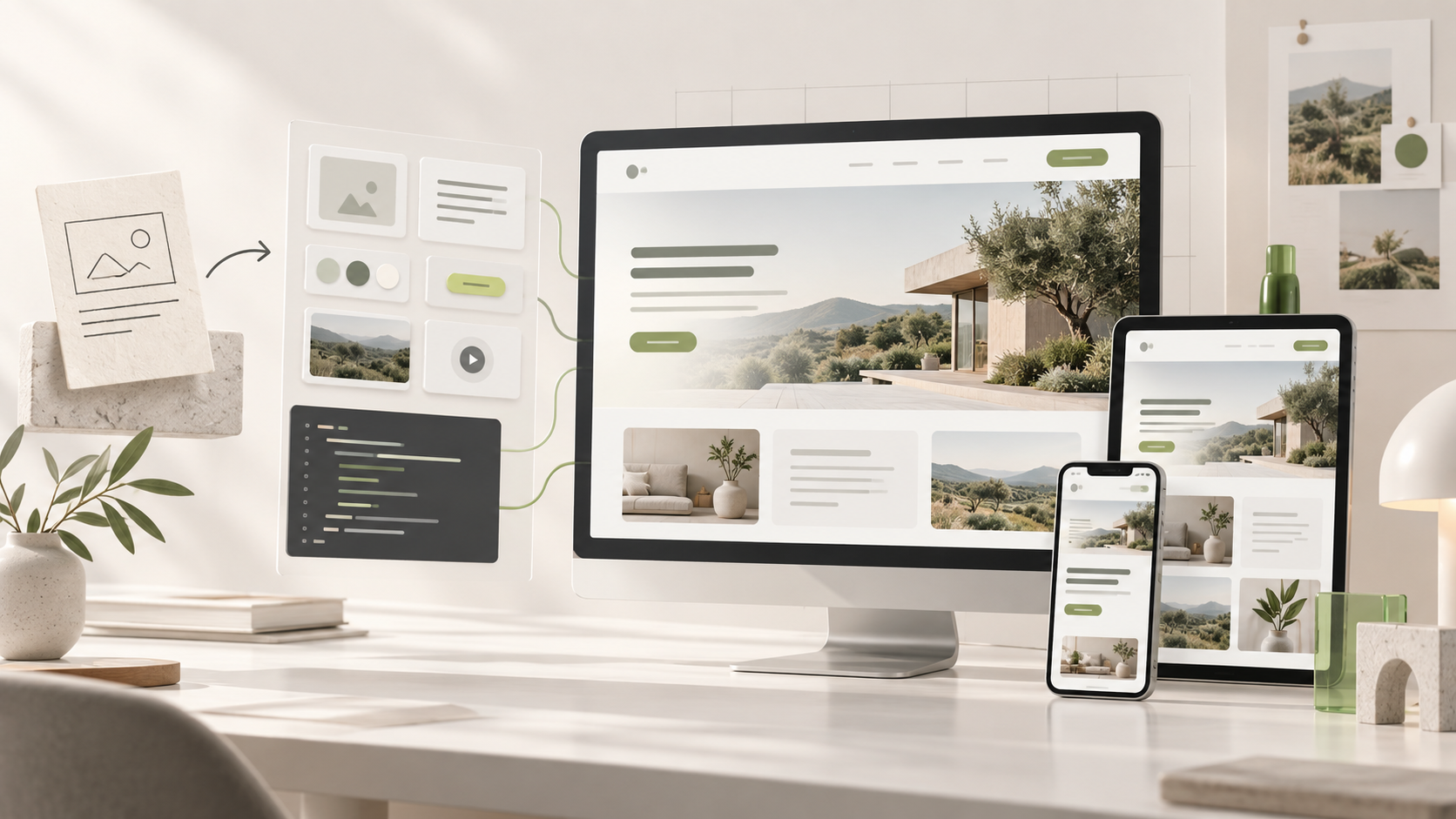
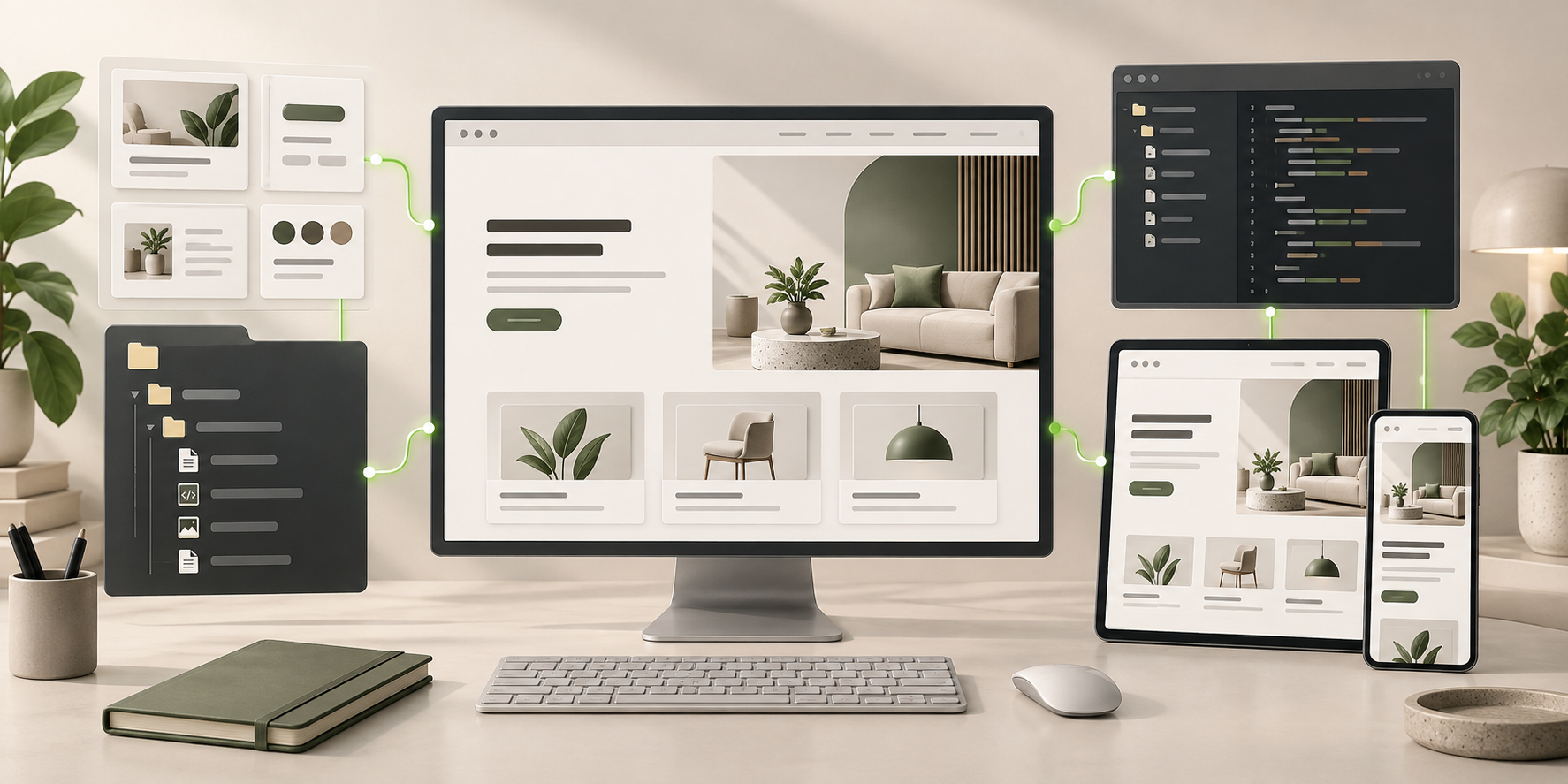
AI website builder workflow turning a creative brief, reusable components, and code into one responsive desktop, tablet, and mobile website.
Responsive Website System · Generated
Brand SystemResponsive LayoutEditable Components
You Bring the Idea↗

“A calm editorial site for an independent studio. One clear contact action.”

Illustrative Website · Desktop CompositionReal Editable Frontend Files
01Design System WorkflowChoose or create a design system inside OpenDesign.
02Visual HTML EditingEdit selected details in OpenDesign's website preview.
03Three AI SetupsConnect a local agent, Bring Your Own Key, or use OpenDesign Cloud.CodexClaude CodeCursor
04HTML and Source ExportExport from OpenDesign and continue with your project files.
Website Design Examples

AI Website Builder Concepts for Different Kinds of Sites.

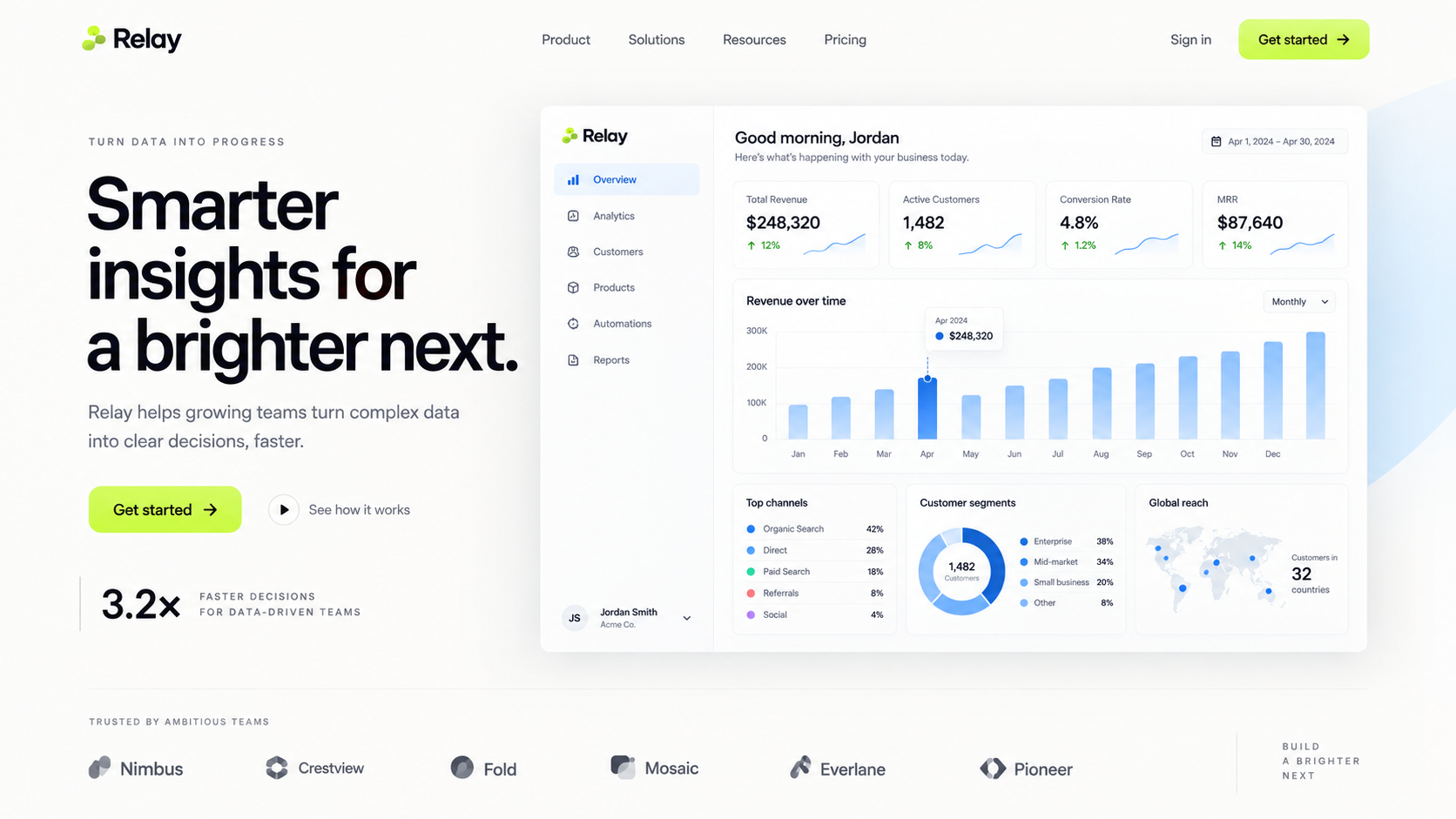
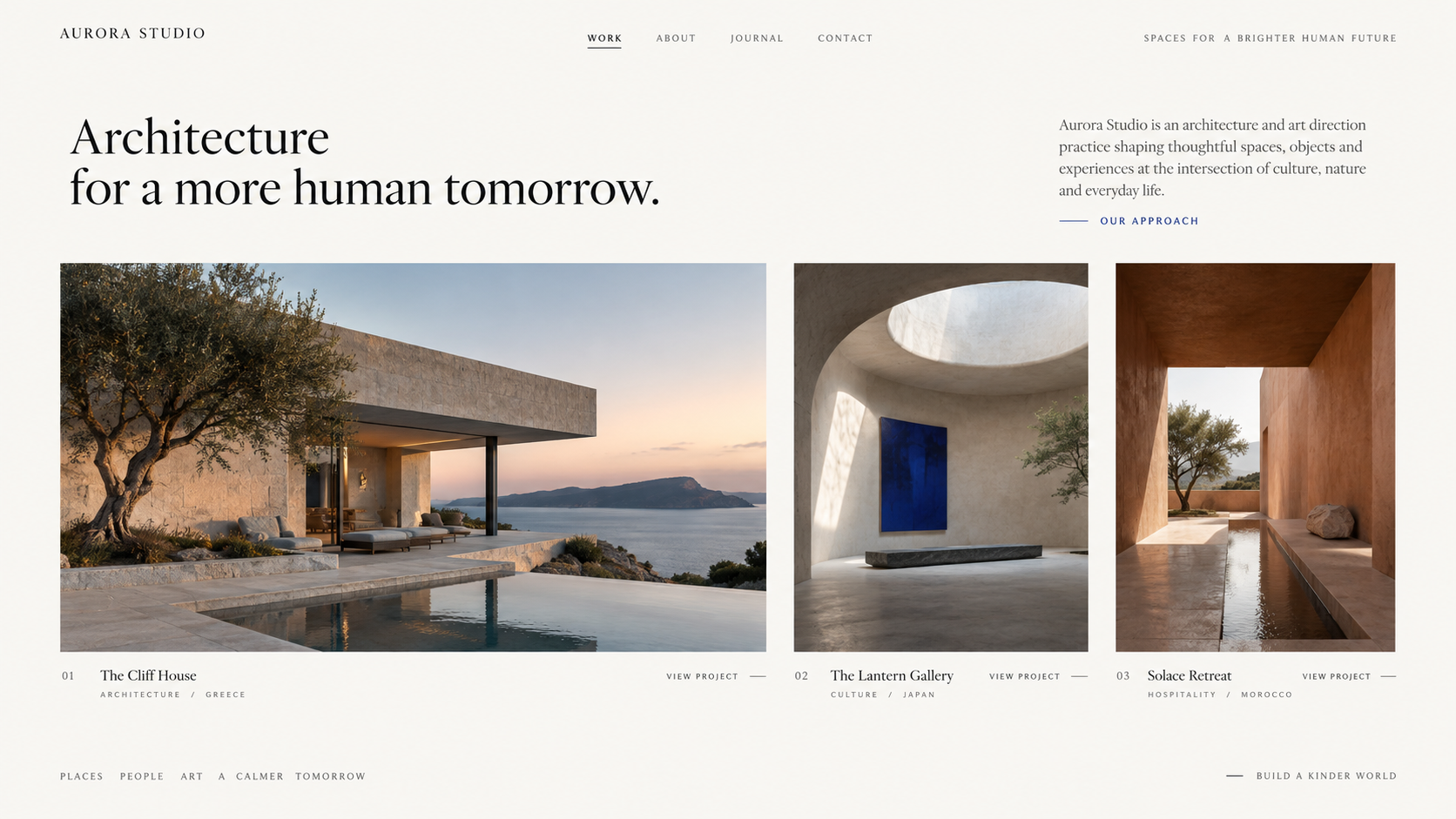
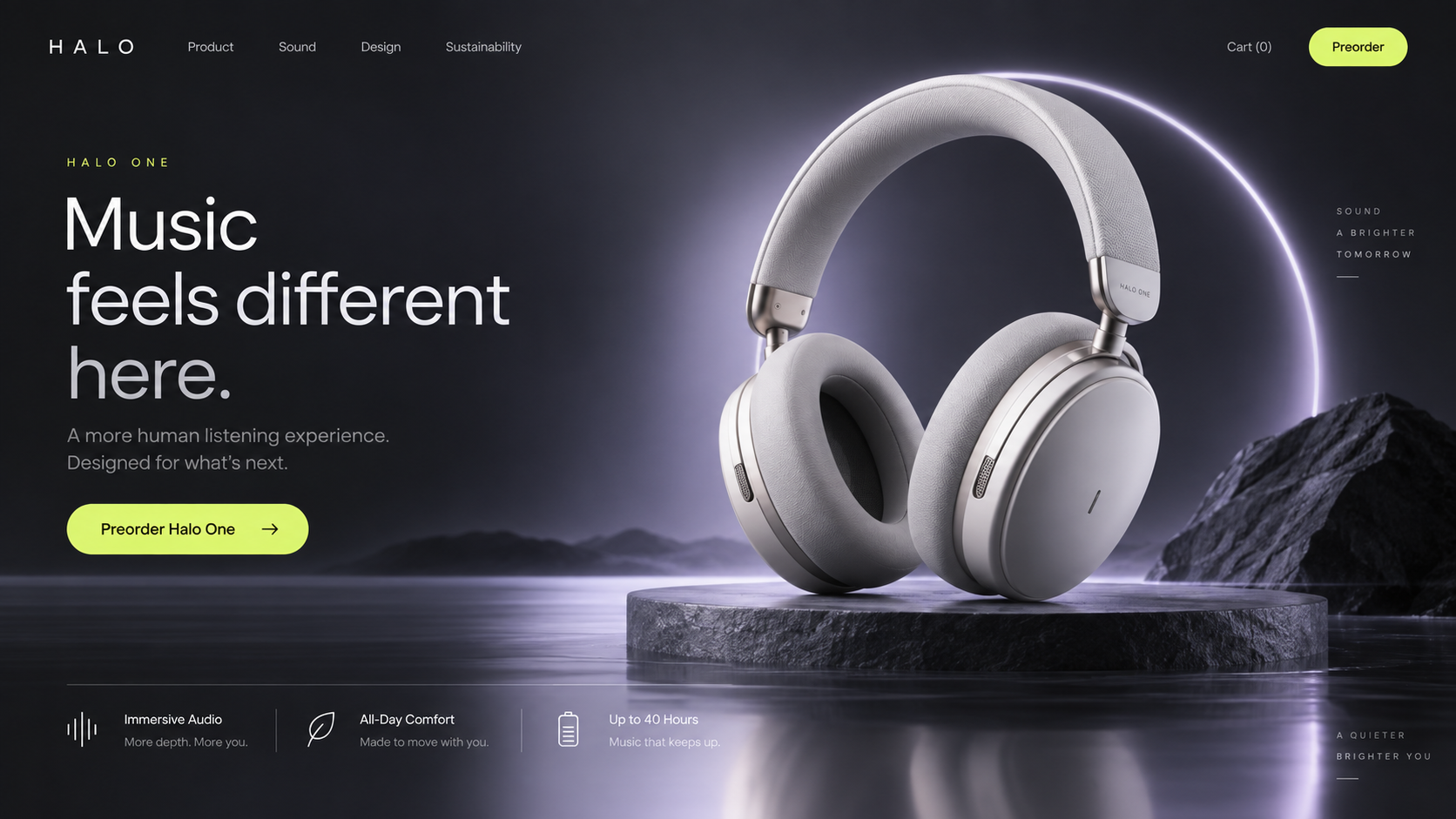
Three AI-generated concept images show different approaches to a SaaS site, portfolio, and product launch. They illustrate visual direction—not customer builds, product screenshots, or tested website implementations.

SaaS Website

A SaaS Website Design Concept

A bright analytics concept places a dashboard illustration beside the product explanation and conversion path. For your own site, supply approved product screens and verified evidence; the interface, logos, and metrics pictured here are illustrative.

  • Product explanation supported by an interface illustration
  • Card and chart patterns to develop into reusable sections
  • A desktop direction to implement and review at smaller widths
Product Layout Interface Direction Section Patterns
AI website builder example for a SaaS analytics product, showing a complete desktop landing page with an embedded dashboard.
Illustrative Design · Not a Customer Build1672 × 941 · 16:9
Portfolio

An Editorial Portfolio Design Concept

This architecture portfolio concept uses a wide lead image, quieter supporting views, and restrained typography. Use the composition as a reference for sequencing your own work, then provide the real projects, captions, credits, and image permissions.

  • Varied image frames instead of a wall of equal thumbnails
  • Editorial type scale for titles and captions
  • A visual direction to extend into project, about, and contact pages
Gallery Layout Editorial Type
AI website builder example for an architecture portfolio, showing a complete desktop homepage with a wide project image and editorial gallery.
Illustrative Design · Not a Customer Build1672 × 941 · 16:9
Product Launch

A Product Launch Design Concept

A cinematic product concept balances a large image, focused promise, and compact specification section. The image demonstrates art direction, not a functioning shop. Replace illustrative claims and specifications with approved information and connect the purchase action to your commerce service.

  • Dark hero that lets the product photo carry the page
  • Spec row for the details people actually check
  • One obvious primary action, repeated once at the end
Launch Layout Single CTA
AI website builder example for a product launch, showing a complete desktop landing page with headphones, launch copy, and product specifications.
Illustrative Design · Not a Customer Build1672 × 941 · 16:9
How It Works

Build a Website With AI, From First Thought to Final File.

Choose a Local Coding Agent for project-file access, Bring Your Own Key for direct model access, or OpenDesign Cloud for a hosted-model start. Then select a design system and describe the website. The app is free and open source; agent subscriptions, provider usage, or Cloud credits depend on your chosen setup.

Step 1 — DescribeStart With a Sentence.
01 / 04
Your Direction Ready

A portfolio for a photographer — full-bleed images, a short bio, and a clear way to get in touch.

PortfolioEditorialContact-focused

Choose a design system, add your own assets, and describe the audience, pages, and next action in plain language.

What It Builds

The OpenDesign AI Website Builder in Practice.

Move between the generated website and the details behind it. OpenDesign combines reusable design context, supported visual edits, marked agent feedback, and portable frontend output in one workflow.

01

Design Context From Your Brand

OpenDesign lets you choose a design system or create design context from a website, repository, or approved Figma material. Add the audience and action alongside those rules. Generation gets both a visual reference and a purpose; review the result rather than assuming the reference was followed perfectly.

02

Visual Edits for Small Changes

In OpenDesign's editable HTML preview, select a supported element to change text, an image and its alt, or a link destination. The visual controls also support type, dimensions, spacing, and alignment. Correct the specific detail you can see, then check nearby content and mobile wrapping.

03

Marked Feedback for Bigger Changes

OpenDesign lets you mark a section of the preview and send it with feedback to your agent. Ask for a clearer hierarchy, different image treatment, or another section arrangement with a visible target. Review the changed page before accepting it; the annotation guides implementation, but does not certify the result.

04

Local Agent, BYOK, or Cloud

OpenDesign supports local coding-agent access, a supported model provider connected with your own key, and OpenDesign Cloud. Choose based on your existing setup and model access. Project permissions, provider charges, and Cloud credits depend on that choice; Cloud model access is not website hosting.

05

Desktop, Tablet, and Mobile Review

OpenDesign's website preview offers desktop, tablet, and mobile viewport sizes. Inspect the complete navigation, long copy, image crops, forms, and control states—not just an attractive hero. Use the same design context when requesting corrections, and verify each size again after a layout change.

06

Templates and Frontend Export

OpenDesign can save an approved artifact as a template and offers HTML or source-and-assets export. Inspect what the package contains and test it in the intended environment. A reusable starting point helps the next project, while the exported frontend remains available for engineering and publishing.

Why OpenDesign

What OpenDesign Adds to AI Website Building.

OpenDesign gives you a design-system workflow, an editable HTML preview, marked feedback for your agent, and three AI setup options. These product capabilities let you carry your brand into the website and make precise changes as the project develops.

OpenDesign Workspace Workflow Illustration
Design System + Website Brief

“Use our type, color, and spacing rules. Build a studio website with selected work and one clear contact action.”

OpenDesign Visual EditingSelected Text · Image · Link · Spacing
index.htmlstyles.csscomponents/ Codex Claude Code Cursor
01

Design Systems in Your Workflow

In OpenDesign, choose a design system or create one from a website, GitHub repo, or Figma material. OpenDesign supplies the design context to generation, so you can reuse your brand's type, color, spacing, and component rules across pages.

02

Visual Editing and Marked Feedback

OpenDesign's editable HTML preview lets you select text, images, or links and change supported content and styles. Mark a region to send larger changes to your agent. Both tools give your feedback a visible target, rather than another whole-page description.

03

Your Agent, BYOK, or OpenDesign Cloud

OpenDesign supports a local coding agent, Bring Your Own Key, and OpenDesign Cloud. Connect the setup that fits your model access and project needs. The app is free and open source; agent subscriptions, provider usage, and Cloud credits remain separate.

04

HTML and Source Export

OpenDesign provides HTML and source-and-assets export options. Inspect the generated package, then continue with Codex, Claude Code, Cursor, or your own editor. Your team works from editable frontend output, not a design reference that must be rebuilt.

The Choice in Plain Terms

More Say in How Your Site Is Made.

Choose OpenDesign for brand-sensitive websites you expect to keep refining. A portfolio, campaign, or SaaS site benefits from reusable design rules, targeted visual changes, and frontend files that remain useful to the next person working on it. That combination is the reason to choose it—not a promise that the first generation is automatically finished.

Choose a managed platform if your main need is an all-in-one operating service. OpenDesign is a design and frontend workspace, not your managed CMS, store, or database. Publishing integrations need a configured provider; forms, payments, and production data still need connected services. Choose it when control over the website matters and you have a plan for what runs behind it.

Keep the Source

An AI Website Builder That Hands You the Files.

Your site is not only a preview inside a builder. It is real files and components, saved in your own project, so you can review each change and keep shaping the result with Codex, Claude Code, Cursor, or your development team.

CodexCodex Claude CodeClaude Code CursorCursor
Real HTML, CSS, and JSPlain files you can open, read, and change in any editor.
Structure You Can RefineInspect the output and ask your agent to organize shared sections. The file structure depends on the generated project.
Saved in Your ProjectKeep local files, inspect the export, and add the approved changes to your own version-control workflow.
Keep Building With Your AgentHand the repo to the coding agent you already use and carry on.
Website Frontend One Design System.
Normal Project Files.
index.htmlstyles.csscomponents/
components/Hero.js
export function Hero() {
return (
− <section class="hero">
+ <section class="hero hero--split">
<h1>{title}</h1>
<PrimaryCTA label="Start a project" />
</section>
);
}
Open the Folder With
Codex Claude Code Cursor
Bring your own key to choose the model provider. Review that provider’s billing and data policies; use a Local Coding Agent when project-file access is required.
Choose Your Starting Point

One AI Website Builder. Different Jobs to Finish.

Each path starts from a different brief, structure and definition of done.

Honest Boundary

A Frontend AI Website Builder—With a Clear Boundary.

OpenDesign builds the visible website experience: responsive pages, reusable components, styling, and the files you keep. It deliberately does not run the infrastructure behind the interface.

What It Gives You

  • Responsive Pages and Reusable Components
  • Real HTML, CSS, and JavaScript Files
  • A Design System You Can Restyle
  • Source You Keep, Edit, and Deploy Yourself

Services You Connect Separately

  • Hosting Accounts and Infrastructure
  • Domain Registration
  • A CMS
  • An Ecommerce Backend
  • A Production Database

Use supported Cloudflare Pages or Vercel integrations after configuring the provider, or export for a compatible host. Available publishing targets depend on the integration. Verify asset paths, links, and forms on the published site; provider accounts, domains, and charges remain separate.

AI Website Builder FAQ

AI Website Builder Questions, Answered Clearly.

What OpenDesign creates, how the workflow continues, and where a different tool still belongs.

What Is an AI Website Builder?

An AI website builder turns a plain-language brief into a website structure, visual system and working frontend. OpenDesign focuses on the branded, responsive frontend files you can inspect, edit and continue developing.

Can I Build a Complete Website Without Coding?

You can generate a frontend direction and refine supported HTML details without writing the first version by hand. Choose a Local Coding Agent for project-file work, BYOK for your provider and model, or OpenDesign Cloud for hosted-model access. The app is free; your chosen model service may charge. Forms, payments, authentication, and production data still need connected services or engineering.

Are OpenDesign Websites Mobile-Friendly?

You can request a responsive frontend and review the working page in desktop, tablet, and mobile previews. Check navigation, long text, controls, and image crops at each size. A preview does not certify responsive quality, and the concept images above are not evidence of a tested mobile implementation.

Can I Edit an AI-Generated Website?

On editable HTML, select text, images, or links to change content, image sources and alt text, link destinations, typography, and spacing. Mark larger changes for the agent. For implementation changes in local files, use a coding agent with project access. Save an approved artifact as a template or inspect its HTML or source export before handoff.

Can I Use an Existing Figma Design?

OpenDesign can decode a local .fig export into a structured snapshot with its node tree, tokens, assets, and preview, then use that material to create design context. If a Figma URL is inaccessible, bring the approved local file. Review the generated website against the source: this is not guaranteed lossless conversion, live synchronization, or automatic completion of every responsive and interaction decision.

Is the Generated Website SEO-Friendly?

The frontend can include semantic HTML, descriptive metadata, structured headings, accessible image text, and performance-conscious assets. Those foundations make the site easier to optimize, but no builder can guarantee rankings. Search performance still depends on useful content, crawlability, internal links, authority, deployment quality, and ongoing technical review.

Does OpenDesign Include Hosting, Domains, or a CMS?

OpenDesign has supported publishing integrations for configured Cloudflare Pages and Vercel providers, and you can export files for another compatible host. It does not supply the provider account, domain, managed CMS, payment service, or production database. Publishing targets and costs depend on the provider and integration; check the final live result.

What Kinds of Websites Can I Build?

Marketing sites, portfolios, SaaS websites, startup sites, small-business sites, agency sites, personal sites, static sites, campaign pages, and product launches are strong fits. The common thread is a frontend experience where visual hierarchy, content, responsive behavior, and reusable components matter.


Start Building

Build With Your Brand. Keep Your Options.

Start with a design system, choose your agent or model, and shape the website in a working preview. Take the frontend files into the next stage when you are ready.

Download OpenDesign

Free and Open Source · Your AI Setup · Editable Frontend Files

AI website builder output connected to editable frontend files, reusable components, a code editor, and responsive device previews.
Ready to Keep EditingWebsite Frontend GeneratedHTML · CSS · JS · Components