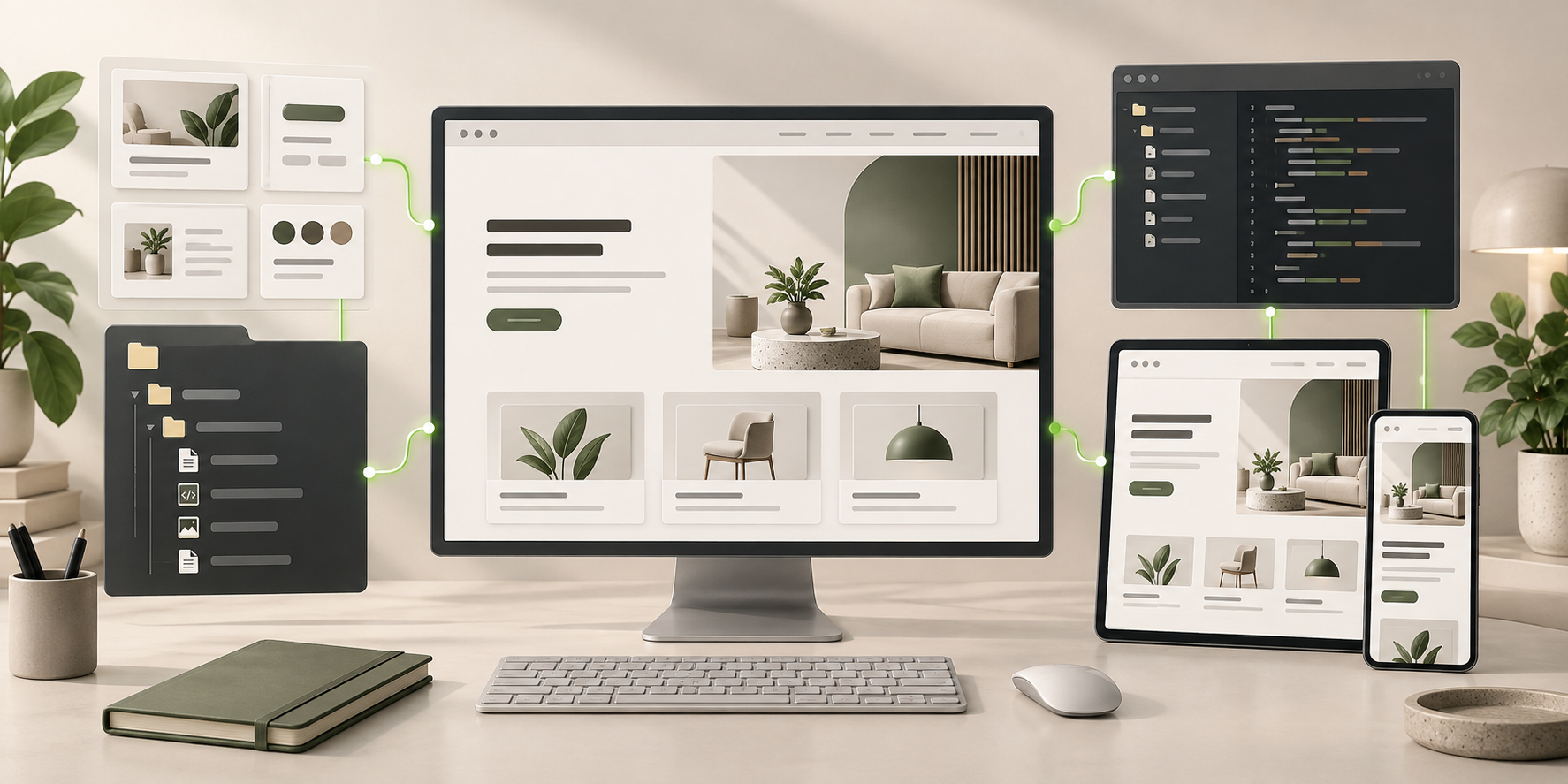
Interactive Website BuilderOpenDesign

AI Website Builder for Interactive Websites

Ask for behavior, then try it in the working page. Use OpenDesign with a coding agent to build tabs, filters, comparisons, or a narrative interaction from a clear brief. Mark the state that needs a change, refine supported HTML details, and keep the generated logic available for testing.

Branded Frontend · Real Files · Continue With Your Coding Agent

Interactive Product Story01 / OpenDesign
interactive.website · Desktop Preview
Interactive WebsiteStory   Demo   DetailsExplore the Demo
Interactive Product StoryLet the Visitor Explore the Difference.

A responsive frontend where controls, states, feedback, and motion help explain the product instead of decorating it.

Explore the Demo
Illustrative desktop website direction for the AI Interactive Website Builder workflow in OpenDesign.
States · Motion · Accessible Controls
StatesMotionAccessible Controls
One Specific Brief↗

“An interactive product story with a filterable project gallery, before-and-after comparison, scroll-linked explanation, keyboard controls, and a motion-reduced fallback.”

Illustrative Website · Desktop CompositionReal Editable Frontend Files
01State-Aware ComponentsDesign default, hover, focus, active, expanded, loading, empty, and error states intentionally.
02Purposeful MotionUse transitions to explain hierarchy, cause, and change—not to delay comprehension.
03Keyboard and Reduced MotionKeep controls operable and essential content available without animation.
04Editable ImplementationContinue refining timing, state logic, responsiveness, and performance in the frontend files.
Interactive Website Example

Design the Interaction States, Not Just the First Frame.

The visible composition should explain the user job while the frontend makes inputs, feedback, fallbacks, and accessibility behavior reviewable.

Interactive Data Story

A Visual Story With Comparison, Timeline, Filters, and Meaningful Feedback.

This illustrative climate-data composition shows where a comparison, timeline, and filters could support the story. The image demonstrates the visual direction, not tested interaction. Use the coding-agent workflow to implement the controls, try the working preview, and send feedback from states that behave incorrectly.

  • Controls and current state embedded in the story instead of floating outside it
  • Comparison, timeline, and filter patterns with clear feedback
  • Frontend behavior ready for keyboard, reduced-motion, and failure review
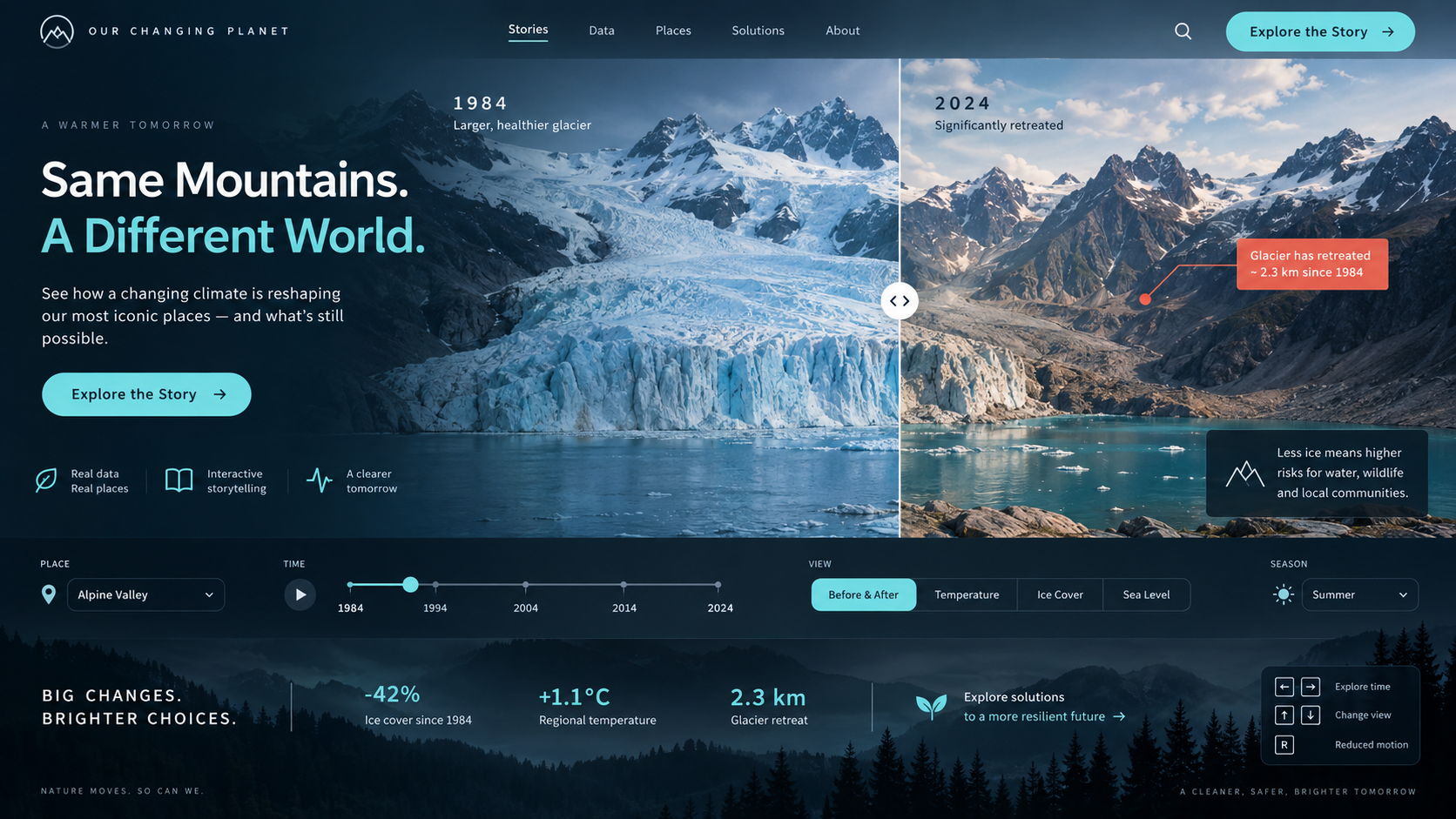
Stateful StoryInteraction SystemTestable Frontend
AI interactive website builder example showing a complete desktop climate data story with before-and-after comparison, timeline, filters, metrics, and accessible interaction cues.
Illustrative Design · Not a Customer Build1672 × 941 · 16:9
State Matrix

Interactive Means Designing More Than the Default Screen.

Describe a control’s inputs and states to the coding agent, try the working result, and send located feedback when behavior differs from the brief.

StateVisitor FeedbackImplementation Check
01

Default and Hover

Affordance and emphasis

No meaning depends on hover alone
02

Focus and Keyboard

Visible position and action

Order, target, and accessible name
03

Loading, Empty, Error

Progress and recovery

Real data and failure behavior
04

Reduced Motion

Same content and control

No essential animation dependency
Interaction Storyboard

User Job → Inputs → States → Feedback → Fallback.

Every interaction begins with what the visitor needs to understand or complete.

  1. 1

    Describe the User Action

    State what the visitor is trying to understand or complete and why interaction helps.

  2. 2

    Map States and Inputs

    List controls, initial states, transitions, feedback, keyboard behavior, touch behavior, and fallbacks.

  3. 3

    Build and Exercise One Interaction

    Use a Local Coding Agent for file-editing work. Ask for the initial state, input, visible response, and fallback, then try the generated control in the working preview.

  4. 4

    Send Feedback From the State That Fails

    Mark the affected area and explain the expected behavior to the agent. Use direct HTML edits for visual details, then retest keyboard use, touch, motion settings, and edge cases.

A Focused Revision to Try

Review the marked control’s default, loading, success, empty, and error states. Make it keyboard-operable, keep focus visible, and provide a reduced-motion path. Explain which behavior still needs a real service.

Interaction System

An AI Interactive Website Builder You Can Review in Action.

The implementation can be inspected and tested instead of being implied by a static mockup.

01

Interactive Component States

Define the visible states for navigation, filters, tabs, accordions, comparisons, previews, and other controls.

02

Responsive Behavior

Decide what reflows, simplifies, becomes scrollable, or disappears as the available space changes.

03

A Testable Frontend

Keep state logic and styles in files that developers can inspect, measure, and harden for production.

Behavior With a Purpose

Interaction Connected to the Website’s Meaning.

A screenshot cannot tell you whether a filter resets correctly or an accordion works by keyboard. OpenDesign keeps the generated website available as a working preview, so agent revisions can be driven by the behavior you tried rather than by a static frame.

One Clear BriefWebsite System
Your Direction

“An interactive product story with a filterable project gallery, before-and-after comparison, scroll-linked explanation, keyboard controls, and a motion-reduced fallback.”

index.htmlstyles.csscomponents/CodexClaude CodeCursor
01

Try the Generated Control

Exercise the working frontend and compare its actual response with the interaction you requested.

02

Feedback From the Problem State

Send marked context and the expected transition to the agent, rather than describing a failure without identifying its location.

03

Separate Behavior From Visual Refinement

Let the coding agent change state logic; use supported HTML style controls to adjust spacing, type, and visual feedback.

04

Carry the Logic Into Testing

Inspect the generated files, add checks, and change the implementation in your engineering workflow after the visual review.

Scope · AI Interactive Website Builder

A Working Interaction Still Needs Real Testing.

Browser-side behavior is not a production data service. Ask for loading and error states, then verify them against the actual APIs, accessibility needs, and runtime you will use.

Your Website Deliverables

  • Interactive Component States
  • Responsive Behavior
  • A Testable Frontend

Separate Services and Responsibilities

  • Production backend state
  • Realtime data services
  • Authentication and permissions
  • Automatic accessibility certification

Interactive output still requires testing with real devices, keyboard and screen readers, reduced-motion settings, network conditions, production data, and the final application architecture.

AI Interactive Website Builder FAQ

AI Interactive Website Builder Questions About States, Motion, Accessibility, and Code.

Trying generated controls, revising behavior with an agent, and distinguishing visual edits from logic changes.

What Can an Interactive Website Builder Create?

It can create frontend controls, states, transitions, responsive behavior, and browser-side interactions. The exact result depends on the brief and still needs testing and production review.

Can It Add Animations?

Yes, when motion supports hierarchy, feedback, or explanation. Essential content should remain usable with reduced motion and without waiting for animation.

Does Interactive Mean It Includes a Backend?

No. Tabs, filters, previews, and local state are frontend behavior. Accounts, persistence, APIs, realtime data, and databases need separate implementation.

Will the Interaction Be Accessible?

The frontend can include keyboard controls, focus states, accessible names, and reduced-motion support, but real accessibility still requires testing and remediation.

How Do I Revise a Generated Interaction?

Try it in the working preview, mark the affected area, and send the desired input, state, and response to a coding agent with file access. Direct HTML editing can refine visual details, but logic changes require modifying the implementation and testing the new behavior.

Start Building

Build the Experience Between First View and Final Action.

Describe the states, generate the frontend, and keep refining the behavior in code you can inspect.

Download OpenDesign

Free and Open Source · No Lock-In · Works With Your Coding Agent

AI Interactive Website Builder frontend connected to editable files, reusable components, and coding-agent continuation.
Ready to Keep EditingAI Interactive Website Builder Frontend GeneratedHTML · CSS · JavaScript · Components