For DevelopersOpenDesign

AI Website Builder for Developers

Connect your local coding agent, bring your own model key, or start in OpenDesign Cloud. Apply a reusable design system, generate and review a responsive frontend, then keep the project files for the engineering work that follows.

Local Agent · Bring Your Own Key · OpenDesign Cloud

Hospitality Website01 / OpenDesign
client-project.website · Desktop Preview
Hospitality WebsiteStay   Experience   JournalExplore the Stay
Hospitality WebsiteStay Somewhere Slower.

A polished brand website with an editorial experience, responsive pages, and source files ready for engineering review.

Explore the Stay
Illustrative desktop website direction for the AI Website Builder for Developers workflow in OpenDesign.
Responsive · Design System · Agent-Ready
ResponsiveDesign SystemAgent-Ready
One Specific Brief↗

“A refined hospitality website with a clear booking path, immersive visual storytelling, reusable components, and a design system our coding agent can keep following.”

Illustrative Website · Desktop CompositionReal Editable Frontend Files
01Choose Your RuntimeUse a local coding agent, bring your own key, or start with hosted models in OpenDesign Cloud.
02Bring Design RulesChoose from 152+ design systems or create one from a website, GitHub repo, or Figma file.
03Preview Before RefactoringReview the responsive website visually, refine it, and inspect the files behind the result.
04Keep the Project LocalContinue with HTML, CSS, assets, and your existing coding-agent workflow.
Website Example

Start With the Website the Brief Actually Needs.

Developers build websites for every kind of audience. OpenDesign shapes the visible result around the brand and visitor job, then connects that result to design rules, local files, and the developer workflow.

A Website Built in the Developer Workflow

The Website Reflects the Brief, Not the Person Building It.

A developer may be building a hospitality, commerce, editorial, portfolio, or product website. OpenDesign adapts the visual direction to that job. The developer value appears behind the result: controllable models, reusable design rules, responsive review, and local files that remain part of the engineering workflow.

  • A complete desktop composition shaped by the brand, audience, and visitor journey
  • Reusable sections and a coherent design system ready for product-specific refinement
  • A responsive frontend that can continue through source control and coding agents

Responsive FrontendDesign SystemLocal Project Files
AI website builder for developers example showing a complete desktop hospitality brand homepage with editorial imagery, room details, and a booking call to action.
Illustrative Design · Not a Customer Build1672 × 941 · 16:9
Choose Your Runtime

Three Ways to Run OpenDesign. Three Different Developer Needs.

Choose the setup before you generate: use a Local Coding Agent for project-file access, bring your own key for direct model control, or start in OpenDesign Cloud without configuring either.

01Local Coding Agent

Let Your Agent Work With the Project Files.

Run OpenDesign through an installed coding agent such as Codex, Claude Code, or Cursor. This is the path to use when the agent needs permission to read and edit the local project.

CodexClaude CodeCursor
Best For
Best for repository work and file editing
Know Before You Choose
Your agent subscription or API billing applies
02Bring Your Own Key

Choose the Provider, Endpoint, and Model.

Add your provider key, endpoint, and model, then test the connection before generating. Usage is billed by the provider instead of consuming OpenDesign credits.

API KeyEndpointModel
Best For
Best for model choice and direct cost control
Know Before You Choose
Generates designs; use a Local Agent to edit project files
03OpenDesign Cloud

Start Without Installing an Agent or Adding a Key.

Sign in and use the hosted models available in OpenDesign Cloud. It is the shortest setup path when you want to begin designing before configuring a local development workflow.

Sign InHosted ModelsCredits
Best For
Best for the fastest hosted start
Know Before You Choose
An account and OpenDesign plan credits are required

One Product, Different Controls. Local Agent and BYOK can start without an OpenDesign account. OpenDesign Cloud uses an account and plan credits. Your selected agent or model provider may still charge separately.

Developer Workflow

Runtime → Design System → Website → Repository.

OpenDesign handles the design-generation layer, then hands the frontend back to the engineering workflow where review, refactoring, integration, and deployment belong.

  1. 1

    Choose How OpenDesign Runs

    Connect a Local Coding Agent when files must be edited, bring your own key for direct model access, or sign in to OpenDesign Cloud for a hosted start.

  2. 2

    Pick or Create a Design System

    Start with one of 152+ open-source systems, or create your own from a website, GitHub repo, or Figma file.

  3. 3

    Describe, Generate, and Review

    Explain the audience, pages, brand direction, and technical constraints. Review the responsive result, then refine it by prompt or direct selection.

  4. 4

    Continue With the Files

    Use the local project as implementation material: inspect it, put it under version control, test it, refactor it, and connect the rest of your stack.

A Focused Revision to Try

Keep the approved design system. Separate the repeated navigation, hero, and footer into reusable components that fit the repository conventions. Show the changed files; do not add dependencies without explaining them.

What You Keep

AI Website Builder for Developers: Files and Design Context.

The useful output is not only the render. It is the combination of a responsive website, inspectable project material, and design rules the next agent pass can reuse.

01

A Working Responsive Frontend

Generate real website pages and reusable sections instead of receiving a flattened screenshot or a visual reference that must be rebuilt.

02

Local Project Files

Keep the HTML, CSS, related assets, and project structure on your computer so the result can move into normal source control and review.

03

Reusable Design Context

Keep the chosen colors, type, spacing, and component rules available as shared context for the next page and the next coding-agent pass.

The OpenDesign Difference

Give Your Coding Agent a Design System, Not Another Vague Prompt.

Choose from 152+ open-source design systems or create one from a website, GitHub repo, or Figma file. OpenDesign turns color, type, spacing, and component decisions into reusable context that can shape every generated page.

Design System InputReusable Agent Context
152+ SystemsWebsiteGitHub RepoFigma File
OpenDesignDESIGN.mdColor · Type · Spacing · Components
HomepageProduct PagesDocs EntryNew Iterations
One visual system can guide the first generation and the coding-agent work that follows.
01

152+ Open-Source Starting Points

Use a defined visual system instead of asking a model to invent a new style from a handful of adjectives.

02

Create a System From Existing Work

Use a website, GitHub repository, or Figma file as source material for a project-specific design system.

03

Agent-Readable Design Context

Keep reusable design rules and project files together so later coding-agent work starts with more than a screenshot.

04

Consistency Across Iterations

Refine copy, layout, components, and new pages while keeping the same visual decisions in view.

Scope · AI Website Builder for Developers

Keep Runtime Control. Review the Implementation Before Shipping.

Model setup, project-file permissions, and production readiness are separate decisions. Supported publishing integrations still need a deployment provider and configuration.

Your Website Deliverables

  • A Working Responsive Frontend
  • Local Project Files
  • Reusable Design Context

Separate Services and Responsibilities

  • Backend services and APIs
  • Authentication and databases
  • Managed hosting and domains
  • Automatic framework compliance

OpenDesign is the design-generation layer in a developer workflow, not a full-stack application platform. Treat the generated frontend as implementation material that still deserves review, testing, accessibility checks, security work, and adaptation to your repository standards.

AI Website Builder for Developers FAQ

AI Website Builder for Developers: Keys, Agents, Files, and Limits.

Provider settings, local-agent access, design-system inputs, and the project files you can continue developing.

Can I Use My Own API Key With This AI Website Builder for Developers?

Yes. Add your provider API key, endpoint, and model, then test the connection. The provider bills the model usage directly, so it does not consume OpenDesign credits. BYOK can generate designs, but it does not edit project files on its own; use a Local Coding Agent when file access is required.

Do I Need an OpenDesign Account?

Not for the Local Coding Agent or Bring Your Own Key workflows. OpenDesign Cloud requires an account because it uses hosted models and plan credits.

Can OpenDesign Work With My Existing Repository?

A Local Coding Agent can work with the files it has permission to access, which makes it the appropriate path for adapting generated frontend work inside an existing repository. Review the changes and align them with your own framework, tests, and conventions before shipping.

Can I Use My Existing Design System?

You can choose from 152+ open-source design systems or create one from a website, GitHub repository, or Figma file. The resulting color, type, spacing, and component direction can guide the website and later iterations.

What Does OpenDesign Generate and Export?

OpenDesign creates a website frontend you can inspect and continue developing. Export standalone HTML or the available source and assets, and use PDF or images for review. Configured Cloudflare Pages or Vercel integrations can publish supported output; provider accounts, infrastructure, backend services, and production checks remain your responsibility.

Start Building

Design the Website. Keep Building in Your Stack.

Choose your runtime, apply a reusable design system, review the responsive frontend, and continue with the local project files.

Download OpenDesign

Free and Open Source · No Lock-In · Works With Your Coding Agent

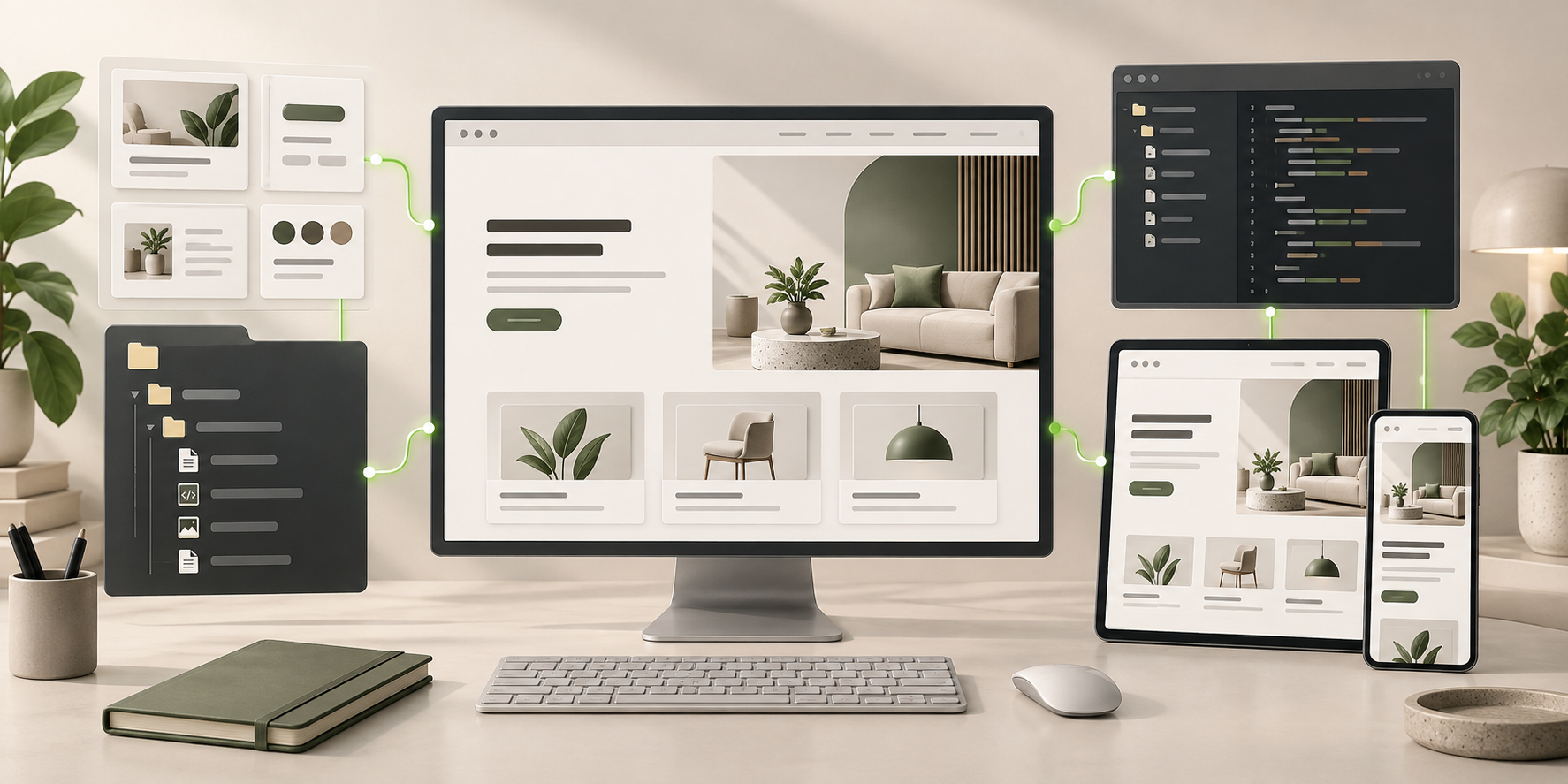
AI Website Builder for Developers frontend connected to editable files, reusable components, and coding-agent continuation.
Ready to Keep EditingAI Website Builder for Developers Frontend GeneratedHTML · CSS · JavaScript · Components