Personal Website BuilderOpenDesign

AI Website Builder for Personal Websites

Make one home for your introduction, selected work, and writing. Choose a design system in OpenDesign and generate only the sections your audience needs. Keep everyday updates small: select editable HTML text to change a bio, update an image, or point a link to a new article or talk.

Branded Frontend · Real Files · Continue With Your Coding Agent

Product Designer and Writer01 / OpenDesign
personal.website · Desktop Preview
Personal WebsiteWork   Writing   AboutSee Selected Work
Product Designer and WriterDesigning Systems People Can Understand and Use.

Selected work, practical writing, and a clear introduction without turning a person into a personal-brand template.

See Selected Work
Illustrative desktop website direction for the AI Personal Website Builder workflow in OpenDesign.
Personal Story · Selected Work · Easy to Update
Personal StorySelected WorkEasy to Update
One Specific Brief↗

“A personal site for a product designer: a concise introduction, selected work, recent writing, speaking, a short biography, and one direct contact path.”

Illustrative Website · Desktop CompositionReal Editable Frontend Files
01A Clear IntroductionExplain who you are, what you do, and what kind of work or conversation you want next.
02Selected EvidenceConnect claims to projects, experience, writing, talks, or other real work.
03Flexible Content PathsBalance work, biography, writing, speaking, and contact without treating every section equally.
04A Site You KeepUpdate the frontend as your role, interests, availability, and body of work evolve.
Personal Website Example

Give Work, Writing, and the Person Behind Them One Coherent Home.

A personal site should be specific enough to feel human while remaining flexible enough to hold the next project, essay, or role.

Personal Portfolio and Writing

A Personal Website That Balances Introduction, Selected Work, and Writing.

This illustrative personal site balances an introduction, selected work, and writing. OpenDesign’s direct HTML controls fit the everyday updates this structure needs: change a bio, replace an image, or link to a new article. Ask the agent for a larger change when the person’s focus shifts.

  • A concise introduction that establishes perspective and current focus
  • Flexible modules for work, writing, notes, and contact
  • A responsive editorial layout that remains easy to update
Personal NarrativeFlexible SectionsOwned Website
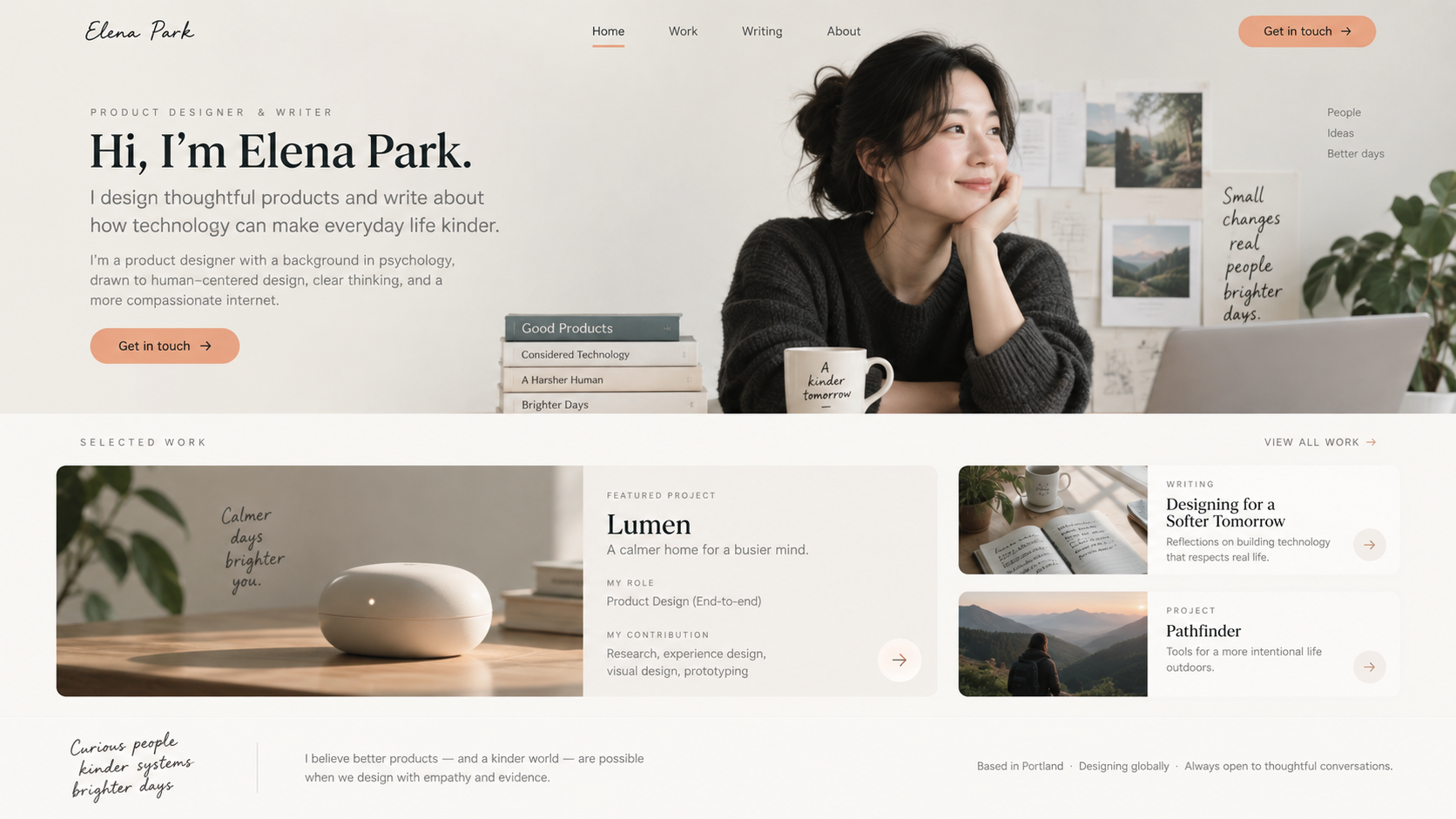
AI personal website builder example showing a complete desktop designer and writer website with personal introduction, featured project, selected writing, and contact call to action.
Illustrative Design · Not a Customer Build1672 × 941 · 16:9
Choose the Visitor

A Personal Site Changes When the Audience Changes.

Build around your present purpose, then use small edits for everyday updates and send marked feedback to your agent when the story needs to change.

Personal UpdateProduct ControlVisitor Sees
01

New Role

Edit the selected introduction text

Your current focus
02

New Work or Talk

Ask the agent to extend the section

Relevant evidence
03

New Article or Profile

Change the HTML link destination

The right next reading path
04

New Emphasis

Mark feedback and review mobile

A story suited to the intended audience
Personal Story System

An AI Personal Website Builder for Everyday Updates.

Not every personal site needs every section. The audience decides what earns space.

01

A Focused Personal Homepage

Use a concise introduction, selected evidence, current focus, and one appropriate next step.

02

Work and Writing Structures

Create reusable layouts for projects, articles, notes, talks, or resources without requiring every content type.

03

About and Contact Context

Give biography, experience, availability, and contact details enough depth to be useful without becoming a full résumé dump.

Keep It Current

Choose the Goal → Select Evidence → Build the Story → Revise as You Change.

The files remain available when a role, interest, or body of work changes.

  1. 1

    Decide What the Site Is For

    Choose the audience and action: hiring, clients, collaborators, readers, speaking, or a combination with a clear priority.

  2. 2

    Select the Evidence

    Provide real projects, roles, writing, talks, credentials, and contact information you are comfortable publishing.

  3. 3

    Generate the Personal System

    Create the homepage and reusable content patterns with one coherent visual voice.

  4. 4

    Update the Detail, Not the Whole Identity

    Select editable HTML text, images, and links for routine changes. Ask the agent to revise the structure when your audience or role changes, then check the mobile preview.

A Focused Revision to Try

Keep the navigation and typography. Update my bio, selected work, and current contact links from the material I supplied. Preserve publication credits and check the new content on a phone.

Personal Without the Template Persona

Personal Without Becoming Generic Personal Branding.

A personal website should be manageable after the first design session. OpenDesign gives you a visual starting point and direct controls for supported HTML details, so a new role, article, or contact link does not require explaining your whole identity again.

One Clear BriefWebsite System
Your Direction

“A personal site for a product designer: a concise introduction, selected work, recent writing, speaking, a short biography, and one direct contact path.”

index.htmlstyles.csscomponents/CodexClaude CodeCursor
01

A Starting Voice You Can Refine

Choose a design system, then tune supported text styles to make the introduction feel appropriate for your work.

02

Small Updates Stay Small

Change a bio, image source, or article destination directly on an editable HTML target instead of requesting a completely new website.

03

A Home for Different Kinds of Evidence

Ask the agent to balance work, writing, and talks in the page, then use marked feedback to adjust their emphasis.

04

A Site That Can Leave the Workspace

Export the HTML or project files for your publishing workflow, rather than leaving your personal presence only inside a preview.

Scope · AI Personal Website Builder

A Personal Website, Not an Automatically Synced Profile.

New roles, writing, and social links need deliberate updates. Choose what to publish and check privacy before exporting or deploying the site.

Your Website Deliverables

  • A Focused Personal Homepage
  • Work and Writing Structures
  • About and Contact Context

Separate Services and Responsibilities

  • Invented credentials or experience
  • Automatic social-profile syncing
  • A publishing CMS
  • Hosting and domain registration

You remain responsible for privacy, accuracy, image rights, confidential work, contact details, accessibility, production deployment, and keeping the personal story current.

AI Personal Website Builder FAQ

AI Personal Website Builder Questions About Purpose, Evidence, and Privacy.

Lightweight updates to your bio, writing, links, and visual direction as your work changes.

What Is the Difference Between a Personal Website and a Portfolio?

A portfolio usually centers project evidence. A personal website can also include biography, writing, speaking, current focus, experience, and contact context. The two can overlap.

Can AI Build a Personal Website From My Résumé?

A résumé can provide factual input, but a useful website needs a clearer audience, selected evidence, visual direction, and a deliberate next action. Review every generated statement for accuracy.

Can I Include Writing and Talks?

Yes. The frontend can include article, note, resource, or speaking structures. Publishing workflows and a CMS are optional separate systems.

Will OpenDesign Invent Achievements or Testimonials?

It should not. Provide real roles, work, credentials, quotes, and permission to publish them.

How Do I Add a New Article or Change My Bio?

On editable HTML, select the text or link and update its content or destination. For a new writing section, send a focused request to the agent with the articles you want to include. This is an editing workflow, not automatic synchronization with social profiles or a managed publishing CMS.

Start Building

Build a Home for the Work That Changes With You.

Start with real evidence, shape the story, and keep the frontend ready for whatever you do next.

Download OpenDesign

Free and Open Source · No Lock-In · Works With Your Coding Agent

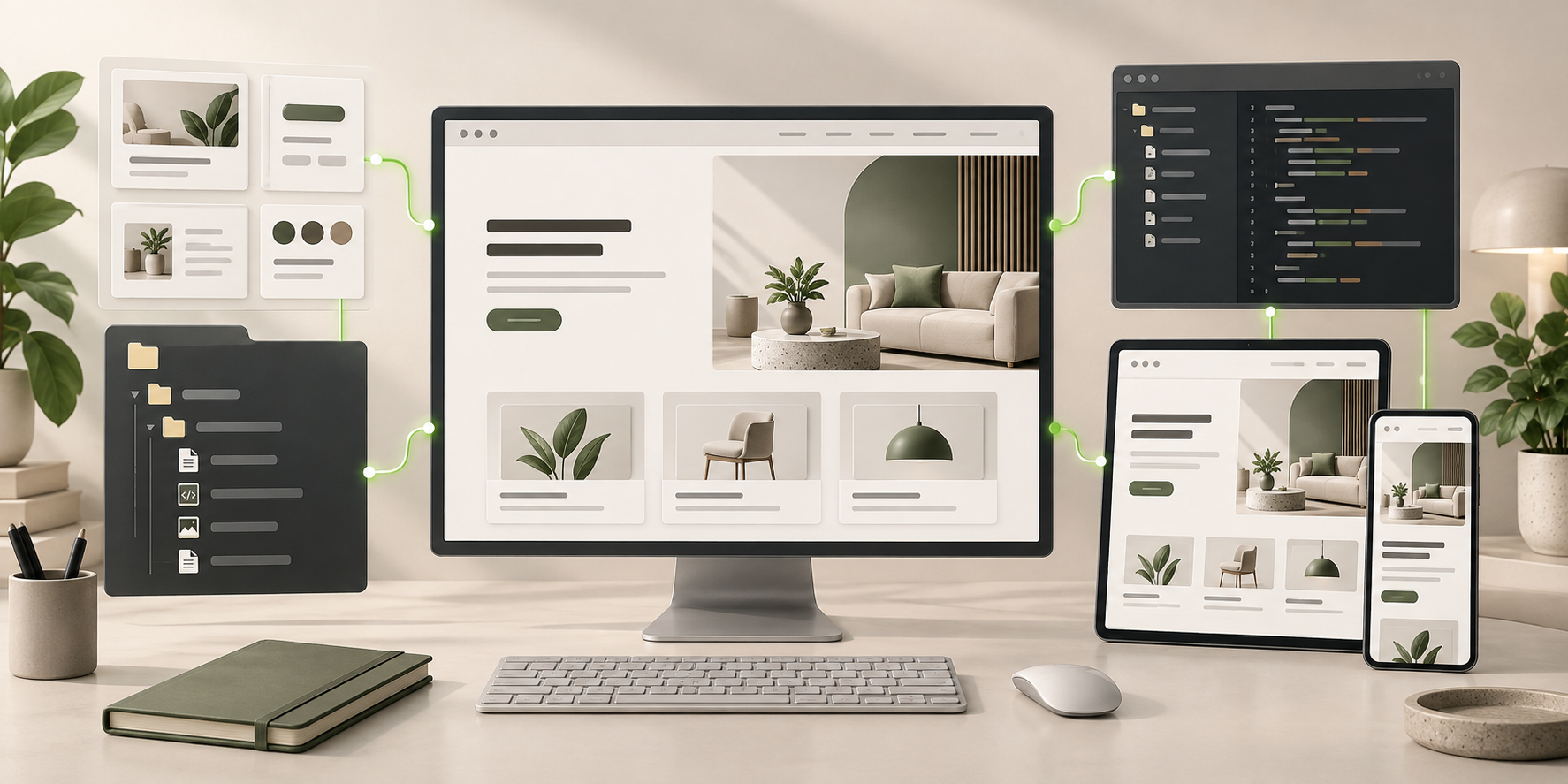
AI Personal Website Builder frontend connected to editable files, reusable components, and coding-agent continuation.
Ready to Keep EditingAI Personal Website Builder Frontend GeneratedHTML · CSS · JavaScript · Components