Free AI Website BuilderOpenDesign

AI Website Builder for Free

Use OpenDesign to turn a clear brief into a responsive website frontend without beginning from a blank canvas. The app is free and open source; model access may still carry provider costs when you bring your own key.

Branded Frontend · Real Files · Continue With Your Coding Agent

Consumer Product Launch01 / OpenDesign
product-launch.website · Desktop Preview
Product LaunchProduct   Details   JournalShop the Lamp
Consumer Product LaunchSmall Lamp. Big Inspiration.

A responsive product site with focused proof, editorial photography, reusable sections, and no platform lock-in.

Shop the Lamp
Illustrative desktop website direction for the Free AI Website Builder workflow in OpenDesign.
Responsive · Editable Files · BYOK
ResponsiveEditable FilesBYOK
One Specific Brief↗

“A refined product-launch website for a compact desk lamp. One primary purchase action, clear benefit and specification sections, and responsive pages I can edit later.”

Illustrative Website · Desktop CompositionReal Editable Frontend Files
01Free, Open-Source AppStart with the OpenDesign desktop workflow without buying a website-builder subscription.
02Choose the Model ServiceUse your local coding agent, configure a provider key, or choose OpenDesign Cloud. Service charges depend on that choice.
03Files Stay PortableKeep the generated frontend instead of leaving the result inside a hosted editor.
04Costs Stay VisibleSeparate model usage, hosting, domains, and maintenance instead of hiding them in one plan.
Website Example

See What a Free AI Website Builder Should Let You Finish.

Use this illustrative product-site direction to judge hierarchy, product imagery, and the purchase path. It is a design concept, not a customer build or a tested export.

Consumer Product Launch

A Product Website Direction Worth Taking Beyond the First Image.

This concept gives the product a clear introduction, a benefit story, and a purchase action. To turn the direction into a website in OpenDesign, provide approved assets and product facts, generate the frontend, then inspect the responsive layout and exported files. The app is free; generation and publishing costs depend on your chosen services.

  • A complete desktop composition with a clear product promise, proof, and purchase path
  • Reusable product, benefit, specification, and editorial sections
  • A visual direction to implement, review, and export—not a measured customer result
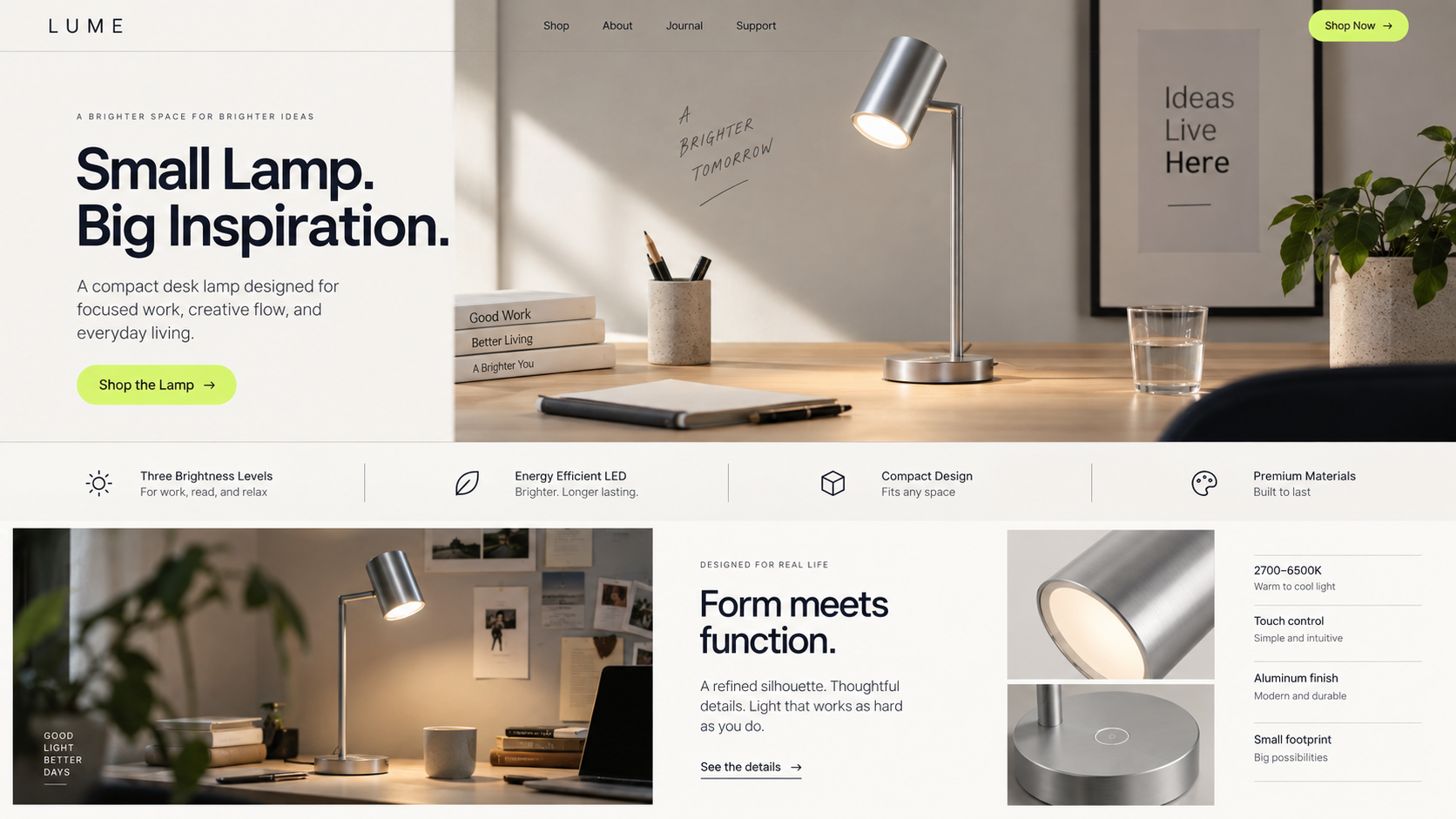
Responsive SiteReusable SectionsEditable Files
Free AI website builder example showing a complete desktop product-launch website for a compact desk lamp with product photography, benefits, specifications, and a shop call to action.
Illustrative Design · Not a Customer Build1672 × 941 · 16:9
What Is Free—and What Costs Extra

Free Is a Cost Model, Not a Magic Word.

Separate the parts that are free from the services that can still cost money. That is more useful than hiding every dependency behind one “free” badge.

LayerOpenDesign PositionWhat You Control
01

Builder

Free and open source

The desktop app and generated frontend
02

Model

Bring your own key

Provider, model, usage, and budget
03

Files

Editable output

Review, export, and continued development
04

Publishing

Provider configuration or source export

Hosting charges, domains, and operations
What You Keep

What You Can Create With a Free AI Website Builder.

Review the website and its export before committing to your model and publishing costs.

01

A Complete Frontend

Generate the visible website experience: navigation, sections, responsive layout, reusable components, and styling.

02

A Real Project Folder

Inspect HTML, CSS, JavaScript, assets, and component boundaries in files you can continue changing.

03

Export Before You Commit

Export HTML or website source and assets to inspect what you are keeping. Publishing integrations require their own provider configuration.

Scope · Free AI Website Builder

The App Is Free. Model and Publishing Costs Depend on Your Setup.

OpenDesign Cloud uses service credits; your own key uses provider billing. Publishing through a configured provider does not make domains or infrastructure free.

Your Website Deliverables

  • A Complete Frontend
  • A Real Project Folder
  • Export Before You Commit

Separate Services and Responsibilities

  • Unlimited free model usage
  • Domain registration
  • Deployment-provider charges
  • A production CMS or database

The OpenDesign app is free and open source. Costs can still arise from the model provider, hosting company, domain registrar, or backend services you choose.

Spend Deliberately

Choose the Model and Infrastructure After You Know the Website.

Keep generation, publishing, and operations as explicit choices instead of treating them as one opaque subscription.

  1. 1

    Describe the Website

    Name the audience, pages, visual tone, and one action the site must help a visitor complete.

  2. 2

    Choose Your Model Setup

    Connect the model workflow you want to use and keep provider costs separate from the builder.

  3. 3

    Review the Full Desktop Site

    Check hierarchy, proof, navigation, and content density before treating the first generation as finished.

  4. 4

    Keep Editing the Files

    Refine visually in OpenDesign or continue in Codex, Claude Code, Cursor, or your normal editor.

A Focused Revision to Try

Keep this product-site layout. Replace every placeholder image and claim with the assets and facts I supplied. Show which files and external services I will need before publishing.

OpenDesign Difference

Free Without Making the Result Disposable.

The useful distinction is between a free app and free model usage. OpenDesign gives you an open-source workspace with file exports, while your selected agent, API provider, or Cloud service determines generation costs.

One Clear BriefWebsite System
Your Direction

“A refined product-launch website for a compact desk lamp. One primary purchase action, clear benefit and specification sections, and responsive pages I can edit later.”

index.htmlstyles.csscomponents/CodexClaude CodeCursor
01

A Design Starting Point in the App

Choose an available design system and generate around your brief; you do not need a separate website-builder subscription to use the open-source workspace.

02

No Required Hosting Stack

Deploy the static frontend wherever you choose or connect it to an existing backend.

03

No Export Surprise

The editable files are the working result, not a premium add-on after the design is complete.

04

Choose Where Model Costs Go

Configure your own provider or use your existing coding-agent workflow rather than treating every design as a mandatory builder-credit purchase. OpenDesign Cloud is a separate paid service choice.

Free AI Website Builder FAQ

Free AI Website Builder Questions, Without the Fine-Print Blur.

App cost, model billing, file exports, and what to budget for a first website.

Is OpenDesign Really a Free AI Website Builder?

OpenDesign is a free, open-source desktop app. You can generate and edit a website frontend without buying a proprietary builder subscription. If you use a paid model provider, hosting service, or domain registrar, those services can still charge separately.

Is Export Included in the Free App?

Yes. Export is not a separate paid builder tier. Inspect the actual HTML or source-and-assets package you export; model access and publishing services have their own costs.

Does Free Include Hosting and a Domain?

Domain registration and infrastructure costs are not included in the free app. You can use supported deployment integrations after configuring a provider, or export the files for your own publishing workflow.

Can I Use My Own API Key?

Yes. Configure the provider, endpoint, and model, then test the connection. The provider bills that usage separately. A Local Coding Agent is the appropriate workflow when the agent must read and edit project files; BYOK and OpenDesign Cloud are not the same setup.

What Can I Build With the Free App?

The app has no builder fee for designing portfolios, product sites, startup sites, and small-business frontends. Your selected coding agent, model provider, or OpenDesign Cloud plan may still charge for generation. Dynamic backends and infrastructure are separate.

Start Building

Build the Site. Keep the Files.

Start with the free, open-source app and choose the rest of your stack on your terms.

Download OpenDesign

Free and Open Source · No Lock-In · Works With Your Coding Agent

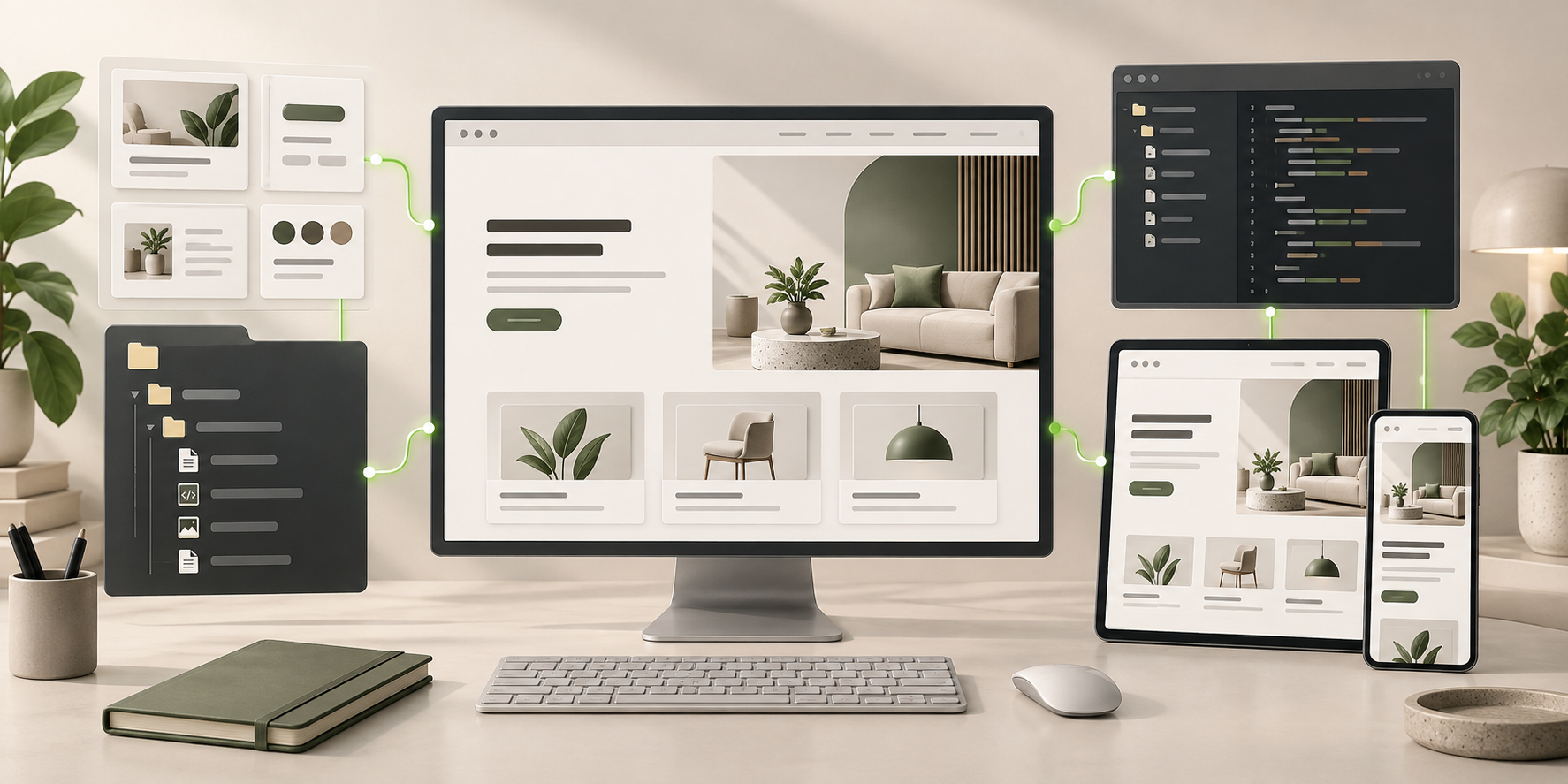
Free AI Website Builder frontend connected to editable files, reusable components, and coding-agent continuation.
Ready to Keep EditingFree AI Website Builder Frontend GeneratedHTML · CSS · JavaScript · Components