Consulting Website BuilderOpenDesign

AI Website Builder for Consulting

Make your expertise easier to evaluate. Give OpenDesign your service descriptions, method, and approved case material, then generate a website around the engagement you want to win. Refine the wording in the HTML preview and use marked feedback to turn a dense methodology section into a clearer explanation.

Branded Frontend · Real Files · Continue With Your Coding Agent

Operational Strategy01 / OpenDesign
consulting.website · Desktop Preview
Consulting PracticeServices   Approach   InsightsDiscuss the Work
Operational StrategyTurn Complex Change Into Work People Can Actually Run.

An expertise-led consulting site with clear offers, a visible method, and evidence that stays specific.

Discuss the Work
Illustrative desktop website direction for the AI Consulting Website Builder workflow in OpenDesign.
Expertise · Method · Qualified Inquiry
ExpertiseMethodQualified Inquiry
One Specific Brief↗

“A consulting site for an operations advisor: three offers, a clear methodology, selected engagements, published thinking, practical FAQs, and one inquiry route.”

Illustrative Website · Desktop CompositionReal Editable Frontend Files
01Specific PositioningExplain the client situation, problem, and outcome without relying on broad transformation language.
02Visible MethodShow how the work proceeds, what clients contribute, and what a useful engagement produces.
03Credible ProofUse approved case evidence, experience, writing, and concrete scope instead of invented testimonials.
04Qualified Contact PathHelp the right visitor understand fit before asking for a meeting.
Consulting Website Example

Make the Expertise Concrete Before Asking for an Inquiry.

A consulting website should translate abstract expertise into specific situations, methods, evidence, and an appropriate path to a conversation.

Professional Services Website

A Consulting Site With a Legible Method, Offer, and Proof Structure.

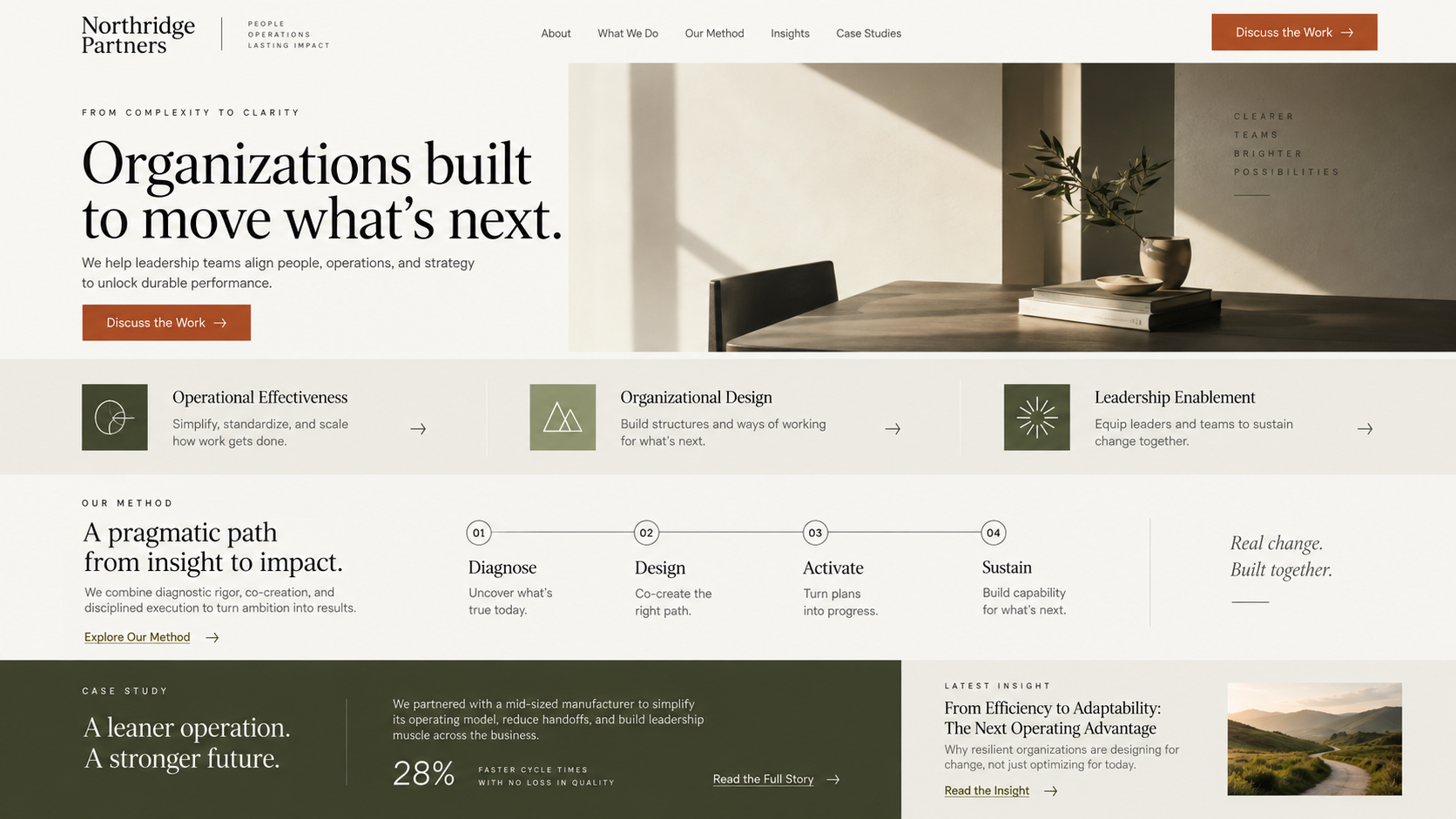
This illustrative consulting direction gives services, method, and case evidence different jobs. The useful next edit in OpenDesign is precise: refine the service scope in selected HTML text, or mark the process section and ask the agent to clarify the steps and outputs of the actual engagement.

  • A clear methodology connected to recognizable client situations
  • Distinct service, evidence, and insight modules within one visual system
  • A responsive inquiry path that preserves professional restraint
Expertise SystemEvidence LedEditable Site
AI consulting website builder example showing a complete desktop strategy consultancy homepage with methodology, service paths, case evidence, insight content, and inquiry call to action.
Illustrative Design · Not a Customer Build1672 × 941 · 16:9
Expertise to Pages

Make an Intangible Service Easier to Evaluate.

Turn the actual method and approved evidence into a website, then refine the parts a prospective client needs to evaluate.

Practice MaterialOpenDesign ActionClient Understanding
01

Current Identity

Create context from brand references

A recognizable practice
02

Service Scope

Refine selected HTML wording

Engagement fit is explicit
03

Methodology

Mark and revise the process section

Steps and outputs are understandable
04

Approved Case Studies

Reuse the approved case layout

Different evidence in a coherent format
Practice Architecture

An AI Consulting Website Builder for Your Method and Evidence.

The site structure follows how clients evaluate the practice.

01

Service and Audience Pages

Separate offers by client problem, decision stage, scope, and expected collaboration.

02

Method and Proof Sections

Explain the working approach and support it with approved examples, credentials, and writing.

03

Inquiry-Ready Frontend

Design a concise qualification and contact experience while connecting scheduling or CRM separately.

Credibility by Specificity

A Site Built From the Practice, Not a Consulting Cliché.

Consulting content needs more than a polished heading. OpenDesign lets you judge your method in a working page, revise precise service language, and carry the same design direction into a new case study or expertise page.

One Clear BriefWebsite System
Your Direction

“A consulting site for an operations advisor: three offers, a clear methodology, selected engagements, published thinking, practical FAQs, and one inquiry route.”

index.htmlstyles.csscomponents/CodexClaude CodeCursor
01

A Method You Can Review in Context

Generate a process section from your actual approach, then mark the part that feels abstract and ask for a clearer visual explanation.

02

Precise Service Language

Select editable HTML text to refine scope, engagement conditions, and the inquiry message without changing the whole page.

03

A Consistent Expertise Library

Save an approved case or insights artifact as a template and supply different approved evidence for each new piece.

04

A Professional Direction From Existing References

Create a design system from your current site or other accessible brand material so the new website starts with relevant visual rules.

From Expertise to Inquiry

Clarify → Structure → Verify Claims → Connect the Inquiry Workflow.

Scheduling and CRM remain separate operational systems.

  1. 1

    Clarify the Practice

    Name the client situations, services, method, evidence, exclusions, and desired inquiry.

  2. 2

    Generate the Expertise Story

    Build the homepage, service pages, approach, work, insights, about, FAQ, and contact structure.

  3. 3

    Remove Unsupported Claims

    Replace vague superlatives and invented proof with specific, approved language.

  4. 4

    Connect the Inquiry Workflow

    Integrate scheduling, forms, CRM, email, analytics, and hosting through the services you select.

A Focused Revision to Try

Keep the restrained visual system. Replace generic service promises with our method, engagement scope, and approved evidence. Explain who the service is for and connect the inquiry action to the supplied destination.

Scope · AI Consulting Website Builder

Publish the Expertise You Can Substantiate.

OpenDesign can organize a service and its evidence. Permission to name clients, disclose outcomes, and accept inquiries belongs to your professional practice and connected systems.

Your Website Deliverables

  • Service and Audience Pages
  • Method and Proof Sections
  • Inquiry-Ready Frontend

Separate Services and Responsibilities

  • Appointment scheduling backend
  • CRM or email automation
  • A managed publishing CMS
  • Invented client proof

Consultants remain responsible for confidentiality, claim approval, case-study permission, professional regulations, form handling, scheduling, analytics, hosting, and content updates.

AI Consulting Website Builder FAQ

AI Consulting Website Builder Questions About Expertise, Proof, and Inquiries.

Methodology sections, precise service copy, approved case studies, and inquiry destinations.

What Should a Consulting Website Include?

It usually needs clear positioning, services, audience fit, method, credible proof, expertise, practical FAQs, and a qualified inquiry path. The exact structure should follow the practice.

Can AI Write My Client Case Studies?

It can help structure approved facts, but it should not invent engagements, outcomes, quotes, clients, or confidential details.

Can I Add Articles or Insights?

Yes. The frontend can include an insights structure. A CMS, editorial workflow, authorship process, and ongoing publishing system are separate choices.

Does It Include Scheduling?

It can design the scheduling or inquiry interface, but the calendar, form processing, email, CRM, and data storage require separate integration.

How Do I Revise a Service or Methodology Section?

Edit precise wording on a selected HTML text target. For a new process layout, mark the section and send the intended steps and outputs to the agent. Review the result against your actual method and keep client-sensitive material out of unapproved publications.

Start Building

Turn the Practice Into a Website People Can Evaluate.

Clarify the offer, show the method, use real proof, and keep the frontend ready for the next stage of the practice.

Download OpenDesign

Free and Open Source · No Lock-In · Works With Your Coding Agent

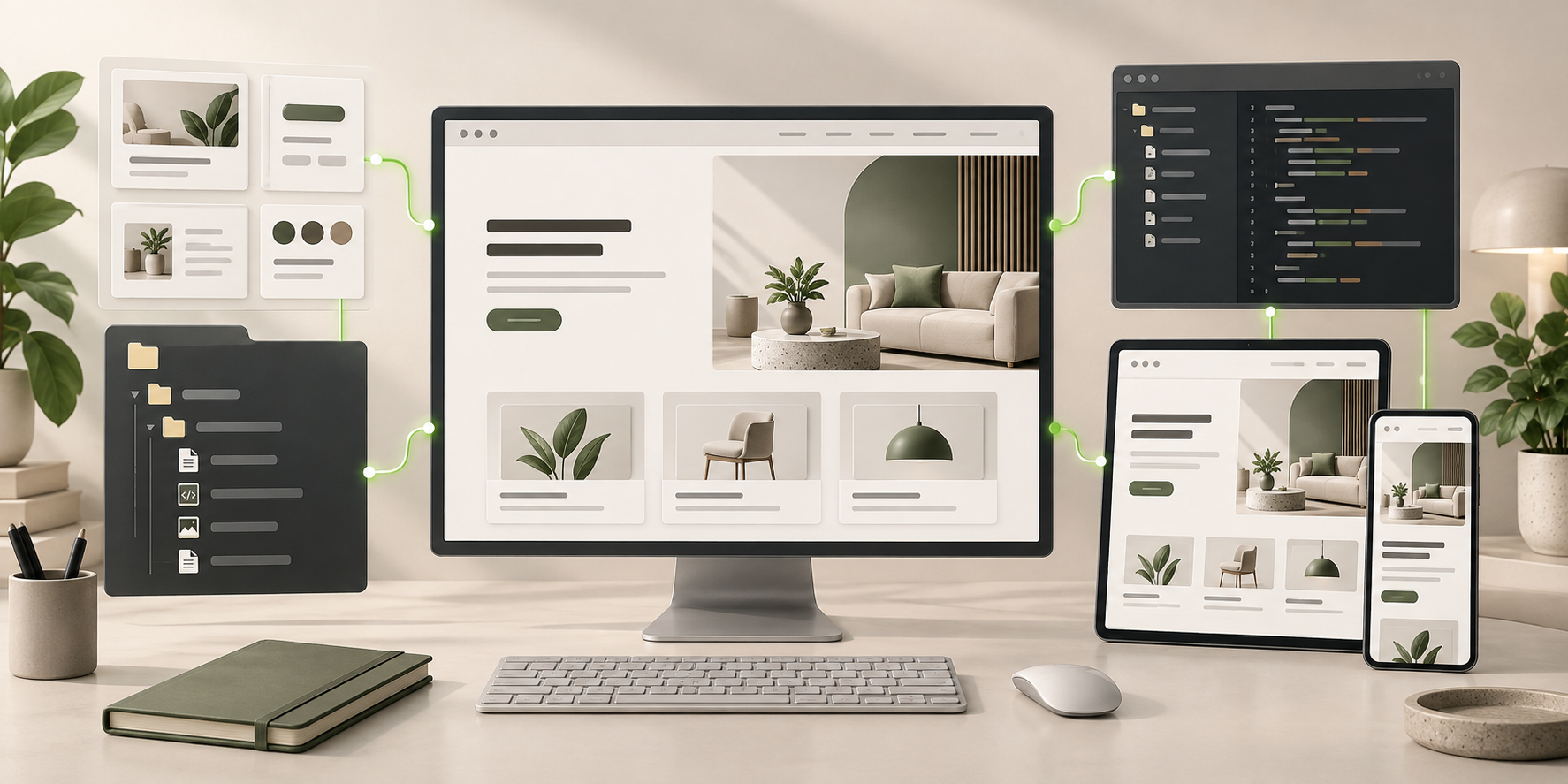
AI Consulting Website Builder frontend connected to editable files, reusable components, and coding-agent continuation.
Ready to Keep EditingAI Consulting Website Builder Frontend GeneratedHTML · CSS · JavaScript · Components