For Small BusinessesOpenDesign

AI Website Builder for Small Businesses

Build a website around the services you actually offer. Give OpenDesign your service list, project images, business details, and contact destination, then review the result on mobile. Select text, links, and images in editable HTML to keep hours, offers, and service areas current.

Branded Frontend · Real Files · Continue With Your Coding Agent

Local Expertise01 / OpenDesign
small-business.website · Desktop Preview
Local ServicesServices   Work   AboutRequest a Quote
Local ExpertiseThoughtful Spaces, Built Around Real Life.

A service website with clear offers, credible project proof, and an uncomplicated way to start a conversation.

Request a Quote
Illustrative desktop website direction for the AI Website Builder for Small Businesses workflow in OpenDesign.
Service Pages · Trust Proof · Contact Path
Service PagesTrust ProofContact Path
One Specific Brief↗

“A local studio website with three services, a simple process, project proof, practical FAQs, and one clear request-a-quote action.”

Illustrative Website · Desktop CompositionReal Editable Frontend Files
01Your Business InputsGenerate with your actual offers, work images, service area, and preferred contact route.
02Mobile ReviewCheck service descriptions and contact actions in the built-in phone-size preview.
03Simple Content CorrectionsSelect an editable HTML text or image target to update a practical detail.
04Existing Contact ToolsSet link destinations to the booking or inquiry service you already use.
Small-Business Website Example

Build Trust Before Asking a Local Customer to Request a Quote.

A small-business website earns attention through specific services, credible work, local relevance, and a next step that feels easy to take.

Local Service Website

A Complete Service Website With Proof Close to Every Decision.

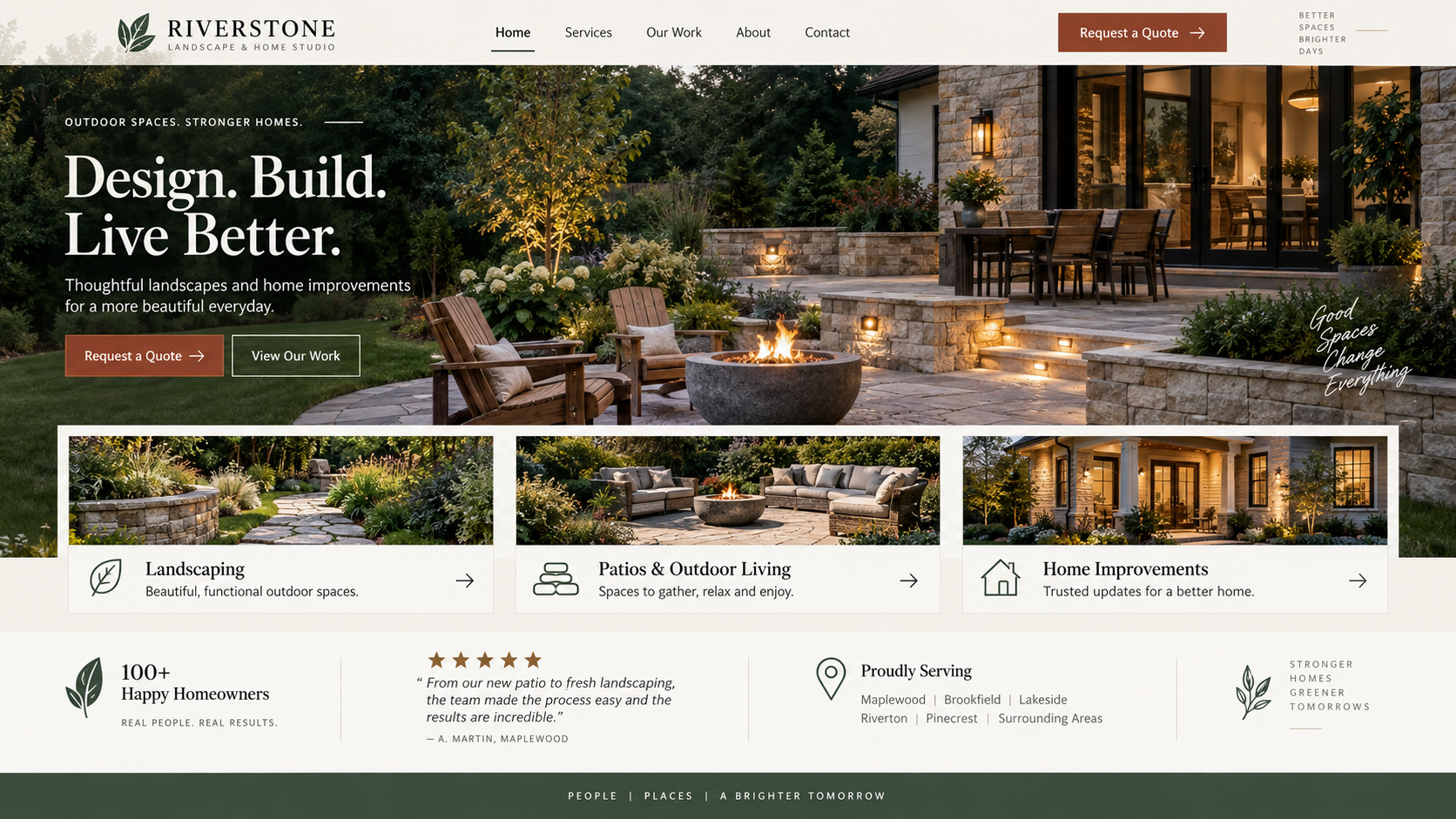
This illustrative outdoor-living direction shows services, project imagery, service-area context, and a quote path. The practical OpenDesign task is maintaining those details: update selected service text or an image source, check the contact destination, and review the phone-size layout before publishing.

  • Service and location context visible before the visitor has to search for it
  • Illustrative project imagery and trust sections placed beside the offer
  • Responsive sections ready for service pages, project stories, and contact flows
Local TrustService SystemOwned Frontend
AI website builder for small businesses example showing a complete desktop outdoor-living service homepage with project photography, services, credentials, service area, and quote call to action.
Illustrative Design · Not a Customer Build1672 × 941 · 16:9
Customer Questions

Trust Comes From Specific Answers, Not “Professional” Styling.

Give the agent accurate business material, then use preview and direct edits to check what customers will actually read and click.

Business DetailProduct ControlCustomer Check
01

Services and Areas

Generate from your actual offer

The customer can recognize the right service
02

Hours and Contact Details

Edit selected HTML text

Information is current
03

Work Images

Set image source and alt text

The images represent your business
04

Booking Destination

Edit the CTA link and preview mobile

The next action reaches the intended tool
Business Front Door

What an AI Website Builder for Small Businesses Helps You Maintain.

Every section reduces uncertainty before the first conversation.

01

Service Architecture

Create a homepage and focused service sections with benefits, scope, process, and useful expectations.

02

Proof and Reassurance

Use project examples, credentials, process details, and FAQs without inventing testimonials or numbers.

03

Contact-Ready Frontend

Design the contact path and form interface while connecting actual submissions to a service you choose.

Trust by Design

A Credible Front Door, Not a Generic Local-Business Theme.

For a small business, useful control means being able to correct a service description, replace a project image, or change a booking link where it appears. OpenDesign pairs the first website generation with direct HTML edits and mobile preview, so practical details can be reviewed before publication.

One Clear BriefWebsite System
Your Direction

“A local studio website with three services, a simple process, project proof, practical FAQs, and one clear request-a-quote action.”

index.htmlstyles.csscomponents/CodexClaude CodeCursor
01

A Starting Style You Can Choose

Pick a design system suited to your business instead of having to specify every font and color before generating.

02

Update the Details Customers Need

Edit service names, hours, and contact text directly on supported HTML targets. Bigger changes can go back to the agent as a specific request.

03

Use Your Own Work Images

Set image sources and alt text in the editor, then review scale and spacing against the surrounding service content.

04

Check the Contact Path on a Phone

Use the mobile preview to catch wrapping, clutter, and hard-to-find actions before connecting the live inquiry service.

Connect Operations

Design the Frontend, Then Connect Booking, CRM, and Forms.

Build the customer-facing pages first, then connect the contact and booking services your business already uses.

  1. 1

    List the Customer Questions

    Capture the services, locations, objections, proof, and next action customers ask about most often.

  2. 2

    Generate the Website Structure

    Create navigation, service content, proof sections, FAQ, and contact interfaces from that brief.

  3. 3

    Check the Phone Preview

    Review service labels, project images, and the contact path at mobile size. Select editable HTML elements to correct copy, spacing, images, and links.

  4. 4

    Connect the Actual Contact Route

    Point the CTA to your chosen booking or inquiry service, verify its destination, then publish through a configured provider or export for your own setup.

A Focused Revision to Try

Keep the approved service-page structure. Update the opening hours, service area, and inquiry destination from my business details. Make the phone contact action easy to find; do not invent reviews or certifications.

Scope · AI Website Builder for Small Businesses

A Contact Button Is Not a Booking System.

The website can show your services and link to your chosen contact tools. Confirm that the actual booking, payment, or message service works before customers arrive.

Your Website Deliverables

  • Service Architecture
  • Proof and Reassurance
  • Contact-Ready Frontend

Separate Services and Responsibilities

  • Managed local listings
  • Booking or CRM backend
  • Payment processing
  • Hosting and domain registration

OpenDesign designs the customer-facing frontend. Connect operational tools and verify local SEO details, structured data, contact information, and claims before publishing.

AI Website Builder for Small Businesses FAQ

Small-Business Website Questions About Services, Trust, and Tools.

Updating business details, using project images, checking mobile, and connecting contact tools.

Is an AI Website Builder Good for a Small Business?

It can be a strong way to create the frontend quickly when the brief includes real services, proof, customer questions, and a clear contact action. The business still needs to review accuracy and connect operational systems.

Can It Create Separate Service Pages?

Yes. Distinct services can use shared design rules while answering different customer questions. Avoid creating thin pages that only change a service name.

Does It Include Booking, Payments, or a CRM?

No. OpenDesign creates the visible website frontend. Booking, payments, form storage, CRM, and automation need separate services or engineering.

Can I Add Local SEO Information?

You can include locations, service areas, business details, FAQs, and crawlable page copy. Verify every detail and implement technical SEO in the production site.

How Do I Change Hours, Images, or a Booking Link?

Open the editable HTML preview and select the relevant text, image, or link. The editor supports text changes, image sources and alt text, and link destinations. Review the saved result and publish the update through your chosen deployment workflow.

Start Building

Make the Business Clear Before the First Conversation.

Turn real services and proof into a responsive website frontend your business can continue owning.

Download OpenDesign

Free and Open Source · No Lock-In · Works With Your Coding Agent

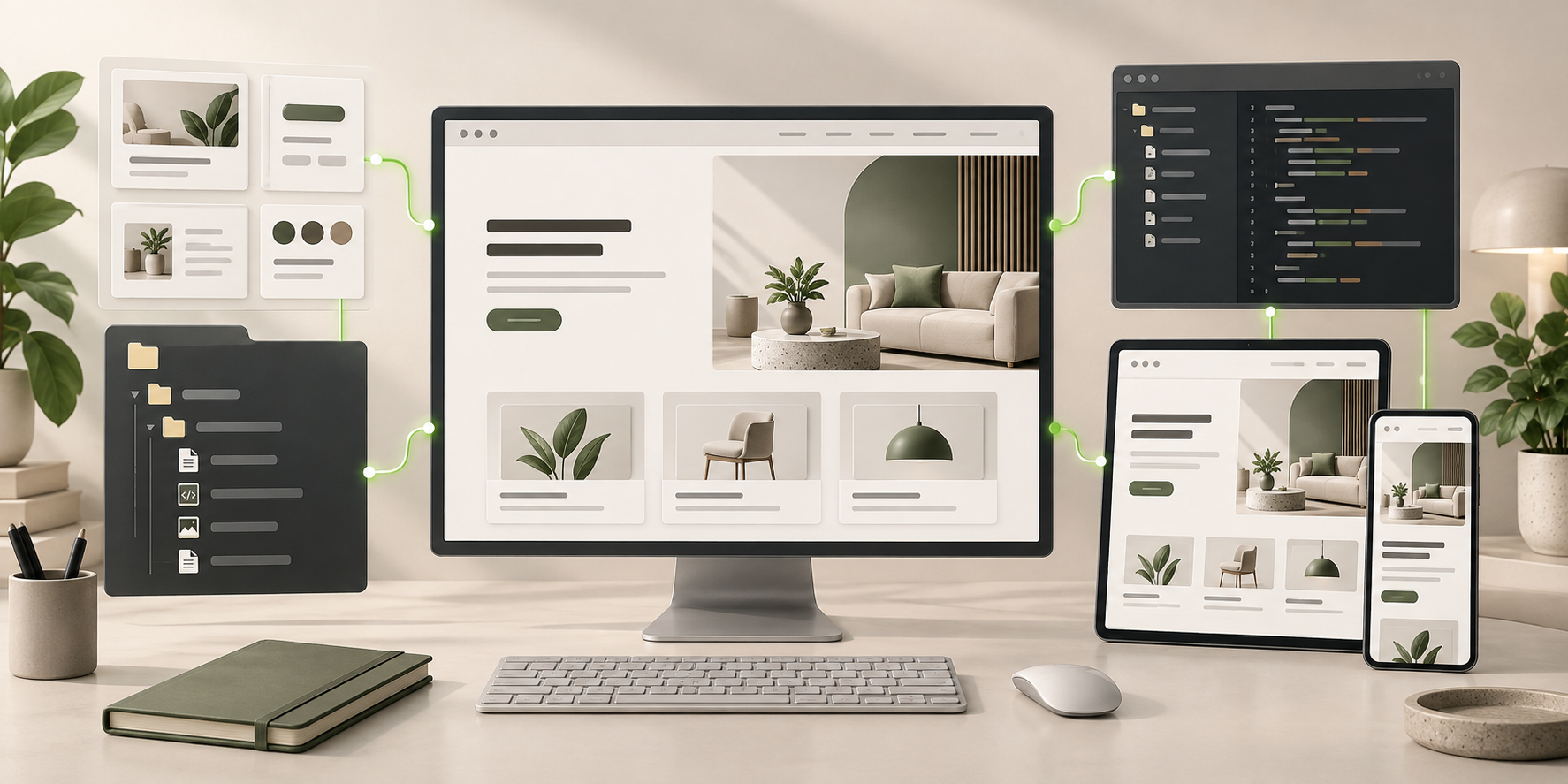
AI Website Builder for Small Businesses frontend connected to editable files, reusable components, and coding-agent continuation.
Ready to Keep EditingAI Website Builder for Small Businesses Frontend GeneratedHTML · CSS · JavaScript · Components