For StartupsOpenDesign

AI Website Builder for Startups

Your product story will change. Your website should be easy to change with it. Choose a design system in OpenDesign, generate a first launch direction, then select and refine the headline, product explanation, and signup action as you learn what resonates.

Branded Frontend · Real Files · Continue With Your Coding Agent

A New Way to Work01 / OpenDesign
startups.website · Desktop Preview
Startup ProductProduct   Use Cases   PricingJoin the Waitlist
A New Way to WorkFrom Scattered Work to One Clear Flow.

A focused startup site with product proof, use-case pages, and a consistent story from hero to FAQ.

Join the Waitlist
Illustrative desktop website direction for the AI Website Builder for Startups workflow in OpenDesign.
Launch-Ready · Multi-Page · Easy to Revise
Launch-ReadyMulti-PageEasy to Revise
One Specific Brief↗

“A launch website for a workflow product: clear category, credible product proof, use cases, pricing direction, and one path to join the waitlist.”

Illustrative Website · Desktop CompositionReal Editable Frontend Files
01A Visual Starting PointChoose from 152+ design systems before you have a complete brand kit.
02A Pitch You Can PreviewGenerate a website direction your team can read without the founder presenting it.
03Specific ChangesSelect the HTML headline, image, or CTA you want to refine instead of rewriting the whole brief.
04A Reusable Launch BaseSave an approved artifact as a template for the next product or audience direction.
Startup Website Example

Turn an Early Product Story Into a Website That Can Keep Changing.

A startup website needs enough clarity to launch now and enough structure to survive the next positioning, proof, or packaging change.

Early-Stage Product Website

A Launch Site Built Around the Product Story, Not Startup Visual Clichés.

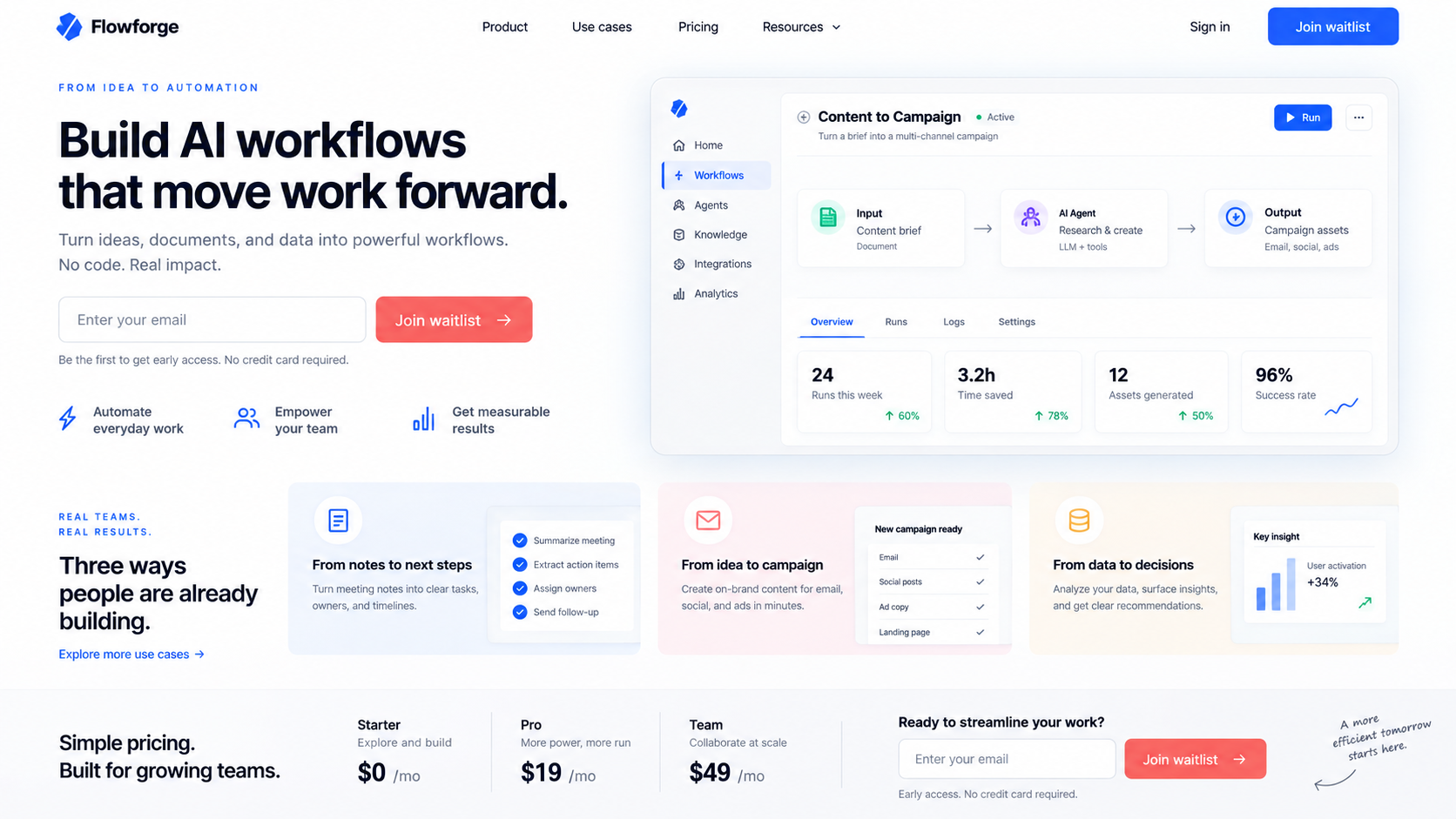
This illustrative launch direction connects a product promise to an interface and signup path. In OpenDesign, the next useful revision would be selecting the headline to test a clearer category, or marking the product explanation for the agent to restructure while keeping the chosen design system.

  • An illustrative category promise supported by a product-interface composition
  • Reusable problem, workflow, proof, and conversion sections
  • A flexible frontend for later positioning and go-to-market iterations
Launch StoryIteration ReadyEditable Frontend
AI website builder for startups example showing a complete desktop workflow-product homepage with product interface proof, feature sections, pricing context, and a launch call to action.
Illustrative Design · Not a Customer Build1672 × 941 · 16:9
Launch Story

The Website Should Clarify the Startup Before It Adds More Pages.

Make one positioning hypothesis tangible, change the parts that need work, and keep the direction that passes the team’s review.

Launch DecisionOpenDesign ControlWhat to Review
01

First Direction

Choose a design system

A visual identity suited to the product
02

Product Explanation

Generate from the founder brief

A clear category and benefit
03

Positioning Revision

Select text or mark a section

A new message reviewed in context
04

Next Launch

Save the approved artifact as a template

Useful structure with updated assumptions
Launch System

Build Your First Launch With an AI Website Builder for Startups.

The content system is designed around early buyer questions, not a generic startup template.

01

A First Positioning Direction

Give OpenDesign the audience, problem, current product evidence, and launch goal. Review a complete homepage with a promise, explanation, and next step.

02

A Focused Revision

Select editable HTML text to try a clearer category or benefit. Send a marked section back to the agent when the hierarchy needs a larger change.

03

A Launch Review Package

Review the working HTML with the team, or export a PDF or image for feedback. Keep the approved artifact as the starting point for later experiments.

Learning Loop

Launch Once. Revise the Story as the Market Answers Back.

Keep the files and components available for changes to language, proof, packaging, and page order.

  1. 1

    Choose a Starting System

    Pick a design system that fits the product, then describe the audience and the problem in everyday language.

  2. 2

    Build the First Launch Direction

    Ask for a homepage around one positioning hypothesis. Include approved product screens or assets rather than asking AI to invent evidence.

  3. 3

    Make One Clear Revision

    Use selection-based edits for the headline and CTA, or mark the product explanation and ask the agent to restructure it.

  4. 4

    Keep the Approved Starting Point

    Check the desktop and mobile previews, save the artifact as a template, and connect the launch to your chosen waitlist and deployment setup.

A Focused Revision to Try

Keep the layout and signup destination. Rewrite the opening for our first target customer: name their problem, explain what the product does, and use only the product evidence in this brief. Leave unverified claims out.

Built for Change

Designed for the Version After Version One.

At this stage, the important advantage is a shorter loop from a positioning idea to a website you can judge. OpenDesign combines a ready design-system starting point, an editable preview, and reusable templates so a small team can refine the story before committing to a larger build.

One Clear BriefWebsite System
Your Direction

“A launch website for a workflow product: clear category, credible product proof, use cases, pricing direction, and one path to join the waitlist.”

index.htmlstyles.csscomponents/CodexClaude CodeCursor
01

Brand Direction Before a Full Brand Project

Use an existing design system to establish type, color, and spacing while the product is still finding its position.

02

A Smaller Feedback Loop

Turn “the product is hard to understand” into a marked section and a concrete revision request inside the project.

03

Edit the Pitch Where It Appears

Adjust text and CTA links directly in the HTML preview, then judge the revised message in context.

04

Reuse What Survived the Review

Save the approved direction as a template so the next launch begins with decisions the team has already made.

Scope · AI Website Builder for Startups

The Launch Page Is Ready to Review. The Waitlist Still Needs Wiring.

A convincing signup interface and a working signup service are different deliverables. Connect storage, email, and measurement before sending visitors to the launch.

Your Website Deliverables

  • A First Positioning Direction
  • A Focused Revision
  • A Launch Review Package

Separate Services and Responsibilities

  • Waitlist backend
  • Product analytics setup
  • Authentication or billing
  • Managed hosting and domains

OpenDesign creates the launch website frontend. Connect forms, analytics, application routes, billing, and hosting through the services your startup chooses.

AI Website Builder for Startups FAQ

AI Website Builder for Startups: Launch, Iterate, and Own the Frontend.

Choosing a first design direction, revising the pitch, and connecting the launch without overbuilding.

Can a Startup Build Its Whole Marketing Site With AI?

OpenDesign can create the responsive frontend and reusable page sections for a startup marketing site. Product infrastructure, analytics, forms, billing, and application logic still need their own services or engineering work.

Can I Start Without a Finished Brand Kit?

Yes. Choose from the available design systems to give the first generation a coherent visual direction. You can refine the chosen type, colors, and layout as the brand develops.

How Do I Test a Different Product Message?

Select the headline or supporting text in an editable HTML preview and revise it. For a bigger change, mark the relevant section and send a focused request to the agent. OpenDesign helps create the variant; audience testing and measurement happen through your own tools.

Can I Reuse an Approved Launch Direction?

Save the approved artifact as a template and use it as a starting point for another brief. Review the new positioning and product evidence each time; saving a template does not automatically update every later website.

Does OpenDesign Include Hosting or a Waitlist Database?

No. It creates the website frontend. Hosting, domains, form storage, CRM, and databases are separate implementation choices.

Start Building

Launch the Story. Keep Improving the System.

Move from a founder brief to an editable startup website without locking the next iteration inside one platform.

Download OpenDesign

Free and Open Source · No Lock-In · Works With Your Coding Agent

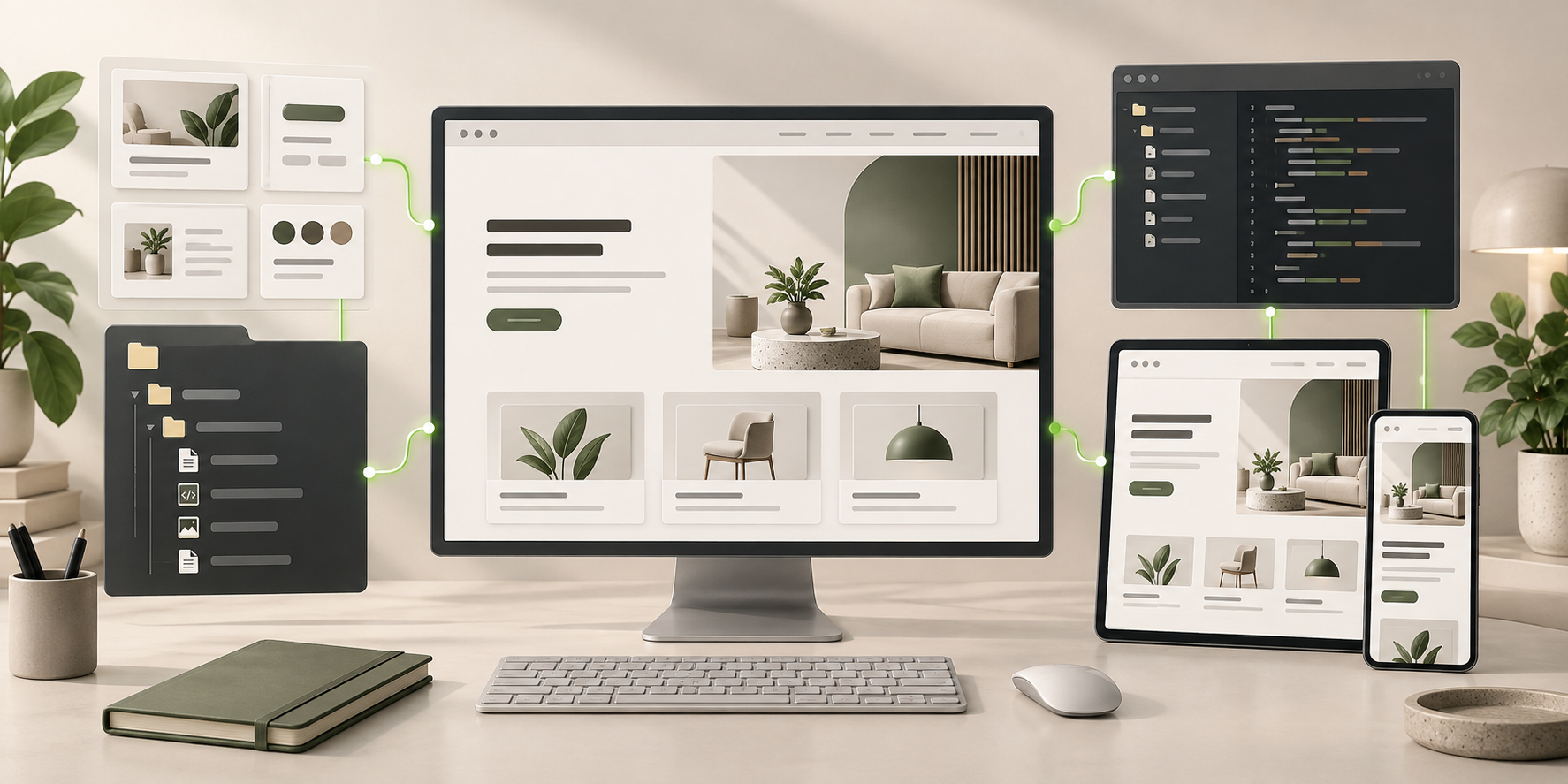
AI Website Builder for Startups frontend connected to editable files, reusable components, and coding-agent continuation.
Ready to Keep EditingAI Website Builder for Startups Frontend GeneratedHTML · CSS · JavaScript · Components