SaaS Website BuilderOpenDesign

AI Website Builder for SaaS

Your software already has a visual language. Bring its website, repository, or Figma material into an OpenDesign design system, then build marketing pages around the screens and workflows buyers need to understand. Review how the homepage, feature pages, and pricing presentation work together.

Branded Frontend · Real Files · Continue With Your Coding Agent

Operations Intelligence01 / OpenDesign
saas.website · Desktop Preview
SaaS ProductProduct   Solutions   PricingBook a Demo
Operations IntelligenceSee the Work Before It Slows the Team Down.

A product-led SaaS site with believable interface proof, focused use cases, and a clear evaluation path.

Book a Demo
Illustrative desktop website direction for the AI SaaS Website Builder workflow in OpenDesign.
Product Proof · Shared Components · Multi-Page
Product ProofShared ComponentsMulti-Page
One Specific Brief↗

“A SaaS marketing site for an operations platform: product promise, dashboard proof, three use cases, pricing context, security notes, and a book-a-demo path.”

Illustrative Website · Desktop CompositionReal Editable Frontend Files
01Start From the ProductCreate reusable design context from your existing product references.
02Screens in ContextUse your supplied interface assets to explain a workflow, not just decorate a hero.
03Page-Level ConsistencyApply the same design system when generating different feature and use-case pages.
04Detailed Visual RefinementAdjust image scale, typography, and spacing in editable HTML before engineering integration.
SaaS Website Example

Explain the Product Before Asking the Buyer to Book a Demo.

A SaaS website becomes credible when product evidence, buyer outcomes, security context, and packaging form one understandable story.

Product-Led SaaS Website

A SaaS Homepage That Makes a Complex Workflow Easier to Understand.

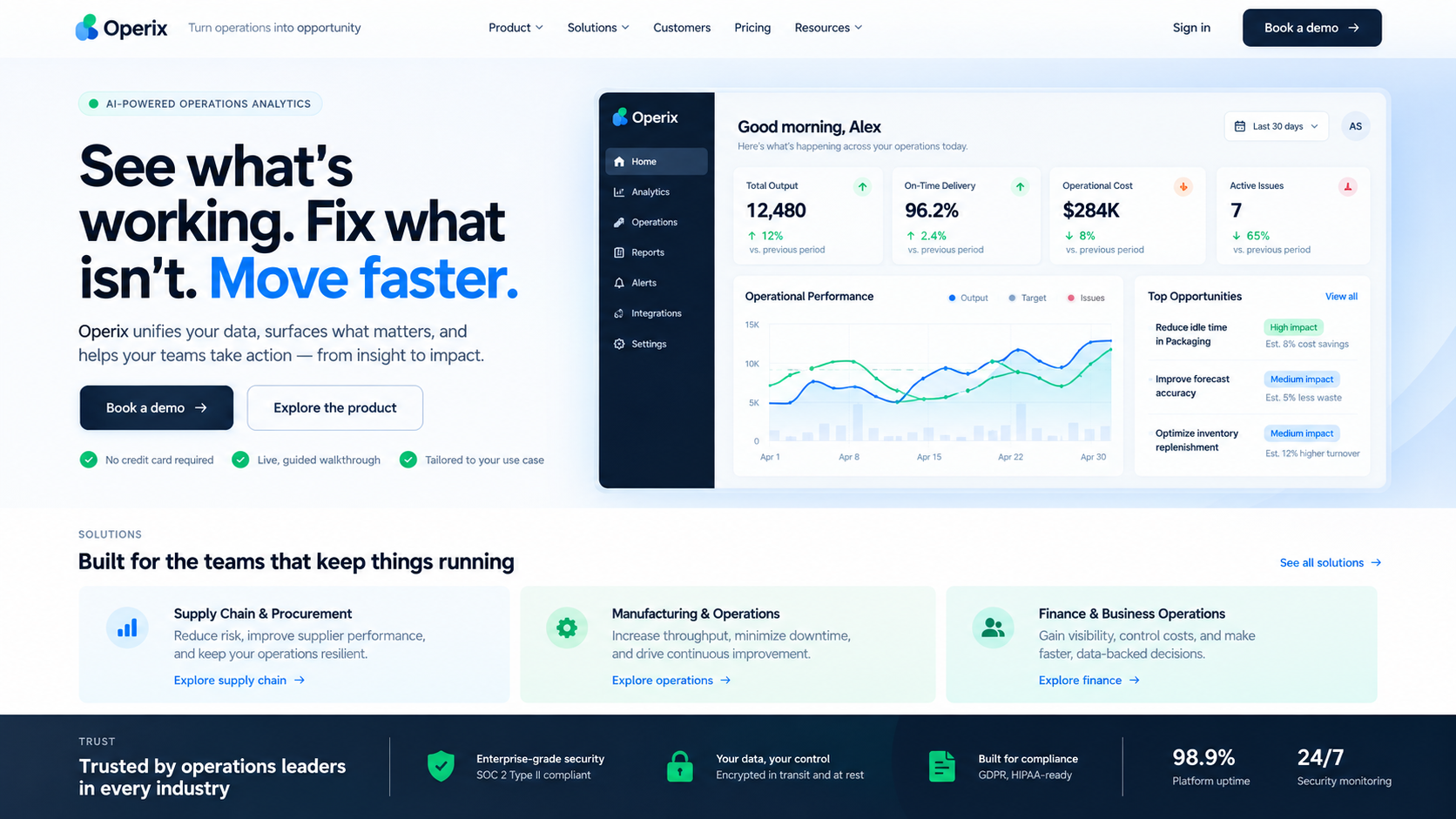
This illustrative operations-software homepage pairs a workflow explanation with interface imagery and use cases. For a real SaaS project, bring approved product assets into the brief, use the product-derived design system, and refine the screen scale and explanation before extending the direction to a feature page.

  • Realistic interface evidence tied to a specific buyer outcome
  • Reusable feature, use-case, security, and conversion sections
  • Editable components that can evolve with product and packaging changes
Product ProofSaaS Page SystemEditable Components
AI SaaS website builder example showing a complete desktop operations-software homepage with product dashboard proof, buyer outcomes, use cases, security signals, and demo call to action.
Illustrative Design · Not a Customer Build1672 × 941 · 16:9
Buyer Journey

Every SaaS Page Should Answer a Different Evaluation Question.

Use your existing software as the design reference, then give each marketing page a different product question to answer.

Product InputOpenDesign WorkflowWebsite Result
01

Brand and Product Sources

Create reusable design context

Marketing pages related to the product
02

One Workflow and Its Screens

Generate a feature explanation

A buyer can understand how it works
03

Different Buyer Situations

Reuse the system with a new brief

Distinct use-case stories
04

Actual Packaging

Refine the pricing presentation

Plans and next steps the team can verify
SaaS Page System

Your Product, Explained With an AI SaaS Website Builder.

Shared components keep the story coherent while each route answers its own question.

01

A Product-Derived Visual System

Create a design system from your website, repository, or Figma material. Use the resulting type, color, spacing, and component guidance in the marketing brief.

02

Distinct Feature and Use-Case Pages

Supply the relevant product screens and ask for a workflow explanation on a feature page or an audience-specific story on a use-case page. Reuse visual rules, not identical copy.

03

A Pricing Presentation to Review

Provide actual plans and comparison criteria, then refine the generated table, labels, and calls to action. Give engineering a working frontend to connect to billing and demo systems.

Product-to-Web Flow

Positioning → Interface Proof → Page System → Engineering Integration.

The frontend can show the product without pretending to include the product backend.

  1. 1

    Bring the Existing Product Direction

    Create a design system from accessible brand or product sources. Add approved screens, plan information, and the buyer questions each route must answer.

  2. 2

    Build One Feature Page First

    Ask the agent to explain one real workflow using those assets and design rules. Review the balance between interface detail and customer outcome.

  3. 3

    Extend the System to Other Buyer Questions

    Generate the homepage, use cases, and pricing presentation with the same design context, then compare navigation, screen treatment, and CTA hierarchy.

  4. 4

    Refine and Hand Off the Marketing Frontend

    Select editable HTML details to adjust spacing, labels, and images. Export the source for engineering review and connect application links, demos, and billing separately.

A Focused Revision to Try

Keep the product design system. Explain this one feature using the approved interface screens and workflow notes. Make its customer outcome distinct from the homepage and preserve the existing demo destination.

Product-Led Proof

A Consistent Product Story With Source Your Team Can Change.

A SaaS website should feel connected to the software behind it. OpenDesign lets your existing product references guide generation, gives you controls to refine dense product sections, and keeps the result available for the engineering team that owns the application.

One Clear BriefWebsite System
Your Direction

“A SaaS marketing site for an operations platform: product promise, dashboard proof, three use cases, pricing context, security notes, and a book-a-demo path.”

index.htmlstyles.csscomponents/CodexClaude CodeCursor
01

The Product Can Set the Design Direction

Build reusable context from existing sources instead of describing your product styling from memory in every prompt.

02

Control Over Dense Product Sections

Refine the size of a screen, the spacing around an explanation, and the hierarchy of a feature table in the HTML preview.

03

Different Pages, Recognizable Software

Use the same design system for new routes while giving each one its own workflow, buyer question, and product evidence.

04

A Working Bridge to Engineering

Review rendered pages before handing over source and assets, so the team can assess the actual frontend rather than reconstruct a static mockup.

Scope · AI SaaS Website Builder

Build the SaaS Website, Then Connect It to the SaaS Product.

A pricing page can explain subscriptions; it does not operate them. Keep the marketing deliverable separate from account management, application data, and payment logic.

Your Website Deliverables

  • A Product-Derived Visual System
  • Distinct Feature and Use-Case Pages
  • A Pricing Presentation to Review

Separate Services and Responsibilities

  • Authentication and accounts
  • Billing or subscription logic
  • Product database and APIs
  • Managed hosting or analytics

OpenDesign creates the SaaS marketing frontend. Product authentication, billing, data, documentation systems, form handling, and analytics require integration with the stack you choose.

AI SaaS Website Builder FAQ

AI SaaS Website Builder Questions About Pages, Product Data, and Code.

Using existing product assets, keeping multiple pages consistent, and handing the result to engineering.

Can an AI Website Builder Create a Complete SaaS Website?

It can create the responsive marketing frontend and reusable page system. The application, billing, authentication, analytics, and backend remain separate product engineering work.

Can I Use My Existing Product Design System?

Create a design system using accessible website, repository, or Figma material, then select it for the website work. Review the extracted guidance against your product; it is design context, not a guarantee that every production component has been imported.

How Do I Create Feature Pages That Look Related but Read Differently?

Keep the design system fixed and change the page brief: the feature, audience, workflow, screens, and next action. Review each generated route for a distinct explanation while keeping the navigation and visual treatment coherent.

Does It Generate Pricing Plans?

It can design a pricing interface from information you provide. It should not invent prices, packaging, guarantees, or billing logic.

Can Developers Continue the Generated Site?

Yes. The files and components are intended to move into a normal repository and coding-agent workflow for review and continued implementation.

Start Building

Turn Product Complexity Into a Clear Website.

Build the SaaS marketing frontend as one coherent system, then keep improving it with your team.

Download OpenDesign

Free and Open Source · No Lock-In · Works With Your Coding Agent

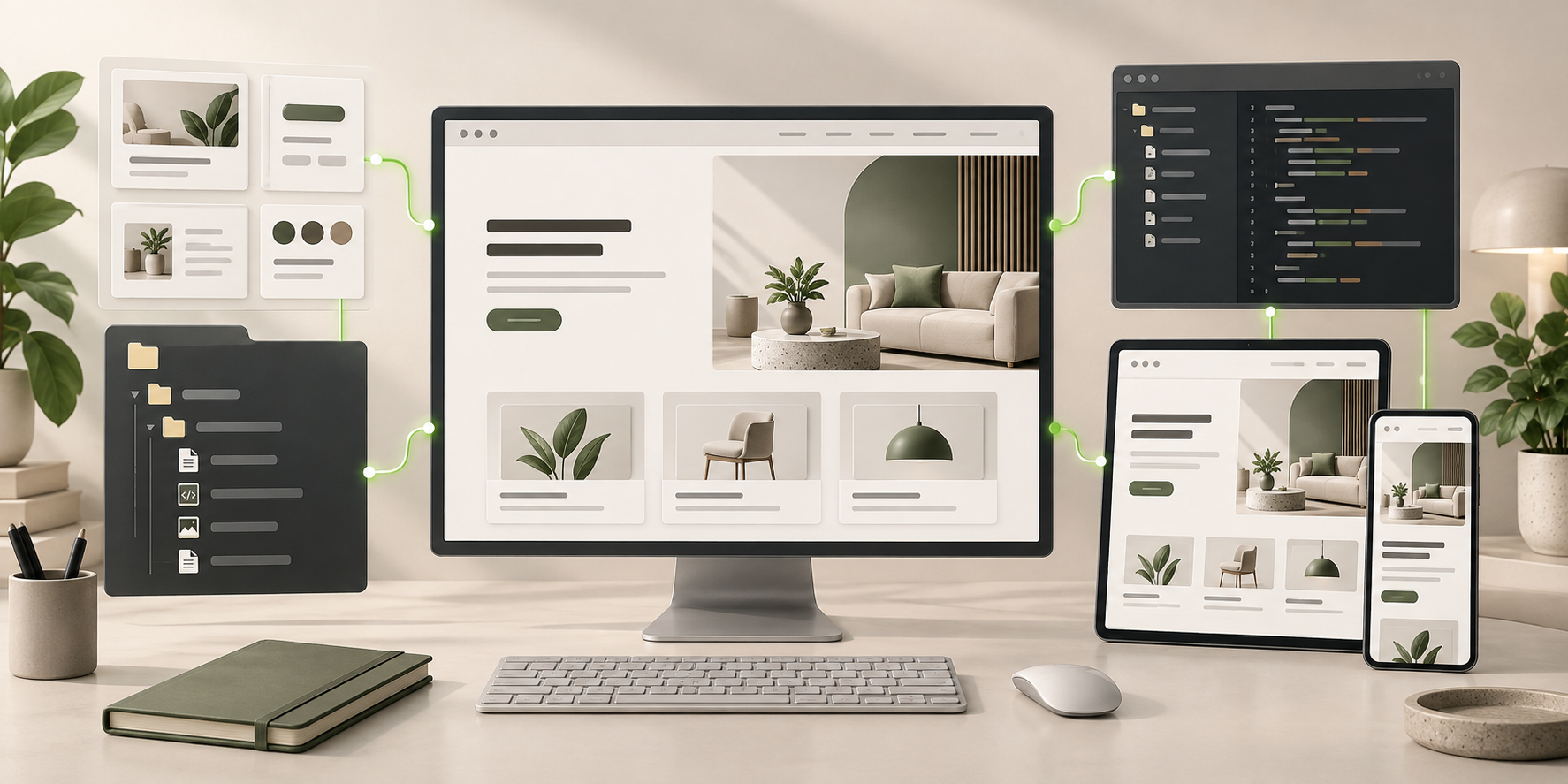
AI SaaS Website Builder frontend connected to editable files, reusable components, and coding-agent continuation.
Ready to Keep EditingAI SaaS Website Builder Frontend GeneratedHTML · CSS · JavaScript · Components