For Marketing TeamsOpenDesign

AI Website Builder for Marketing Teams

Keep the brand. Change the campaign. Create an OpenDesign design system from your existing brand references, generate a campaign website, then select the copy, image, or signup action that needs work. Save an approved direction as a template for the next audience or launch.

Branded Frontend · Real Files · Continue With Your Coding Agent

Event Campaign01 / OpenDesign
marketing.website · Desktop Preview
Event WebsiteProgram   Speakers   FAQReserve a Place
Event CampaignMake Room for the Next Creative Idea.

An event campaign direction with clear dates, speaker sections, and a focused registration path.

Reserve a Place
Illustrative desktop website direction for the AI Website Builder for Marketing Teams workflow in OpenDesign.
Campaign Brief · Brand System · Launch Updates
Campaign BriefBrand SystemLaunch Updates
One Specific Brief↗

“A creative conference campaign website with a clear event promise, date and venue, approved speaker material, program details, and one registration destination. Keep the brand consistent while event details change.”

Illustrative Website · Desktop CompositionReal Editable Frontend Files
01Existing Brand ContextGenerate with reusable type, color, and spacing guidance from your brand sources.
02Targeted Campaign EditsChange editable HTML text, image URLs, and CTA links without asking for a whole new direction.
03Visual Feedback in ContextMark the section that needs work and send a specific request back to the agent.
04An Approved TemplateSave the campaign artifact as a starting point for the next launch brief.
Campaign Website Example

Turn the Campaign Brief Into a Website the Team Can Keep Refining.

A campaign page needs a strong concept, fast comprehension, concrete event or offer details, and modules that can change as the campaign develops.

Creative Campaign Website

A Complete Campaign Page With a Clear Promise, Proof, and Registration Path.

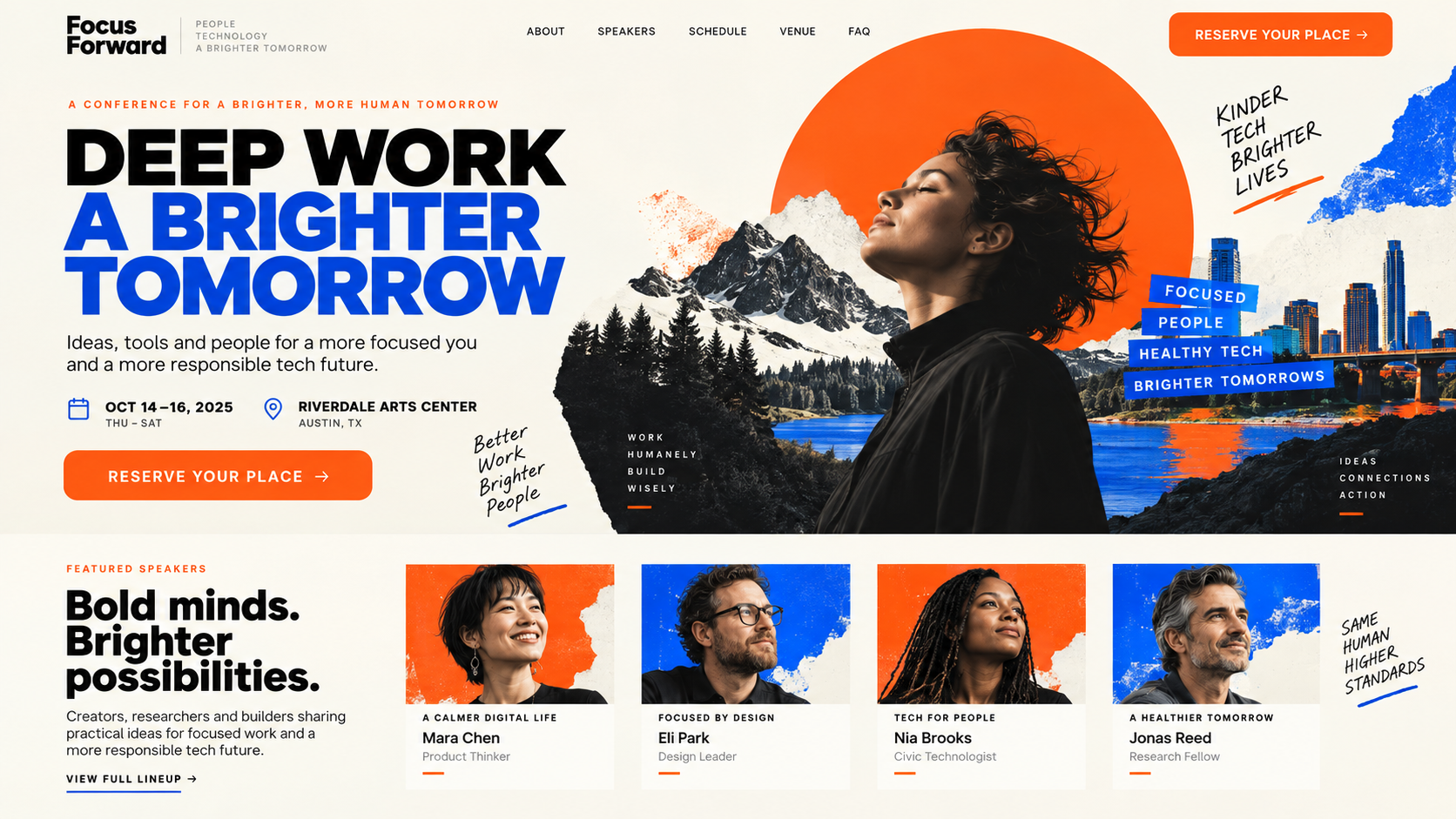
This illustrative event campaign brings the date, speaker sections, and registration path into one direction. In OpenDesign, a campaign team can select editable date or CTA text, change the registration destination, and send marked feedback when an image or section needs a different emphasis.

  • A recognizable campaign concept carried through type, imagery, and color
  • Modular proof, speaker, schedule, and conversion sections
  • Editable source for the iterations that happen after launch
Campaign SystemContent ModulesIteration Ready
AI website builder for marketing teams example showing a complete desktop creative conference campaign with a bold event promise, date and venue, speaker proof, and registration call to action.
Illustrative Design · Not a Customer Build1672 × 941 · 16:9
Campaign Narrative

One Audience. One Promise. Enough Proof to Act.

Keep reusable brand guidance behind the campaign, then edit the message and destination at the element level.

Campaign ChangeProduct ActionReview Target
01

Brand Direction

Select the brand design system

Campaign type, color, and spacing
02

Message Variant

Edit selected HTML text

The audience-specific promise
03

Visual Revision

Change the image or send marked feedback

An asset that supports the offer
04

Next Campaign

Save an approved template

Updated dates, terms, and destinations
Campaign System

Campaign Changes With an AI Website Builder for Marketing Teams.

Brand consistency remains visible while campaign copy and proof keep changing.

01

A Brand-Guided Campaign Direction

Choose the brand design system and give the agent the approved offer, launch details, imagery, and registration goal. Judge a complete website instead of disconnected campaign assets.

02

A Reviewable Message Variant

Select a headline or CTA in editable HTML, change the text or destination, and review it in context. Mark larger structural changes for the agent.

03

A Reusable Campaign Artifact

Save the approved page as a template. Export HTML for implementation or a PDF and image for review before the team connects tracking and registration.

Launch Operations

Brief → Complete Page → Claim Review → Measurement Integration.

Analytics, consent, forms, and experiments are connected after the frontend is understood.

  1. 1

    Load the Brand Direction

    Select or create the design system from existing brand material. Add the approved campaign copy, images, offer, and required action.

  2. 2

    Generate for One Audience

    Ask for a focused campaign website that connects the offer to its registration or purchase destination. Keep this brief distinct from the corporate website.

  3. 3

    Refine the Specific Element

    Select editable HTML text, links, or images for small changes. Mark a section and send feedback to the agent when the campaign argument needs restructuring.

  4. 4

    Approve, Save, and Connect

    Check the mobile preview and final offer details. Save an approved template and hand the working page to the team responsible for tracking, consent, forms, and publishing.

A Focused Revision to Try

Keep the approved campaign structure. Replace the dates, speaker assets, registration destination, and offer with this campaign brief. Review the phone CTA and do not invent attendance figures.

Fast Without Becoming Disposable

Fast Enough for a Campaign. Structured Enough for the Brand.

Marketing work often changes at the level of one headline, image, offer, or deadline. OpenDesign brings those small decisions into the rendered page while keeping a reusable brand system and approved template behind the campaign.

One Clear BriefWebsite System
Your Direction

“A creative conference campaign website with a clear event promise, date and venue, approved speaker material, program details, and one registration destination. Keep the brand consistent while event details change.”

index.htmlstyles.csscomponents/CodexClaude CodeCursor
01

Brand Context Beyond a Logo

Reuse the brand’s typography, colors, and component direction rather than rebuilding those instructions in every campaign prompt.

02

Edit the Offer Where Visitors Read It

Change copy, image sources, and link destinations in the HTML preview and see how the new version fits the composition.

03

Feedback the Agent Can Locate

Mark a specific area and explain the desired change, keeping review tied to the part of the page that prompted it.

04

The Next Campaign Starts Further Along

Save an approved artifact as a template, then adapt the audience and offer in a new brief without assuming old campaign content is still valid.

Scope · AI Website Builder for Marketing Teams

Design the Variant. Measure It With Your Marketing Stack.

OpenDesign helps create and refine campaign frontends. Your analytics and experimentation tools determine traffic allocation, attribution, and whether a variant actually performs better.

Your Website Deliverables

  • A Brand-Guided Campaign Direction
  • A Reviewable Message Variant
  • A Reusable Campaign Artifact

Separate Services and Responsibilities

  • Analytics collection
  • A/B testing infrastructure
  • Form or lead storage
  • Ad buying and campaign automation

Marketing teams still need to connect consent, analytics, CRM, forms, experimentation, localization, domain, and hosting systems—and verify every campaign claim.

AI Website Builder for Marketing Teams FAQ

AI Website Builder for Marketing Teams: Campaigns, Measurement, and Localization.

Brand references, targeted edits, template reuse, and the handoff to campaign operations.

Can Marketing Teams Build Campaign Websites Without Coding?

They can create and refine the frontend direction without writing the first version by hand. Production integrations, tracking, consent, and deployment still need the appropriate tools or engineering support.

How Do We Keep a Campaign on Brand?

Create a design system from accessible brand references, select it for the campaign, and include approved assets and restrictions in the brief. Review the generated page against the brand guidelines before treating it as approved.

Can We Change a Headline or CTA Without Regenerating Everything?

Yes, in the HTML preview you can select and directly edit text and link destinations. Use marked feedback and the agent for broader layout changes. You can create variants this way, but traffic testing and measurement require your own tools.

Does It Connect to Our CRM or Forms?

The frontend can present form and conversion interfaces. Submission handling and CRM integration must be implemented with the services your team uses.

Can We Localize the Campaign?

The frontend can support locale-aware structure and adapted layouts. Translation, legal review, hreflang, and market-specific approval remain separate responsibilities.

Start Building

Build the Campaign as a System, Not a One-Off Screenshot.

Turn the brief into an editable frontend the team can revise, review, measure, and hand off.

Download OpenDesign

Free and Open Source · No Lock-In · Works With Your Coding Agent

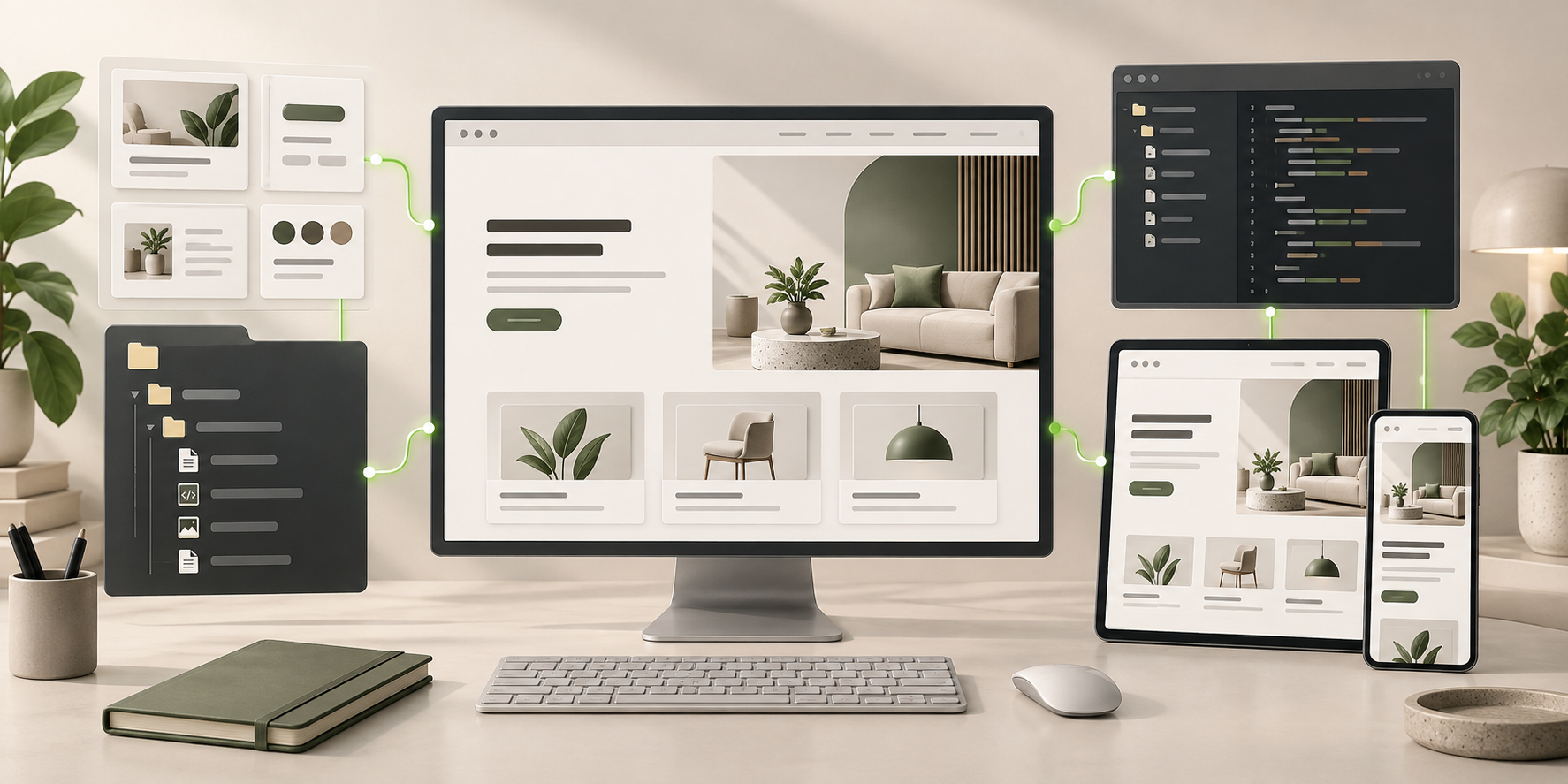
AI Website Builder for Marketing Teams frontend connected to editable files, reusable components, and coding-agent continuation.
Ready to Keep EditingAI Website Builder for Marketing Teams Frontend GeneratedHTML · CSS · JavaScript · Components