Multilingual Website BuilderOpenDesign

AI Website Builder for Multilingual Websites

Keep the brand consistent while giving every language enough room. Use one design system in OpenDesign, supply representative translated content, and ask a coding agent to adapt the website structure. Compare desktop, tablet, and mobile previews, then refine the text, fonts, and spacing that fail in a particular locale.

Branded Frontend · Real Files · Continue With Your Coding Agent

One Product, Three Markets01 / OpenDesign
multilingual.website · Desktop Preview
Multilingual ProductProduct   Markets   ResourcesChoose a Language
One Product, Three MarketsA Website System That Makes Room for Every Language.

Locale-aware pages with flexible type, navigation, metadata, and content hierarchy across markets.

Choose a Language
Illustrative desktop website direction for the AI Multilingual Website Builder workflow in OpenDesign.
Locale Structure · Flexible Layout · Hreflang-Ready
Locale StructureFlexible LayoutHreflang-Ready
One Specific Brief↗

“A product website for English, German, and Japanese with locale-aware navigation, longer-text layouts, local proof, translated metadata, and consistent product visuals.”

Illustrative Website · Desktop CompositionReal Editable Frontend Files
01Locale-Aware RoutesPlan a distinct, crawlable URL and content entry for each language that will actually exist.
02Layouts That Can ExpandAllow navigation, headings, buttons, and cards to adapt when translated text becomes longer or shorter.
03Market-Specific ContentSupport different examples, proof, legal details, and calls to action where direct translation is insufficient.
04Editable Language FilesKeep copy and frontend structure available for translation, review, and continued maintenance.
Multilingual Website Example

Plan the Local Experience, Not Just the Language Switch.

A multilingual site succeeds when every locale has complete content, resilient layouts, stable routes, and enough room for local evidence and judgment.

Locale-Aware Travel Website

A Shared Brand System That Makes Room for Different Languages and Markets.

This illustrative travel direction shows shared brand styling alongside different language content. It is a layout reference, not a verified multilingual implementation. Supply approved translations to the agent, compare the generated locale pages at several widths, and refine HTML type and spacing where actual copy does not fit.

  • A language-selector direction to connect to real locale routes
  • Editorial modules to review with different scripts and text lengths
  • Shared visual rules with room for local offers, evidence, and metadata
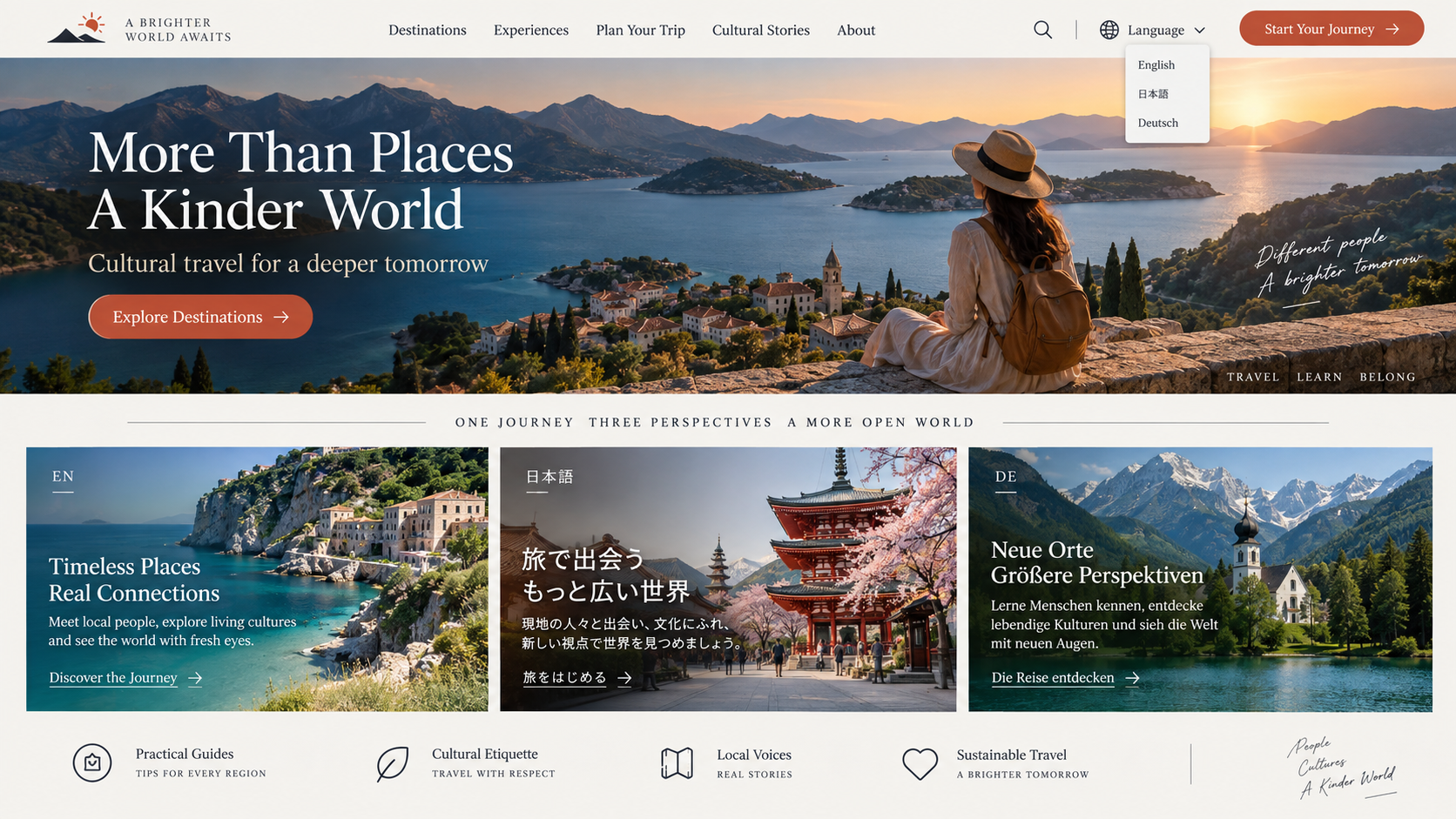
Locale LayoutsShared SystemLocal Content
AI multilingual website builder example showing a complete desktop cultural travel website with language selector, English and Japanese content, flexible cards, and locale-aware navigation.
Illustrative Design · Not a Customer Build1672 × 941 · 16:9
Locale Architecture

One Brand System. Complete Content for Every Published Locale.

Use a shared design system for the locale work, then review actual translated copy at different widths. Ask the agent to implement locale structure and verify it separately.

Locale LayerSharedMust Be Local
01

Routes

Page identifiers and component contract

Stable locale URLs and language switch
02

Content

Product facts and brand principles

Translation, examples, offers, and legal copy
03

Layout

Tokens and responsive rules

Text length, script, wrapping, and direction
04

SEO

Schema and page types

Title, description, canonical, hreflang, and links
Language-Ready Frontend

Refine Every Locale With an AI Multilingual Website Builder.

A language route is treated as a complete page, not an English page wearing translated labels.

01

A Locale Content Structure

Define routes, page identifiers, language switching, metadata fields, and content ownership for each supported locale.

02

Translation-Resilient Components

Build flexible navigation, headings, buttons, cards, tables, and forms that tolerate real language differences.

03

International SEO Surfaces

Leave room for localized titles, descriptions, canonicals, hreflang, sitemaps, and market-specific internal links.

Localization Flow

Choose Locales → Separate Content → Stress-Test Layout → Review and Verify.

The builder supports structure; qualified language and market review remain explicit.

  1. 1

    Choose the Supported Locales

    Only plan languages the team can translate, review, serve at stable URLs, and maintain.

  2. 2

    Separate Shared and Local Content

    Define what stays globally consistent and what must adapt by language or market.

  3. 3

    Generate the Frontend Structure

    Create responsive components and locale-aware page patterns using representative real-length copy.

  4. 4

    Preview With Approved Language Content

    Open each generated locale at desktop, tablet, and mobile sizes. Refine supported HTML type and spacing controls where real copy wraps badly; ask the agent to correct broader layout or routing issues.

A Focused Revision to Try

Keep the shared page structure and use these approved translations. Check longer labels, local formats, and the phone layout. Flag missing translations and specify locale routes without inventing translated content.

Shared System, Local Judgment

One Design System Without One-Language Assumptions.

The product advantage is not a promise to translate every word automatically. It is the combination of reusable design context, a working frontend you can review at several widths, and precise controls for the typography and spacing that change when the language changes.

One Clear BriefWebsite System
Your Direction

“A product website for English, German, and Japanese with locale-aware navigation, longer-text layouts, local proof, translated metadata, and consistent product visuals.”

index.htmlstyles.csscomponents/CodexClaude CodeCursor
01

A Common Design Reference

Select the same design system for locale work so the brand’s type, color, and component intent remain available to the agent.

02

Real Text in Real Widths

Review representative translations at the built-in desktop, tablet, and mobile sizes before accepting the layout.

03

Typography Adjustments Where They Matter

In the HTML preview, change font, line height, letter spacing, and spacing around labels that need a locale-specific treatment.

04

Located Feedback for Larger Changes

Mark a navigation or content area that fails and send the agent a focused request with the language, direction, and expected reflow.

Scope · AI Multilingual Website Builder

Review Every Language Before Publishing Its Route.

Design-system reuse and viewport preview do not provide a translation-management service. Translation approval, locale routing, and international SEO need explicit implementation and review.

Your Website Deliverables

  • A Locale Content Structure
  • Translation-Resilient Components
  • International SEO Surfaces

Separate Services and Responsibilities

  • Human translation and approval
  • Legal or market compliance
  • Automatic hreflang correctness
  • International SEO results

Teams remain responsible for translation quality, locale ownership, legal review, stable 200 routes, localized metadata, canonical and hreflang logic, sitemaps, analytics, and ongoing parity.

AI Multilingual Website Builder FAQ

AI Multilingual Website Builder Questions About Translation, URLs, Layout, and Hreflang.

Shared design context, long translations, locale-specific typography, and what still needs language review.

Can an AI Website Builder Create a Multilingual Website?

It can create the locale-aware frontend structure and help adapt layouts and content. Every language still needs accurate translation, review, metadata, routing, and maintenance.

Does OpenDesign Manage Translation Approval?

No managed translation or language-approval service is included in this workflow. Supply reviewed translations, ask the agent to adapt the frontend, and have the appropriate language and market reviewers approve the result.

How Do I Fix Layouts With Longer Translations?

Review the locale with representative copy in the desktop, tablet, and mobile previews. Adjust supported HTML fonts, line height, letter spacing, and spacing directly; mark broader navigation or reflow problems for the agent. Different scripts and right-to-left layouts still require their own checks.

Does It Add Hreflang?

The frontend and content contract can support hreflang, but production implementation must only reference real, indexable, successful locale pages with correct reciprocal links.

Can Each Market Have Different Content?

Yes. Shared brand components can coexist with market-specific examples, proof, offers, legal copy, links, and calls to action when direct translation is not enough.

Start Building

Build a Website System Every Locale Can Actually Use.

Create the shared frontend, make room for language differences, and keep translation and review visible in the workflow.

Download OpenDesign

Free and Open Source · No Lock-In · Works With Your Coding Agent

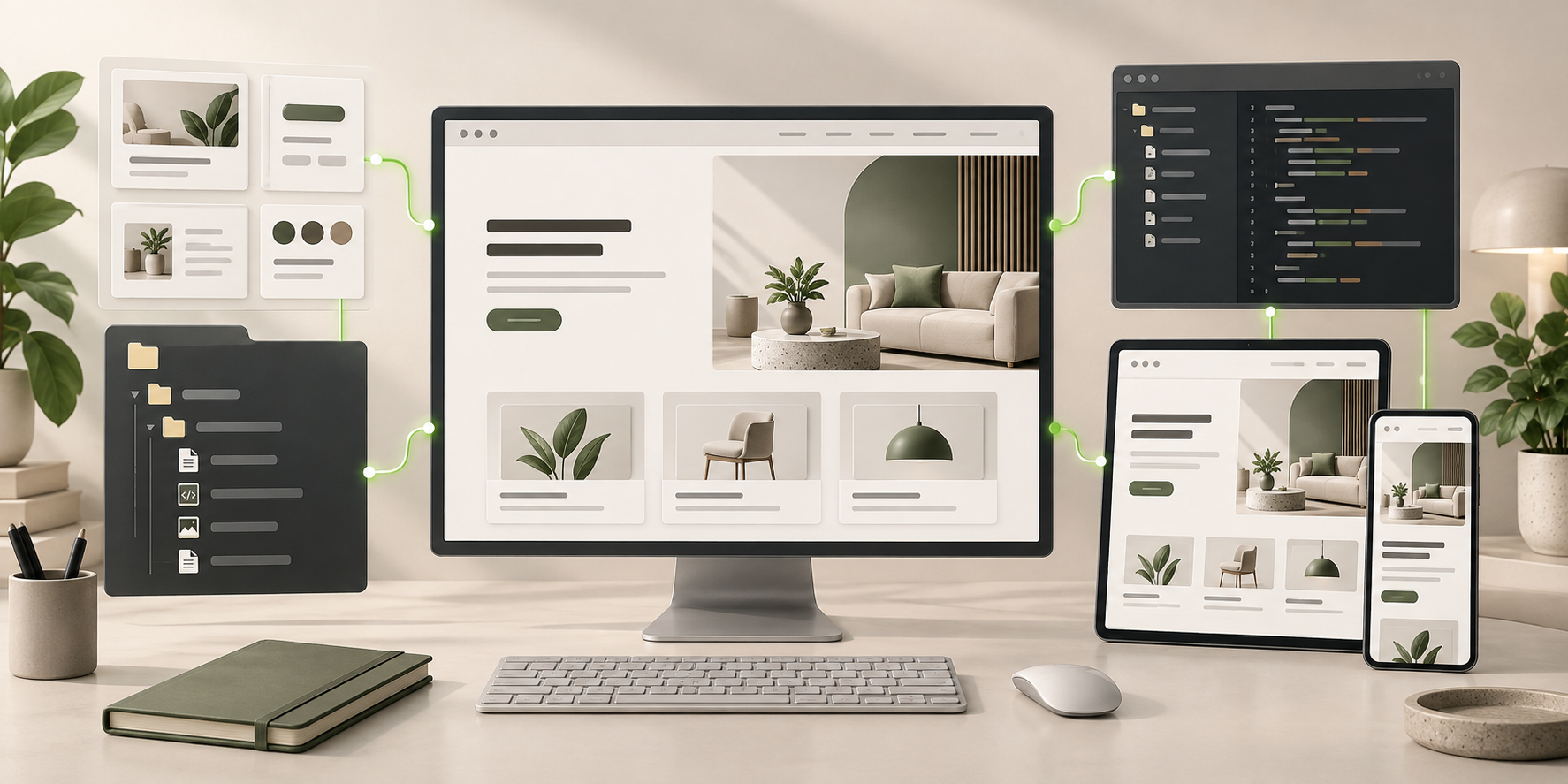
AI Multilingual Website Builder frontend connected to editable files, reusable components, and coding-agent continuation.
Ready to Keep EditingAI Multilingual Website Builder Frontend GeneratedHTML · CSS · JavaScript · Components