Native NHS.UK frontend 10.6.1 CSS/JS, Arial override and original local state; no clinical service integration. · Implementation reference
02
NHS Design System Design Reference
NHS.UK frontend 10.6.1 and NHS digital service manual. The preview uses official local CSS/JS with Arial, not licensed Frutiger or the NHS logo. Responsive values are checked against the selected package; no clinical content is supplied.
NHS.UK frontend supplies the visual and interaction foundation; it does not schedule a consultation or decide which attendance methods a clinic supports. The study displays a fictional appointment and lets the visitor choose a preference. Its result is a local review, not a booking.
Frutiger is an NHS brand asset with licensing conditions. This independent resource uses Arial, the documented fallback, and excludes the NHS logo. The official CSS is kept intact; an explicit local font override prevents Frutiger requests.
Use nhsuk-heading-l for the page question and nhsuk-heading-m for a subordinate section. This differs from a long editorial page, where the guidance starts at heading-xl. The radio fieldset can use a heading-sized legend without losing its group semantics.
Regular paragraph classes distinguish body, lead and small supporting copy. A 26px lead is useful once at the start of a page, while appointment instructions remain ordinary body text. The preview retains enough line width for dates and location names to wrap.
NHS responsive units follow a different sequence and switch above 768px. For example, unit 6 changes from 32px to 40px. Do not transfer the GOV.UK unit-6 value to NHS simply because the helper names look related.
The demo uses the 960px container and a two-thirds reading column. Native grid behaviour produces a single column below desktop. Layout changes are controlled by the library, while the small independent identity strip is application styling.
The documentation names 641px as tablet and 769px as desktop. The grid column widths begin at desktop; that does not mean every type rule waits for the same boundary. Use the native classes rather than implementing one global breakpoint for all properties.
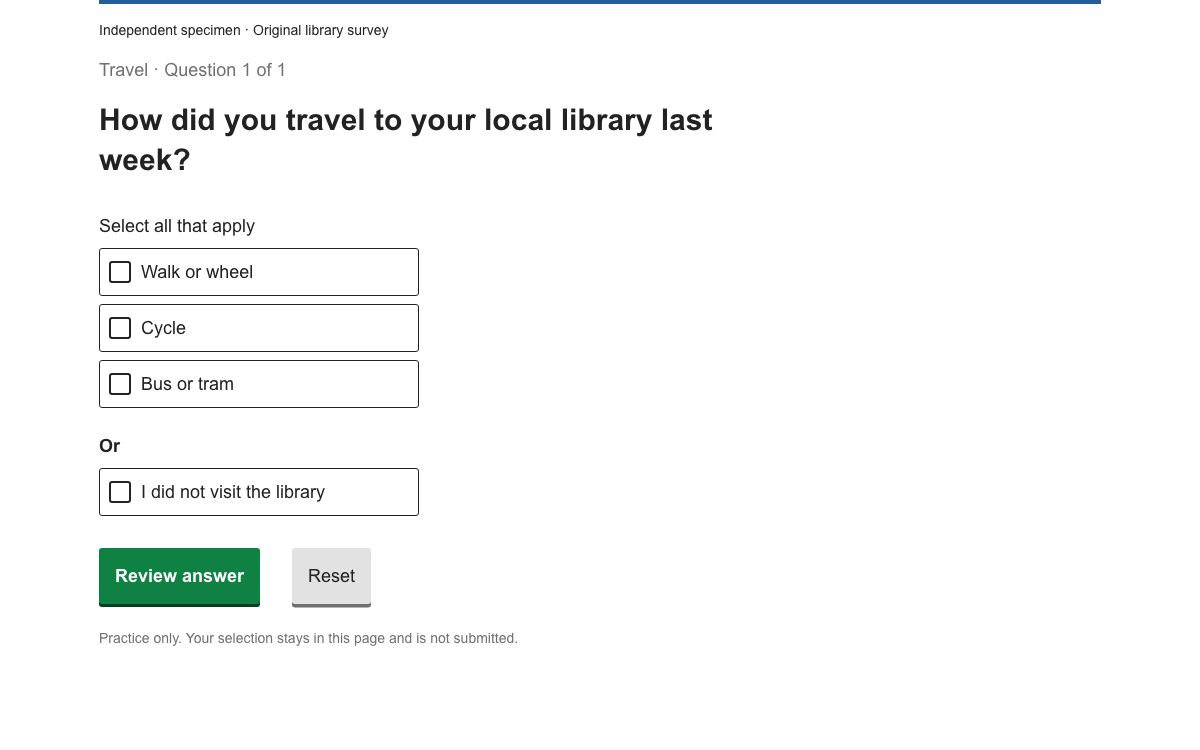
The example uses nhsuk-fieldset with a visible legend and a shared name attribute on its radio inputs. Each input has its own id and label. The hint is associated with the group through aria-describedby. These relationships let the browser expose a single mutually exclusive choice.
The radio item structure places the input and label inside nhsuk-radios__item. Standard radios are appropriate for a primary question; the small variant is intended for denser filter contexts. The fictional attendance choices remain mutually exclusive when operated with arrow keys.
The legend names the decision.
The shared attendance name creates the selection group.
The details example has nhsuk-details__summary and a summary-text span, followed by nhsuk-details__text. It opens using native browser behaviour. Keep the appointment identity and the fact that no booking occurs outside the disclosure because everyone needs them.
In 10.6 the Nunjucks API uses summary.text or summary.html; the older summaryText option is deprecated. If using macros, prefer the new object shape. The HTML example avoids a templating dependency while preserving the same anatomy.
No option is selected initially. Continue without an answer produces an inline error and associates the group with that message. The preview then focuses the error. Selection remains visible when returning from review. These are application state decisions layered over the native controls.
The review repeats the chosen method and the fictional appointment identity. Its action says Change preference. There is no confirmation suggesting a clinical service has accepted the preference, and no health advice or preparation requirement is invented.
Continue before selecting an attendance method.
Select Telephone and open the local review.
Change the preference to In person and inspect the updated review.
The setup copies the 10.6.1 CSS and browser module into a static assets directory. The module exports initAll; call it after the component markup exists. The standalone example uses the same locally served distribution and a page-level Arial override.
The styles include component rules and responsive foundations. The small script that changes the review panel is separate application code. A production service would replace the fictional appointment record with maintained data and handle a real preference request through its own backend.
The distinguishing checks are that the visitor can identify the appointment, understand that an attendance preference is not yet confirmed, and change the selected method without losing context. A generic success toast would obscure this distinction.
Use keyboard operation on the radio group and details summary, then inspect the narrow view with a long clinic name. The no-selection error should lead back to the group. The library contributes reusable behaviour, while the organisation remains responsible for actual appointment rules and clinical information.
The native details element exposes additional information without hiding the task.
html
<details class="nhsuk-details">
  <summary class="nhsuk-details__summary">
    <span class="nhsuk-details__summary-text">About these example choices</span>
  </summary>
  <div class="nhsuk-details__text"><p>These are fictional options, not available appointment slots.</p></div>
</details>
The full document includes its layout, controls and initialization. Extract the linked example archive to obtain the exact relative vendor assets, then serve it over HTTP.
html
<!doctype html><html lang="en"><head><meta charset="utf-8"><meta name="viewport" content="width=device-width,initial-scale=1"><title>Appointment preference — OpenDesign study</title><link rel="stylesheet" href="vendor/nhsuk-10.6.1/nhsuk-frontend.min.css"><style>body,body *,body *::before,body *::after{font-family:Arial,sans-serif!important}[hidden]{display:none!important}.study-strip{background:white;border-bottom:1px solid #d8dde0;padding:16px}.study-strip p{margin:0}.study-card{background:#fff;border:1px solid #d8dde0;padding:24px;margin-bottom:32px}h1:focus{outline:none}.study-result{border-left:4px solid #005eb8;padding:16px 24px;background:white}button,a,input{touch-action:manipulation}</style></head><body><header class="study-strip"><p class="nhsuk-body-s"><strong>OpenDesign · NHS component study</strong><br>Fictional appointment. This page cannot book or change care.</p></header><main class="nhsuk-width-container nhsuk-main-wrapper nhsuk-main-wrapper--s" id="maincontent"><div class="nhsuk-grid-row"><div class="nhsuk-grid-column-two-thirds"><div class="study-card"><h2 class="nhsuk-heading-m">Example appointment</h2><p class="nhsuk-body">Community clinic · Alex Example<br>Tuesday, 20 October · 10:30am</p></div><section id="choice"><h1 class="nhsuk-heading-l">Choose an attendance preference</h1><form id="form" novalidate><div class="nhsuk-form-group" id="group"><fieldset class="nhsuk-fieldset" aria-describedby="contact-hint">
  <legend class="nhsuk-fieldset__legend nhsuk-fieldset__legend--m">How would you prefer to attend?</legend>
  <div class="nhsuk-hint" id="contact-hint">Select one option.</div>
  <div class="nhsuk-radios" data-module="nhsuk-radios">
    <div class="nhsuk-radios__item">
      <input class="nhsuk-radios__input" id="in-person" name="attendance" type="radio" value="in-person">
      <label class="nhsuk-label nhsuk-radios__label" for="in-person">In person</label>
    </div>
    <div class="nhsuk-radios__item">
      <input class="nhsuk-radios__input" id="telephone" name="attendance" type="radio" value="telephone">
      <label class="nhsuk-label nhsuk-radios__label" for="telephone">Telephone</label>
    </div>
  </div>
</fieldset></div><details class="nhsuk-details">
  <summary class="nhsuk-details__summary">
    <span class="nhsuk-details__summary-text">About these example choices</span>
  </summary>
  <div class="nhsuk-details__text"><p>These are fictional options, not available appointment slots.</p></div>
</details><button class="nhsuk-button" type="submit">Review preference</button></form></section><section id="review" hidden><h1 class="nhsuk-heading-l" tabindex="-1" id="review-title">Your preference</h1><div class="study-result"><p class="nhsuk-body" id="selected"></p><p class="nhsuk-body">This is a local example. The appointment has not changed.</p></div><button class="nhsuk-button nhsuk-button--secondary nhsuk-u-margin-top-5" id="change" type="button">Change preference</button></section><p class="nhsuk-body-s">Native 10.6.1 controls with Arial. <a href="vendor/nhsuk-10.6.1/LICENSE.txt">Frontend licence</a>.</p></div></div></main><script type="module">import{initAll}from './vendor/nhsuk-10.6.1/nhsuk-frontend.min.js';initAll();const form=document.getElementById('form'),group=document.getElementById('group'),fs=group.querySelector('fieldset');form.addEventListener('submit',e=>{e.preventDefault();document.getElementById('error')?.remove();group.classList.remove('nhsuk-form-group--error');fs.setAttribute('aria-describedby','contact-hint');const value=form.querySelector(':checked')?.value;if(!value){group.classList.add('nhsuk-form-group--error');const p=document.createElement('p');p.id='error';p.className='nhsuk-error-message';p.tabIndex=-1;p.textContent='Select how you would prefer to attend';fs.querySelector('.nhsuk-radios').before(p);fs.setAttribute('aria-describedby','contact-hint error');p.focus();return}document.getElementById('selected').textContent='Selected method: '+(value==='telephone'?'Telephone':'In person');document.getElementById('choice').hidden=true;document.getElementById('review').hidden=false;document.getElementById('review-title').focus()});document.getElementById('change').addEventListener('click',()=>{document.getElementById('review').hidden=true;document.getElementById('choice').hidden=false;form.querySelector(':checked').focus()});</script></body></html>
Download the complete example from Sources. Its README gives the exact local launch command.
Keep vendor paths relative to this document; the archive includes the complete assets used by this preview.
04
NHS Design System Agent Setup
Implementation Starting Point
Place shell commands and HTML in their respective files. Arial is an explicit independent-preview override; NHS organisations should follow their actual font licence and brand requirements. The complete working-example ZIP in Sources also provides the exact preview dependencies and full document. Extract it, run python3 -m http.server 8080 in that directory, then open http://localhost:8080/nhs.html. Do not open module-based examples through file://.
sh / html
npm install [email protected]
mkdir -p public/assets
cp node_modules/nhsuk-frontend/dist/nhsuk/nhsuk-frontend.min.css public/assets/
cp node_modules/nhsuk-frontend/dist/nhsuk/nhsuk-frontend.min.js public/assets/

<link rel="stylesheet" href="/assets/nhsuk-frontend.min.css">
<style>body, body *, body *::before, body *::after { font-family: Arial, sans-serif !important; }</style>
<script type="module">
  import { initAll } from '/assets/nhsuk-frontend.min.js';
  initAll();
</script>
A Prompt for Your Project
Agent Prompt
Build an independent appointment-preference question using NHS.UK Frontend 10.6.1. Use a fieldset and legend for mutually exclusive attendance methods, associated radio hints, and native Details for optional help. Keep the question and essential instructions visible. On an unanswered review, show a linked error summary and inline error; preserve the selected method when returning from the local review. Load the matching CSS and module initAll, with the explicitly documented Arial study override. Do not add appointment lookup, real booking changes, clinical advice or an NHS identity claim.
05
NHS Design System Sources and Scope
Independent appointment-preference study using NHS.UK frontend 10.6.1. No NHS logo, licensed Frutiger, real booking, clinical instruction or implied endorsement.