
Design Systems
Kami
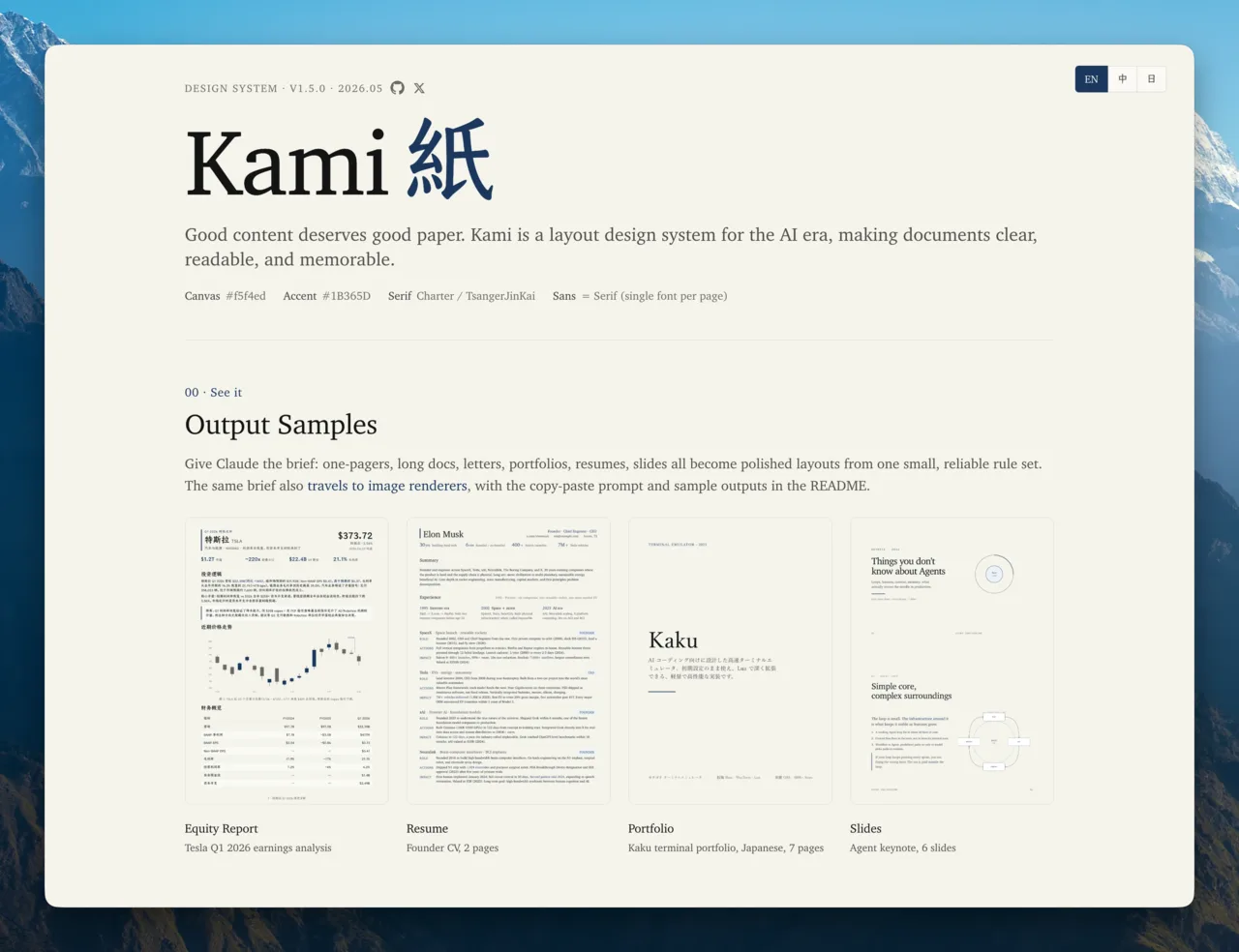
Typeset resumes, white papers, decks, and landing pages on one design language.
What it is
A template system for professional documents and product landing pages. Warm parchment canvas, ink-blue accent, serif-led hierarchy, with templates for nine document types plus fifteen diagram primitives.
Typeset professional documents and product landing pages: resumes, one-pagers, white papers.
Why it matters for design
- One accent color and one serif family keep every deliverable visually consistent.
- A density contract flags body pages that render under half full.
- Diagram primitives cover architecture, flowcharts, quadrants, timelines, and charts.
What it covers
- Decide the language
- Pick the document type
- Fill content into the template
- Build and verify
- Fonts
- Feedback protocol
How to install
Kami
-
Clone the repo.
git clone https://github.com/tw93/Kami -
Point Codex at the skill file.
plugins/kami/skills/kami/SKILL.md -
Then describe the UI you want. Codex follows the skill.
How to run it with Codex
-
Say what you need; the decision tree picks the matching template.
-
Let Codex distill your raw content into a validated content.json first.
-
Run the build script to produce HTML, PDF, and verification reports.
Every plugin here is free, open source, and links to its real upstream source.
More on the codex-design list ↗More Codex design plugins
 Frontend & UI What it does gpt-taste Builds award-style landing pages with GSAP scroll motion and gapless bento grids.
  Design Systems What it does Stitch Design Taste Writes a DESIGN.md that steers Google Stitch toward non-generic screens.
  Frontend & UI What it does image-to-code Generates design images first, analyzes them, then builds matching frontend code.
  Frontend & UI What it does imagegen-frontend-mobile Generates premium mobile app screen flows as images, not code.
 Next step
Design with OpenDesign, without the setup
Install this plugin yourself, or run a whole curated design layer around Codex with OpenDesign. Bring your own key, own your output.