Use the Prompt
Add Your Brief
Add your context below. It will be included with the prompt when you copy or download.
Create an editable editorial engraving ad video for [PROJECT] and [AUDIENCE]. Use the attached reference video to study composition and pacing, then build a new result with approved content and your own visual identity.
Objective and Inputs
Introduce an editorial visual idea; combine authorized imagery with painted accents; vary scale through short compositions; close on the brand mark.
Ask for the required assets, exact on-screen copy, intended destination, output size and licensed audio. Use [APPROVED_CONTENT] for names, quantities, claims and interface labels, and [BRAND_RULES] for the visual system. If an input is missing, list it before choosing a substitute. Treat any demonstration data as fictional and label it.
Scene Plan
- Introduce an editorial visual idea. Specify its entrance, reading hold, visible action and transition to the next scene.
- Combine authorized imagery with painted accents. Specify its entrance, reading hold, visible action and transition to the next scene.
- Vary scale through short compositions. Specify its entrance, reading hold, visible action and transition to the next scene.
- Close on the brand mark. Specify its entrance, reading hold, visible action and transition to the next scene.
Before implementation, return a timing table with scene start, end, copy and assets. The reference runs approximately 14.5 seconds at 1080 × 1920; use that as a comparison, not a requirement to cram longer copy into the same duration. Propose a shorter state list or longer reading holds when the supplied material needs them.
Task-Specific Motion
Borrow the pacing principle from the reference while creating a new composition and using licensed visual material. Keep the bright editorial direction deliberate.
Keep transitions tied to the story. Preserve a recognizable anchor between adjacent scenes and avoid changing scale, color, type and camera direction all at the same time. Hold information still long enough to read. If a cursor, pointer or highlight is used, align it with the exact target and show the resulting response.
Typography, Assets and Audio
- Make the main message readable at normal phone playback size.
- Preserve approved asset proportions; do not stretch a logo, device, chart or screenshot.
- Keep editable text separate from images where the project allows it.
- Mark music and sound cues on the timing table. Use only supplied or properly licensed audio.
- Use a silent timing preview when audio is unavailable, rather than claiming the film is synchronized to a track that was not provided.
Implementation and Deliverables
Use the existing project stack. Build an explicit timeline whose state can be inspected at any timestamp. Keep copy, input data, colors and scene timing in editable configuration rather than scattering them through rendering logic. Reuse authorized assets locally and report missing fonts or integrations.
Return editable source, the timing table, a poster and an MP4 render. Preview one frame from every scene and inspect the transitions before the full export. Do not use the reference video itself as the finished deliverable or imply that a visual demonstration implements real product functionality.
Review This Specific Result
Compare adjacent shots for visual continuity and check image rights rather than copying a recognizable campaign wholesale.
Check the first and last frame, the longest line of copy, the smallest important label and every scene boundary. Verify that the exported frame count, aspect ratio and audio length agree with the approved timeline. Review a silent playback first to confirm the visual story is understandable. Record any differences from the reference and any behavior not implemented.
Reference and Attribution
Reference creator: @LexnLin. Source: https://x.com/LexnLin/status/2106101651010449796 This is an OpenDesign editorial adaptation of the public task idea. Use the reference to learn from its structure; obtain permission before redistributing creator media beyond your authorized use.
Download Prompt + Video
Download the editable prompt and the creator reference video together. Use both to guide your own motion study.
How to Write a Editorial Engraving Ad Video Prompt
Use this editorial engraving ad video prompt to plan the content, motion and timing of your own adaptation. Introduce an editorial visual idea; combine authorized imagery with painted accents; vary scale through short compositions; close on the brand mark. This guide turns that particular sequence into an editable brief, with a separate decision for content, motion, timing and validation.
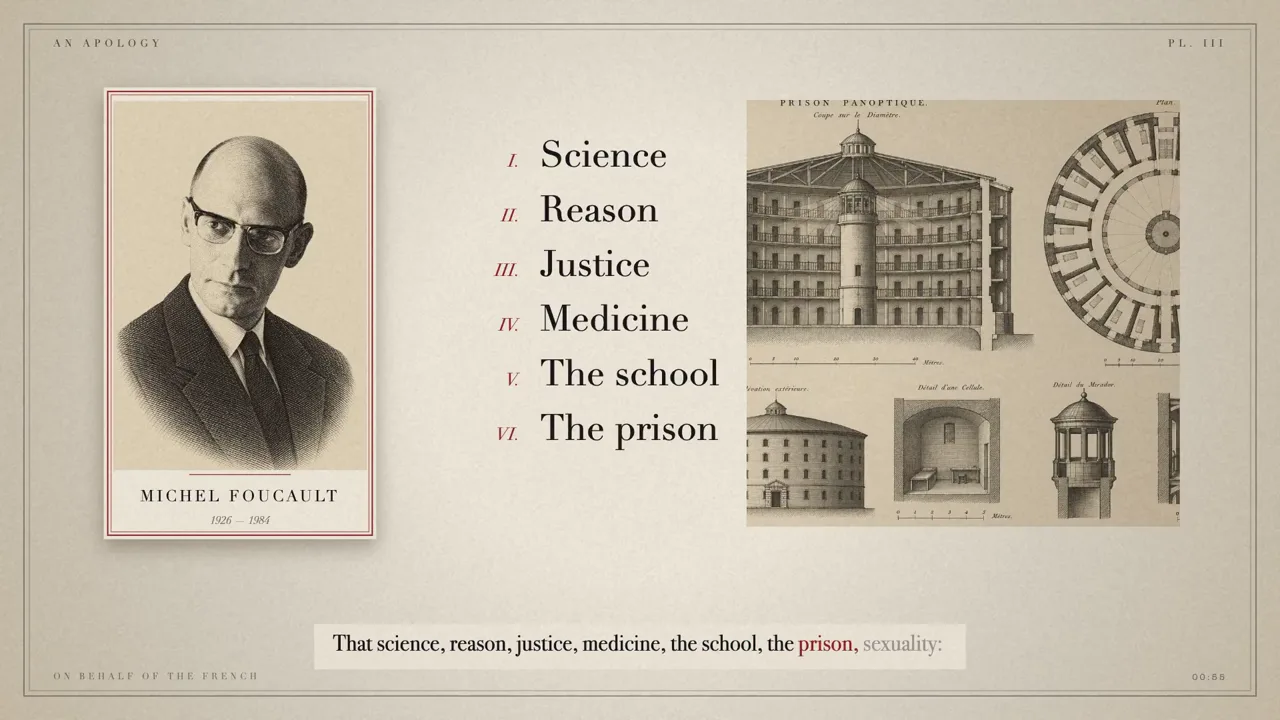
Reference frames: @LexnLin. The instructions are an OpenDesign editorial adaptation. Source media is credited above; this is not a verified OpenDesign reproduction.
Define the Story Before the Animation
The task is to introduce an editorial visual idea. The source provides a motion idea, but your own version still needs real copy, assets and a clear audience. Decide what should be understood at the end before choosing effects. A named product in the reference is context, not permission to reuse its claims or identity.
In the Adapted Prompt
Introduce an editorial visual idea; combine authorized imagery with painted accents; vary scale through short compositions; close on the brand mark.
Apply It to Your Version
Write one sentence describing the intended viewer outcome. Supply the real assets for this sequence: introduce an editorial visual idea, then combine authorized imagery with painted accents. Remove any scene that cannot be supported by those inputs.
Make the Scene Changes Explain the Task
Borrow the pacing principle from the reference while creating a new composition and using licensed visual material. Keep the bright editorial direction deliberate. The important distinction is between a visible change and a meaningful one. Give the viewer a stable relationship between the content before and after a transition, and name the part of the frame that should attract attention. Use the reference checkpoint to discuss the composition; the exact timestamp is a review aid, not a claim that every adaptation must follow it.
In the Adapted Prompt
Borrow the pacing principle from the reference while creating a new composition and using licensed visual material. Keep the bright editorial direction deliberate.
Apply It to Your Version
Turn each scene into an action/result pair. For this case, start with “Introduce an editorial visual idea”, then explain how it becomes “combine authorized imagery with painted accents”. Specify what stays fixed, what moves and when the copy may change.
Budget Time for the Information
The reference is 14.5 seconds long and uses a 1080 × 1920 frame. Those measurements are facts about the reference, not a universal production recipe. Divide your actual copy into the scene plan and estimate a readable hold for each message before assigning transitions. A vertical crop may require new line breaks; it should not stretch the original layout or silently remove important information. In this sequence, reserve a clear hold to close on the brand mark. Do not spend that reading time on the preceding transition.
In the Adapted Prompt
Before implementation, return a timing table with scene start, end, copy and assets.
Apply It to Your Version
Make a low-cost timing preview with your longest real label. Watch it once without pausing. If the message cannot be read, simplify the scene or increase its hold before adding more motion.
Review the Case-Specific Failure
Compare adjacent shots for visual continuity and check image rights rather than copying a recognizable campaign wholesale. Review this issue separately from visual polish: a smooth animation can still communicate the wrong relationship, claim or result. Keep a record of approved data and assets so a revised render can be checked against the same inputs. The downloadable reference helps compare pacing; it does not prove that the new implementation is correct.
In the Adapted Prompt
Compare adjacent shots for visual continuity and check image rights rather than copying a recognizable campaign wholesale.
Apply It to Your Version
Ask the agent to return the affected before/after frames, the exact timing change and any remaining limitations. Preserve the approved content while fixing the specific failure rather than regenerating every scene.
Check the Story and the Export
Compare adjacent shots for visual continuity and check image rights rather than copying a recognizable campaign wholesale.
- Compare adjacent shots for visual continuity and check image rights rather than copying a recognizable campaign wholesale.
- Read every important label at normal playback speed without pausing.
- Inspect the frame before and after each transition for continuity.
- Confirm the source, permissions and accuracy of any claim, asset or dataset.
- Compare export duration, dimensions and audio alignment with the approved timeline.
Follow-Up Prompt
Use this after the first result. It narrows the revision to the most important part of this task.
Refine only the editorial engraving ad animation. Keep the approved story and supplied content. Borrow the pacing principle from the reference while creating a new composition and using licensed visual material. Keep the bright editorial direction deliberate. Compare adjacent shots for visual continuity and check image rights rather than copying a recognizable campaign wholesale. Show the affected scene-boundary frames and a short preview before exporting again.