Use the Prompt
Add Your Brief
Add your context below. It will be included with the prompt when you copy or download.
Create an editable HTML presentation with a 16:9 canvas, previous/next buttons, arrow-key navigation, a slide counter and a one-slide-per-page print layout for [PROJECT] and [AUDIENCE]. The task is: Sprint Review Deck.
Required content and structure
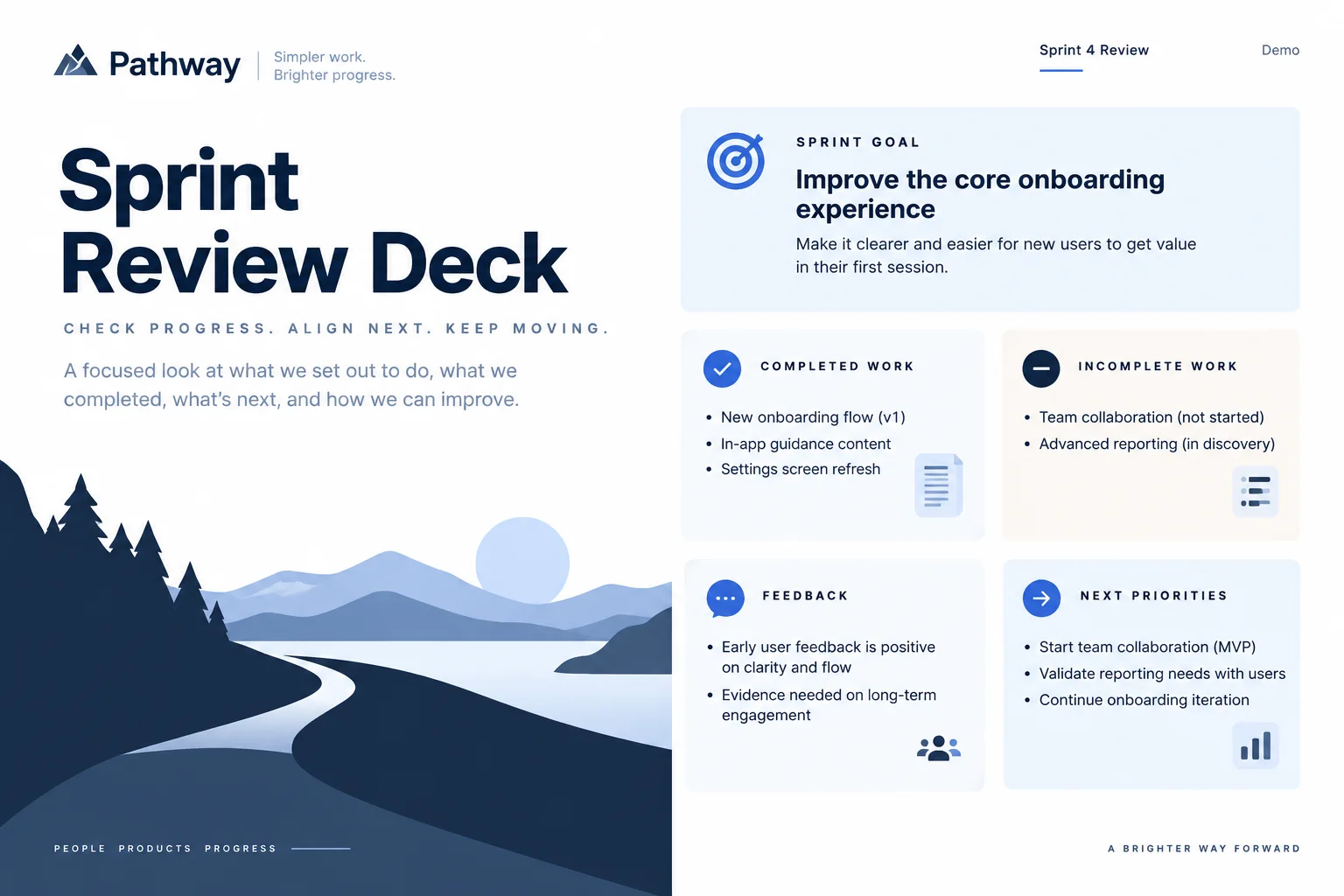
Show the sprint goal, completed work, incomplete work, feedback and next priorities.
Use [APPROVED_CONTENT] as the source of names, dates, figures, claims and destinations. List missing inputs before substituting anything. If a demonstration is needed, label its content as fictional. Do not invent customer quotes, rankings, partner logos or product capabilities.
Design direction
Use [BRAND_RULES] and the design system already selected in the project. If no system is supplied, start with this direction: white, midnight navy and restrained blue; strong alignment and simple evidence diagrams. Keep type, spacing and color roles consistent. Prioritize the task over decorative elements and avoid a generic collection of unrelated cards.
Content preparation
Prepare the sprint goal, completed items, incomplete work, demonstrations, feedback and next priorities. Define what done means for this team.
Layout and behavior
Organize the review around the goal and the work that can actually be shown. Keep unfinished items visible with their remaining scope rather than hiding them in a success narrative.
Task-specific acceptance check
- Do not present partially built features as delivered.
- Compare status labels with working demonstrations.
- A partially built feature should not appear delivered, and planned follow-up should remain distinct from completed work.
Implementation and review
Keep text editable. Use semantic structure, descriptive controls, visible keyboard focus and appropriate empty/error states. Check narrow and wide layouts. Respect reduced-motion preferences. Preserve any existing project framework and dependencies; do not silently replace the stack. Return the editable files and explain any incomplete behavior or unsupported inputs. Review this specific task before proposing extra features.
Keep one main idea per slide. Use charts only when actual comparable values are supplied; include units, source dates and limitations. Keep speaker notes separate from visible slide content.
Reference attachment and reconstruction goal
Attach reference.webp from this prompt’s download bundle alongside this prompt in OpenDesign. Build an editable result with a similar composition and hierarchy; do not embed the whole reference image as the finished interface. Preserve approved project content and brand rules if they conflict with fictional sample labels. If the image is missing or unreadable, ask for it instead of claiming visual fidelity.
Reference composition and content
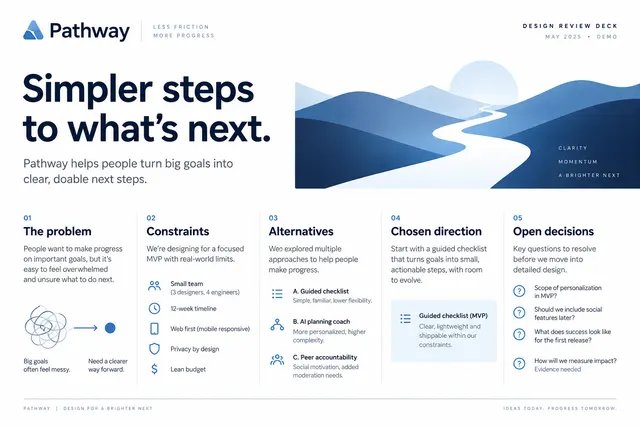
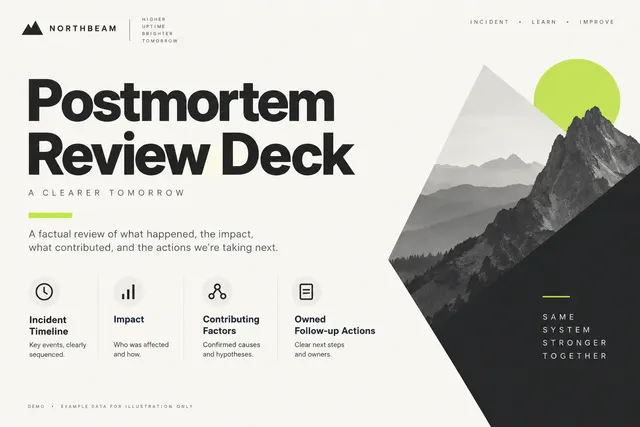
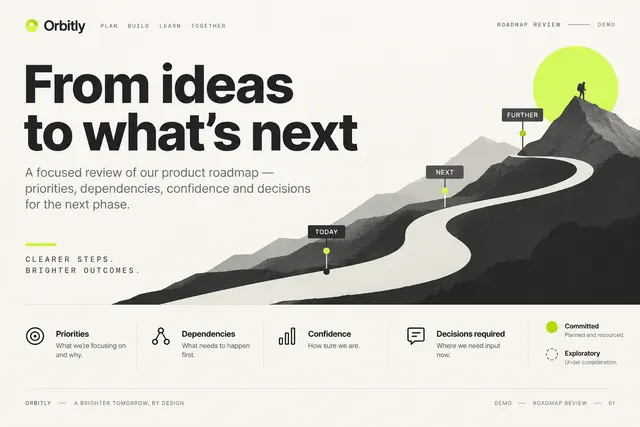
Use the attached reference.webp as the visual reference for Sprint Review Deck. Before building, identify the major regions from top to bottom, their relative widths and heights, alignment, spacing, typography hierarchy, surface colors, borders, imagery and repeated components. Preserve those relationships rather than substituting a generic template. Required task content: Show the sprint goal, completed work, incomplete work, feedback and next priorities. Use the following task-specific layout guidance when translating the image into editable elements: Organize the review around the goal and the work that can actually be shown. Keep unfinished items visible with their remaining scope rather than hiding them in a success narrative.
Visual direction from the example brief
white, midnight navy and restrained blue; strong alignment and simple evidence diagrams.
Slide structure and presentation behavior
Recreate the slide composition as editable title, body, visual and annotation elements. A pictured slide is one view, not evidence of a complete deck. Use the supplied narrative to build any requested additional slides; preserve its typography, margins, color roles and alignment. Organize the review around the goal and the work that can actually be shown. Keep unfinished items visible with their remaining scope rather than hiding them in a success narrative. Keep navigation outside exported slide content. Do not present partially built features as delivered.
Visual comparison and delivery
- Compare the result with the attached image at matching proportions. Review major region placement, relative image sizes, line breaks, spacing, typography hierarchy, contrast, active states and content density before polishing decorative details.
- Then test the narrow layout without squeezing desktop text into tiny labels.
- Keep logos, photos and icons as separate assets and all meaningful labels editable. List any unavailable fonts/assets and any intentional departures. Return the working files plus a concise account of implemented behavior and remaining integrations; do not promise a pixel-identical result from the prompt alone.
Adapt the reference to the slide canvas
The attached reference image uses a 3:2 composition. Recompose its editable text, shapes and separate image assets onto the requested 16:9 slide canvas. Preserve hierarchy and readable spacing by adjusting the layout; do not stretch the reference or crop essential content to force it into 16:9. Treat this single concept as a visual direction, not as a completed multi-slide deck.
Download Prompt + Image
Includes the complete prompt and full-size reference image. Attach both in OpenDesign to guide the layout.
How to Write a Sprint Review Deck Design Prompt
Use this sprint review deck design prompt to show the sprint goal, completed work, incomplete work, feedback and next priorities.
The reference is an AI-generated concept. The instructions below describe what to build and test; the image does not demonstrate working behavior.
Separate Delivered Work from Progress
A sprint review deck should show what the team can demonstrate against the sprint goal.
Work that is partially implemented needs a clear remaining boundary. Organize the review around the goal and the work that can actually be shown. Keep unfinished items visible with their remaining scope rather than hiding them in a success narrative.
From the Prompt
Organize the review around the goal and the work that can actually be shown.
Make It Your Own
State [SPRINT_GOAL], demonstrate completed work and list unfinished work with its remaining conditions. Collect feedback and connect it to the next priorities.
Prepare the Sprint Review Deck Content
The goal is isolated above the review results; state the agreed goal before discussing the delivered work.
Prepare the sprint goal, completed items, incomplete work, demonstrations, feedback and next priorities. Define what done means for this team.
From the Prompt
Show the sprint goal, completed work, incomplete work, feedback and next priorities.
Make It Your Own
For [PROJECT], use [APPROVED_CONTENT] as the source for this sprint review deck. Prepare the sprint goal, completed items, incomplete work, demonstrations, feedback and next priorities. Define what done means for this team. Identify missing inputs before replacing them with demonstration content.
Check a Partial Feature
Four panels separate delivered work from unfinished work and feedback; keep evidence and planned next actions distinct.
The slide should say what is usable and what remains incomplete. A screenshot of a finished-looking interface must not be treated as evidence that the whole feature shipped. Compare status labels with working demonstrations. A partially built feature should not appear delivered, and planned follow-up should remain distinct from completed work.
From the Prompt
Do not present partially built features as delivered.
Make It Your Own
Review the sprint review deck against this requirement: Do not present partially built features as delivered. Compare status labels with working demonstrations. A partially built feature should not appear delivered, and planned follow-up should remain distinct from completed work. Preserve approved content and revise only the parts that fail this check.
Review Your Sprint Review Deck Result
A generated image cannot validate a complete deck or its evidence. Test every slide, keyboard navigation, print layout and any exported file separately.
- Compare status labels with working demonstrations. A partially built feature should not appear delivered, and planned follow-up should remain distinct from completed work.
Follow-Up Prompt
Use this after the first result. It narrows the revision to the most important part of this task.
Refine the current sprint review deck. Compare status labels with working demonstrations. A partially built feature should not appear delivered, and planned follow-up should remain distinct from completed work. Preserve the approved content and visual direction; change only the parts needed to resolve these issues.