

Graphics
AI Workflow Editorial Poster Design
AI Workflow Editorial Poster Design presents six illustrated workflow claims with numbered chapters, concrete prompt specimens, and cream-and-rust typography.


Editorial Poster Use Cases
- Editorial Poster DesignPresent a dense sequence of ideas as one readable artifact.
- AI Workflow CommunicationExplain varied creative workflows without turning them into product documentation.
- Prompt-Led Content DesignPair each workflow claim with a concrete prompt specimen.
- Visual Direction ExplorationCompare mood, structure, and emphasis within one composition.
AI Workflow Poster Highlights
- Six Workflow ChaptersMoves from prototyping through handoff and visual exploration.
- Prompt SpecimensShows concrete inputs beneath each workflow description.
- Editorial ContrastUses black, cream, and rust to separate emphasis.
- Structured Reading OrderPairs numbered labels with consistent two-column content.
The Six-Chapter Editorial Poster
1 / 1About the AI Workflow Editorial Poster
This official OpenDesign graphic example presents six claimed ways of moving from an idea to an artifact. It uses an AI enthusiast's first-person editorial voice and a magazine-spread format; those reported experiences are part of the supplied artwork, not evidence of an actual OpenDesign user trial.
The primary heading, “You don't need a designer to ship your first draft anymore,” establishes a provocative editorial premise. A smaller introduction qualifies the premise with “Six honest ways I'm using AI to move faster from idea → artifact this week,” then adds “what works,” “what I'd still hand to a human,” and “the exact prompts.” That qualification gives the poster a useful tension: it is presenting workflows for examination, rather than asserting that every claim is settled fact.
A Claim With A Qualification
The large headline attracts attention, while the italic introduction narrows the reading from universal promise to a weekly set of reported workflow examples.
A Prompt Under Each Idea
Every workflow pairs explanatory copy with a shaded monospaced prompt specimen, making the proposed input visible instead of leaving the method abstract.
A Consistent Six-Part Frame
Each chapter uses a number, an uppercase category, a heading, a description, and a prompt, so readers can compare unlike workflows quickly.
Six Workflow Claims and Their Prompt Specimens
The poster is aimed at readers studying how AI might support design and production tasks. Its six chapters move from “SHIP FAST” and “PITCH” to “BRAND LOCK,” “MARKETING,” “HANDOFF,” and “EXPLORE.” This ordering moves from making an initial artifact toward system consistency, distribution, implementation, and breadth of visual options.
The first chapter is especially specific: “Clickable prototype in 90 seconds” is followed by a prompt for a fintech onboarding flow with five screens, dark mode, rounded cards, and haptic-style transitions. Those details define the intended screen sequence and visual treatment. The poster shows the prompt as content; it does not establish that the timing, export, or interaction behavior has been validated.
The final chapter changes the comparison frame. “Ten directions in ten minutes” asks for six hero section variants with the same copy and different aesthetics, each labeled with a mood word. The repeated copy is important: it isolates visual direction as the variable the reader is meant to compare. The poster therefore works as an editorial reference for workflow framing, prompt specificity, and visual variation.
What The Reading Sequence Enables
Readers can scan the numbered categories first, then inspect each workflow's headline, explanation, and prompt. The repeated structure makes it possible to compare a prototype request with a brand-token request or a visual-variation request without changing the reading method.
This is particularly useful for workshops, internal discussion, or editorial content about creative tooling. The poster gives each topic enough specificity to start a conversation while preserving a compact overall footprint.
Composition And Visual System
The source CSS sets a maximum page width of 1180px and uses a two-column grid before switching to one column. In the capture, the six chapters therefore read as three paired rows: 01 with 02, 03 with 04, and 05 with 06. The pairing creates comparison points while the numbered sequence preserves a continuous editorial path.
The composition begins with a broad horizontal rule and small metadata at the top, then gives most of the first view to the oversized headline. The words “first draft” switch to rust and italic styling, creating the poster's strongest emphasis contrast. Below, the italic introduction and a short rust rule act as a bridge into the workflow grid.
The visual system is deliberately limited: a warm cream field, black display type, rust category labels and accents, and pale shaded prompt blocks. The fine dotted background adds texture without competing with the type. This restraint keeps the six text-heavy modules legible, but it also makes typographic spacing and line wrapping carry much of the composition's visual interest.
Read The Headline As A Thesis
The oversized sentence provides the editorial argument before any workflow details appear.
Compare Paired Chapters
The two-column rows place different kinds of AI-assisted work beside one another for quick contrast.
Inspect The Prompt As Evidence Of Specificity
The shaded text reveals the concrete subject, constraints, or visual direction attached to each claim.
Why The Prompt Blocks Matter
The prompt specimens are not decorative captions. Their monospaced treatment and inset shading distinguish instruction from editorial explanation. For example, the “BRAND LOCK” specimen names “/design-system tokens,” a pricing page variant, and matching radius and shadow. That relationship lets a reader see how a broad category becomes a constrained design request.
The tradeoff is density. Longer prompts occupy more vertical space and can make paired columns feel uneven. The poster accepts that imbalance because the prompt is part of the content, but a recreation should preserve enough width and line height for the prompt to remain readable.
Scope And Capability Boundary
This artifact is a design-only editorial poster and an official bundled OpenDesign example. The capture verifies visible composition, text, ordering, color treatment, and the supplied prompt specimens. It does not verify a connected AI service, working prototype export, PPTX or PDF generation, code handoff, Supabase integration, sliders, or any measured timing.
The poster's language intentionally describes capabilities such as “Export to HTML,” “Export straight to PPTX or PDF,” and “Wire the auth screen to Supabase.” In this artifact, those lines function as illustrative workflow copy. They should be preserved as claims within the poster only when clearly framed as examples, and should not be presented as tested behavior of the bundled graphic.
The design's most reusable lesson is editorial: state a concrete workflow, show the input that shapes it, and distinguish an intended result from verified performance. That boundary keeps the artifact useful for studying communication without converting promotional copy into technical evidence.
How to Create AI Workflow Editorial Poster Design in OpenDesign
Set The Editorial Frame
Begin with one short thesis, a qualifying introduction, and six numbered workflow chapters. Keep the poster focused on moving from idea to artifact, with the chapter order progressing from fast creation to exploration.
Draft Concrete Workflow Prompts
Give each chapter a distinct category, descriptive heading, short explanation, and shaded prompt specimen. Include the actual subject and constraints, such as screen count, color mode, token source, slide count, or repeated copy, while labeling unverified results as examples.
Suggested PromptCreate a two-column editorial poster titled "You don't need a designer to ship your first draft anymore." Include six numbered AI workflow chapters: clickable fintech onboarding prototype, investor deck for a legal RAG tool, design-system token application, Series A launch one-pager, design-to-engineering handoff, and six hero variants with the same copy. Use prompt specimens under each chapter. Treat timings, exports, integrations, and backend behavior as illustrative copy only; design the artifact as a static graphic.
Refine The Reading Rhythm
Use a warm cream background, black display typography, rust category accents, pale prompt blocks, and a fine dotted texture. Check that the headline leads the page, paired chapters remain comparable, and long prompts wrap without hiding their constraints. Preserve the two-column composition at wide widths and a single-column sequence at narrow widths.
Export and Get a Share Link
Export your finished design, then use Share in OpenDesign to get a share link. Open the link in a separate browser window and check that the intended version and its assets are available before sending it.

AI Workflow Social Carousel Design
Seven portrait cards use oversized Chinese headings, numbered habits, changing color fields, and a closing statement to explain AI editing workflows.
Graphics
Aurora Field Shader Design
An automatically animated blue-green noise field gives a WebGL hero its atmosphere, while a fixed headline and small local frame-rate badge anchor the scene.
Graphics
Aurora Veil Shader Design
Aurora Veil is an interactive shader composition that turns layered light, stars, and cursor motion into an atmospheric WebGL hero.
Graphics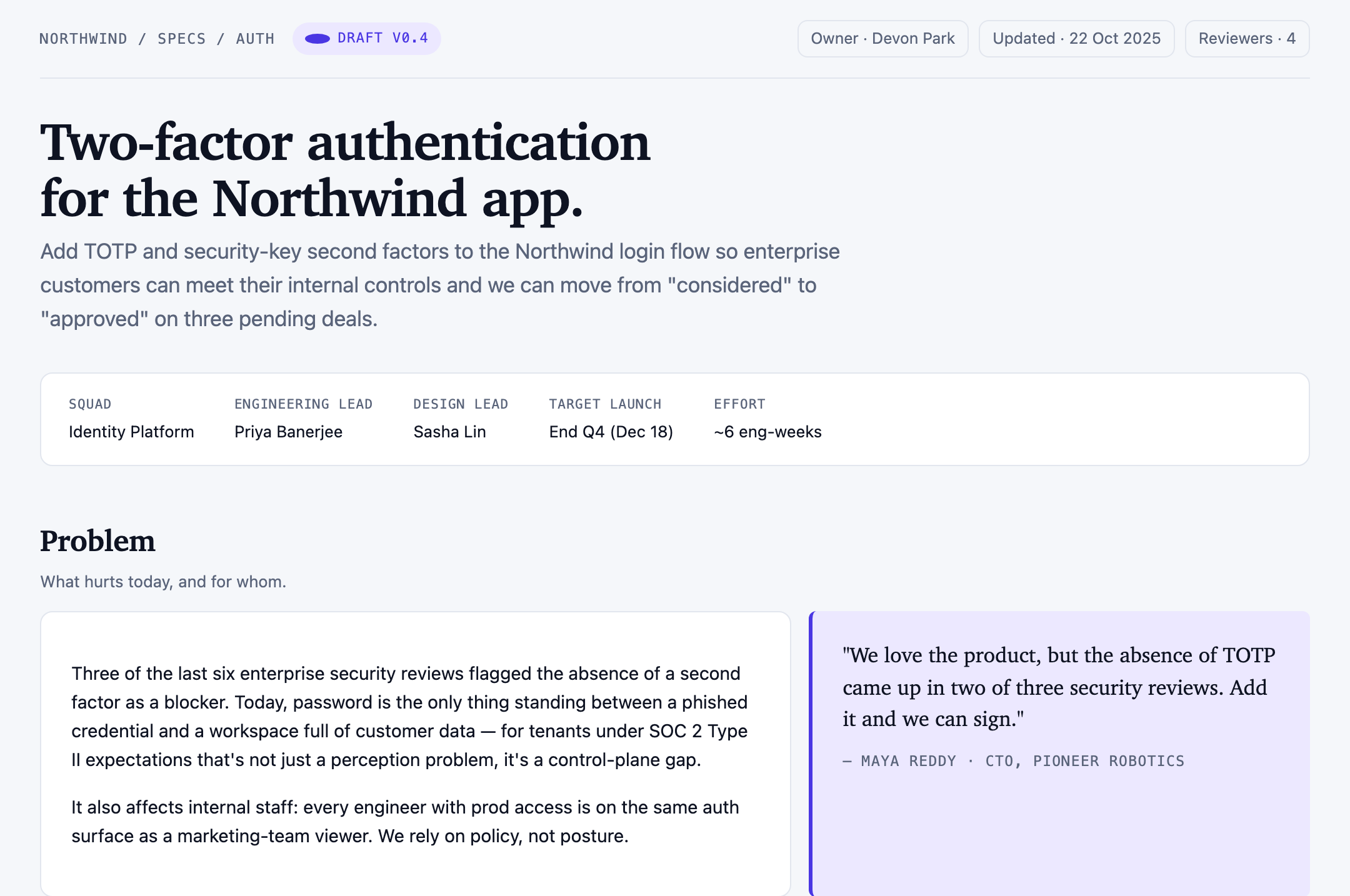
Authentication Product Specification Design
A Northwind two-factor authentication proposal links ownership, scope, user stories, four sample targets, rollout phases, and unresolved decisions.
Graphics