

Graphics
Aurora Veil Shader Design
Aurora Veil is an interactive shader composition that turns layered light, stars, and cursor motion into an atmospheric WebGL hero.


Aurora Shader Use Cases
- Interactive WebGL HeroesCreate atmospheric landing visuals with locally rendered motion.
- Generative Light StudiesExplore layered color, distortion, and depth without fixed imagery.
- Experimental Creative CodingTranslate shader behavior into a focused visual composition.
Aurora Veil Highlights
- Layered LightOverlapping luminous curtains create depth across the night sky.
- Cursor SwayPointer movement locally shifts the veil through a soft response.
- Sparse TypographyLarge stacked lettering anchors the animated visual field.
- GPU FramingSmall preview labels position the composition as a WebGL study.
Three States of the Aurora Hero
1 / 3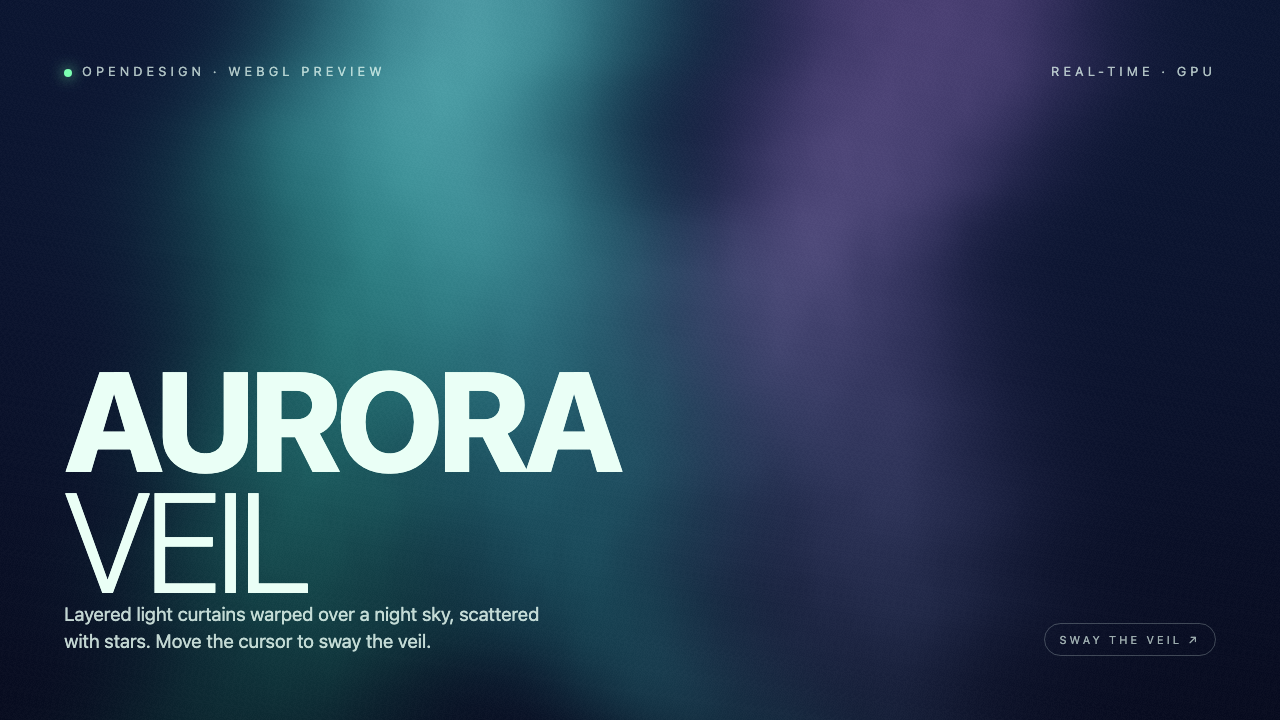
Aurora Veil As A Shader Design
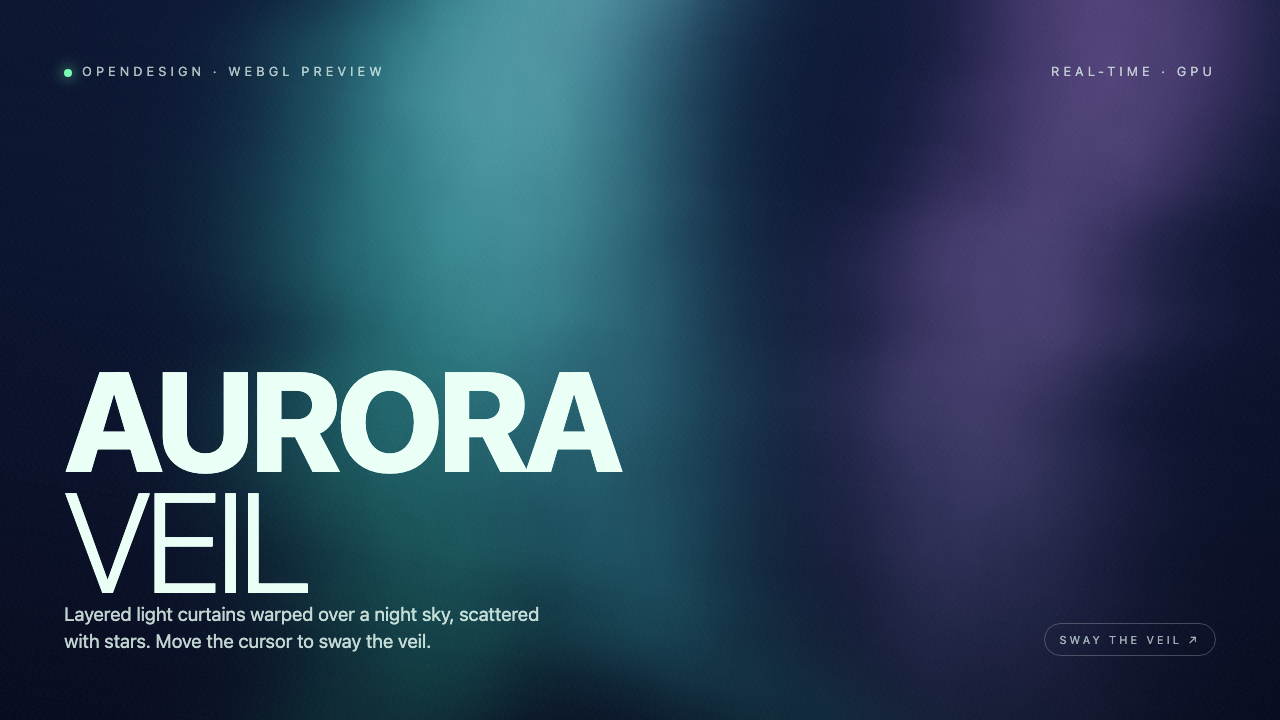
This official OpenDesign example presents a full-screen WebGL2 composition built around the authored heading “AURORA VEIL.” The title is split across two lines, with the heavier “AURORA” above the lighter “VEIL,” giving the lower-left area a strong typographic entry point while leaving the animated field open to the right.
The supporting sentence defines the visual idea directly: “Layered light curtains warped over a night sky, scattered with stars.” That wording matches the visible treatment: broad cyan and blue-green illumination occupies the center-left, while a darker navy field and smaller points of light establish the sky around it. The result is a hero composition where the shader supplies atmosphere and the type supplies orientation.
At the top, “OPENDESIGN · WEBGL PREVIEW” identifies the artifact context, while “REAL-TIME · GPU” describes the intended rendering format. These labels frame the piece as a visual experiment rather than a conventional editorial page. They also keep technical context peripheral, so the main title remains the first readable message.
Where This Composition Fits
The design is suited to a landing-page hero, an experimental coding portfolio, or a visual introduction to a creative technology project. Its strongest use is a context where atmosphere can carry the first impression and the visitor can spend a moment observing movement rather than scanning dense information.
The lower-right “SWAY THE VEIL ↗” label gives the motion an explicit invitation. Because the instruction describes cursor movement instead of presenting a menu or control panel, the interaction remains lightweight and keeps attention on the canvas. The tradeoff is that the experience depends on a pointer-oriented context; the supplied evidence does not establish an equivalent touch interaction.
Hero Introduction
Use the composition when a page needs an immersive first viewport with minimal supporting copy.
Creative Technology Study
Use the technical labels and visible shader field to present rendering as part of the subject.
Atmospheric Transition
Use the moving light field to separate sections or establish tone before denser content begins.
How The Visual Field Holds Together
The composition uses a stable left-side reading column against a continuously changing background. “AURORA” is set in large, bold capitals, while “VEIL” is lighter and narrower beneath it. That contrast creates a two-stage read: the first word establishes scale and identity, and the second completes the name without competing for the same visual weight.
Across the captures, the central glow changes from a mainly teal field to a state with a more visible violet region at upper right. The title position and supporting copy remain fixed. This separation matters: movement can alter color and light distribution without forcing the reader to relocate the primary message.
The fragment shader builds three light curtains over a navy gradient, using five layers of noise to vary their widths and bends. A time value changes their position and hue, while sparse procedural stars occupy the upper sky. A green-to-teal-to-violet palette distinguishes the ribbons without external textures or scene meshes. This layered treatment produces atmospheric depth while the fixed pale typography remains the reading anchor.
Fixed Reading Anchor
The title and description remain in the same left position while the shader state changes behind them.
Changing Light Distribution
Teal, blue, and violet regions shift across captures, making motion legible without adding new screens.
Sparse Supporting Labels
The top metadata and lower-right prompt explain context and interaction without competing with the title.
Visible Behavior And Boundaries
The source starts a local animation loop and listens for pointer movement. Although it records both pointer coordinates, the shader uses the horizontal coordinate to sway its three curtains; the current value eases toward its target on each frame. The three captures are moments of that same hero, not separate screens or data views. The lower-right instruction is a static label, not a clickable control.
This is a design-only shader example in the available record. The visible “REAL-TIME · GPU” label and local rendering evidence do not verify a production performance level, connected service, storage system, or device-wide compatibility. They also do not establish that the depicted motion is suitable for every input method. Evaluate the composition as a WebGL visual treatment and adapt interaction details separately for the intended product context.
How to Create Aurora Veil Shader Design in OpenDesign
Define The Light Field
Start with a full-screen night-sky composition using layered cyan, blue, and optional violet light curtains. Keep enough dark space around the left title block for readable pale typography.
Suggested PromptCreate an Aurora Veil Shader Design: a full-screen WebGL hero with a dark navy night sky, layered cyan and blue-green light curtains, sparse stars, a fixed left-aligned AURORA VEIL title, the sentence about layered light curtains, and a lower-right SWAY THE VEIL prompt. Use local cursor-responsive visual motion only; do not imply connected services, storage, measured performance, audio, or video capabilities.
Tune The Typographic Anchor
Keep “AURORA” visually heavier than “VEIL,” stack the words on the left, and place the explanatory sentence directly below. Check that the animated field changes behind the copy without reducing its contrast.
Shape The Interaction State
Refine horizontal pointer movement as a gentle sway rather than a sudden jump. Keep the title and prompt fixed while the three curtains shift. Do not invent vertical, click, or drag controls that the supplied shader does not implement.
Check Capability Boundaries
Present the work as a local WebGL shader composition. Confirm that any adaptation makes input support and performance expectations explicit instead of treating the preview labels as proof of production behavior.
Export and Get a Share Link
Export your finished design, then use Share in OpenDesign to get a share link. Open the link in a separate browser window and check that the intended version and its assets are available before sending it.

AI Workflow Editorial Poster Design
AI Workflow Editorial Poster Design presents six illustrated workflow claims with numbered chapters, concrete prompt specimens, and cream-and-rust typography.
Graphics
AI Workflow Social Carousel Design
Seven portrait cards use oversized Chinese headings, numbered habits, changing color fields, and a closing statement to explain AI editing workflows.
Graphics
Aurora Field Shader Design
An automatically animated blue-green noise field gives a WebGL hero its atmosphere, while a fixed headline and small local frame-rate badge anchor the scene.
Graphics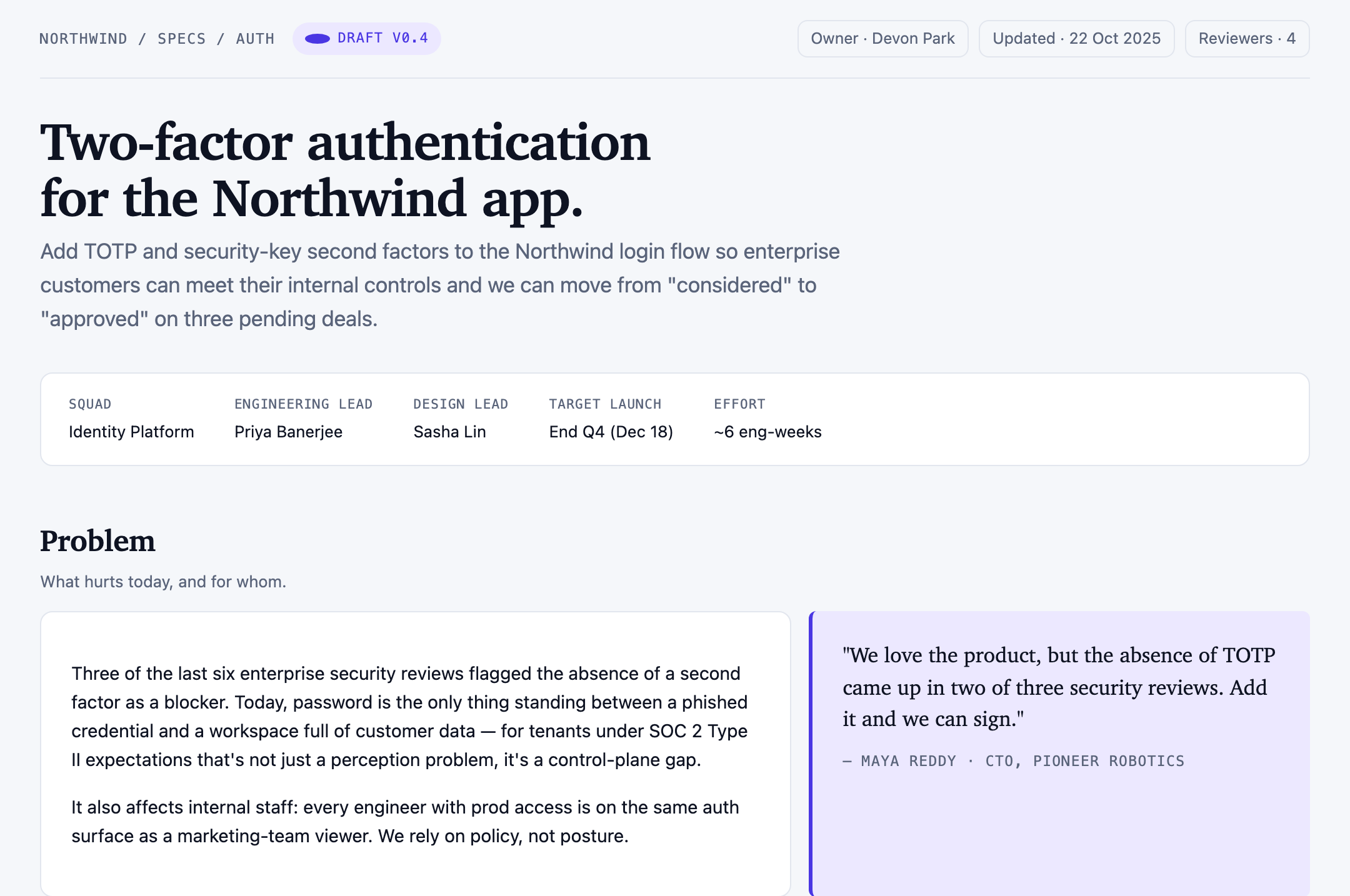
Authentication Product Specification Design
A Northwind two-factor authentication proposal links ownership, scope, user stories, four sample targets, rollout phases, and unresolved decisions.
Graphics