

Website
Engineering Blog Website Design
An engineering article pairs a narrow reading column and italic lead with a warm gradient panel, a sample metrics band, and explicit technical tradeoffs.

Designed For
- Technical Case StudiesExplain complex engineering decisions without losing narrative momentum.
- Engineering TeamsPresent migration context, constraints, and implementation tradeoffs for peers.
- Developer RelationsTurn technical experience into a readable, evidence-led article.
- Editorial WebsitesBuild focused long-form pages with strong typographic pacing.
Highlights
- Narrow Reading MeasureA 680px wrapper keeps long technical paragraphs comfortable to scan.
- Metric-Led MiddleThree large values punctuate the migration story with visual emphasis.
- Explicit TradeoffsThe closing section names binding risks instead of overselling success.
- Editorial ContrastWarm accent details separate labels, links, and narrative emphasis.
Gallery
1 / 4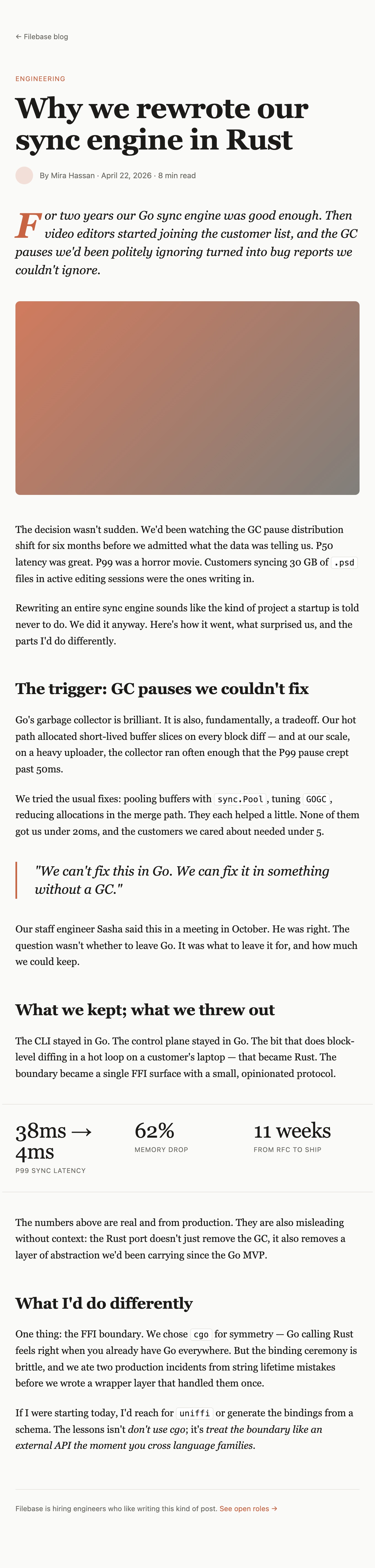
Engineering Blog Website Design
This official OpenDesign example depicts a Filebase engineering article about rewriting a sync engine in Rust. The sample narrative introduces garbage-collection pauses, a migration boundary, and a binding lesson; it is not an independently verified engineering history.
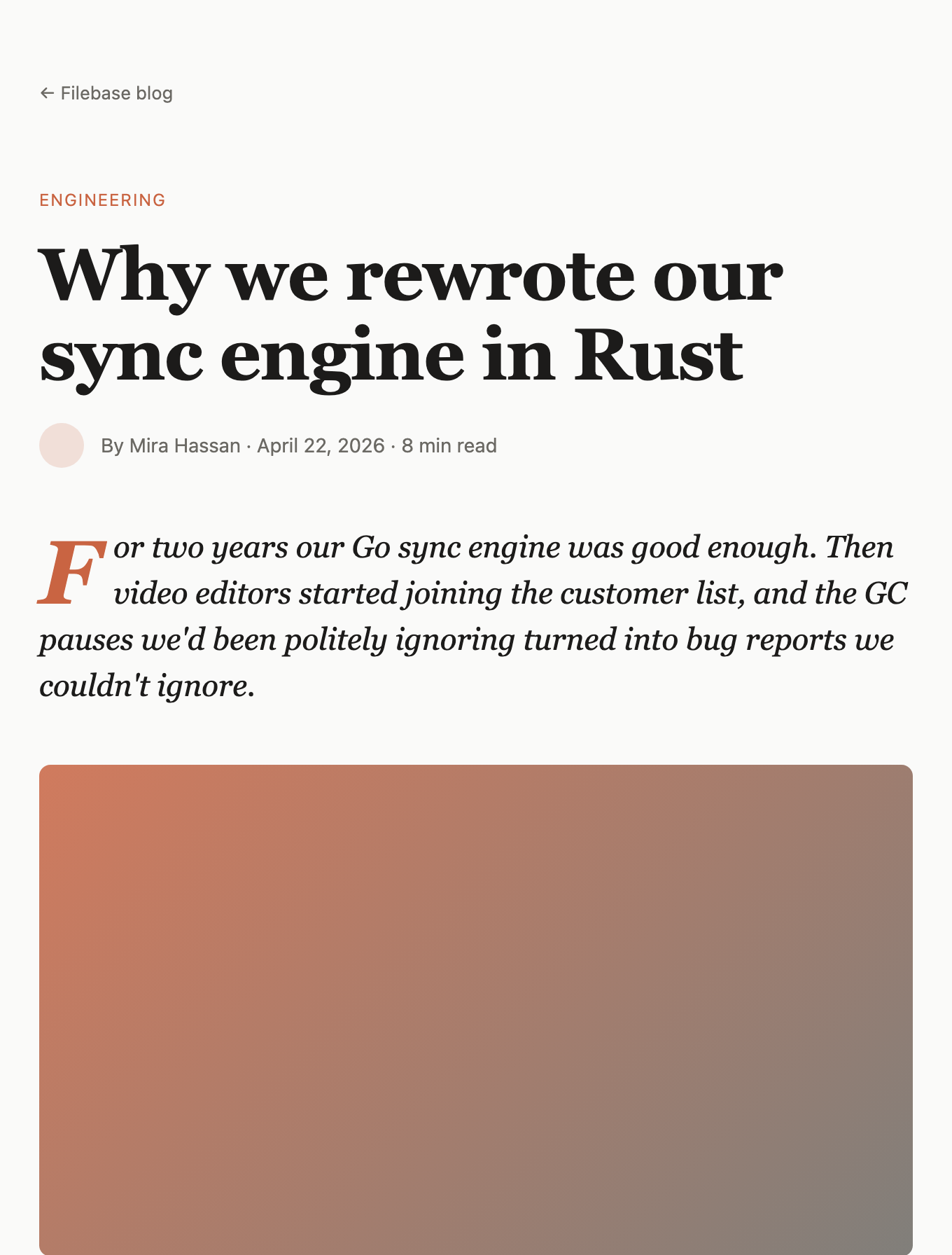
The page begins with the visible category label “ENGINEERING,” followed by the article title “Why we rewrote our sync engine in Rust.” A byline, date, and “8 min read” estimate establish the reading context before the opening paragraph. That ordering tells a visitor what kind of document this is before asking them to absorb the technical argument.
The first paragraph uses a large italic treatment with a colored initial “F.” This gives the introduction a distinct entry point while retaining the plain black body text used later. The approach creates editorial character, but it also makes the opening more dependent on typography and spacing than a conventional product page.
A Story Before A Specification
The article does not lead with a feature list or a software diagram. It leads with pressure: video editors joined the customer list, and previously tolerated GC pauses became bug reports. That choice makes the engineering decision legible as a response to a concrete operating condition.
The source text later mentions 30 GB .psd files, P50 latency, P99 latency, and a target below 5ms. These details give the narrative technical texture, while the page structure keeps them embedded in prose rather than turning every value into a dashboard widget.
Technical Reading And Decision Context
This design works for engineering stories where readers need both the decision and the reasoning behind it. The authored sequence moves from “The trigger: GC pauses we couldn't fix” to “What we kept; what we threw out,” then to “What I'd do differently.” Each heading marks a different question: why change, what changed, and what remains debatable.
The sequence is useful because it separates diagnosis from architecture. The first section explains that buffer slices in a hot block-diff path increased collection pressure. The second identifies the migration boundary: the CLI and control plane stayed in Go, while the hot loop became Rust. The third revisits the FFI choice and its consequences.
This pattern suits postmortems, infrastructure migrations, and platform retrospectives. It is less suitable for a reference page that readers will scan for commands or API signatures, because the design prioritizes a chronological argument over task-oriented retrieval.
| Section | Visible Content | Design Role |
|---|---|---|
| Trigger | GC-pause descriptions and a blockquote | Establishes the depicted reason for change. |
| Boundary | CLI and control plane in Go; hot loop in Rust | Bounds the technical scope before the sample metrics. |
| Retrospective | cgo, lifetime issues and an uniffi alternative | Ends with a qualified implementation lesson. |
Make The Boundary Concrete
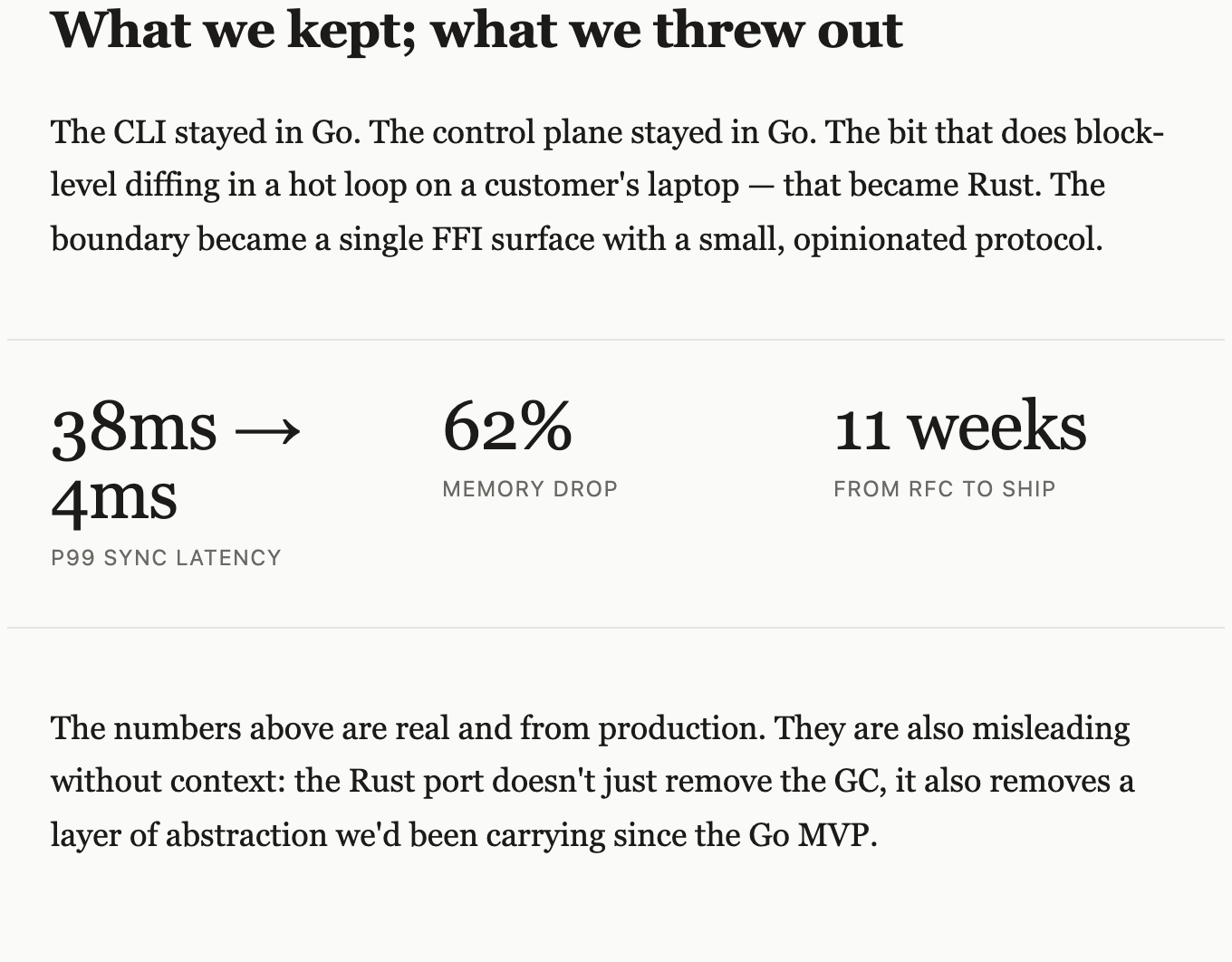
The phrase “single FFI surface with a small, opinionated protocol” does important explanatory work. It turns “we rewrote it in Rust” into a bounded architectural change. Readers can understand what moved and what remained, rather than assuming the entire product changed languages.
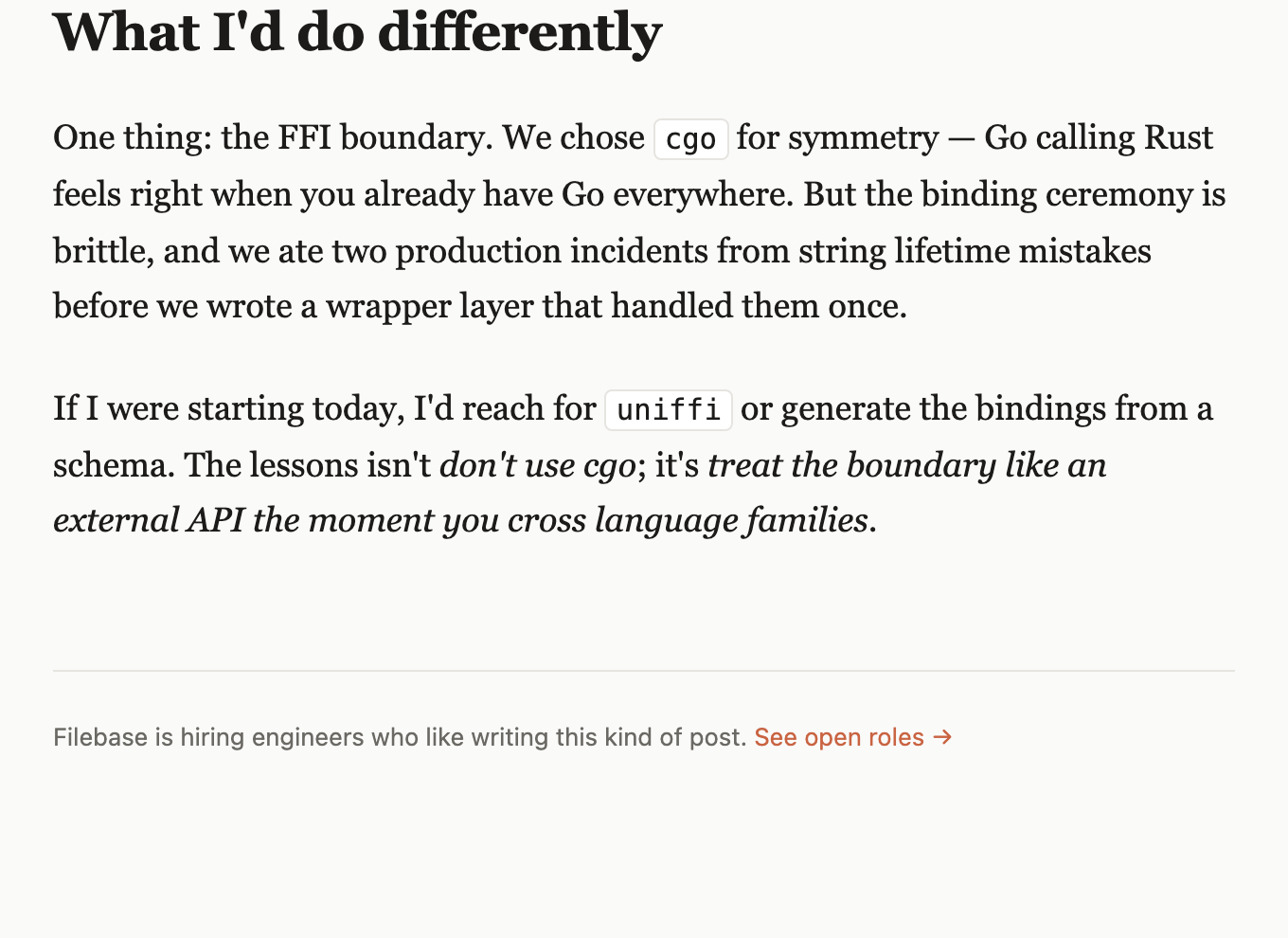
The final section names cgo as the chosen mechanism and uniffi or schema-generated bindings as alternatives. The visible inline code styling gives those terms a distinct role without turning the article into a code-heavy interface.
Use Numbers With Their Caveats
The metrics block displays “38ms → 4ms” for P99 sync latency, “62%” for memory drop, and “11 weeks” from RFC to ship. Their large scale creates a pause in the reading flow and gives the migration a memorable center.
The surrounding copy qualifies the interpretation: the design states that the figures are misleading without context because the port also removed an older abstraction layer. In this showcase, those figures should be treated as illustrative sample content, not verified performance evidence.
Article Structure And Composition
The supplied CSS sets the article wrapper to a maximum width of 680px, while the lead figure uses a 16:9 aspect ratio. Together, those constraints establish a narrow text column and a predictable media shape. The result favors sustained reading and keeps the warm gradient lead panel from changing the page rhythm unpredictably.
The page uses a restrained palette: near-black type on a pale background, thin neutral rules, and a warm orange accent for the engineering label, initial letter, and closing link. Because the accent appears selectively, it signals navigation and emphasis without competing with the headline.
The layout also uses large vertical intervals around section headings, the metric block, and the closing note. This spacing gives each narrative turn room to register, though it increases the page length and makes the article less dense than a technical reference layout.
Opening Frame
Category, headline, byline, date, reading time, lead paragraph, and warm gradient lead panel establish the article as an authored technical story.
Migration Frame
A section heading, boundary explanation, ruled metric band, and qualification connect architecture to reported sample values.
Closing Frame
A binding lesson, inline code terms, and a hiring call-to-action give the article a practical ending.
Read The Ordering
The metric band follows the paragraph that defines the migration boundary, rather than appearing before the architectural explanation. That ordering matters: readers first learn what changed, then receive the values intended to summarize the change.
The final call-to-action appears after a horizontal rule and the sentence about hiring engineers. Its separation prevents recruitment content from interrupting the technical argument, while still giving the page a clear endpoint.
Visible Design And Capability Boundaries
The artifact demonstrates the visible design of a long-form engineering article: typography, reading width, section ordering, metric presentation, inline code treatment, rules, accent color, and a responsive 16:9 lead figure. The captures show the content states and composition at the supplied viewport.
The screenshots do not establish a connected blog, live performance data, working navigation, or a production sync engine. The authored “Filebase blog” and “See open roles” links are placeholders pointing to #, so they should be treated as visual link states rather than completed destinations.
The figures and named results are illustrative unless separately verified. A recreation can preserve the relationship between trigger, migration boundary, measurements, and binding lesson without presenting the displayed latency, memory, or delivery values as independently proven outcomes.
How to Create Engineering Blog Website Design in OpenDesign
Set The Article Frame
Start with a narrow long-form article wrapper close to the supplied 680px maximum. Establish the category label, short metadata line, large title, italic lead paragraph with an initial accent, and a 16:9 lead figure before adding later sections.
Suggested PromptCreate an engineering blog website design for a Filebase-style article titled “Why we rewrote our sync engine in Rust.” Use a 680px reading column, an ENGINEERING category label, a byline/date/read-time row, an italic opening paragraph with a warm initial letter, and a 16:9 warm gradient lead panel. Keep all performance figures illustrative and do not imply live data or working navigation.
Build The Technical Narrative
Use three case-specific sections in this order: the GC-pause trigger, the Go and Rust migration boundary, and the binding lesson. Keep the CLI and control plane in Go while describing the block-level diffing hot loop as the Rust portion. Treat cgo and uniffi as editorially highlighted technical terms, not interactive integrations.
Refine Metrics And Caveats
Add the three-value band with “38ms → 4ms,” “62%,” and “11 weeks,” paired with their exact labels. Place it after the migration explanation, then add the qualification that the values also reflect removal of an older abstraction. Check that the metric scale does not overpower the explanatory prose.
Check The Closing Composition
Finish with the “What I'd do differently” section, a rule, and a separated recruitment link. Preserve the warm accent for selected labels and links, keep placeholder destinations visibly nonfunctional, and check the narrow reading measure and figure ratio at smaller widths.
Export and Get a Share Link
Export your finished design, then use Share in OpenDesign to get a share link. Open the link in a separate browser window and check that the intended version and its assets are available before sending it.
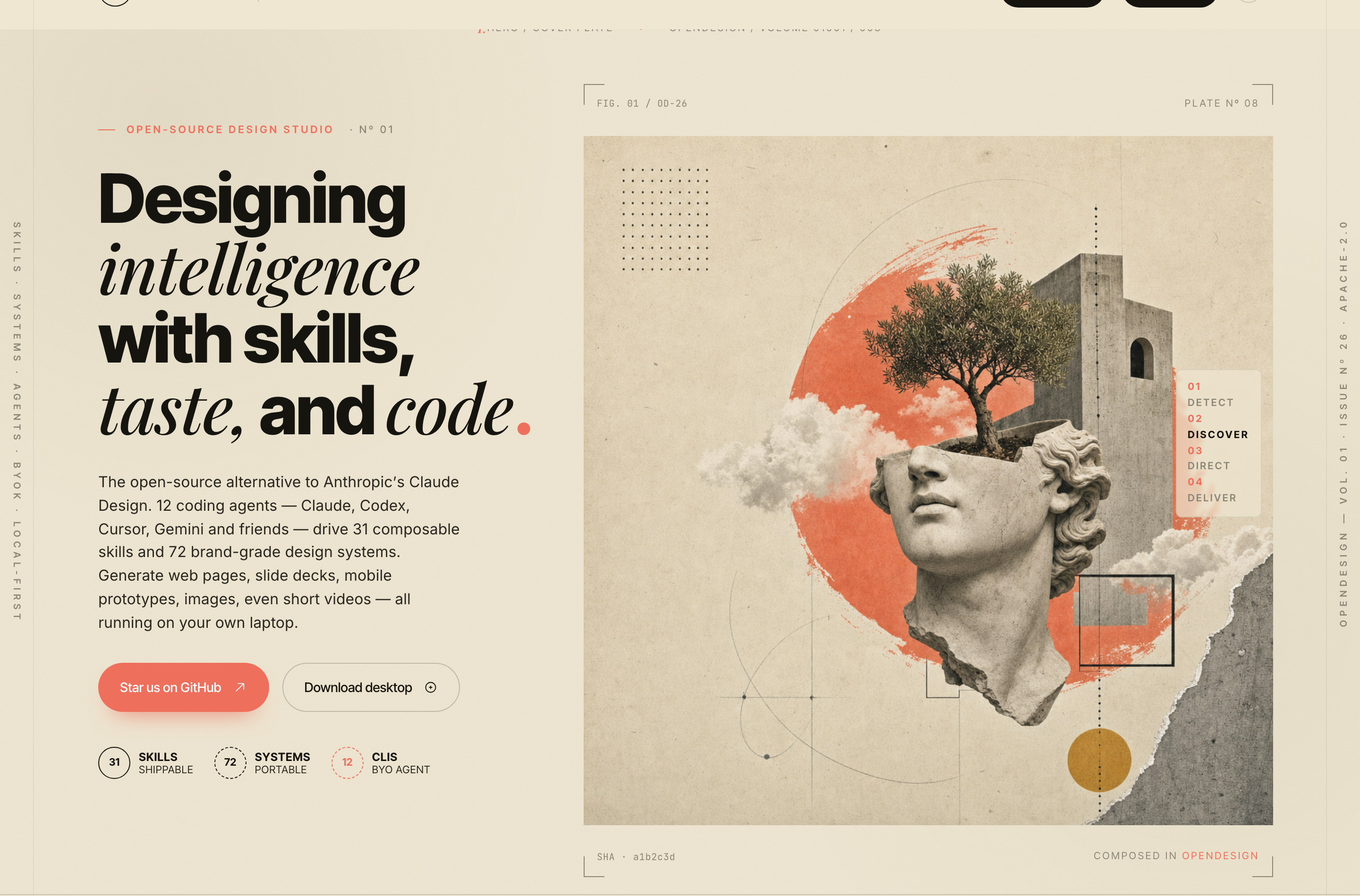
AI Design Studio Website Design
OpenDesign’s AI Design Studio Website Design turns a local-first studio concept into an editorial landing page that makes skills, experiments, and method easy to scan.
Website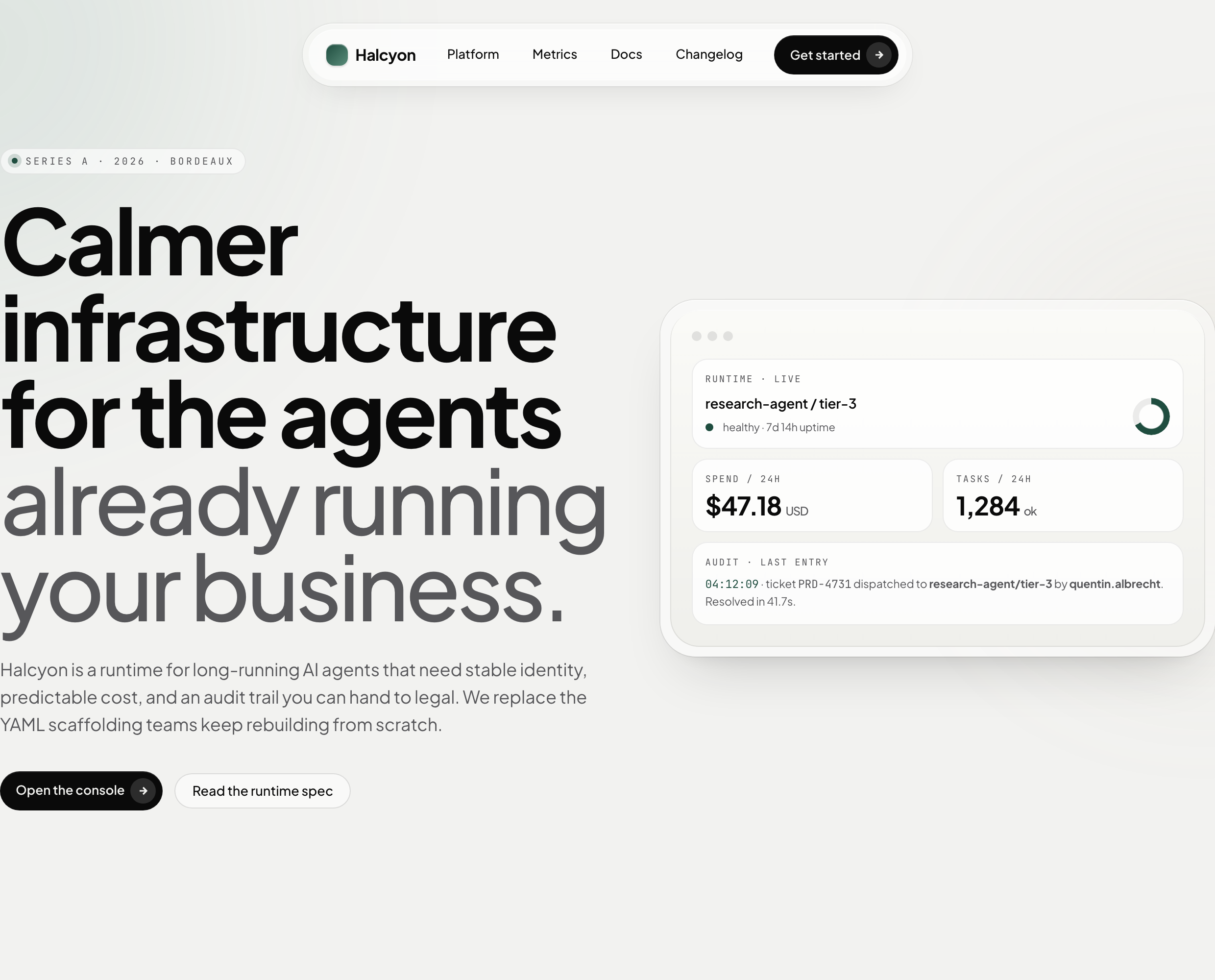
AI Infrastructure Website Design
A soft AI-infrastructure landing concept with sample runtime metrics, nested feature cards, subtle motion and a single sales invitation.
Website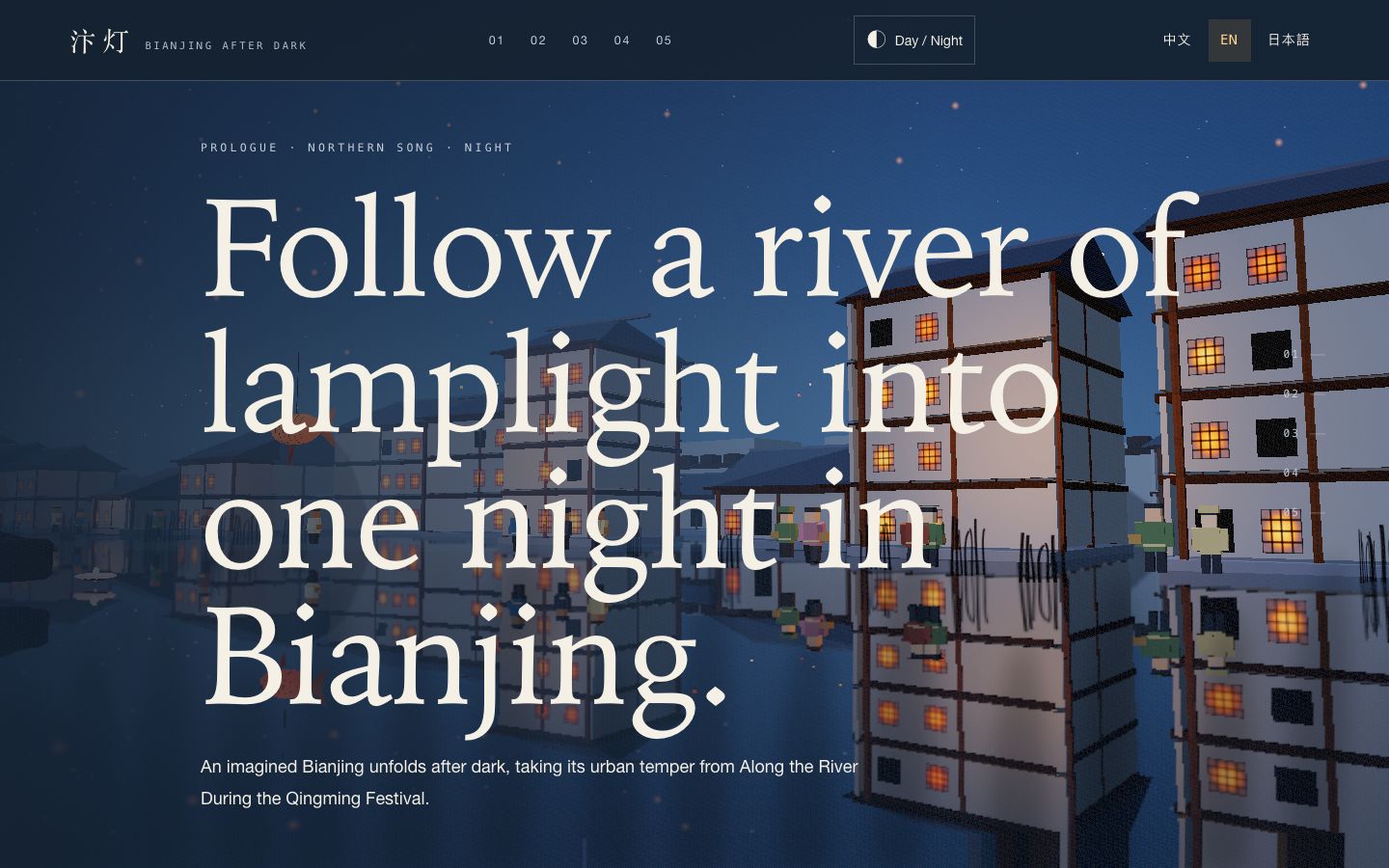
Bianjing Night Tour Website Design
An interactive night journey through an imagined Song-era Bianjing, combining a persistent river city, poetry, lanterns and multilingual chapter pacing.
Website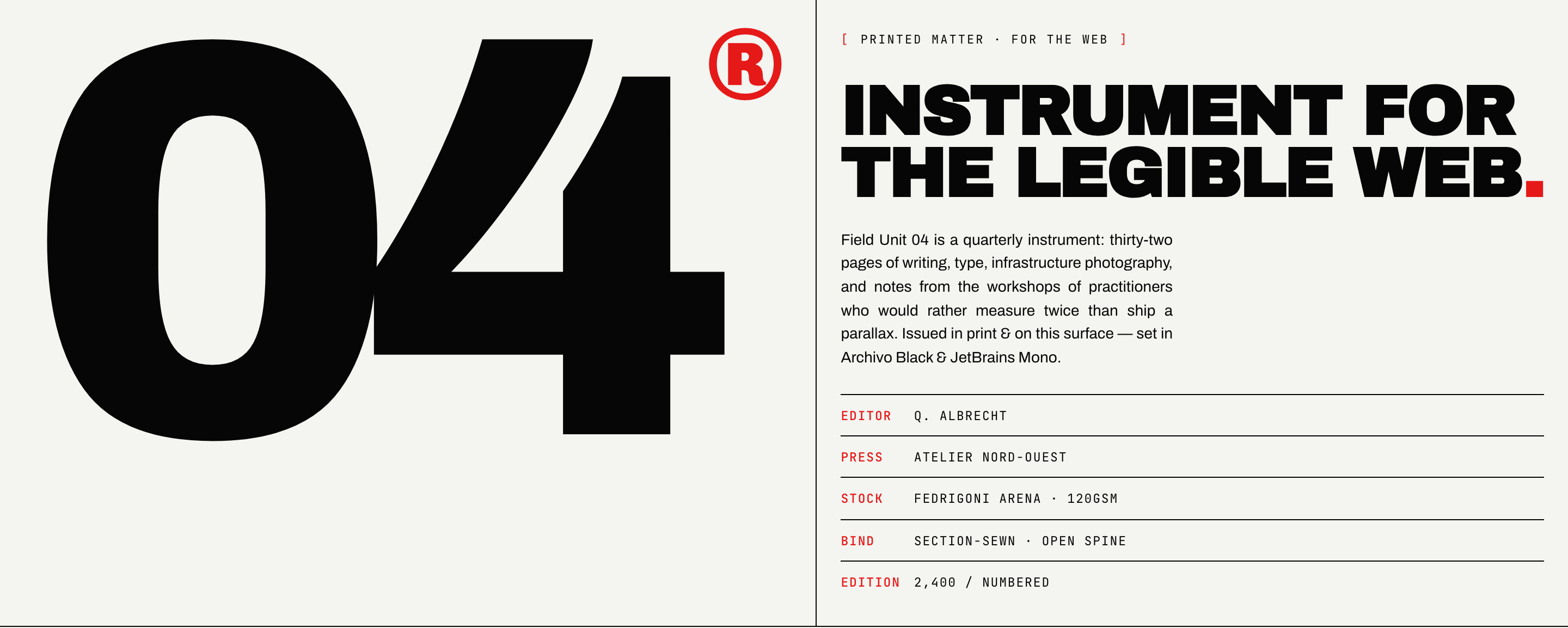
Brutalist Journal Website Design
Brutalist Journal Website Design turns a print-shaped issue into a legible web reading system, pairing bold type with measured editorial structure.
Website