

Slides
Growth Metrics Standup Design
Growth Metrics Standup Presentation Design turns a Safari conversion problem into a focused narrative that ends with one owned decision.

Metrics Standup Presentation Use Cases
- Metrics StandupsFrame weekly performance changes for fast team discussion
- Growth ReviewsConnect funnel movement with channel and product context
- Incident DecisionsMove from anomaly evidence to accountable next steps
- Ops And Product AlignmentGive each function a concrete response to the diagnosis
Decision-Led Deck Design Highlights
- Headline FirstSets the meeting promise before introducing conversion and weekly movement.
- Evidence SequenceBuilds from metric proof through drivers and anomaly
- Decision OwnershipAssigns engineering, product, growth, and data responses
- Restrained ContrastUses dark slides and green emphasis to mark urgency
The Metrics Standup, Slide by Slide
1 / 8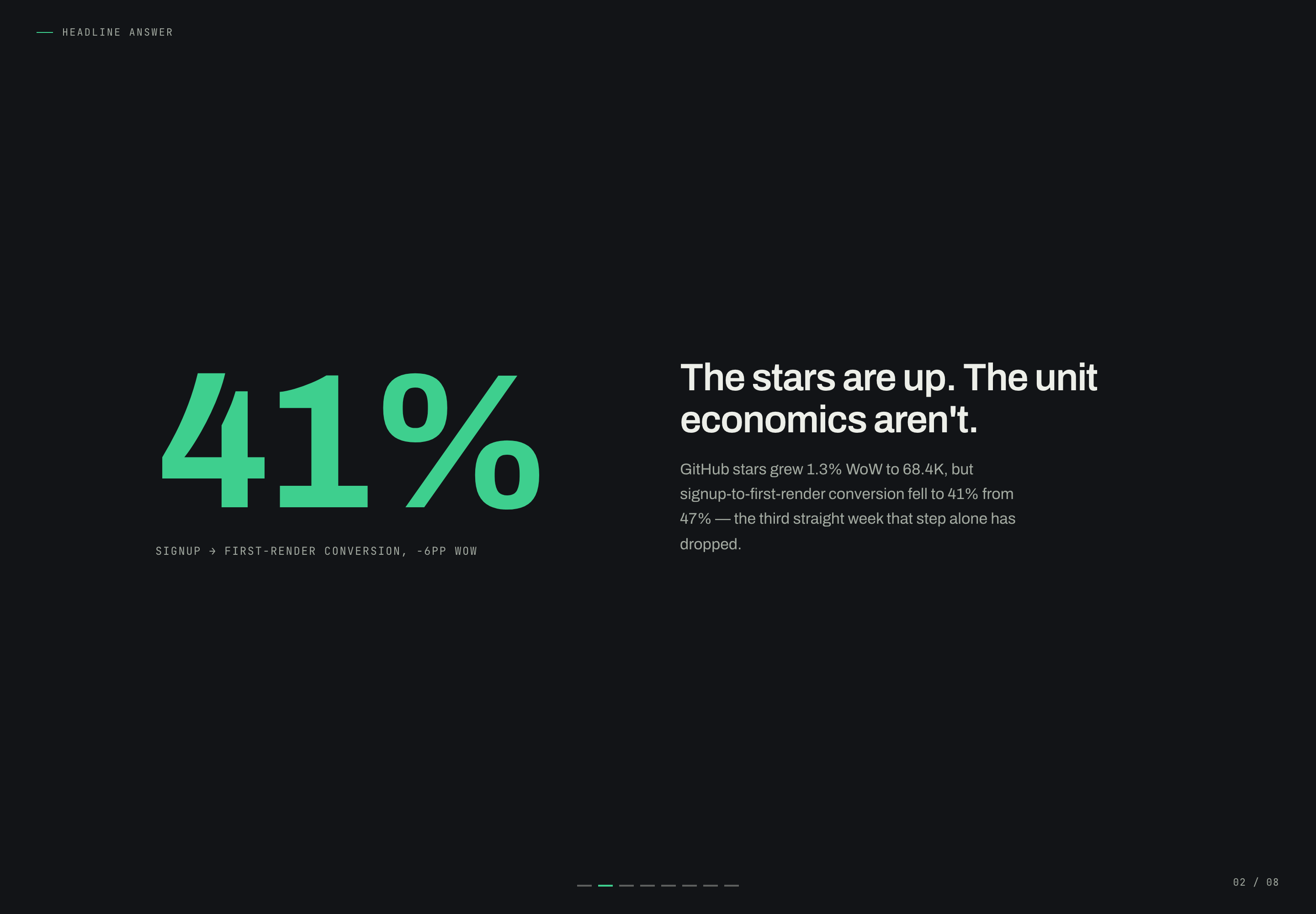
Growth Metrics Standup Presentation Design
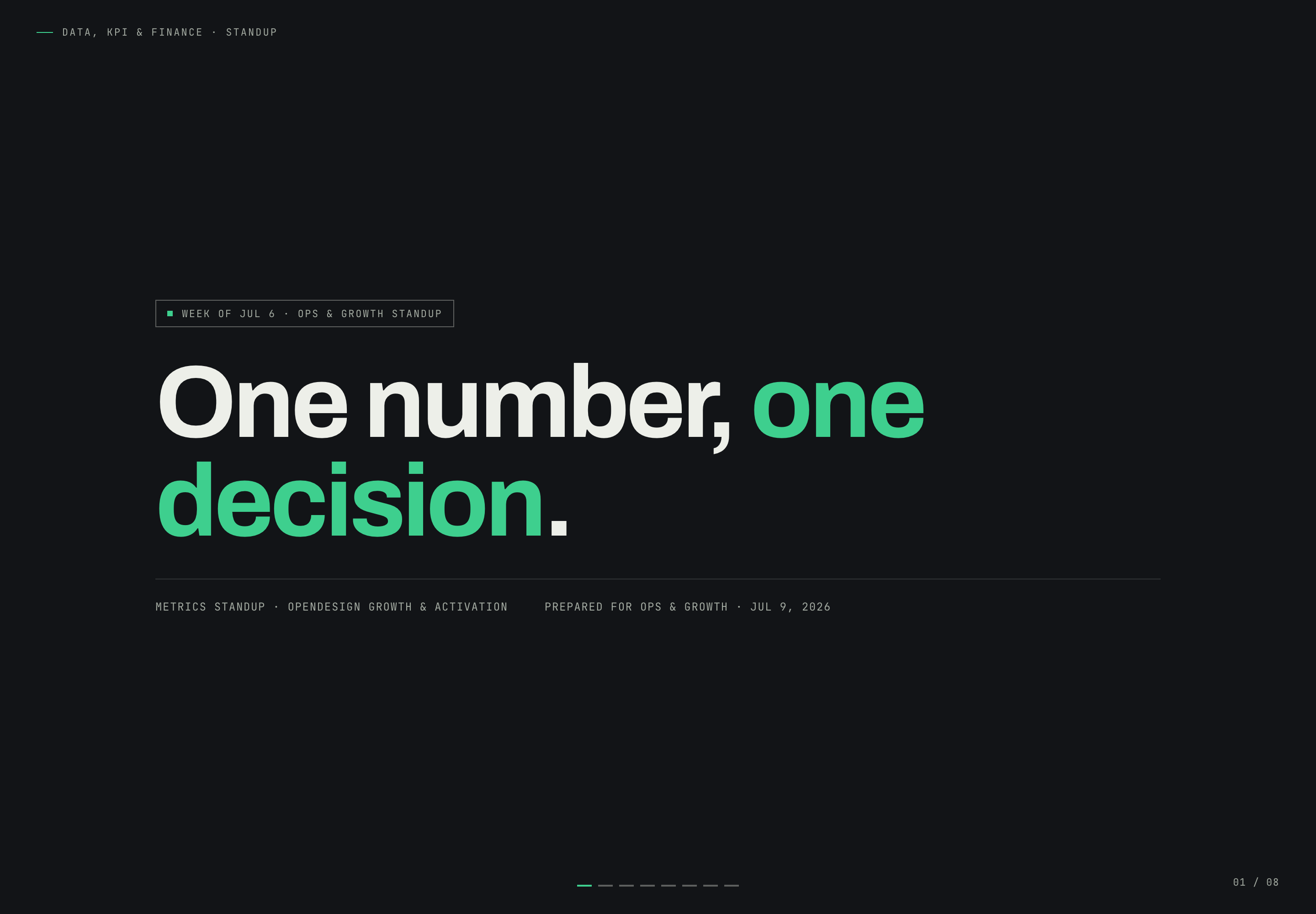
This eight-slide standup deck is built around a simple promise: “One number, one decision.” Its narrative follows the shape of a live metrics discussion rather than a general status report. The cover establishes the meeting context, the next slide gives the headline answer, and later slides progressively explain the evidence, anomaly, forecast, ownership, and decision.
The opening uses a near-black field, oversized One number, one decision. headline and green emphasis to establish the meeting promise. Its badge names the week of Jul 6 and Ops & Growth standup. The 41% conversion figure and The stars are up. The unit economics aren't. tension appear on the second slide, where the two-column comparison introduces the illustrative problem rather than overloading the cover.
Context
“Week of Jul 6” and “Ops & Growth standup” establish the meeting and reporting period before the metric appears.
Tension
The second slide contrasts the positive growth signal with falling conversion, giving the deck a question to resolve.
Promise
The phrase “one number, one decision” tells the audience that the narrative should converge rather than expand indefinitely.
Standup Reading Tasks
The deck is suited to meetings where participants need to distinguish a broad trend from the specific condition requiring action. It does this by keeping the audience moving through a fixed sequence: headline, proof, driver tree, anomaly, forecast, recommended move, and final decision.
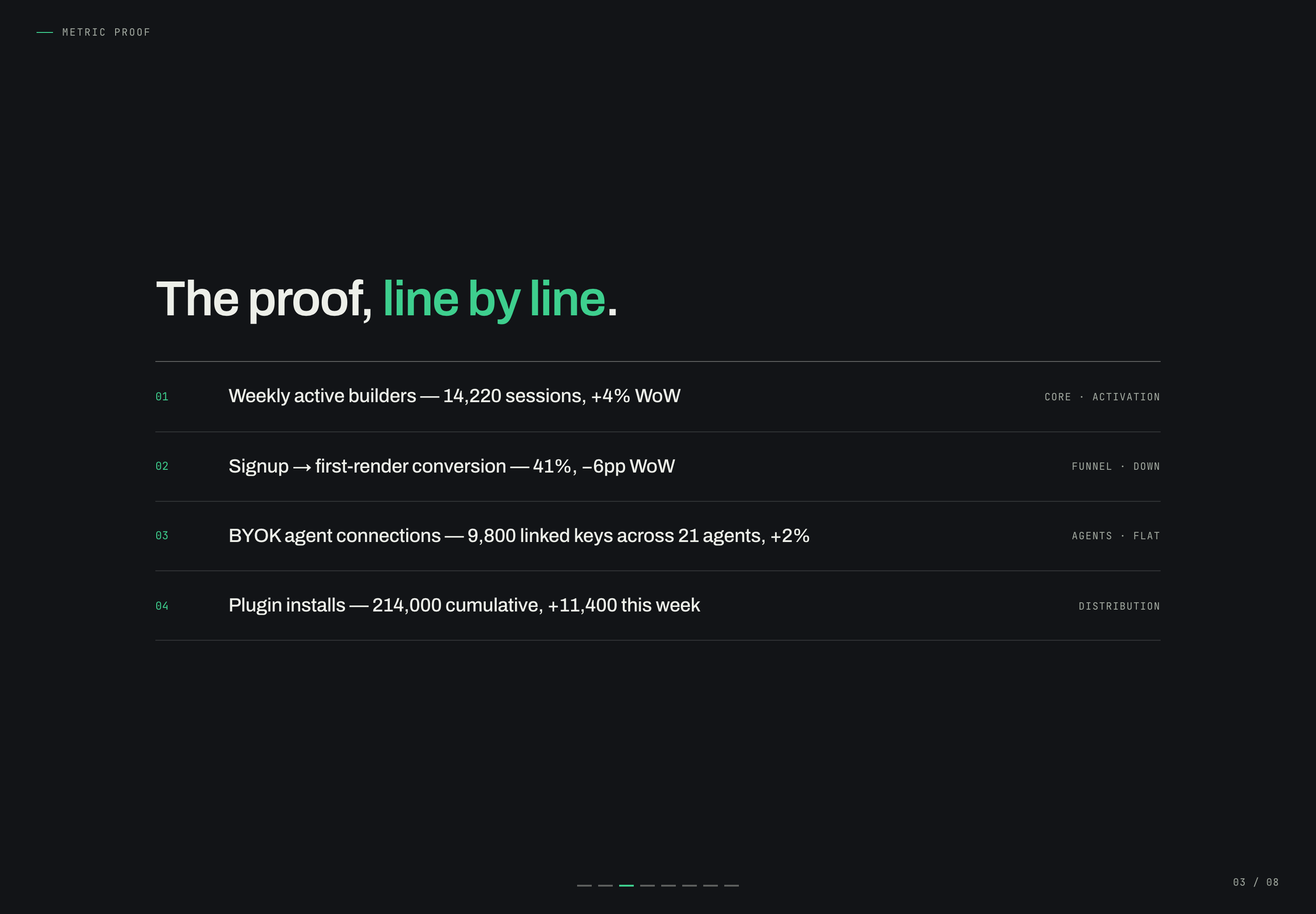
The metric-proof slide lists four differently defined sample signals: weekly active builders labeled as 14,220 sessions, signup-to-first-render conversion, linked BYOK keys across agents and cumulative plugin installs. Sessions are not a verified unique-builder count, linked keys are not activation, and cumulative installs are not weekly installs. Labels such as Core · Activation, Funnel · Down and Agents · Flat aid scanning, but the source does not define measurement methods or substantiate these illustrative analytics.
Headline Answer
The 41% conversion figure and −6pp WoW change provide the meeting’s first answer before supporting detail arrives.
Metric Proof
Four ordered rows show activity, funnel performance, agent connections, and distribution as distinct evidence types.
Driver Tree
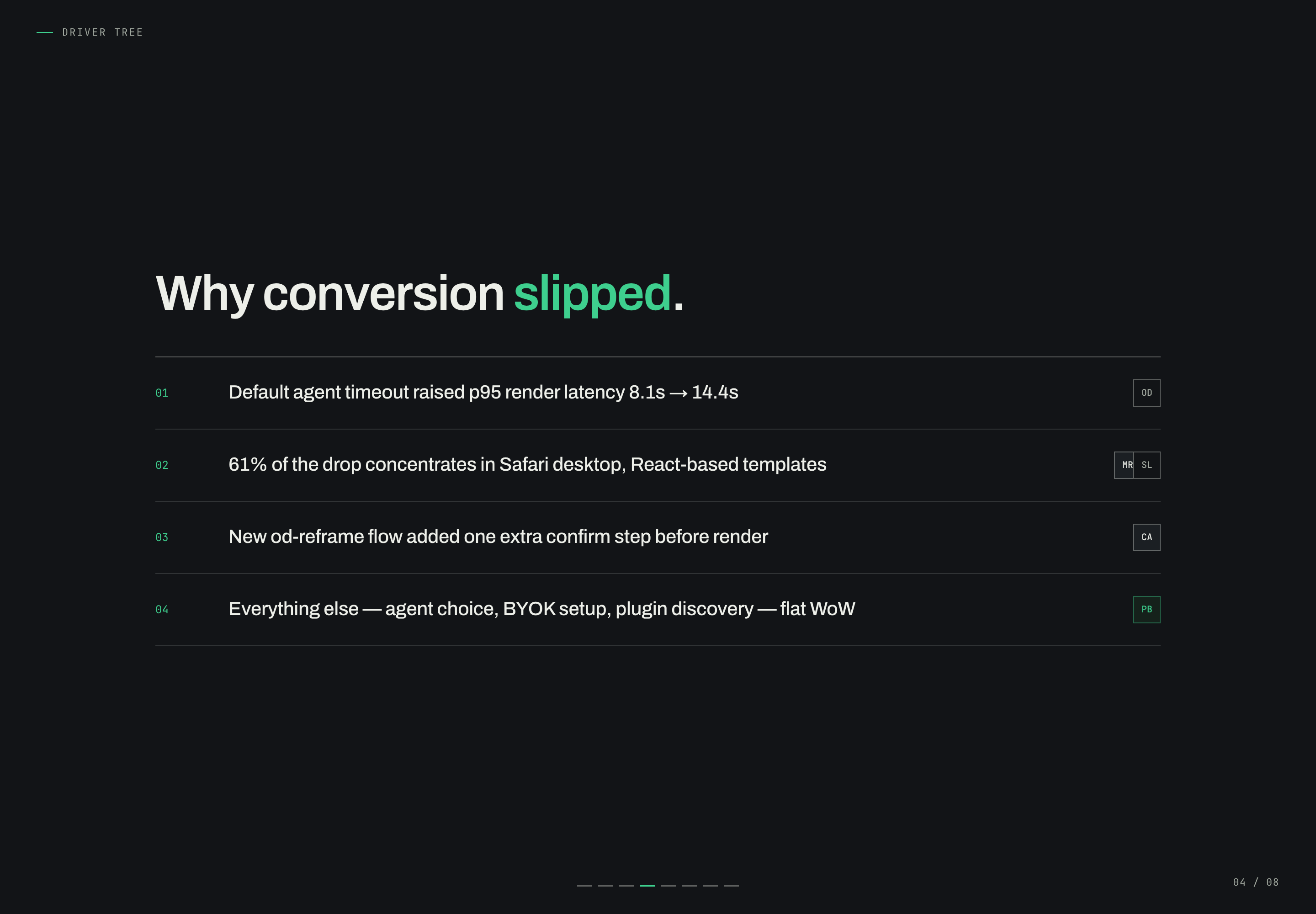
The sequence introduces timeout, Safari concentration, an extra confirm step, and stable surrounding factors.
Decision Check
The closing slide compresses the diagnosis into a recommendation and names the accountable functions.
From Metric Proof To Decision
The transition from The proof, line by line. to Why conversion slipped. moves from sample metric rows to an authored explanation. The driver slide attributes latency to a timeout, describes 61% of the decline as concentrated in Safari desktop and notes an extra confirm step. These are claims inside the fictional scenario, not independently established causes. Keeping a separate diagnostic slide makes the reasoning visible, while reminding a real team to substantiate attribution before using the layout for decisions.
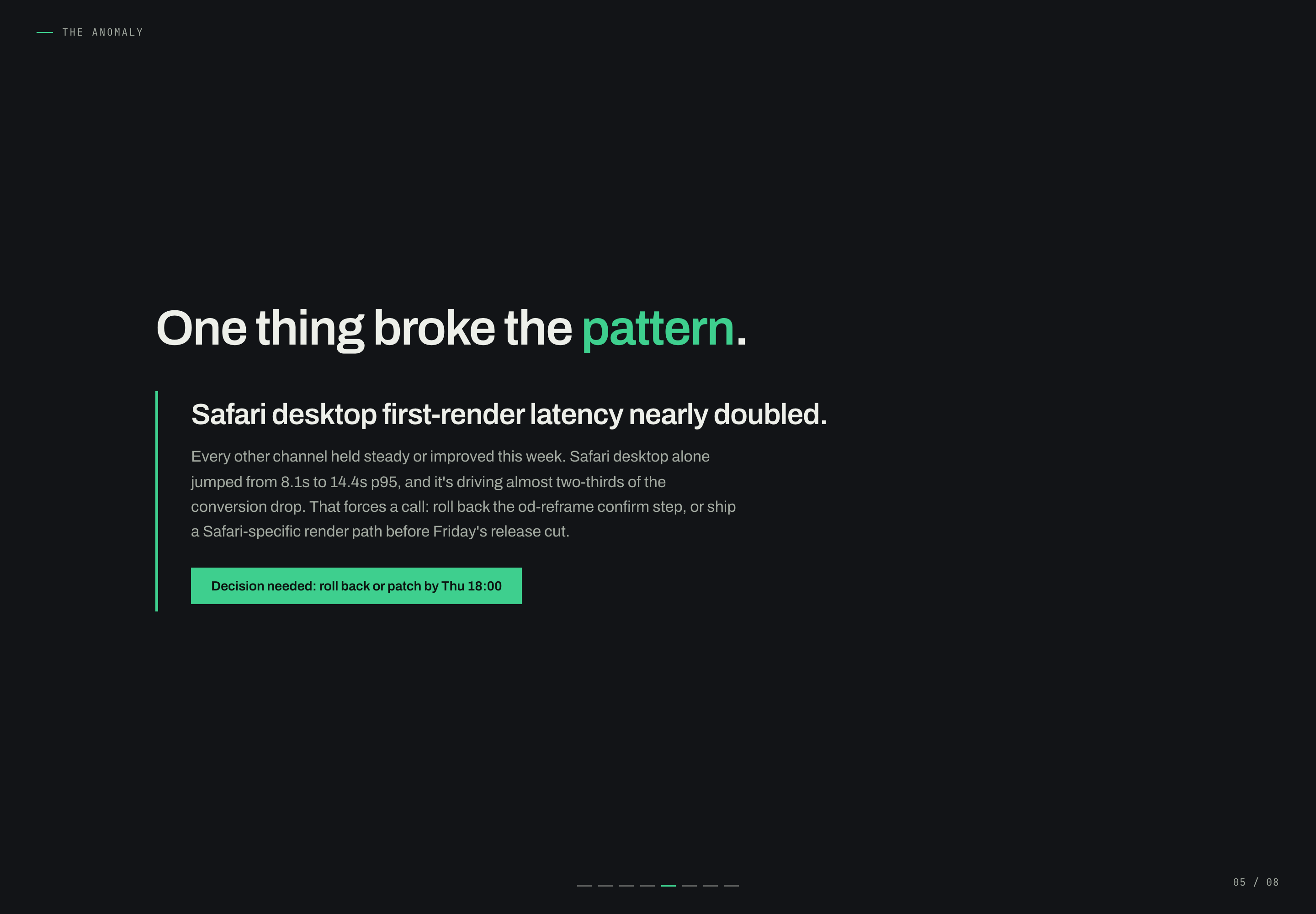
The anomaly slide narrows the story further. “Safari desktop first-render latency nearly doubled” is supported by the visible comparison from 8.1s to 14.4s p95 and a green decision bar reading “Decision needed: roll back or patch by Thu 18:00.” The vertical rule, large headline, and isolated callout give the exception more visual weight than the surrounding prose. That emphasis helps a team locate the urgent issue, though it also means the underlying definitions and causal assumptions need discussion outside the slide.
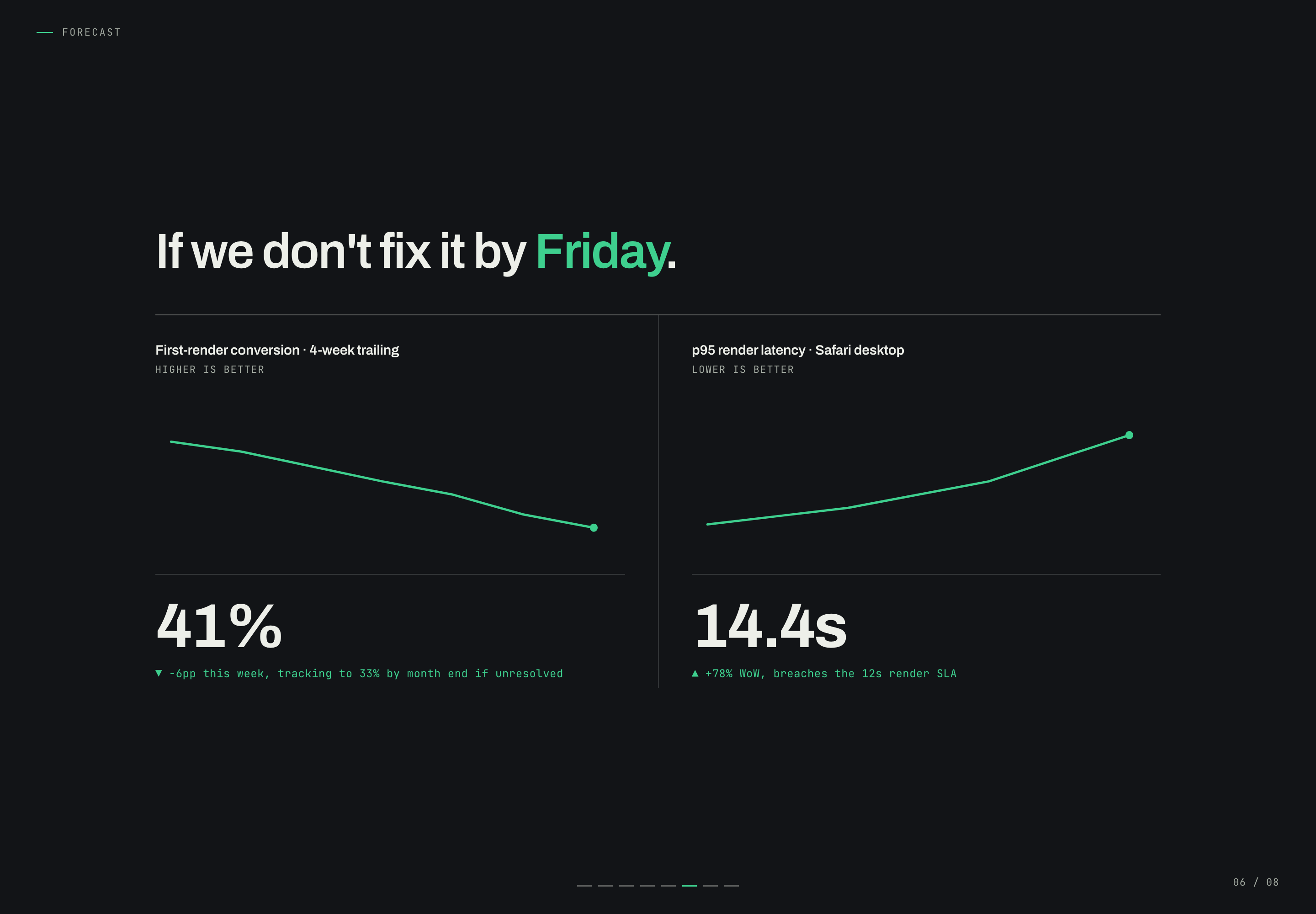
The forecast slide pairs “First-render conversion · 4-week trailing” with “p95 render latency · Safari desktop.” The labels “Higher Is Better” and “Lower Is Better” make the direction of each metric explicit. This pairing is useful because it prevents the audience from reading a lower latency value and a higher conversion value through the same visual logic. The forecast language remains a proposed scenario within the sample deck, not a verified prediction.
Evidence Relationships
The deck does more than repeat labels. It places the 41% conversion result before the 14.4s latency diagnosis, then places both beside a proposed operational response. This ordering makes the decision legible: first identify the outcome, then isolate the outlier, then assign the response. A different case with no distinct outlier would need a different middle structure rather than copying this sequence.
Ownership As Narrative Closure
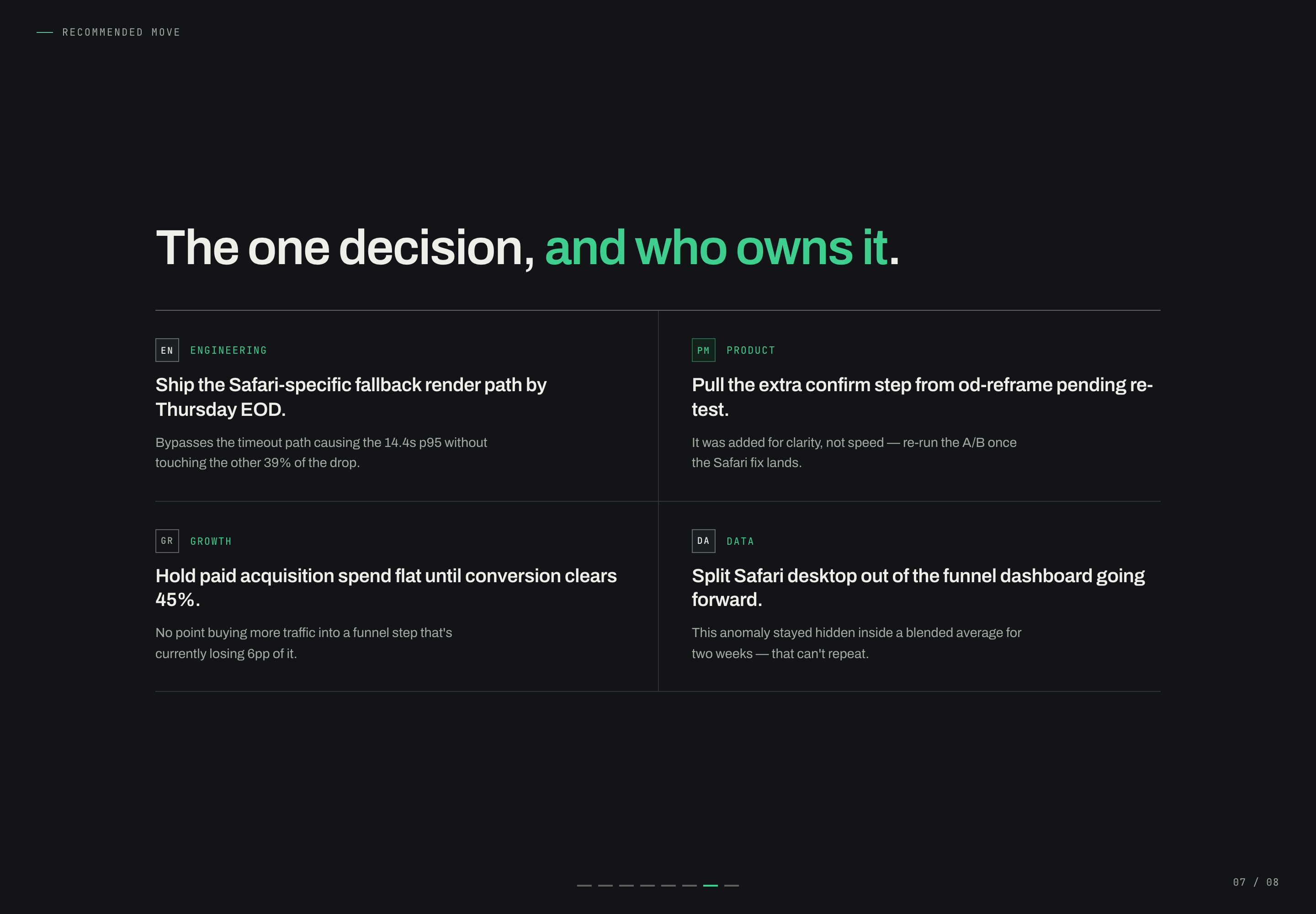
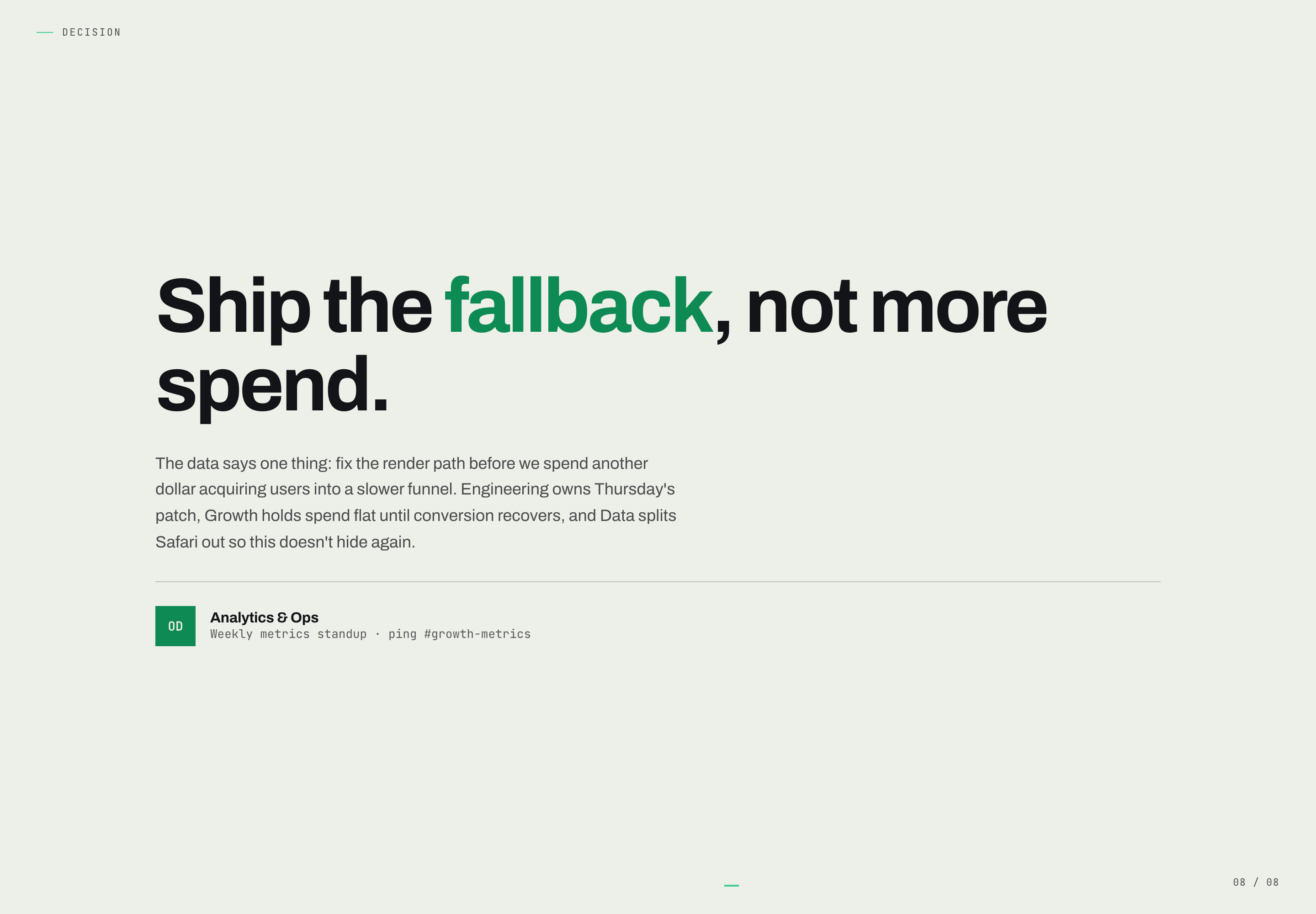
The recommendation slide distributes action across Engineering, Product, Growth, and Data. Engineering receives the fallback-render path, Product receives the confirm-step review, Growth receives the spend constraint, and Data receives the segmentation change. The final “Ship the fallback, not more spend.” slide then restates the decision in a single sentence, trading nuance for recall at the end of the meeting.
Chart Reading Limits
The forecast uses seven plotted points in each schematic line, but supplies no numerical axis scales, individual point labels or dates for those points. Its four-week trailing label therefore does not establish seven measured time periods. The visible 41%, 14.4s and month-end 33% scenario can explain the proposed decision relationship without becoming a measured forecast.
Visible Design And Capability Boundaries
The supplied artifact is a static slide example with eight visible slide states. It demonstrates composition, sequencing, typographic emphasis, sample metric presentation, and local slide navigation. The captured evidence does not establish connected analytics, live data refresh, backend storage, causal validity, or completed roadmap work.
Its main reusable lesson is editorial: choose one answer, separate proof from explanation, isolate the anomaly, and end with named ownership. The exact figures, browser diagnosis, deadlines, and recommendations belong to this illustrative scenario. A new deck should replace them with verified inputs and preserve the relationships only when its evidence supports them.
How to Create Growth Metrics Standup Presentation Design in OpenDesign
Set The Narrative Spine
Create an eight-slide sequence that moves from a cover and headline answer through metric proof, driver diagnosis, anomaly, forecast, recommended move, and final decision. Keep the central question specific to the standup rather than adding a general product overview.
Suggested PromptCreate a dark, editorial Ops and Growth standup presentation with eight slides: a cover titled “One number, one decision.”; a headline slide for signup-to-first-render conversion; a metric-proof slide; a driver tree; a Safari desktop anomaly slide; paired conversion and p95 latency forecast metrics; an ownership grid for Engineering, Product, Growth, and Data; and a closing decision slide. Use illustrative data only, clearly separate visible sample content from proposed behavior, and do not imply live analytics or connected services.
Refine Evidence Relationships
Use distinct labels for activity, funnel, agent, and distribution measures. Preserve the case-specific relationship between the conversion result, the Safari latency comparison, and the proposed response. Check that directional labels explain whether higher or lower values are preferable.
Check Decision Ownership
Make the anomaly visually prominent without hiding its supporting comparison. Give each response to a named function, then reduce the final slide to one memorable decision and a concise explanation of what remains unresolved.
Export and Get a Share Link
Export your finished design, then use Share in OpenDesign to get a share link. Open the link in a separate browser window and check that the intended version and its assets are available before sending it.
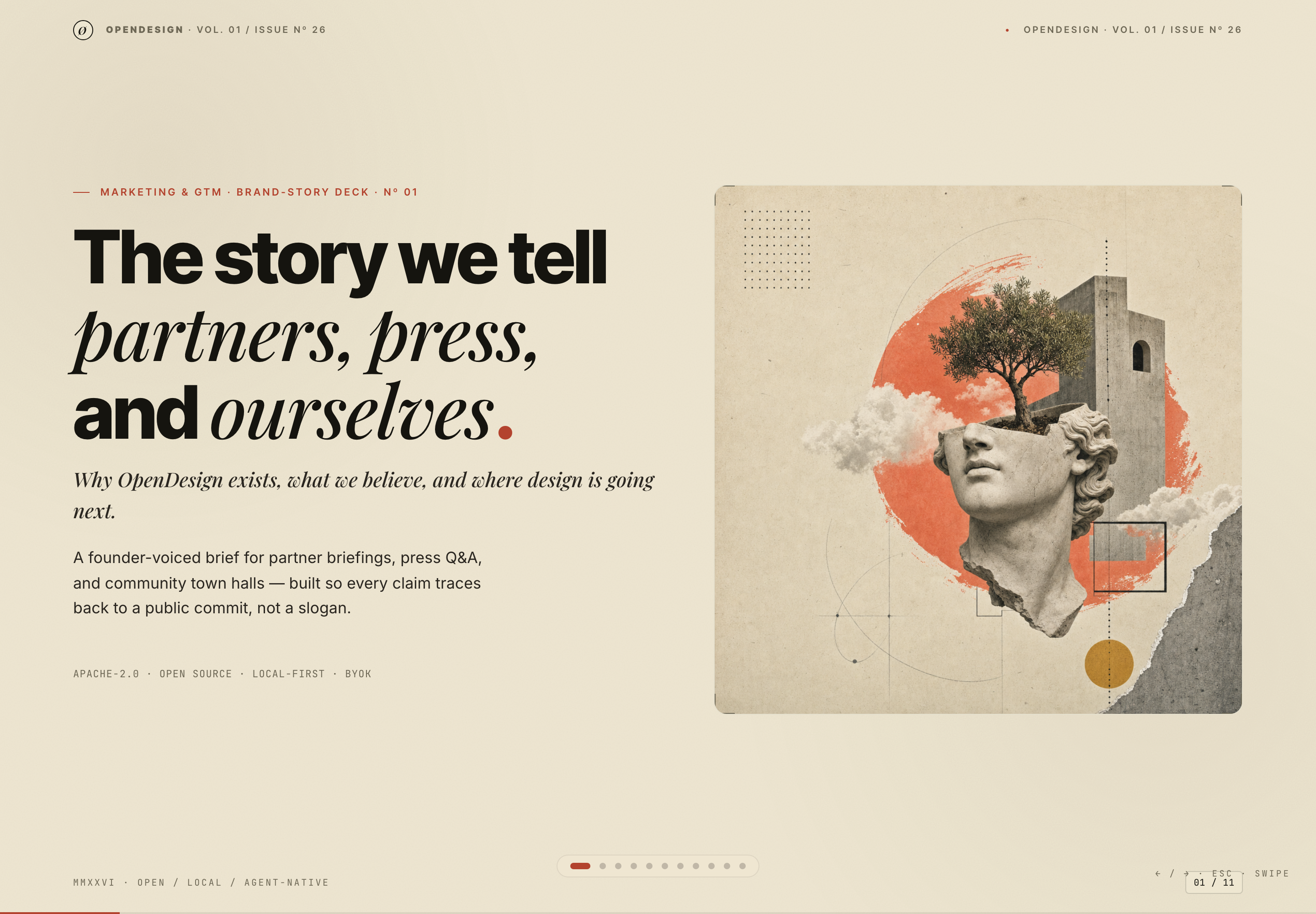
Brand Story Presentation Design
Brand Story Presentation Design gives partners, press, and community audiences one evidence-led narrative from belief to channels, calendar, and verification.
Slides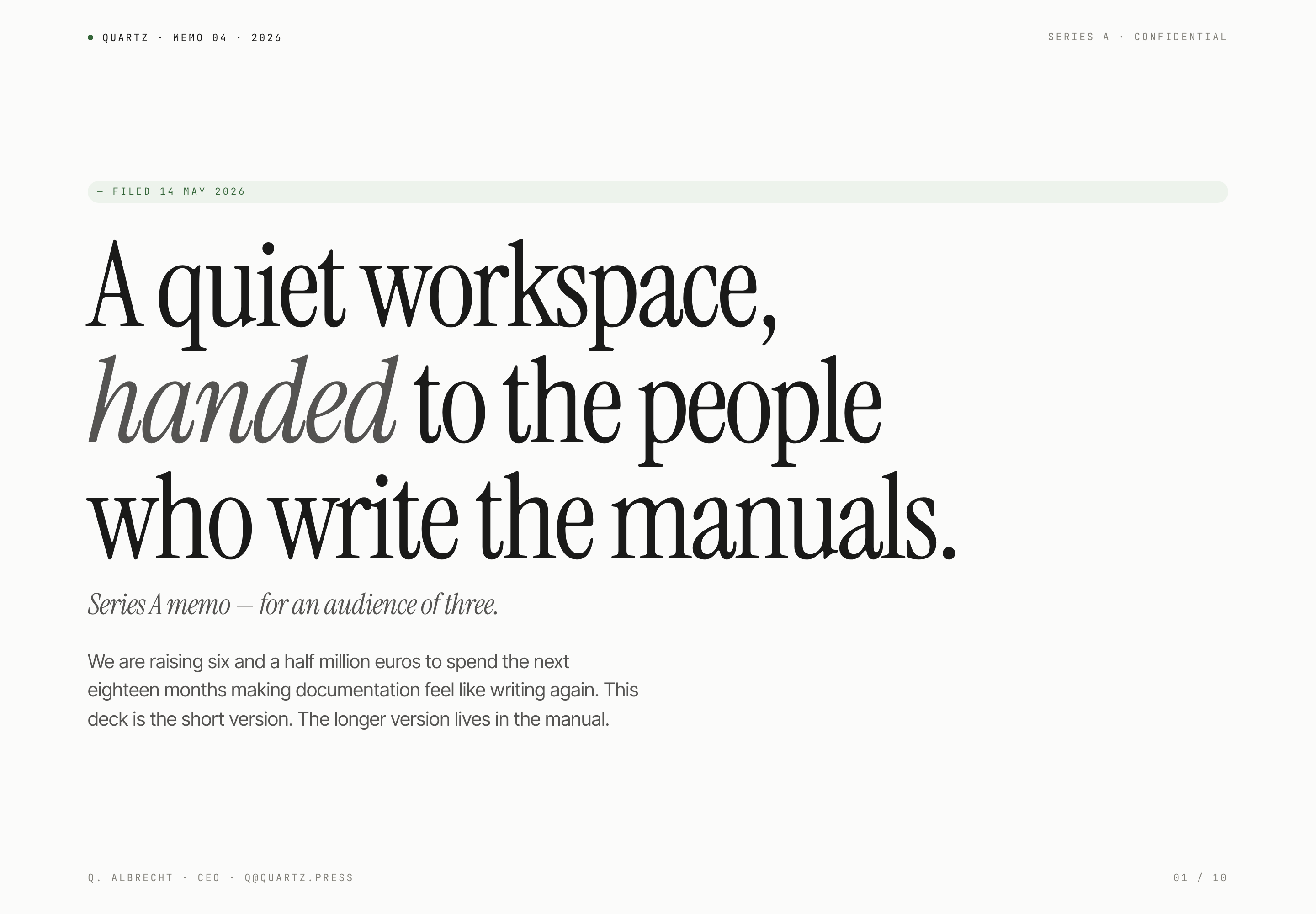
Fundraising Memo Presentation Design
Quartz's ten-slide fundraising memo pairs quiet serif typography with product principles, sample traction, and a funding request for a small investor audience.
Slides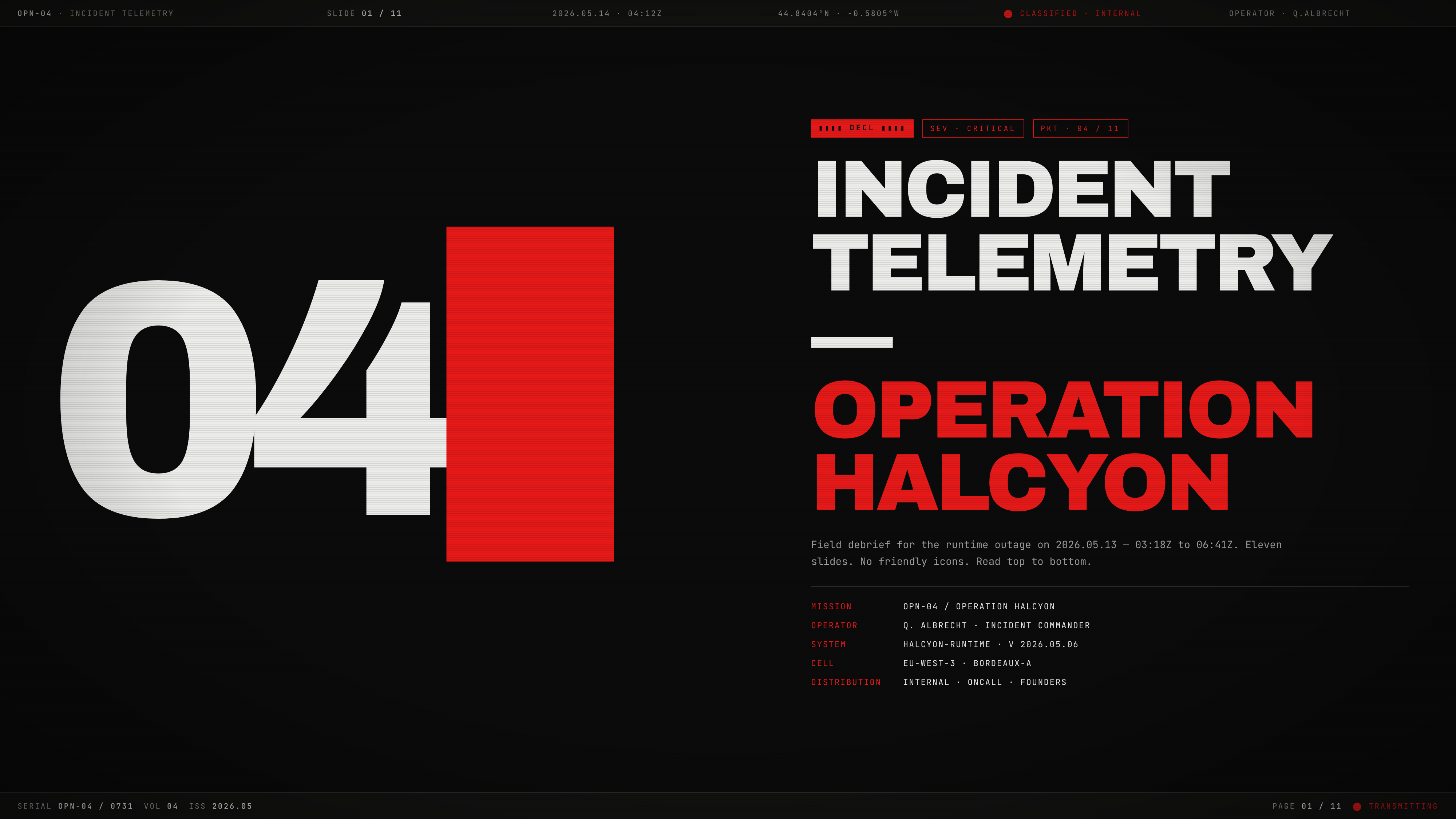
Incident Telemetry Presentation Design
Incident Telemetry — Operation Halcyon turns an illustrative runtime outage into an ordered briefing for tracing causes, risks, and decisions.
Slides
Microbiome Research Presentation Design
Raman Lab's nine-slide research example uses navy dividers, cream evidence slides, and a causal caveat to pace an illustrative gut-sleep argument.
Slides