

Slides
Incident Telemetry Presentation Design
Incident Telemetry — Operation Halcyon turns an illustrative runtime outage into an ordered briefing for tracing causes, risks, and decisions.

Incident Briefing Use Cases
- Incident Response BriefingsTurn outage evidence into an ordered decision narrative.
- SRE And Platform ReviewsConnect telemetry, operational risks, and proposed resolver changes.
- Executive Incident ReadoutsPresent technical impact before asking for a decision.
- Postmortem CommunicationKeep events, owners, evidence, and follow-up commitments together.
Operational Deck Highlights
- Eleven-Slide NarrativeMoves from mission briefing to sign-off.
- Operational TimelinePlaces provider, resolver, pager, and status events in sequence.
- Failure Paths And PolicyPairs two fault-propagation rows with proposed resolver-policy text.
- Decision ArtifactEnds with a dated ratification request and named owners.
Operation Halcyon Slides
1 / 11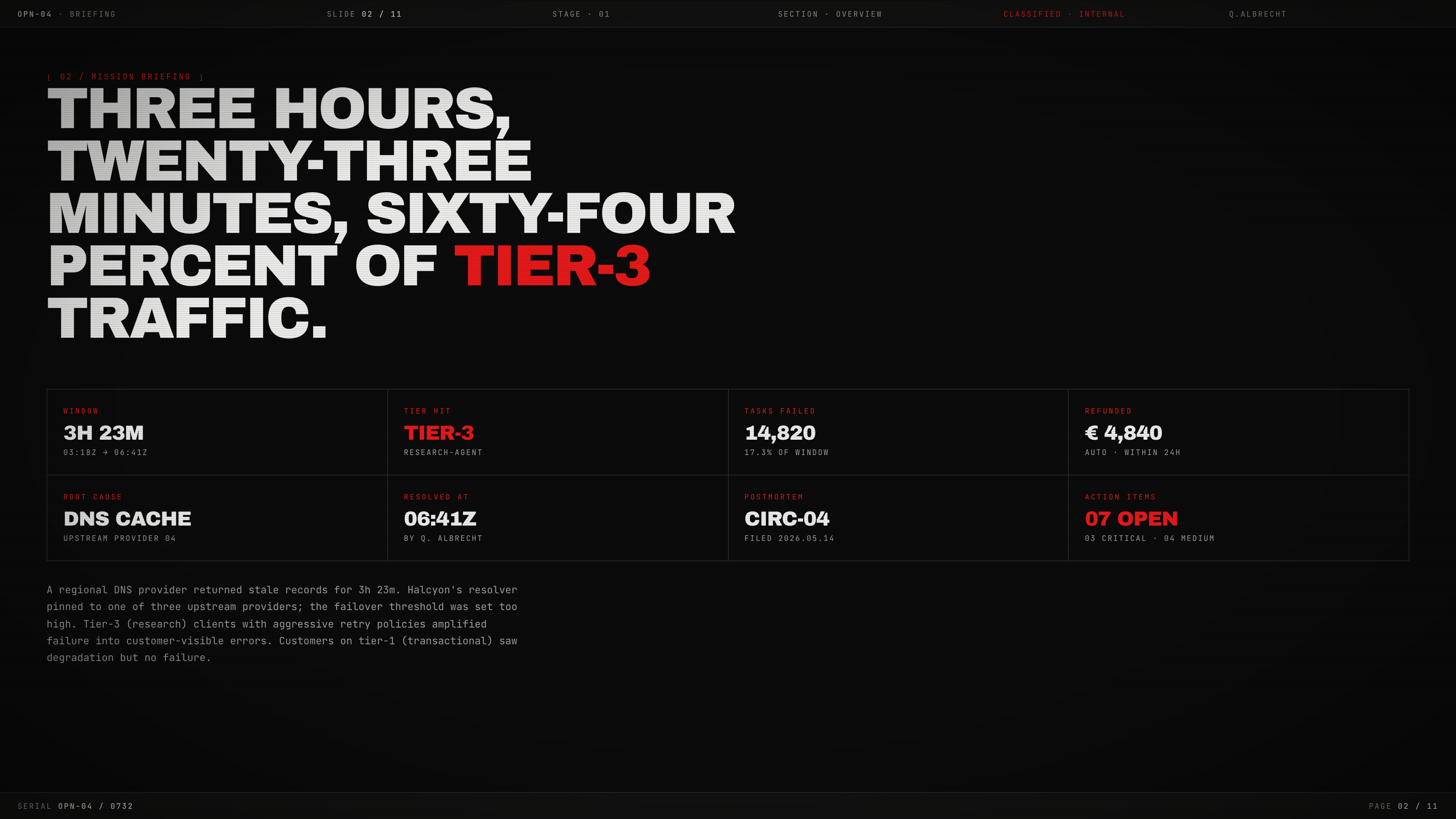
Incident Telemetry Presentation Design
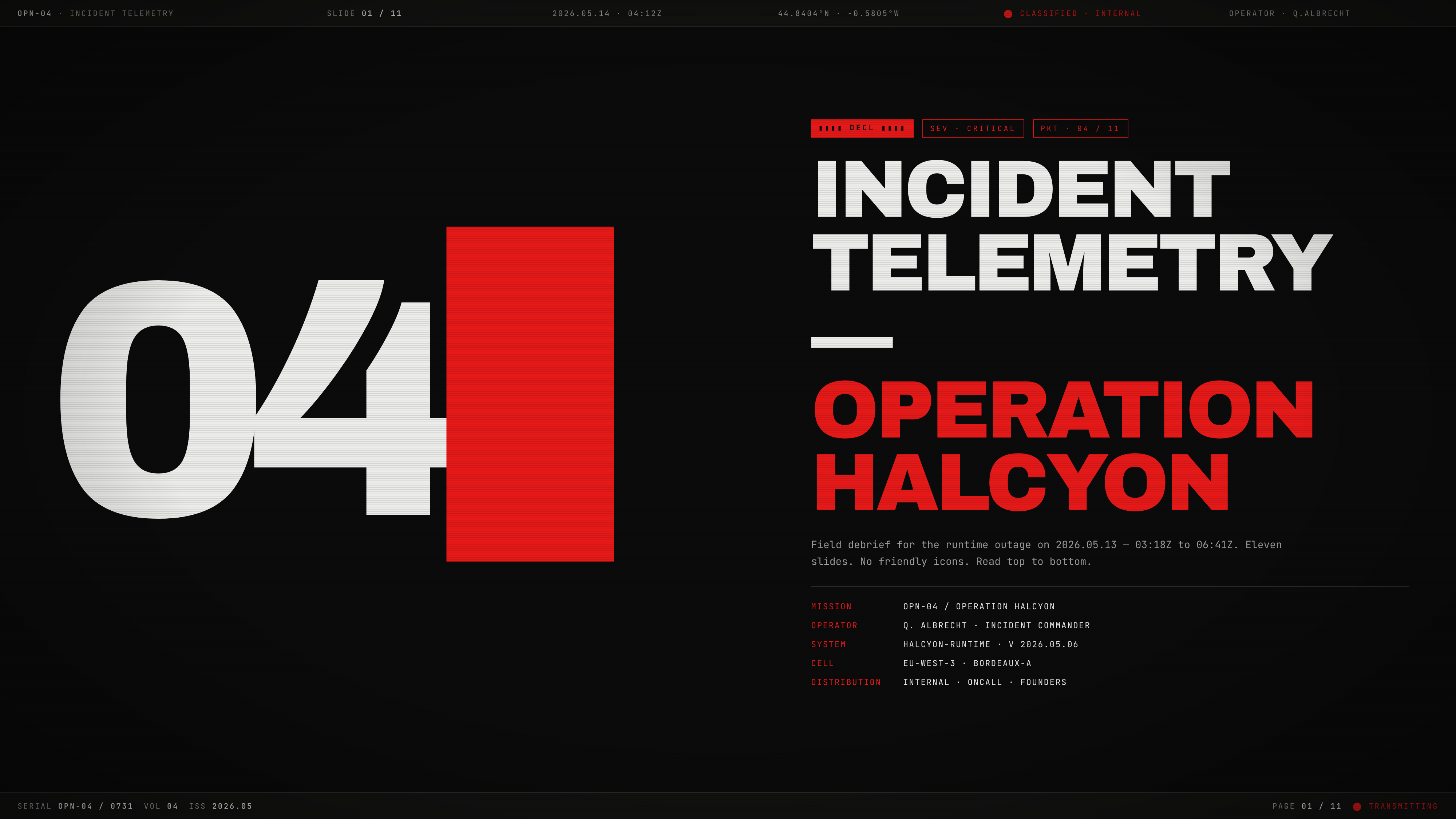
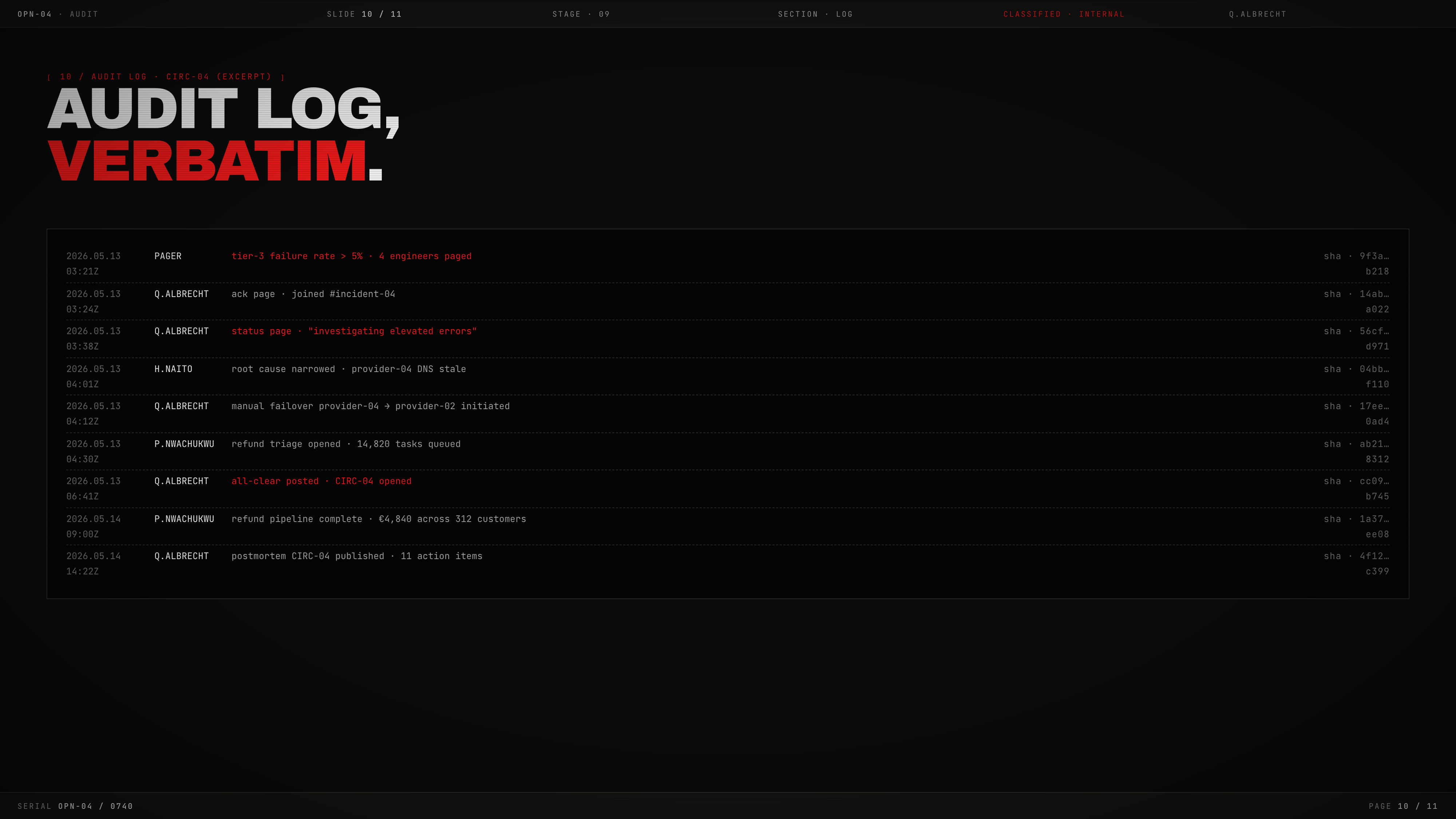
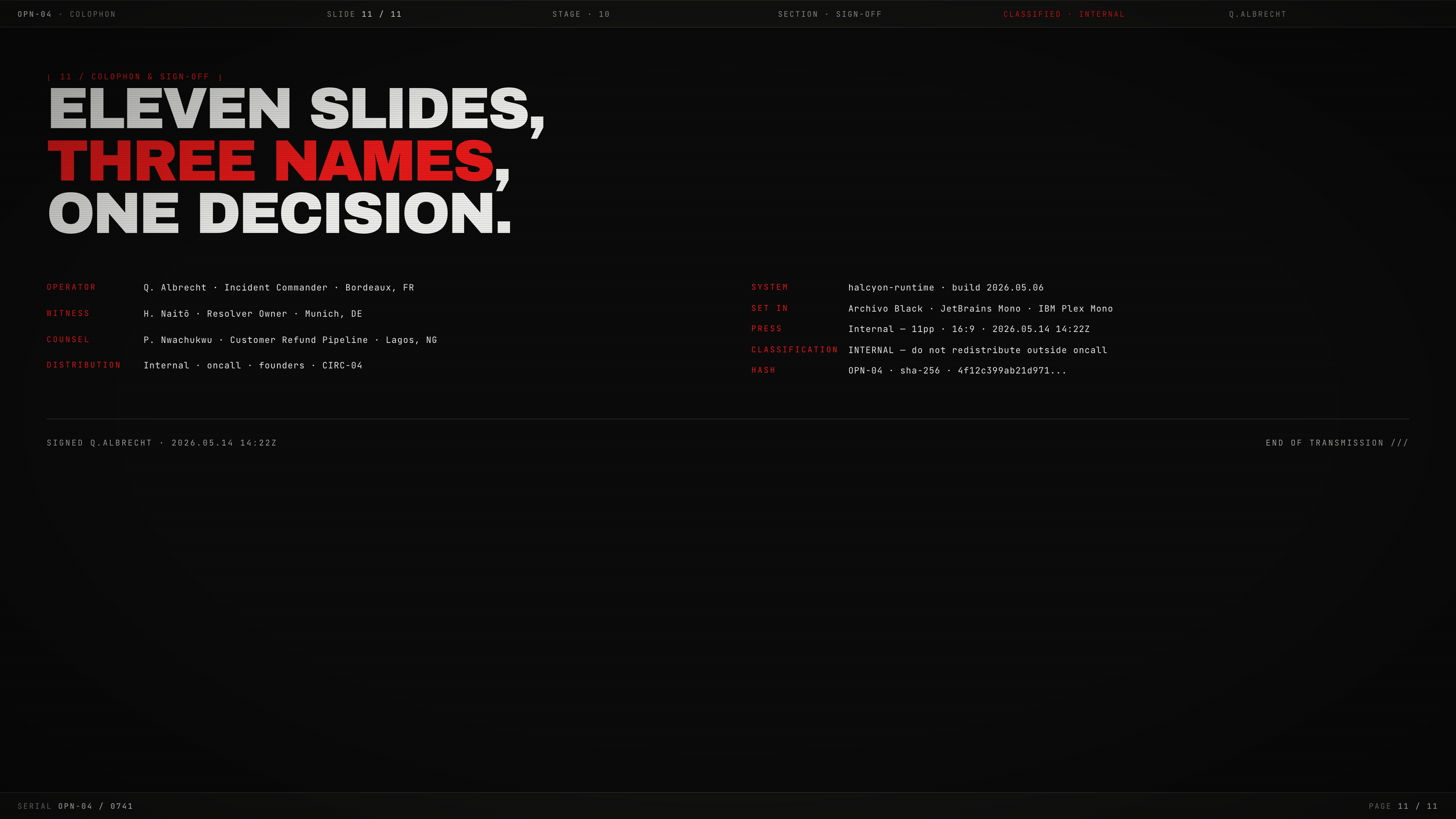
Incident Telemetry — Operation Halcyon is an eleven-slide field debrief for an illustrative runtime outage dated 2026.05.13, from 03:18Z to 06:41Z. Its stated instruction to “Read top to bottom” is reflected in the sequence: mission briefing, objectives, telemetry, risks, event sequence, resolver comparison, decision, audit excerpt, and sign-off.
The deck uses a black field, phosphor-white type, and red emphasis to make the material feel like an internal operational transmission. The cover combines the incident title with mission, operator, system, cell, and distribution fields. That framing gives the audience a document to inspect rather than a generic presentation, while the dense metadata also makes the opening less immediately scannable.
OpenDesign distributes this bundled Community example, with design guidance credited to Taste Skill by Leonxlnx. That upstream credit does not make the artifact independently authored by OpenDesign. Its people, figures, system names, and incident story are illustrative presentation content rather than a verified outage or approved operational plan.
Mission Context
The cover identifies Operation Halcyon, Q. Albrecht, Halcyon-Runtime, EU-West-3, and internal distribution, establishing who the briefing addresses and what system it concerns.
Reading Contract
The phrase “Eleven slides. No friendly icons. Read top to bottom.” sets a sequential narrative expectation, trading quick overview for a controlled debrief.
Briefings That Need Evidence And Action
This presentation format suits an incident review where the audience must understand both what happened and what should change. The second slide establishes the window, affected tier, dropped tasks, refund amount, root cause, resolution time, and open actions before the deck asks anyone to ratify a redesign.
The design is especially useful when a technical issue crosses operational boundaries. The source names research-agent clients, an upstream DNS provider, on-call responders, refunds, customer tickets, communications, and legal auditability. Grouping those concerns in one narrative helps a reader follow the incident beyond a single service metric, although the density requires a presenter or reader willing to move slide by slide.
Start With The Incident Frame
Use a cover to establish the system, incident window, operator, distribution, and document status before presenting metrics.
Separate Evidence From Response
Place observed telemetry and event chronology before proposed thresholds, retry budgets, provider weighting, and refund automation.
End With A Bounded Decision
Close with the requested decision, deadline, owners, witnesses, and sign-off context rather than an open-ended summary.
From Failure Window To Resolver Decision
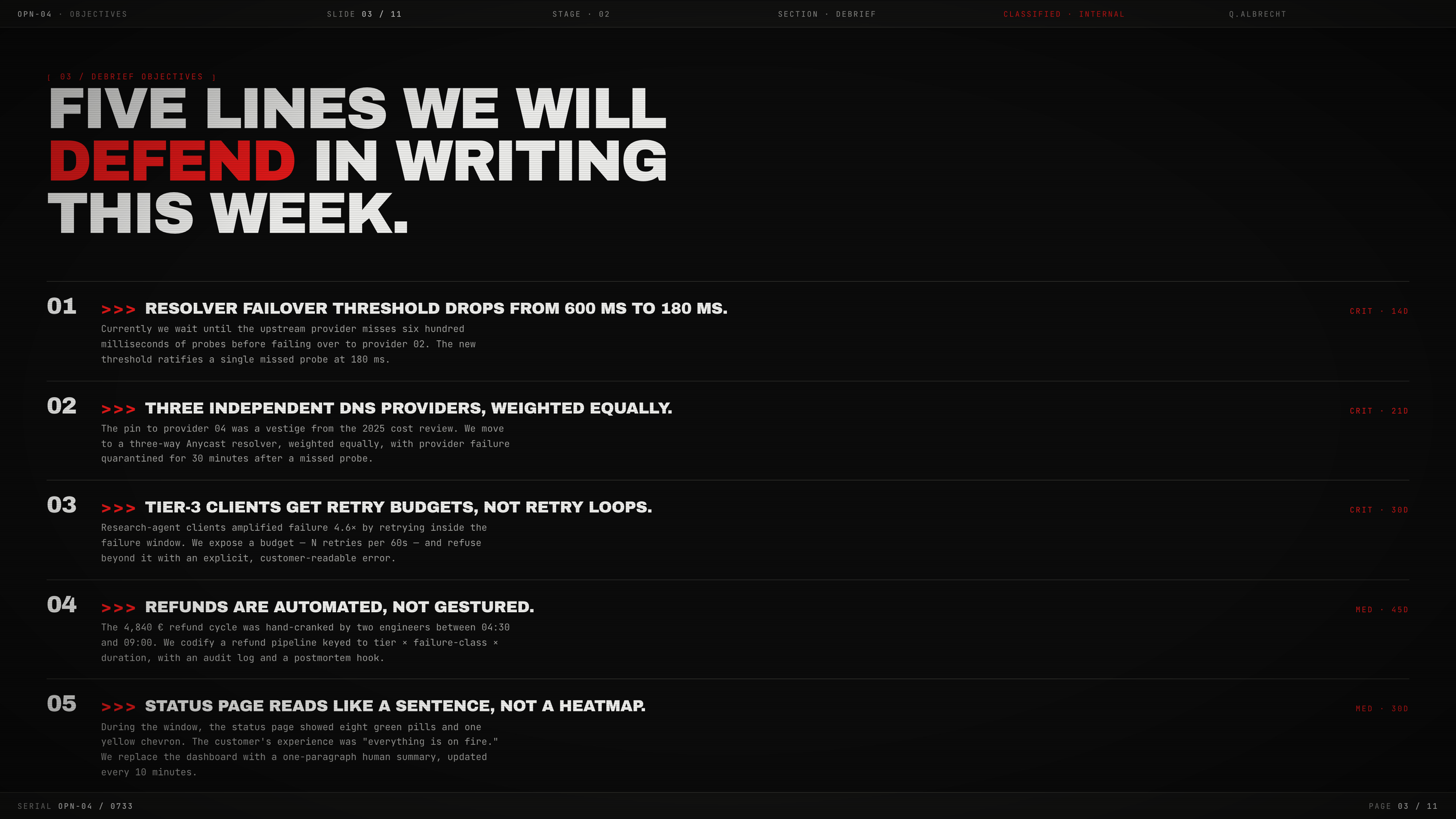
The narrative begins with impact and narrows toward intervention. The objectives slide states five commitments, including reducing the failover threshold from 600 ms to 180 ms, weighting three independent DNS providers equally, and replacing retry loops with budgets. Each line pairs a policy change with a time horizon such as 14D, 21D, or 30D, so the audience can read the proposed response as a commitment schedule rather than a collection of ideas.
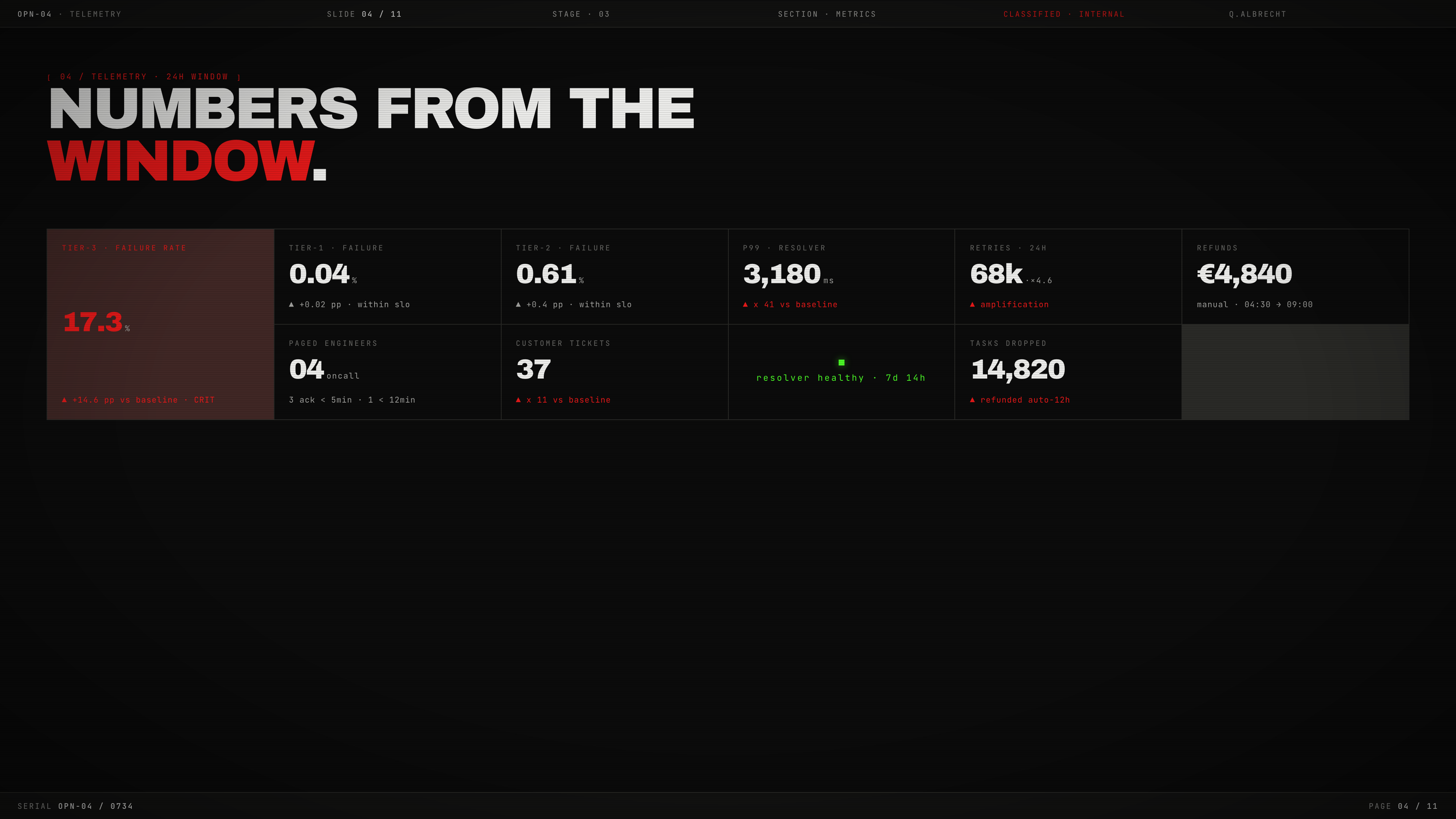
The telemetry slide changes the reading mode from prose to a compact set of measurements. It places Tier-3 failure at 17.3% with a +14.6 percentage-point comparison, resolver p99 at 3,180 ms with a stated 41x baseline comparison, retries at 68k with x4.6 amplification, and customer tickets at 37 with an 11x comparison. The repeated label-plus-value pattern supports scanning, but the metrics remain sample presentation content, not verified production performance.
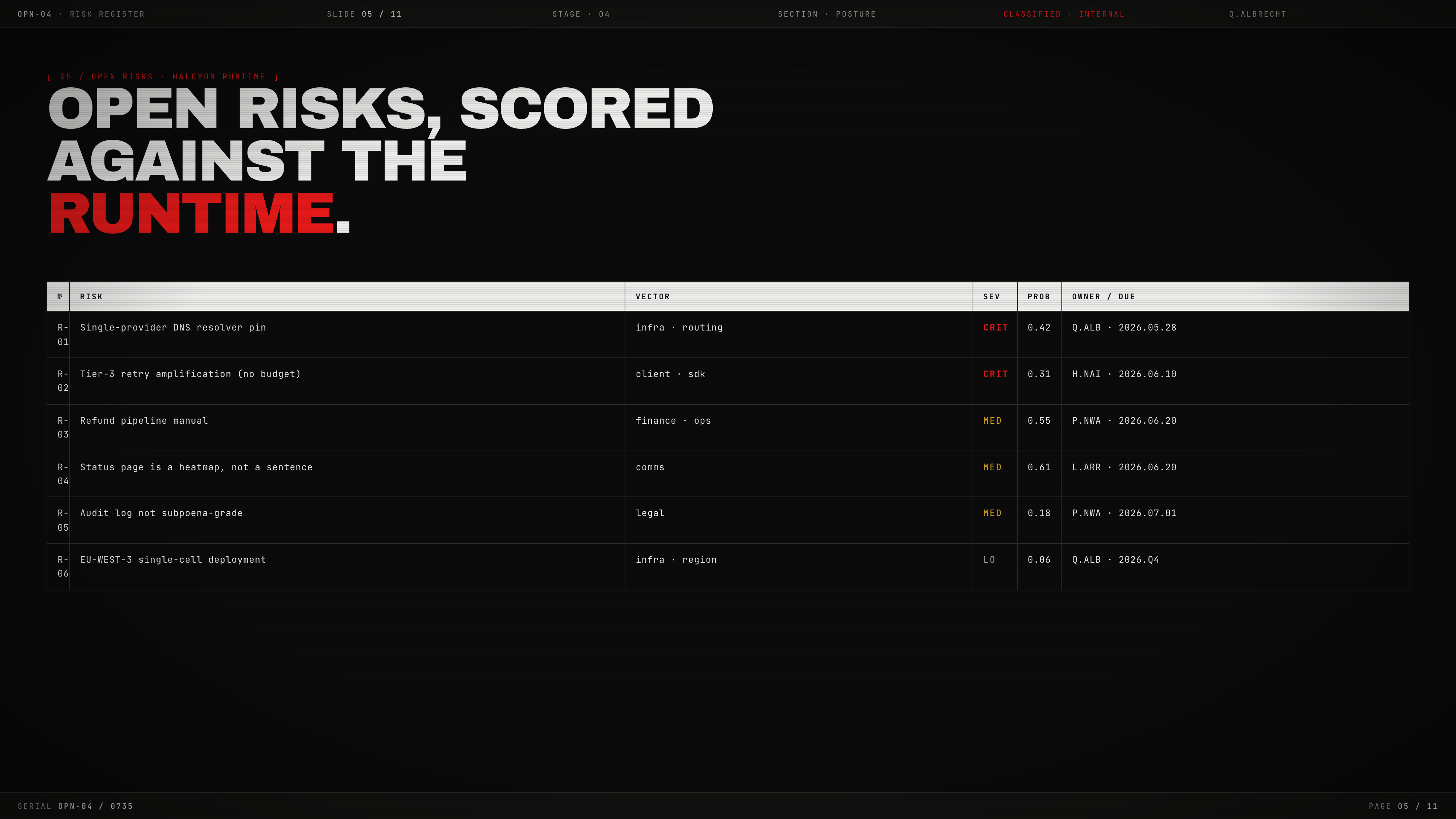
The risk register then adds ownership and probability to the technical story. “Single-provider DNS resolver pin” is marked CRIT with probability 0.42 and assigned to Q.ALB, while “Status page is a heatmap, not a sentence” is marked MED with probability 0.61 and assigned to L.ARR. Those rows show that the deck treats communications and infrastructure as related risks, while the table’s compactness leaves the probability methodology unexplained.
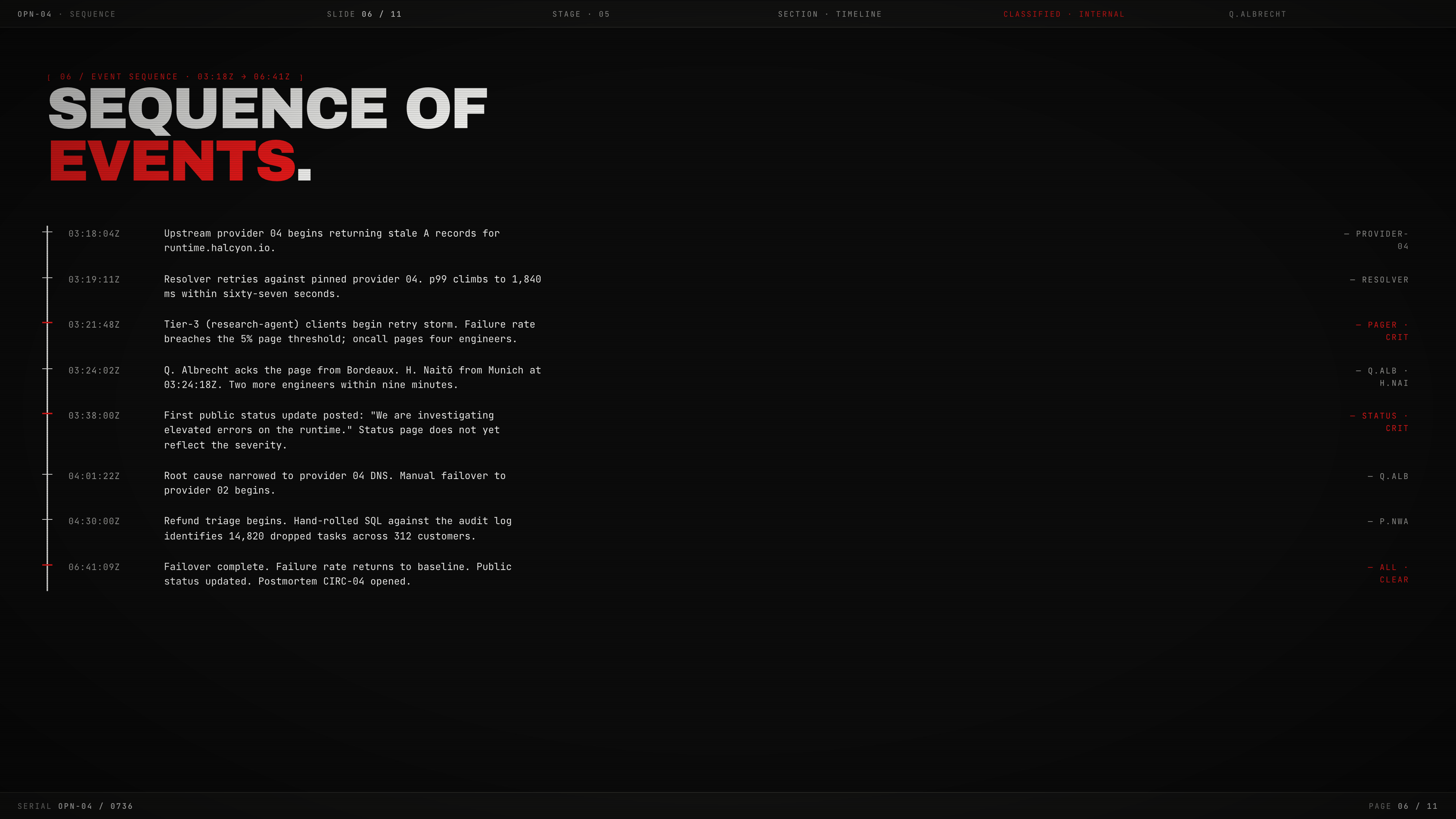
The event sequence makes causality temporal. It moves from stale A records at 03:18:04Z, to resolver retries at 03:19:11Z, to a Tier-3 retry storm and four engineer pages at 03:21:48Z, then to the first public status update at 03:38:00Z and manual failover at 04:01:22Z. This ordering lets a reader distinguish trigger, amplification, response, and recovery instead of treating every metric as simultaneous.
Observed Trigger
Provider 04 returns stale records, giving the timeline a concrete starting condition.
Amplification Path
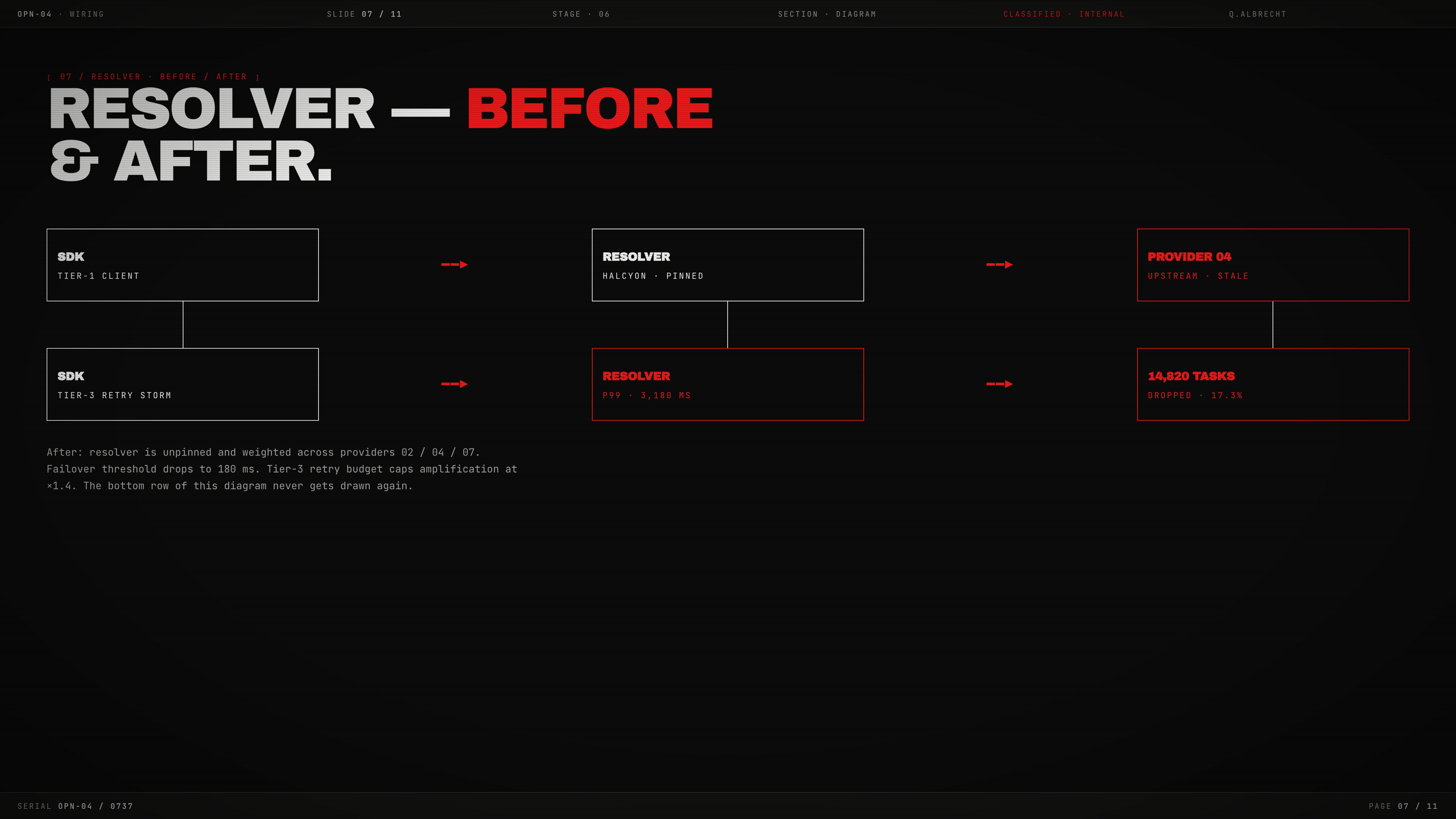
Pinned resolution and Tier-3 retries connect the provider problem to rising p99, paging, and dropped tasks.
Proposed Control
Although the slide title says “before & after,” both diagram rows show failure paths. The proposed three-provider policy, 180 ms threshold, and retry budget appear in the paragraph below, not in a separate after-state diagram.
Visible Design And Capability Boundary
The source is an eleven-section HTML deck read by vertical scrolling, with CSS scanlines, blinking accents, and a pulsing health indicator rather than scripted pagination. It demonstrates diagrams, metric blocks, risk rows, timelines, audit excerpts, and sign-off composition. It does not verify live telemetry, a connected resolver, authenticated audit records, automated refunds, or completed approval. Its incident figures and narrative remain sample content.
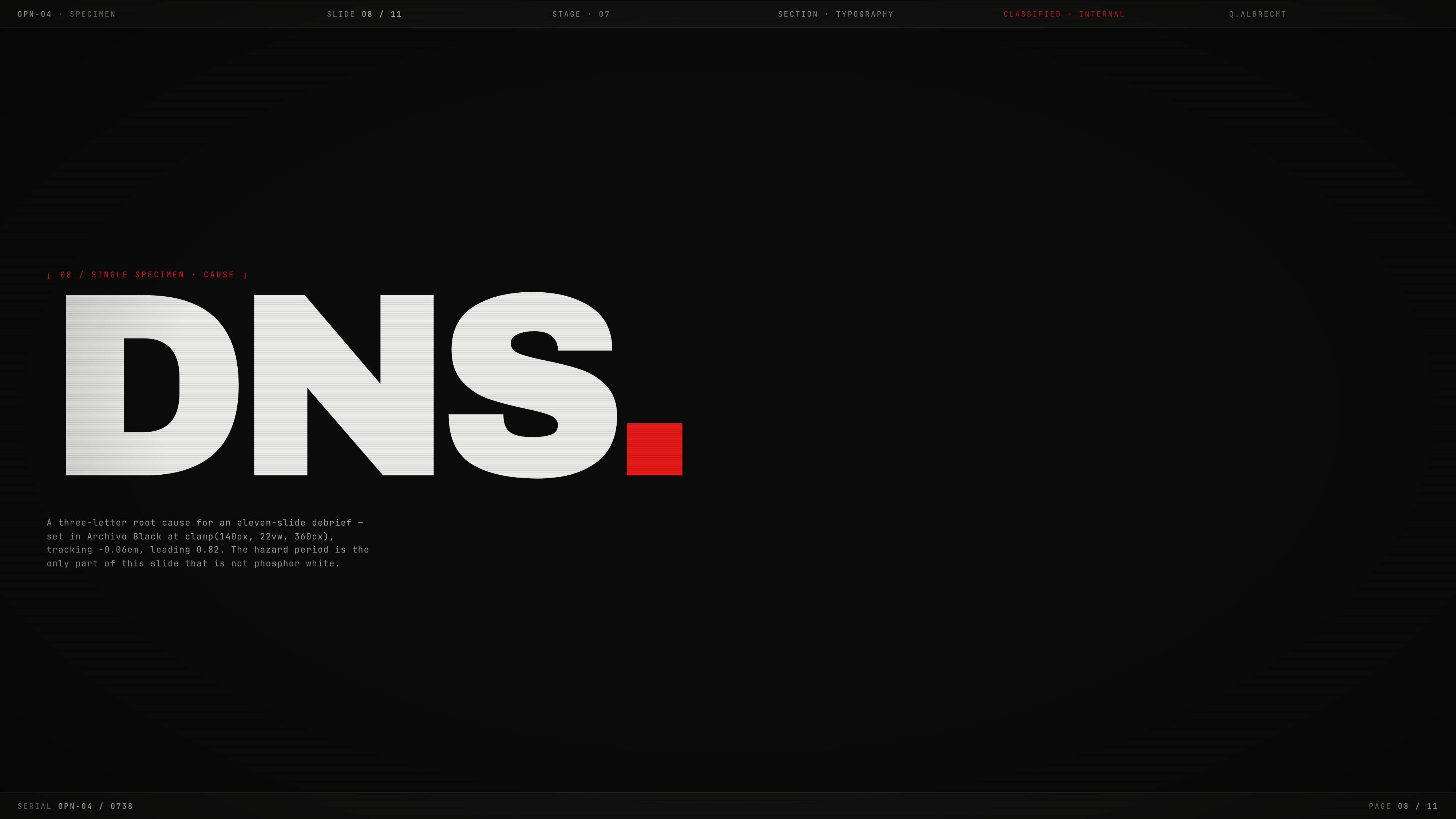
Its visual system is specific: Archivo Black carries oversized display moments such as “DNS.”, while JetBrains Mono and IBM Plex Mono support labels, timestamps, records, and operational fields. The oversized specimen creates a strong pause before the decision slide, but it also interrupts the analytical flow; retain it when the presentation benefits from a typographic chapter break, or replace it with a source-backed transition when every slide must advance the incident argument.
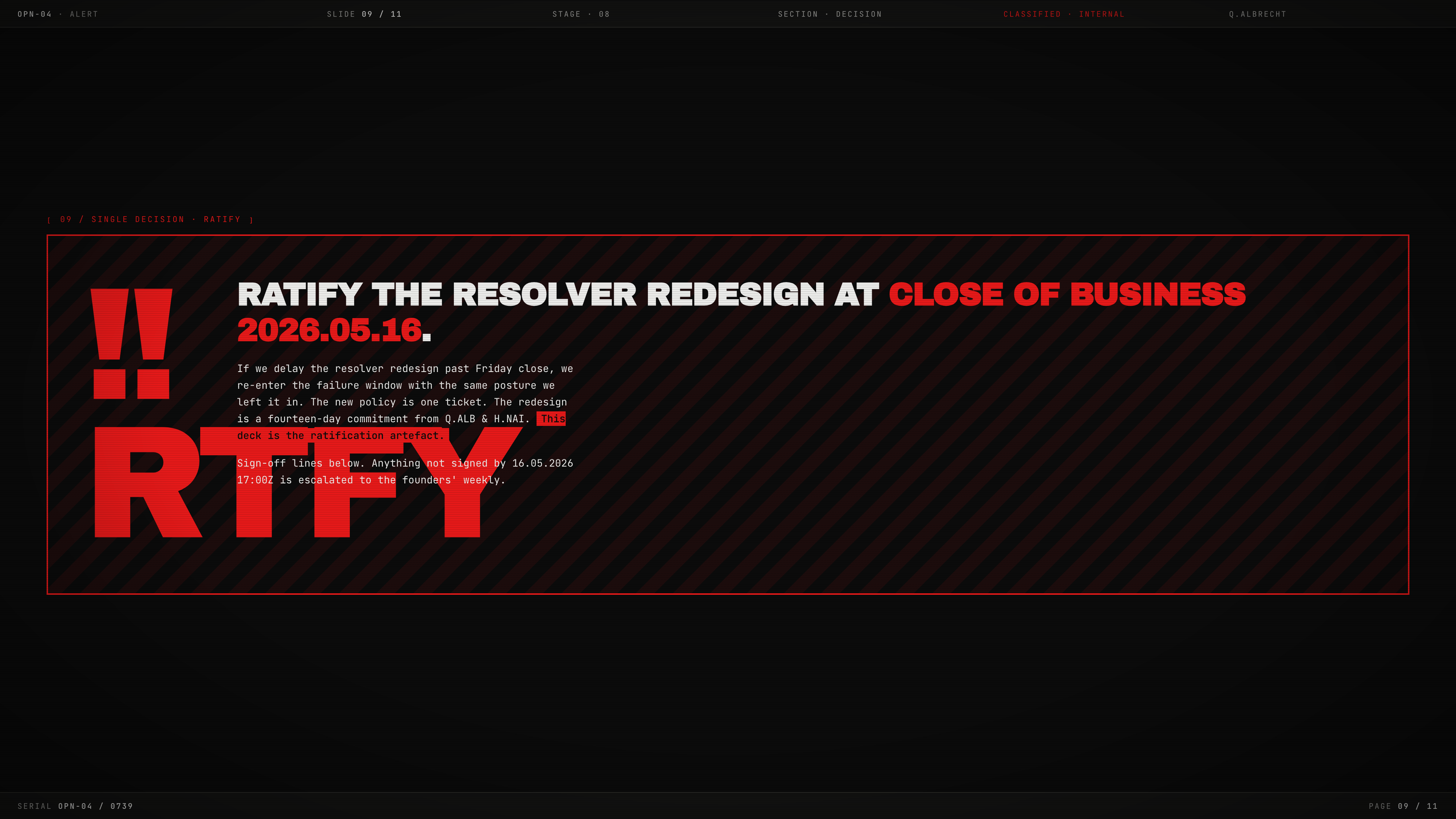
The current wide cover capture includes the complete incident title; a superseded narrow capture clipped it. A different limitation remains on the decision slide: the oversized RTFY glyph overlaps explanatory text. The sample story also varies across slides: refunds are labeled automatic in the summary but manual elsewhere, while the summary lists seven open actions and the audit lists eleven action items. Treat these as unreconciled source details, not evidence of one consistent operational record.
How to Create Incident Telemetry Presentation Design in OpenDesign
Frame The Incident Narrative
Define eleven slides moving from incident context and impact to commitments, telemetry, risks, events, failure paths, a typography pause, decision, audit excerpt, and sign-off. Separate the two fault-propagation rows from the proposed policy below them; the supplied diagram does not show an implemented after-state.
Suggested PromptCreate an eleven-slide incident telemetry presentation design for a fictional runtime outage. Use black, phosphor white, hazard red, Archivo Black display type, and monospaced operational labels. Include a cover, impact summary, five response commitments, metrics, risk register, timestamped sequence, two failure-path diagrams with a separate proposed-policy paragraph, a DNS typography pause, decision request, audit excerpt, and owner sign-off. Keep all data illustrative, reserve clear space around the decision glyph, and do not imply live telemetry, verified audit records, or implemented resolver changes.
Refine Type And Decision States
Use the DNS specimen as a narrative pause, then return to monospaced timestamps, owners, risks, and audit entries. Keep the decision glyph clear of explanatory copy. Reconcile sample refund statuses, action counts, and dates before adapting the story; retain a visible distinction between a proposed policy, displayed sign-off text, and a completed real-world decision.
Export and Get a Share Link
Export your finished design, then use Share in OpenDesign to get a share link. Open the link in a separate browser window and check that the intended version and its assets are available before sending it.

Brand Story Presentation Design
Brand Story Presentation Design gives partners, press, and community audiences one evidence-led narrative from belief to channels, calendar, and verification.
Slides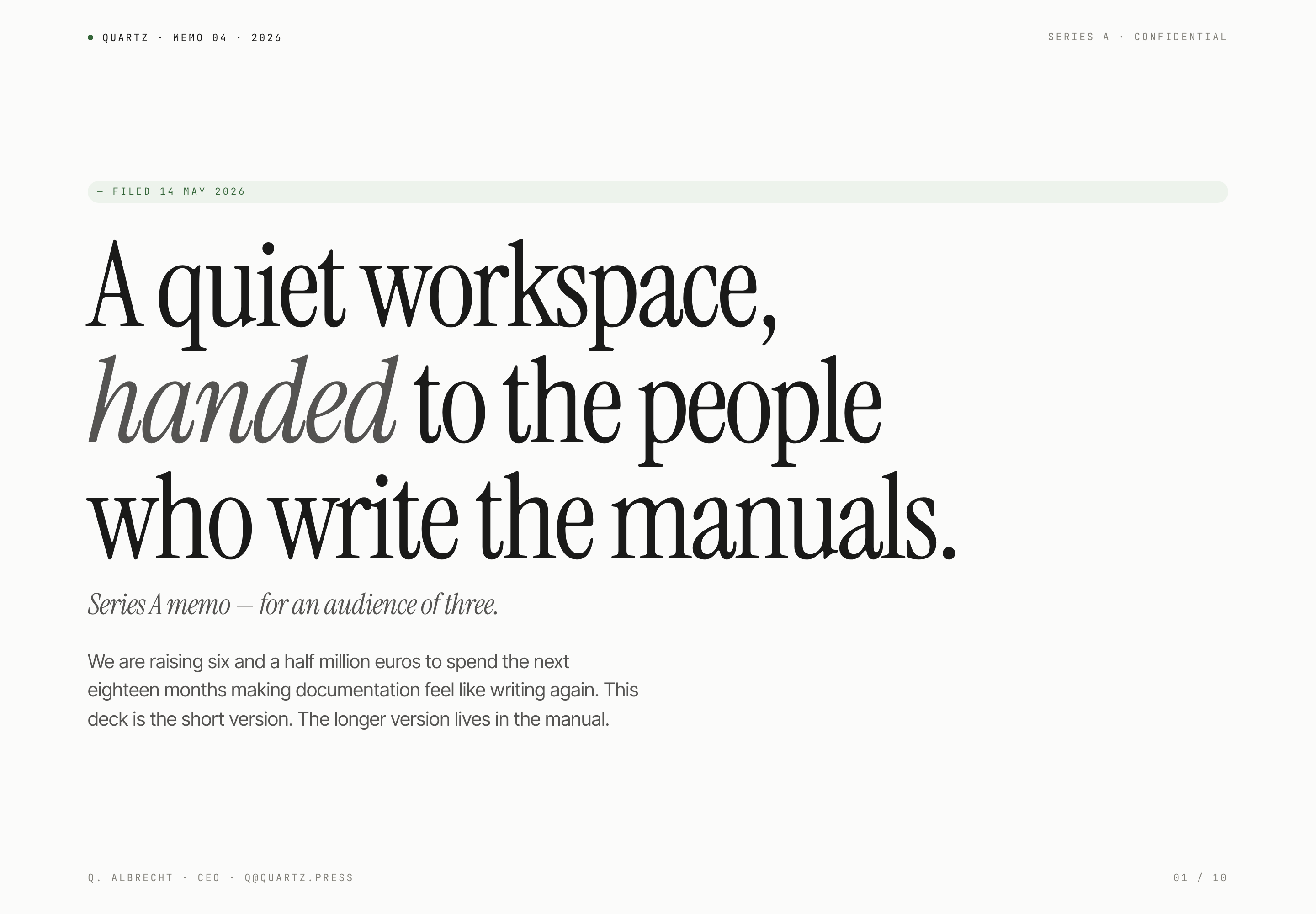
Fundraising Memo Presentation Design
Quartz's ten-slide fundraising memo pairs quiet serif typography with product principles, sample traction, and a funding request for a small investor audience.
Slides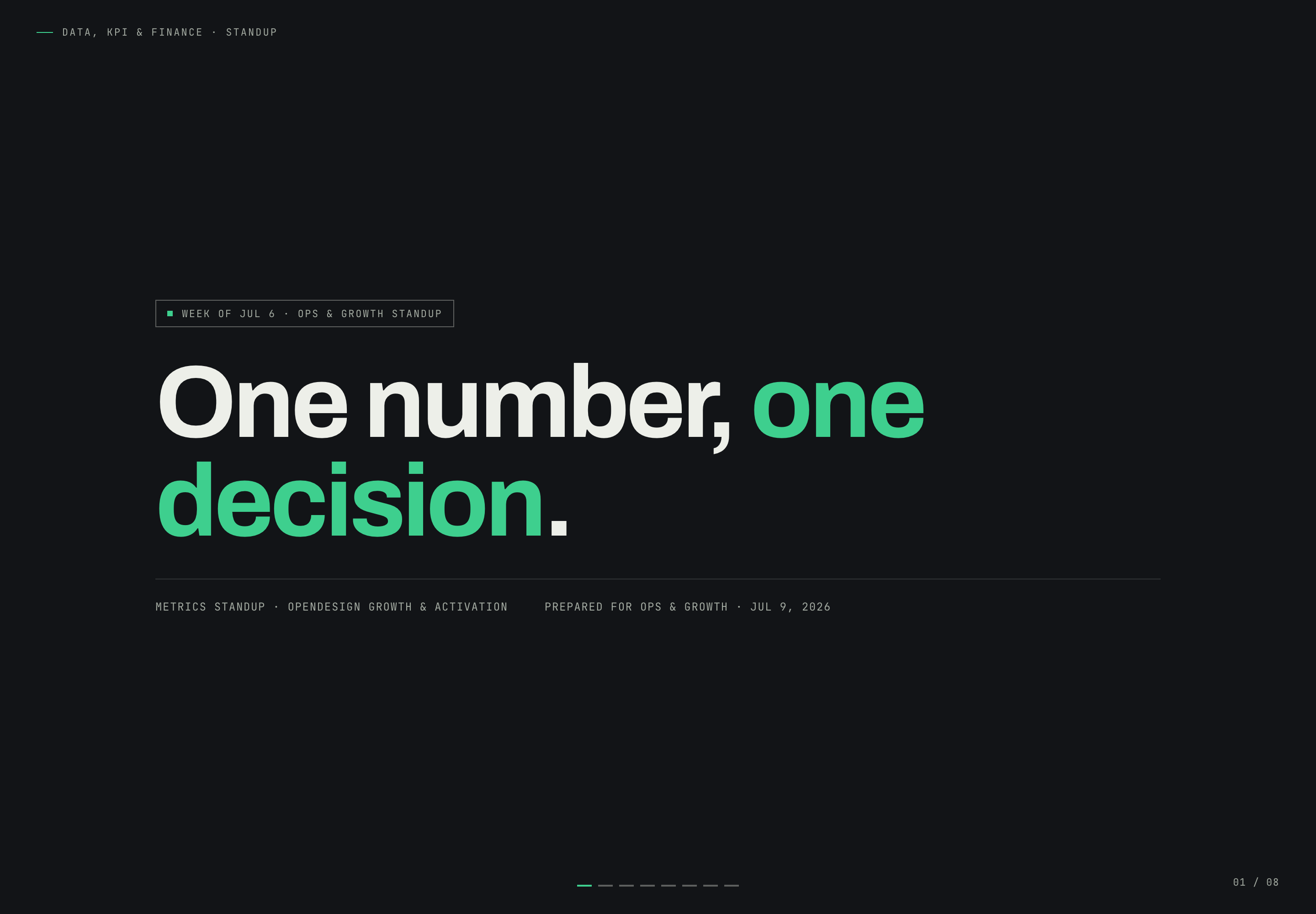
Growth Metrics Standup Design
Growth Metrics Standup Presentation Design turns a Safari conversion problem into a focused narrative that ends with one owned decision.
Slides
Microbiome Research Presentation Design
Raman Lab's nine-slide research example uses navy dividers, cream evidence slides, and a causal caveat to pace an illustrative gut-sleep argument.
Slides