

Graphics
Iridescent Liquid Shader Design
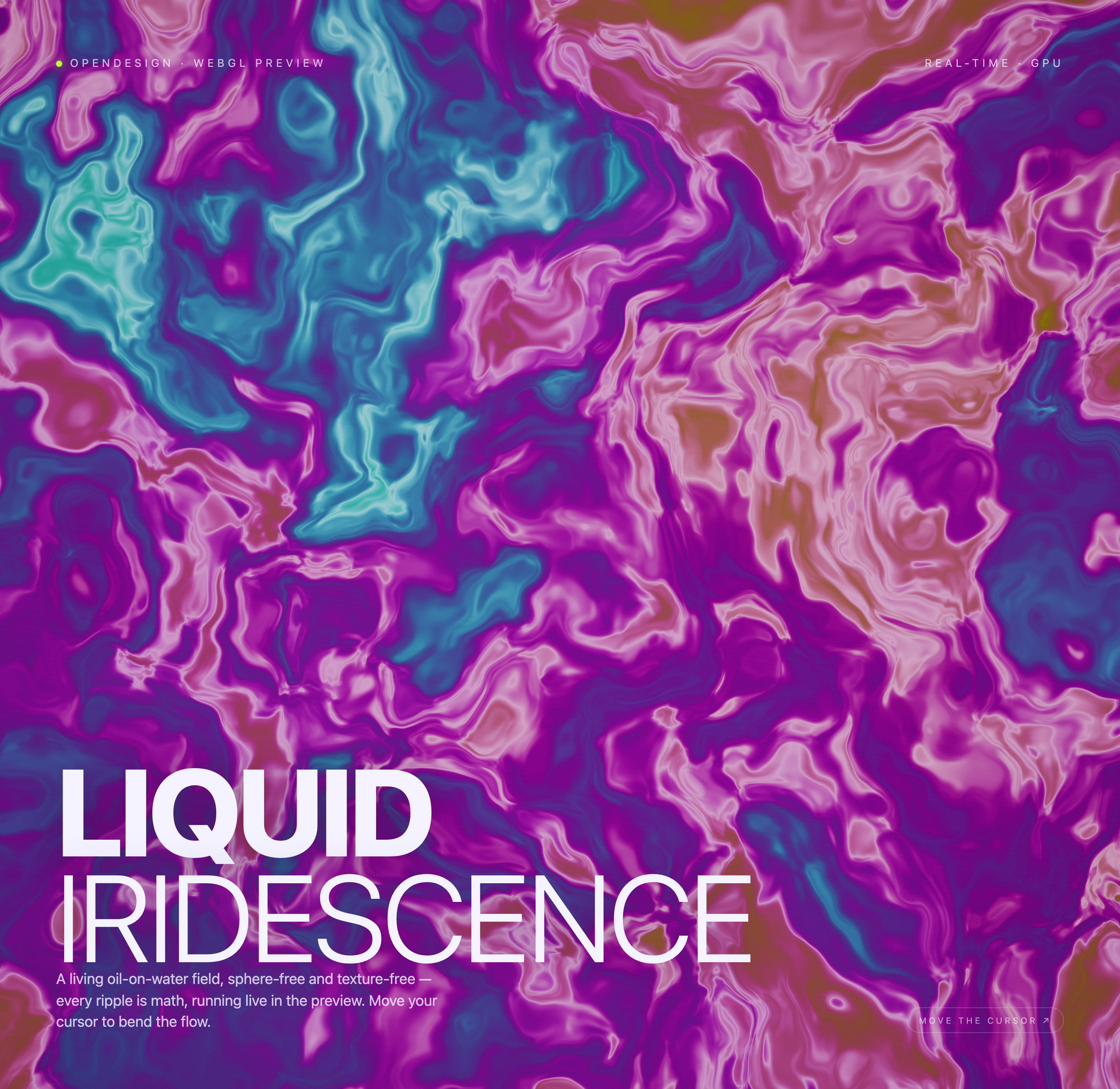
A vivid oil-on-water appearance flows beneath fixed typography, with smoothed pointer input bending a texture-free procedural color field.

Iridescent Shader Use Cases
- Generative WebGL ExperimentsExplore shader-driven motion without relying on imported textures.
- Interactive Visual BackgroundsStudy full-screen color fields shaped by local pointer input.
- Creative Coding ReferencesExamine how typography frames an expressive canvas.
Liquid Color-Field Highlights
- Math-Driven SurfaceRipples are presented as texture-free visual computation.
- Cursor ResponsePointer position bends the flow across the canvas.
- Iridescent PaletteViolet, cyan, pink, and rose currents create contrast.
- Editorial OverlayLarge type anchors the otherwise continuous visual field.
Three States of the Iridescent Field
1 / 3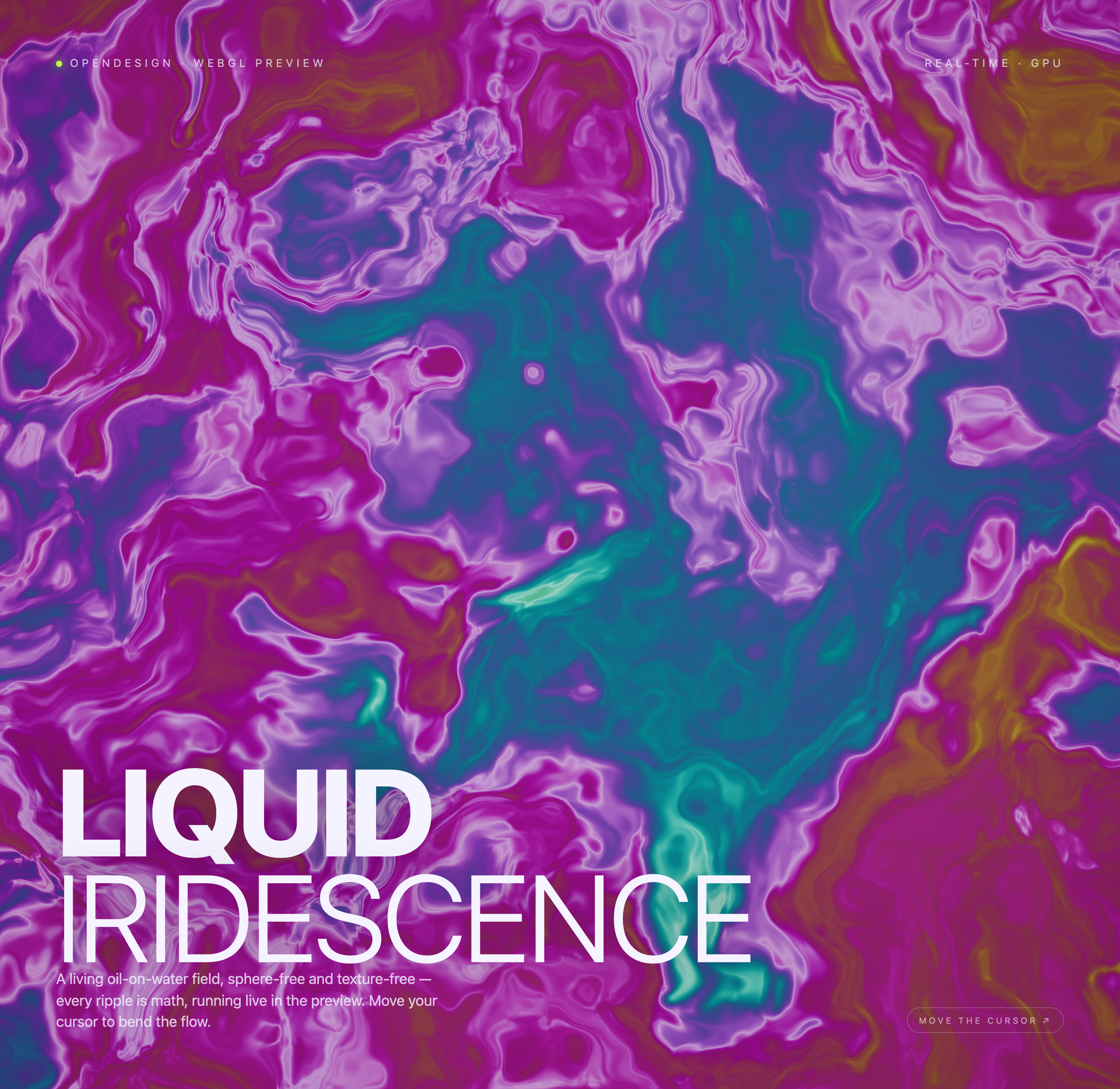
An Oil-on-Water Appearance Built From Math
Iridescent Liquid is an official OpenDesign example built around a single WebGL preview rather than a collection of application screens. Its authored heading, “LIQUID IRIDESCENCE,” appears over a saturated field of flowing violet, cyan, pink, and rose forms. The composition makes the canvas the subject while keeping the explanatory copy close to the lower-left reading path.
The supporting text calls the effect a “living oil-on-water field.” The implementation renders a fullscreen triangle with procedural noise rather than a sphere mesh or photographic texture. That lets it suggest a fluid material without depicting a literal object. The material language is a visual metaphor, not proof of a physically accurate oil or water simulation.
At the top, “OPENDESIGN · WEBGL PREVIEW” identifies the context and “REAL-TIME · GPU” frames the rendering approach. These labels orient the viewer before the larger title is read, but they should be treated as descriptive interface copy rather than proof of measured frame rate or production performance.
Continuous Canvas
The visual field fills the composition, so movement remains the primary content rather than a backdrop for separate panels.
Textured Contrast
Large white lettering separates the editorial message from the dense color field, though placement must remain stable as the background changes.
Where The Design Fits
This work is most useful as a reference for interactive visual backgrounds, generative-art studies, and creative-coding demonstrations. It shows how a page can communicate a visual experiment with only a short description, a large title, and a direct interaction cue. It is less suited to information-heavy interfaces because the animated surface competes with small labels and detailed content.
The prompt “MOVE THE CURSOR ↗” turns the viewer from a passive observer into a participant. The supplied states show the same canvas with different color boundaries and ripple arrangements, while the overlay remains consistent. That pairing makes state change legible: the composition changes, but the reading frame does not.
Visual Demonstration
Use the arrangement when the behavior itself is the subject and a stable editorial overlay can explain the experiment.
Atmospheric Landing Area
Adapt the field for a focused opening section, accepting that dense content should move outside the animated region.
Shader Study
Use the texture-free premise to compare procedural surfaces with image-based materials without changing the page frame.
Composition And Motion
The design uses a strong vertical reading order: contextual labels at the top, the oversized “LIQUID IRIDESCENCE” heading near the lower-left, explanatory copy beneath it, and the cursor instruction at the lower-right. This distributes attention across the wide canvas while keeping the main message grouped in one readable block.
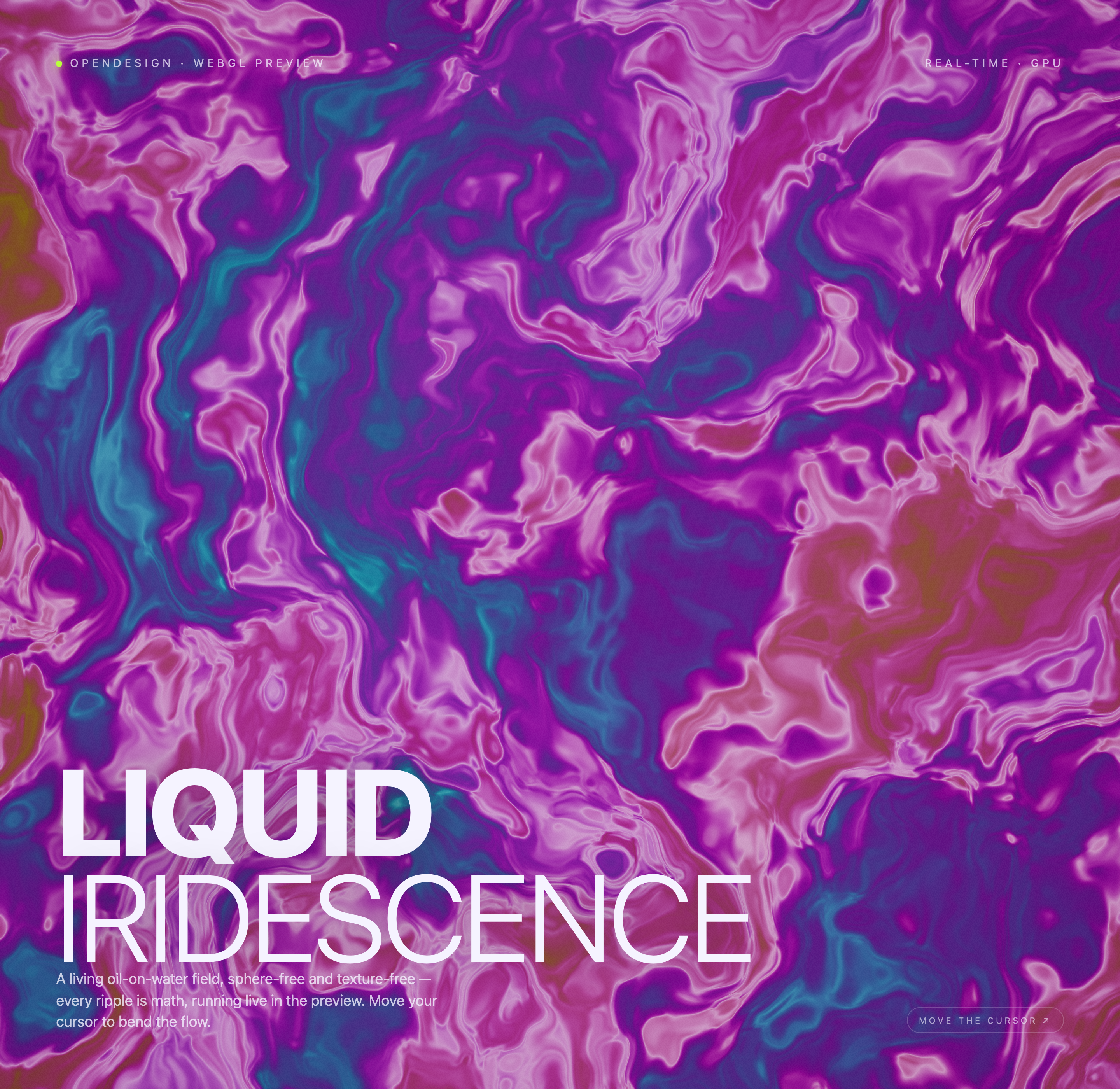
The captures show three states of the same shader canvas, not independent screens. Across them, the heading and supporting sentence stay in place while the surrounding currents shift from cyan-heavy regions to more magenta, pink, teal, and ochre passages. The stable overlay gives the motion a reference point; the tradeoff is that the background can reduce contrast behind parts of the copy.
The fragment shader uses six-layer noise through two chained warp fields. A distance-weighted pull from the pointer bends the sampling coordinates, and a cosine palette plus bright ridge terms creates the iridescent currents. Both pointer coordinates ease toward their targets at 0.06 per frame, while elapsed time continues to alter the field. The lower-right instruction is fixed text rather than a clickable control.
Color As Structure
The palette is not a single gradient. It is organized as broad colored currents edged by pale, luminous contours. Cyan and teal provide cooler interruptions inside the dominant magenta and violet field, while pale pink lines reveal the flow direction. This variation helps the canvas feel dimensional without adding literal geometry.
Stable Reading Frame
The repeated overlay demonstrates a practical interaction pattern: preserve the title and instruction while allowing the artwork to vary. A recreation should keep that relationship intact, then test whether the selected palette leaves sufficient contrast beneath the text.
Capability Boundary
This artifact is a design and rendering example. The supplied evidence supports visible WebGL canvas states, local pointer-response handling, resizing, and an animation loop. It does not verify connected services, storage, production deployment, measured frame rates, or the original generation model. The three captures should therefore be read as visual states of one composition, not as proof of separate workflows or tested performance.
How To Adapt It
For a new version, preserve the relationship between procedural motion and editorial framing, then change one variable at a time: palette, ripple scale, title placement, or pointer influence. Keep the change observable in the canvas and describe proposed behavior as proposed behavior rather than as an existing capability.
How to Create Iridescent Liquid Shader Design in OpenDesign
Set The Canvas And Reading Frame
Start with one full-screen WebGL canvas, top context labels, a lower-left title block, and a lower-right cursor instruction. Keep the title readable over the brightest and darkest regions.
Define The Procedural Surface
Build a texture-free procedural field with broad violet, magenta, cyan, pink, and teal currents and luminous ridge lines. Match the source's local time-driven and pointer-responsive motion, while keeping any claim of physical material accuracy or production performance separate.
Suggested PromptCreate a full-screen WebGL shader composition titled LIQUID IRIDESCENCE. Use a texture-free procedural oil-on-water field with violet, magenta, cyan, pink, and teal currents. Add OPENDESIGN · WEBGL PREVIEW at top left, REAL-TIME · GPU at top right, a large lower-left title, supporting copy about mathematical ripples, and MOVE THE CURSOR ↗ at lower right. Allow local pointer movement to influence the field, but do not claim connected services, storage, measured performance, or Video or Audio capabilities.
Refine Motion And Contrast
Compare several pointer positions and viewport sizes. Check that the overlay remains anchored while the field changes, that pale contours do not erase the explanatory copy, and that alternate states still read as one composition.
Export and Get a Share Link
Export your finished design, then use Share in OpenDesign to get a share link. Open the link in a separate browser window and check that the intended version and its assets are available before sending it.

AI Workflow Editorial Poster Design
AI Workflow Editorial Poster Design presents six illustrated workflow claims with numbered chapters, concrete prompt specimens, and cream-and-rust typography.
Graphics
AI Workflow Social Carousel Design
Seven portrait cards use oversized Chinese headings, numbered habits, changing color fields, and a closing statement to explain AI editing workflows.
Graphics
Aurora Field Shader Design
An automatically animated blue-green noise field gives a WebGL hero its atmosphere, while a fixed headline and small local frame-rate badge anchor the scene.
Graphics
Aurora Veil Shader Design
Aurora Veil is an interactive shader composition that turns layered light, stars, and cursor motion into an atmospheric WebGL hero.
Graphics