

Website
Marketing Website Wireframe Design
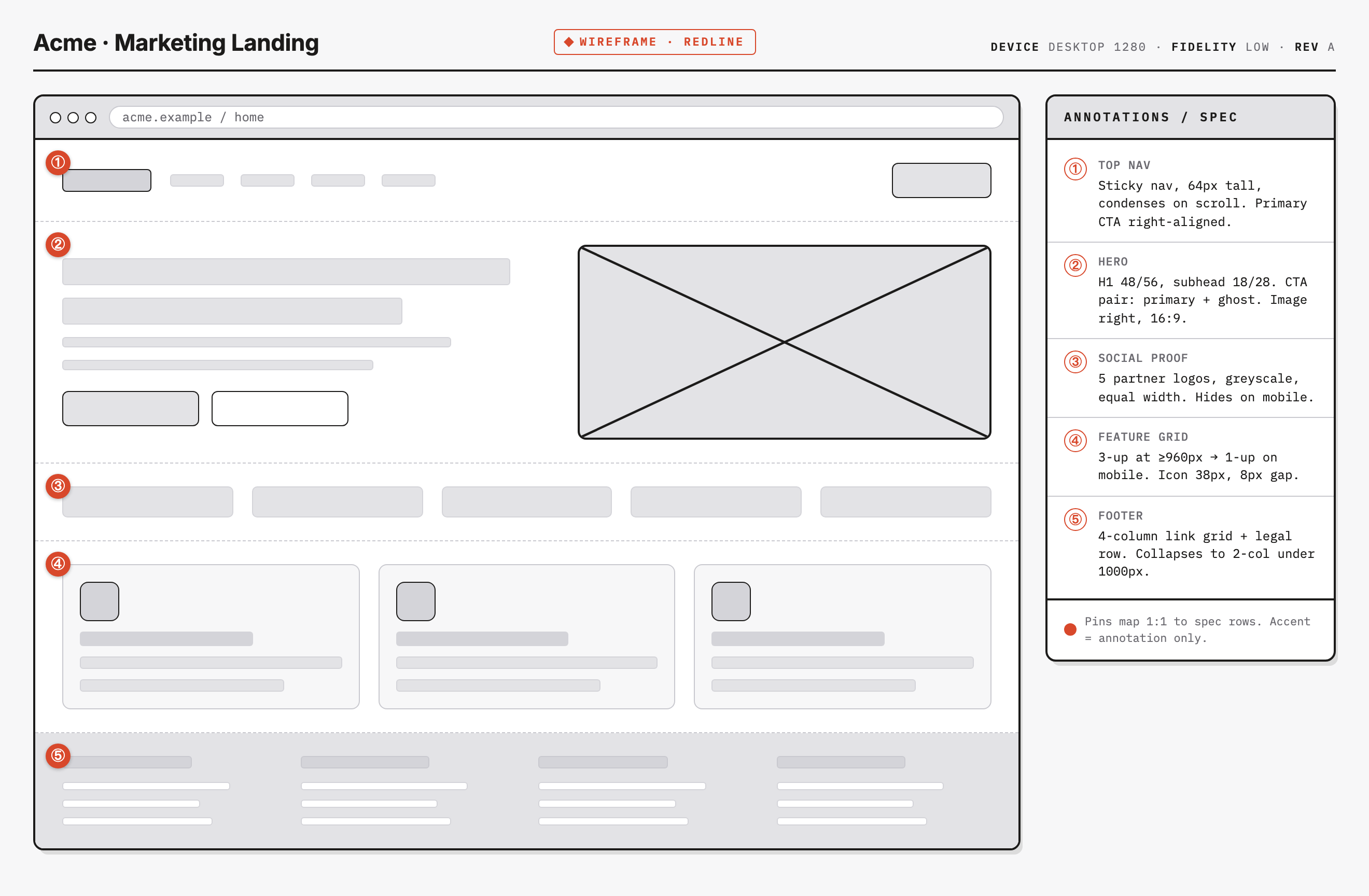
An Acme marketing wireframe pairs five numbered page regions with a specification sidebar, exposing where design notes agree with—or differ from—the implemented layout.

Wireframe Design Use Cases
- Landing-Page PlanningMap marketing sections before visual design or copy production begins.
- Responsive Layout ReviewCheck desktop-to-mobile changes against explicit breakpoint notes.
- Design HandoffKeep structural decisions and implementation guidance together.
Redline Handoff Highlights
- Redline SidebarNumbered pins connect visible regions to matching specification rows.
- Responsive RulesBreakpoint behavior is written beside the relevant page section.
- Low-Fidelity StructureNeutral blocks expose composition without implying finished content.
- Shared Reading OrderThe canvas and annotations follow the same numbered sequence.
Five Page Regions and Their Specification Notes
1 / 1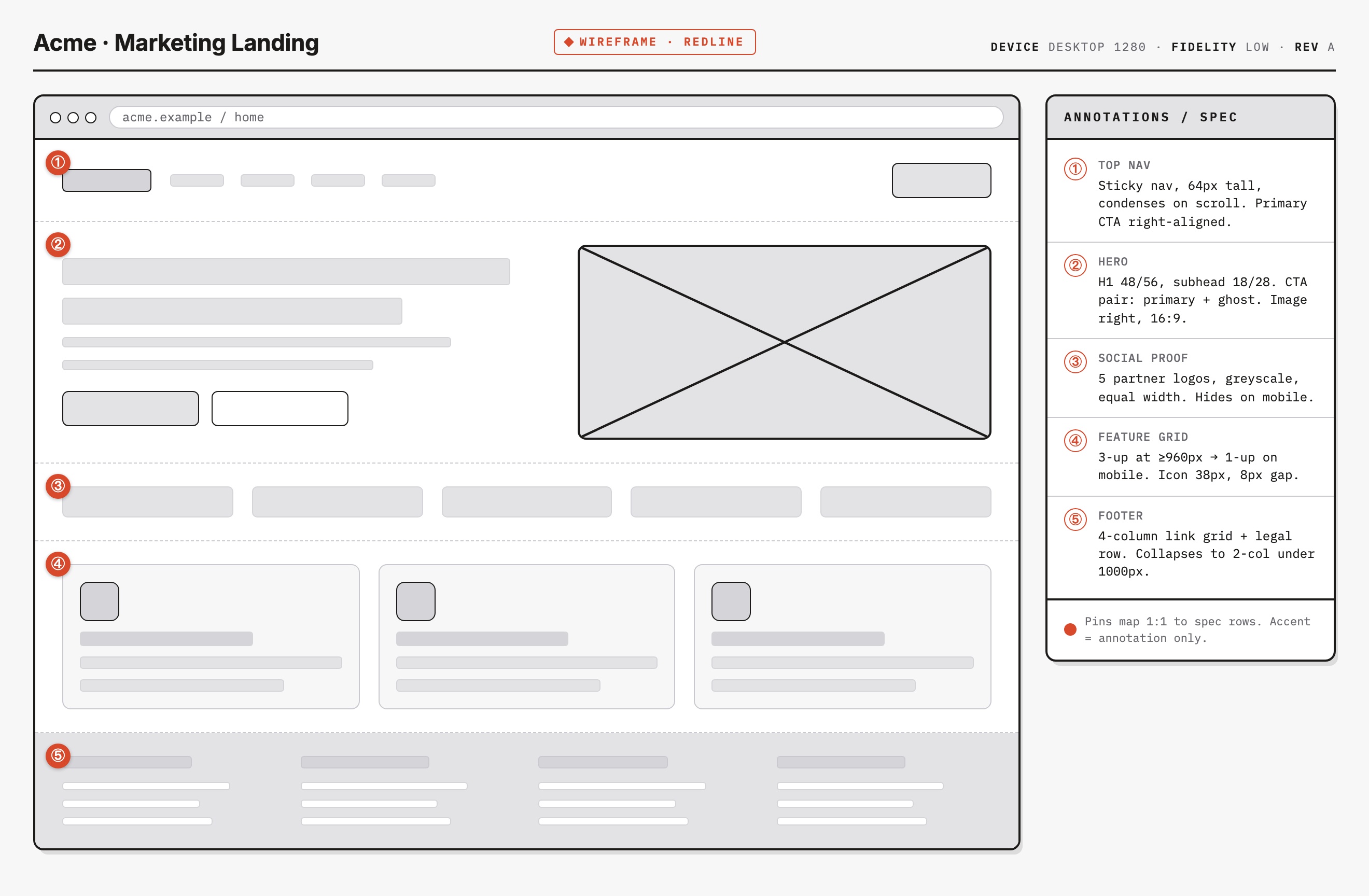
Acme Marketing Landing
The artifact presents “Acme · Marketing Landing” as a low-fidelity desktop wireframe with a redline layer. Its main value is traceability: the left canvas shows the proposed page composition, while the right panel explains what each numbered region is expected to do. This makes the design useful for discussing structure before brand assets, final copy, or production behavior are settled.
The visible header establishes the working context with “WIREFRAME · REDLINE,” “DEVICE DESKTOP 1280,” “FIDELITY LOW,” and “REV A.” Those labels frame the capture as a design specification rather than a finished marketing page. The browser-style address area reads “acme.example / home,” giving the page a concrete route while leaving the underlying service unverified.
Canvas
The large left area shows the page's order: navigation, hero, social proof, feature grid, and footer.
Specification
The right panel converts those regions into concrete notes such as dimensions, breakpoints, and alignment.
Where This Wireframe Helps
This design is suited to early marketing-page planning, critique, and handoff. It gives a team a shared object for deciding which sections belong on the page and what responsive changes need explicit agreement. Because the content remains mostly neutral blocks, reviewers can focus on composition and rules instead of mistaking placeholder copy or imagery for validated messaging.
Planning A Landing Page
The five pins reserve navigation, hero, logo strip, feature grid and footer regions. The footer has four columns of placeholder bars, not working links or a legal row. The abstraction clarifies section order and relative weight, but cannot validate eventual copy, partner identities or conversion performance.
Reviewing Responsive Intent
The sidebar proposes mobile logo hiding, a 960px feature-grid rule and a two-column footer below 1000px. The actual CSS instead uses one breakpoint at 1000px and below: it stacks the shell, hero and features, makes the annotation panel static and changes the footer to two columns. The logo strip remains visible. These differences make the page a specification-review example, not proof that every note was implemented.
From Top Nav To Footer
The specification uses one-to-one numbering. Pin ① identifies the neutral navigation row; its 64px sticky and scroll-condensing behavior is a note, not implemented navigation. Pin ② identifies text and a crossed media placeholder. The real hero grid is 1fr/0.85fr, giving text slightly more width, but the placeholder has a 188px minimum height rather than an enforced 16:9 ratio.
| Region | Written Intent | Actual Source |
|---|---|---|
| Navigation | Sticky, 64px, condenses on scroll | Static div shapes; no scroll handler. |
| Hero Media | 16:9 slot | Flexible width, 188px minimum height; no ratio rule. |
| Logo Strip | Hides on mobile | Five placeholder blocks remain visible. |
| Feature Grid | Three-up at ≥960px; 8px gap | Three columns above 1000px; 10px flex gap. |
| Footer | Four columns and legal row | Four greybox columns; two at ≤1000px; no legal row. |
Hero Composition
The notes specify a 48/56 H1, an 18/28 subhead, and a pair of actions consisting of a primary and ghost CTA. The screenshot shows the corresponding left-aligned text bars and two action blocks beside the large crossed image placeholder. This arrangement makes the intended emphasis legible, while the low-fidelity image cannot establish what the final visual asset, crop, or interaction will be.
Proof, Features, And Closure
Pin ③ reserves five equal-width neutral logo slots, not named or verified partners. Pin ④ places three feature cards in a desktop row, with 38px icon blocks; its actual flex gap is 10px, despite the 8px annotation. Pin ⑤ reserves four footer columns but no legal row. The repeated blocks make regions comparable while leaving final content and behavior unresolved.
Visible Design And Capability Boundaries
The greybox navigation, button and link-like shapes are divs with no click or submission behavior. The real sticky element is the right specification panel, which becomes static at 1000px and below; the navigation does not stick or condense. The acme.example address is browser-chrome text, not a destination. Annotation dimensions are design requirements to reconcile with implementation, not production guarantees.
The sample name, route and specification figures remain illustrative. The bundled manifest declares OpenDesign authorship and MIT, but does not independently license every depicted asset. The capture establishes a wireframe and its notes, not partner endorsements, connected services or conversion results.
How to Create Marketing Website Wireframe Design in OpenDesign
Set The Page Sequence
Start with an Acme-style marketing landing page containing top navigation, a two-column hero, a five-logo social-proof band, a three-card feature grid, and a multi-column footer. Keep the first pass low fidelity so spacing and ordering remain easy to revise.
Suggested PromptCreate a low-fidelity marketing landing-page wireframe titled “Acme · Marketing Landing.” Use a max-width 1320px page, a 280px annotation sidebar, a 1fr/0.85fr hero grid, numbered pins ①–⑤, a crossed image placeholder, five neutral logo slots, three feature cards and a four-column footer. Pair each pin with a specification note and visibly distinguish proposed requirements from implemented CSS. At 1000px and below, stack the sidebar, hero and features, and make the footer two columns. Keep navigation and CTA shapes inert; do not imply submitted data or connected services.
Attach Specific Layout Notes
Add one sidebar row for each numbered region. Record proposed navigation height, hero type scale, CTA pairing and media ratio separately from the actual CSS. Label unresolved differences explicitly: the source's 16:9 and 8px notes do not enforce an aspect ratio or match its 10px feature gap.
Check Responsive States
Check the actual 1000px breakpoint against the annotation's 960px feature rule. Confirm the sidebar becomes static, the hero and feature cards stack, and the footer becomes two columns. Decide explicitly whether to implement the annotated mobile logo hiding and sticky, condensing navigation; neither exists in this source.
Export and Get a Share Link
Export your finished design, then use Share in OpenDesign to get a share link. Open the link in a separate browser window and check that the intended version and its assets are available before sending it.
AI Design Studio Website Design
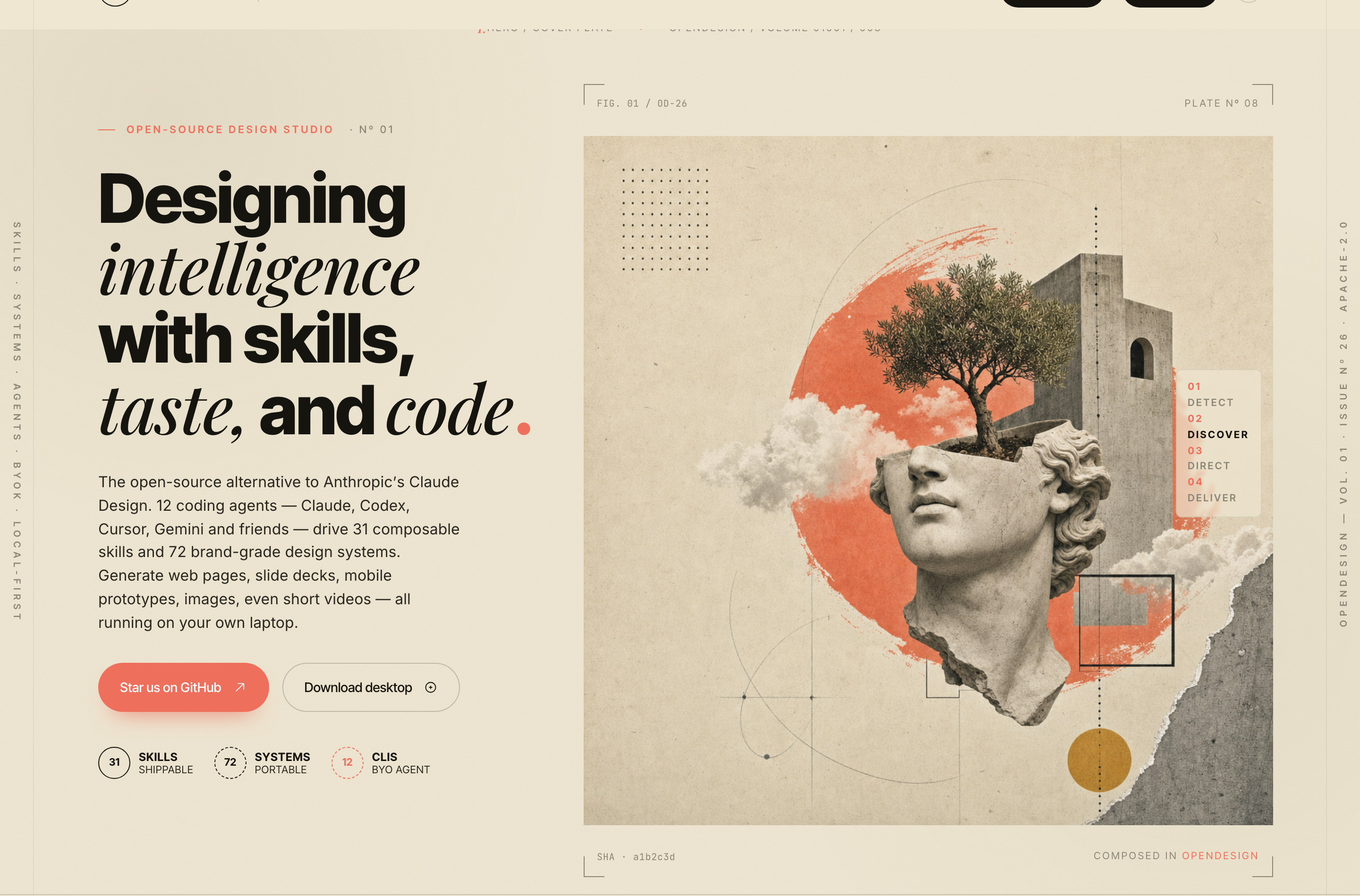
OpenDesign’s AI Design Studio Website Design turns a local-first studio concept into an editorial landing page that makes skills, experiments, and method easy to scan.
Website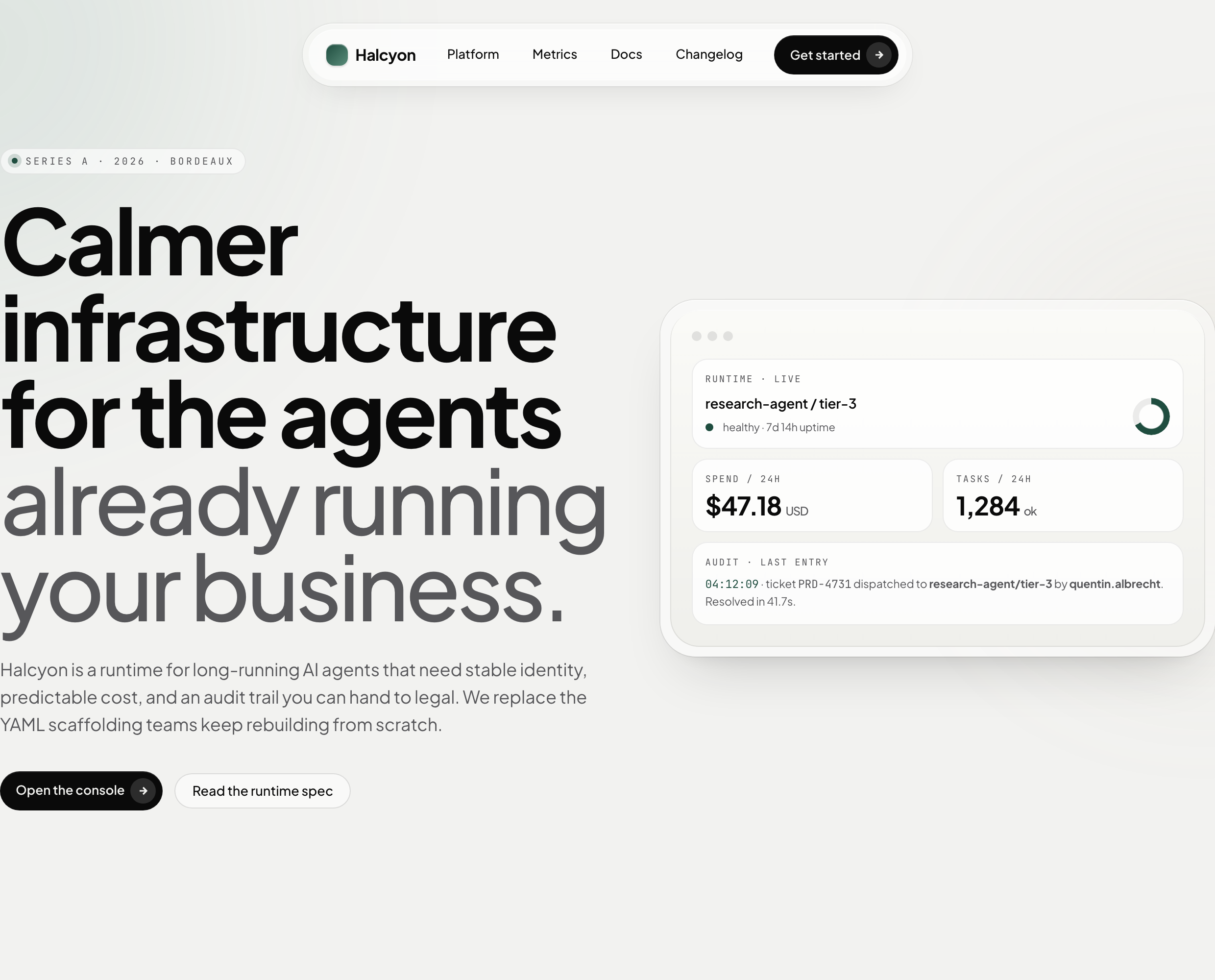
AI Infrastructure Website Design
A soft AI-infrastructure landing concept with sample runtime metrics, nested feature cards, subtle motion and a single sales invitation.
Website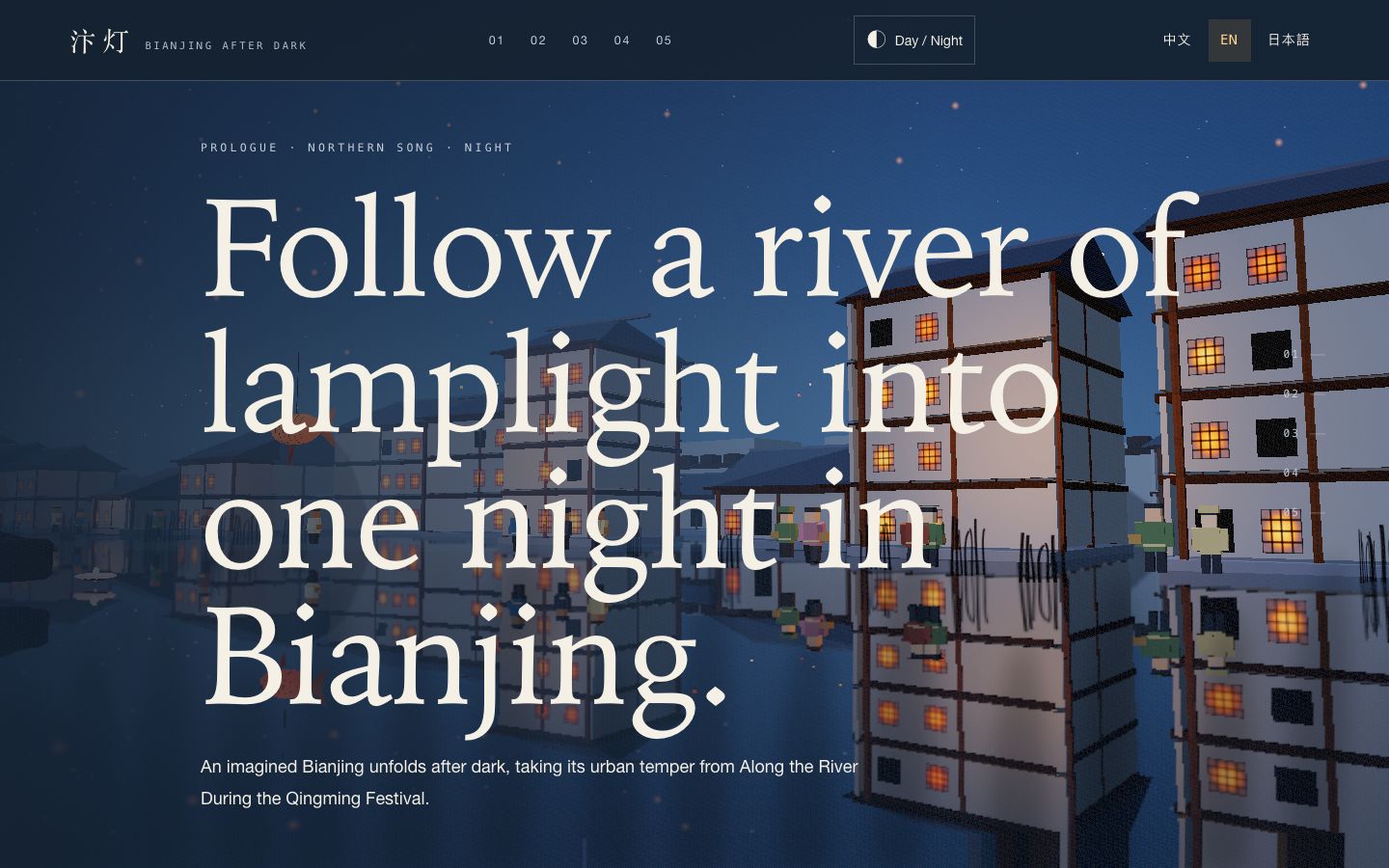
Bianjing Night Tour Website Design
An interactive night journey through an imagined Song-era Bianjing, combining a persistent river city, poetry, lanterns and multilingual chapter pacing.
Website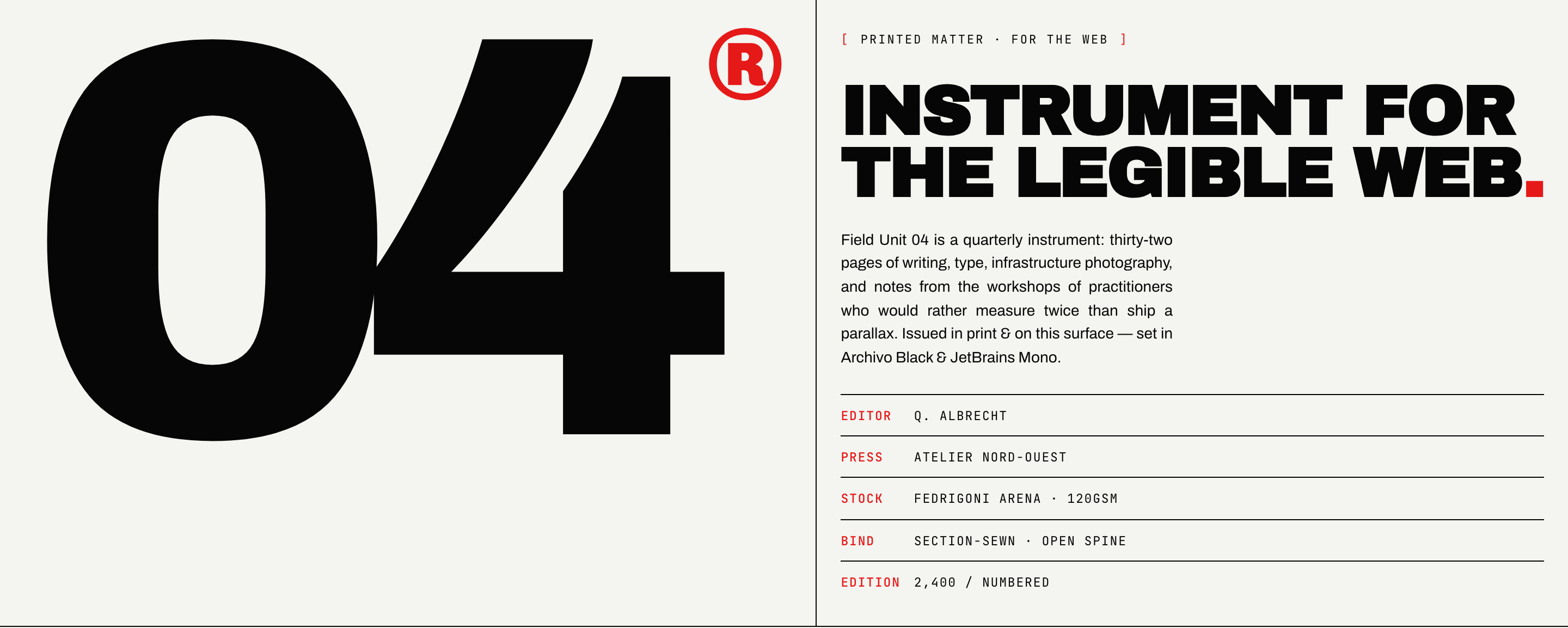
Brutalist Journal Website Design
Brutalist Journal Website Design turns a print-shaped issue into a legible web reading system, pairing bold type with measured editorial structure.
Website