

Website
Pomodoro Product Website Design
A focused Tomato landing page frames 25-minute work cycles through restrained typography, benefit-led sections, and a direct solo-to-team call to action.

Pomodoro Product Website Use Cases
- Product Landing PagesPresent a focused product promise before introducing supporting details.
- Productivity ToolsExplain timed work cycles without overwhelming the visitor.
- Solo And Team OffersMove from individual value to a concise pricing invitation.
Focus Landing Page Design Highlights
- Focused HeroA short headline establishes the central work rhythm.
- Benefit SequenceThree sections connect interruption control, review, and collaboration.
- Direct ConversionA final action pairs pricing context with one clear button.
The Pomodoro Website, Section by Section
1 / 3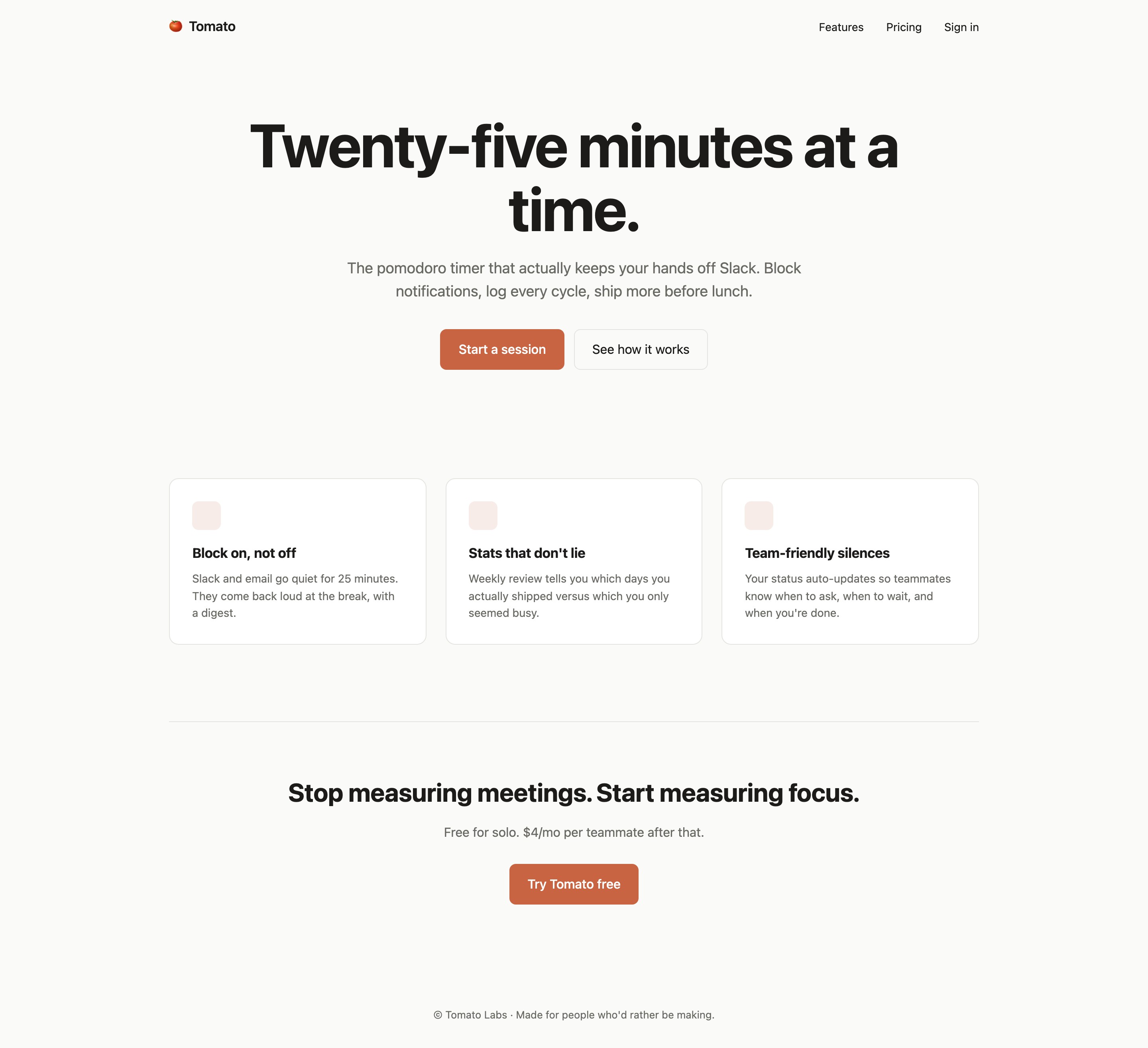
A Landing Page Built Around One Work Cycle
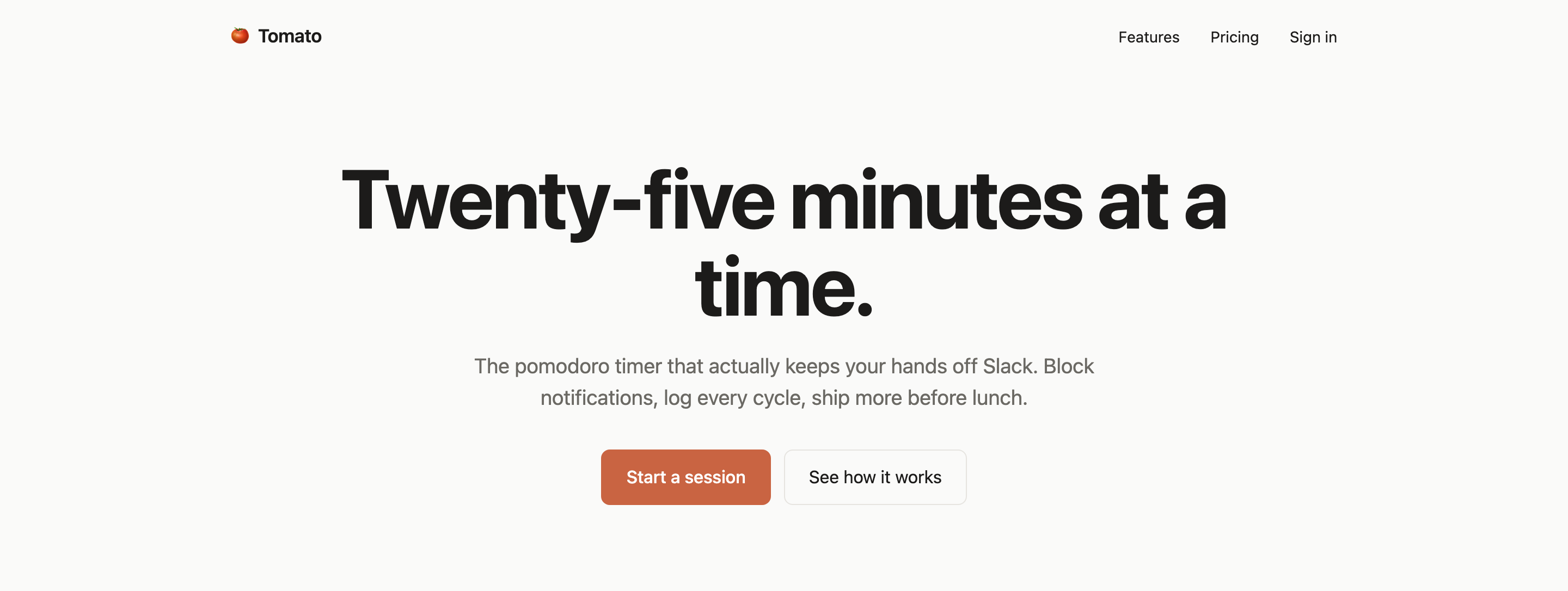
Tomato opens with the authored heading “Twenty-five minutes at a time.” The phrase makes the work interval the page’s organizing idea before the visitor sees any feature detail. Beneath it, the supporting line names the intended product frame: a Pomodoro timer associated with Slack, notifications, cycle logging, and shipping work before lunch.
The hero keeps the message centered and compact. The shipped CSS gives the hero paragraph a maximum width of 52ch and the heading a maximum width of 18ch, so the large title wraps into two lines while the explanation remains readable beneath it. That creates a strong entrance point, but it also makes the page dependent on disciplined copy length: longer claims would weaken the same composition.
Two visible actions follow: “Start a session” and “See how it works.” Their pairing distinguishes a primary invitation from a lower-commitment explanation. The controls are visible design elements; the supplied evidence does not establish that they submit, start a timer, or connect to a service.
The visual evidence supports a landing-page concept rather than verified product performance. Claims about focus, notification blocking, and shipping more work are presented as illustrative product copy.
Headline
The 18ch heading limit supports a two-line focal statement instead of a feature list.
Supporting Copy
The 52ch paragraph limit keeps the product framing narrower than the page canvas.
Actions
“Start a session” leads, while “See how it works” offers a softer route into the concept.
Three Reasons To Protect Focus
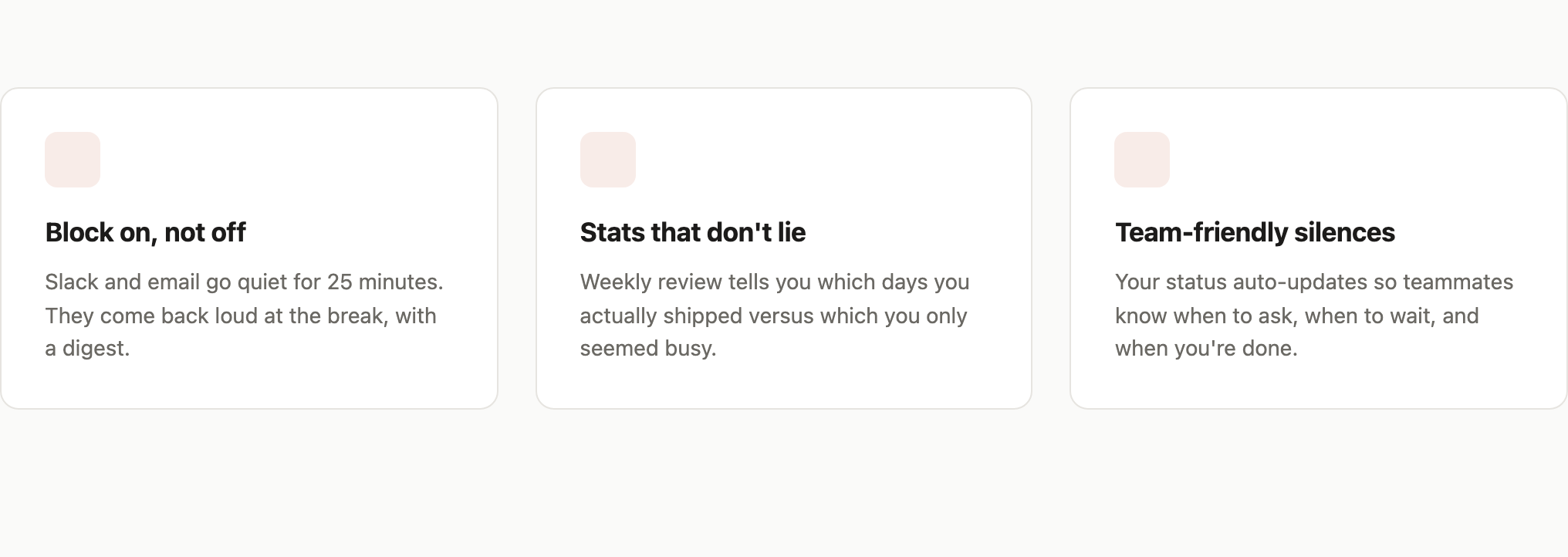
The feature area changes the page from promise to rationale through three side-by-side cards. Their order moves from interruption control to reflection and then to team coordination, giving the visitor a progression from personal focus to shared working context.
“Block on, not off” describes Slack and email going quiet for 25 minutes and returning with a digest at the break. The specific interval connects directly to the hero, while the return condition gives the silence a boundary. The page describes this as intended behavior; the capture does not verify notification access or digest delivery.
“Stats that don't lie” introduces a weekly review that distinguishes days when people “actually shipped” from days when they only seemed busy. This is a qualitative definition of the proposed review, not a measured result. It tells the reader what the design wants to compare without supplying fabricated chart data.
“Team-friendly silences” shifts from individual behavior to social signaling. Its text says status auto-updates so teammates know when to ask, wait, or recognize completion. The three cards are therefore related but not interchangeable: interruption timing, retrospective interpretation, and communication context each answer a different concern.
Interruption Boundary
The 25-minute quiet period and break digest define when silence starts and ends.
Review Lens
The weekly review frames shipped work against the feeling of being busy.
Team Signal
Status language explains when teammates should ask, wait, or recognize completion.
From Focus Promise To Pricing Action
The page is a continuous sequence of header, centered hero, three benefit cards, closing offer and footer. The header's Features link points to the real feature section, while Pricing and Sign in refer to missing pricing and login anchors. The later Try Tomato free button has no handler. The layout supplies orientation and a visual conversion path, but not working pricing, authentication or signup routes.
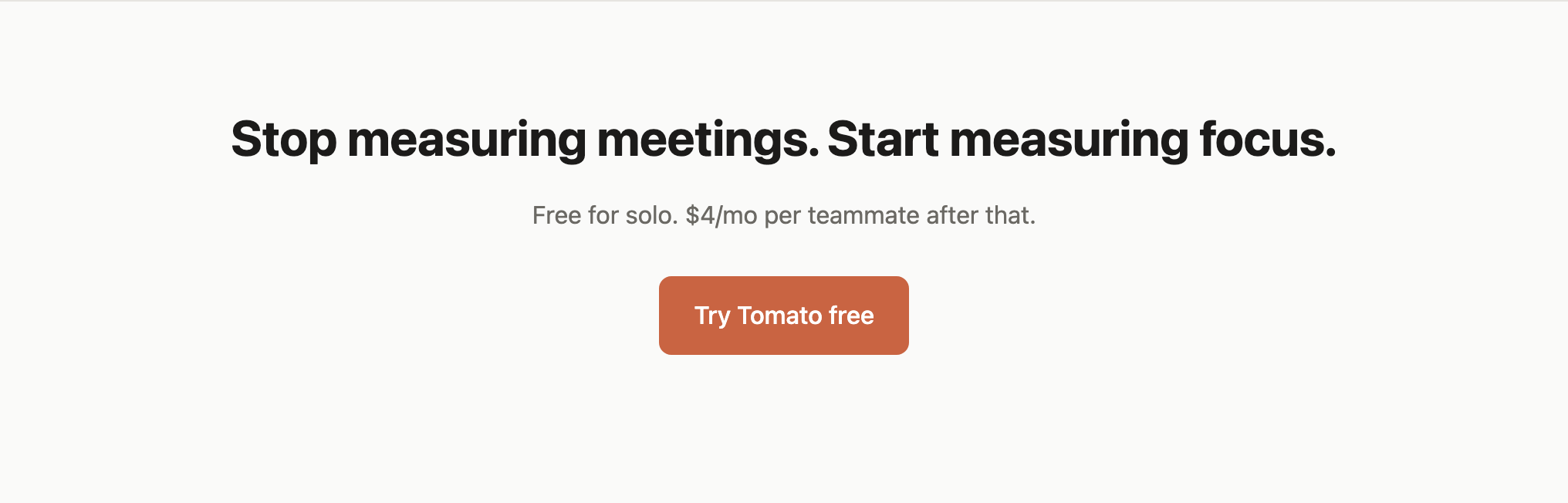
The closing section uses the line “Stop measuring meetings. Start measuring focus.” It reframes the product around the desired measurement rather than repeating the earlier timer language. Under it, “Free for solo. $4/mo per teammate after that.” supplies a simple audience split: an individual entry point followed by a team price.
The price statement is compact enough to preserve the closing section’s visual emphasis, but it leaves billing details unspecified. That tradeoff suits a concise showcase landing page while showing where a production page would need additional confirmed information. The orange action button, “Try Tomato free,” is the final visual endpoint; its presence does not prove a live signup flow.
| Stage | Visible Content | Reader's Task |
|---|---|---|
| Orientation | Features, Pricing, Sign in | Locate the benefit section; pricing and login destinations are not implemented. |
| Promise | Twenty-five minutes at a time. | Understand the work interval. |
| Rationale | Three benefit headings | Compare personal and team implications. |
| Action | Free for solo; $4/mo per teammate | Assess the stated offer and next step. |
Reading Order
The composition asks visitors to understand the interval first, evaluate three implications second, and consider the offer last. That order keeps pricing from defining the product before its intended use is explained.
Composition Tradeoff
The page uses generous whitespace and broad centered alignment to make the message feel deliberate. The cost is reduced information density, so every section must earn its position with a distinct idea.
Visible Design And Capability Boundaries
The Features link reaches the feature section through a native anchor. Pricing and Sign in point to IDs absent from the source. Start a session, See how it works and Try Tomato free have no event handlers, so they neither start a timer nor open signup flows. The design does not implement notification blocking, Slack/email integration, cycle history, weekly review or automatic team status.
The design can therefore be studied as a product landing-page pattern: establish a concrete interval, connect it to three use cases, and close with an audience-specific offer. Any recreation should preserve the distinction between visible interface and proposed behavior. Product claims and sample pricing should remain clearly attributable to the supplied concept unless independently verified.
How To Adapt The Pattern
Keep the opening interval specific, retain a three-part rationale with different user consequences, and place commercial detail after the visitor understands the proposed workflow. Replace the illustrative integrations or claims only when the new product can substantiate them.
How to Create Pomodoro Product Website Design in OpenDesign
Set The Landing Page Frame
Create a desktop product page with a compact header, centered hero, three benefit cards, a closing offer, and footer. Keep the hero heading near an 18ch width and the supporting paragraph near 52ch so the opening wraps like the reference.
Define The Focus Narrative
Use one concrete interval as the organizing idea, then write three distinct sections for interruption boundaries, weekly review, and team status. Keep the evidence chain visible: each section should explain a different consequence rather than repeat the same productivity claim.
Suggested PromptCreate a Tomato-inspired Pomodoro product website design with a centered hero titled “Twenty-five minutes at a time.”, supporting copy about a 25-minute work cycle, actions labeled “Start a session” and “See how it works,” three sections titled “Block on, not off,” “Stats that don't lie,” and “Team-friendly silences,” and a closing “Try Tomato free” action. Present integrations, notification blocking, analytics, and pricing as illustrative interface copy only; do not claim working services, storage, submissions, or measured outcomes.
Refine The Closing Offer
End with a distinct focus statement, a concise solo-versus-team price line, and one primary action. Check that the final section adds a decision point instead of restating the hero, and preserve enough whitespace for the closing message to remain the visual endpoint.
Export and Get a Share Link
Export your finished design, then use Share in OpenDesign to get a share link. Open the link in a separate browser window and check that the intended version and its assets are available before sending it.
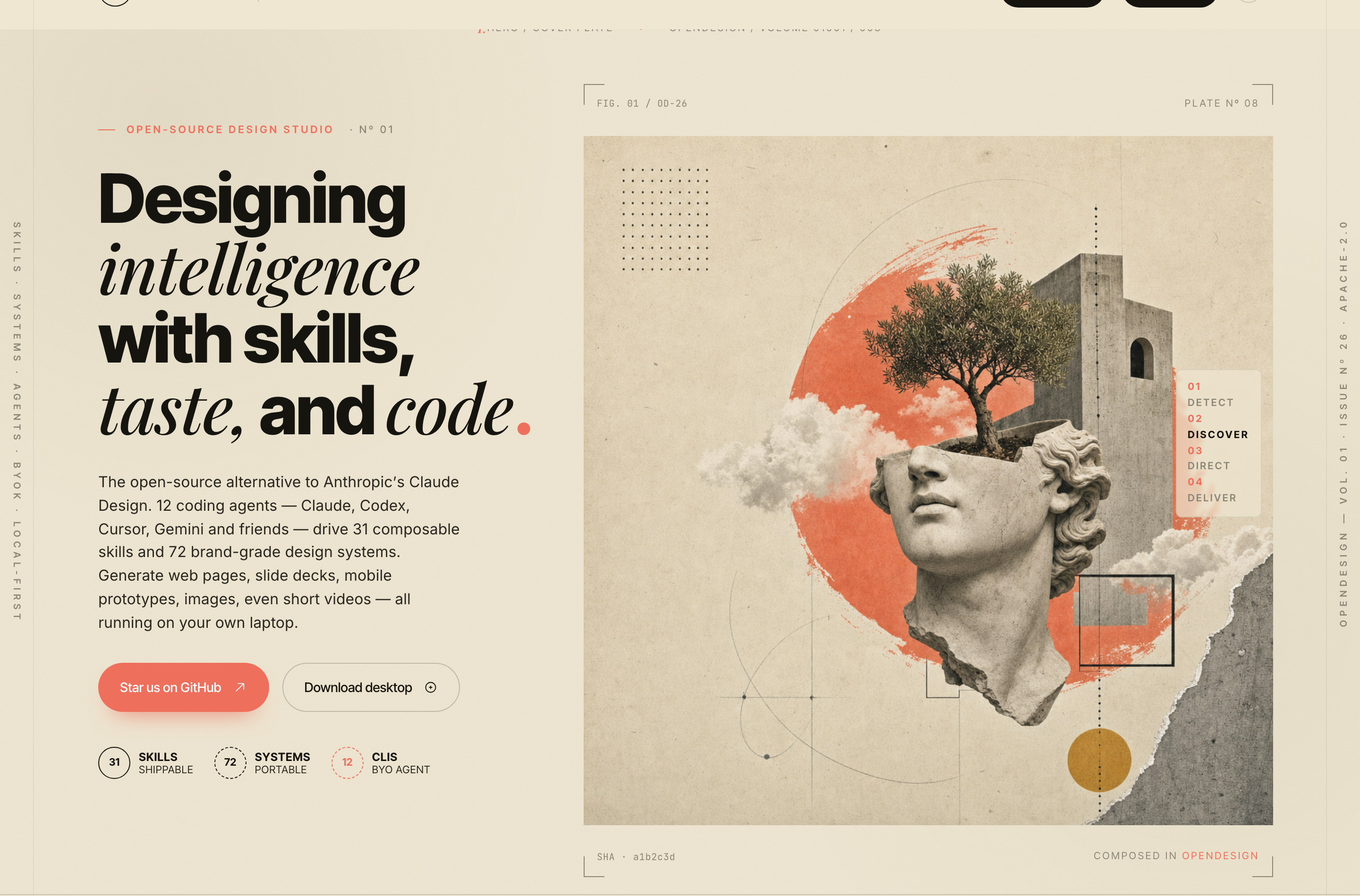
AI Design Studio Website Design
OpenDesign’s AI Design Studio Website Design turns a local-first studio concept into an editorial landing page that makes skills, experiments, and method easy to scan.
Website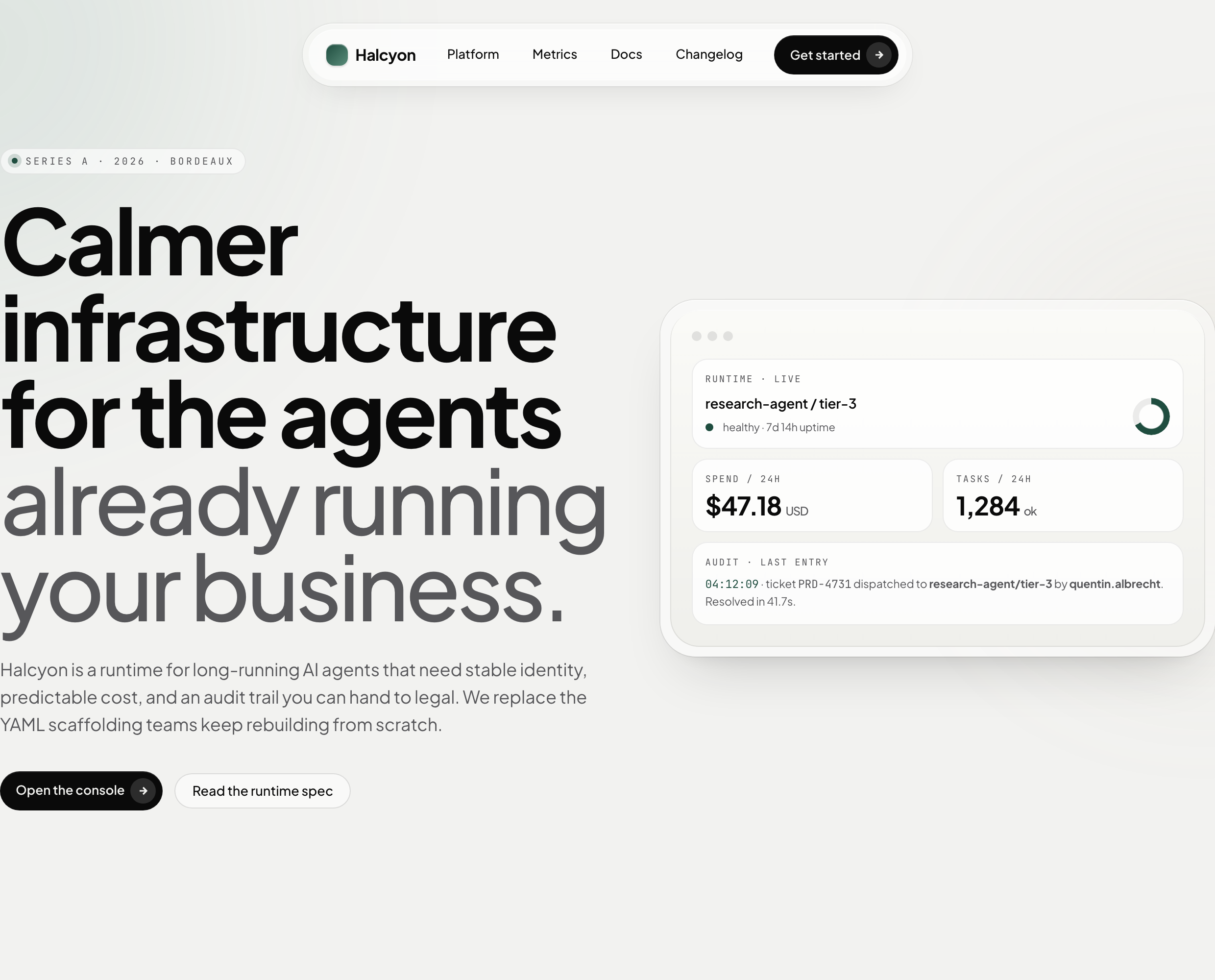
AI Infrastructure Website Design
A soft AI-infrastructure landing concept with sample runtime metrics, nested feature cards, subtle motion and a single sales invitation.
Website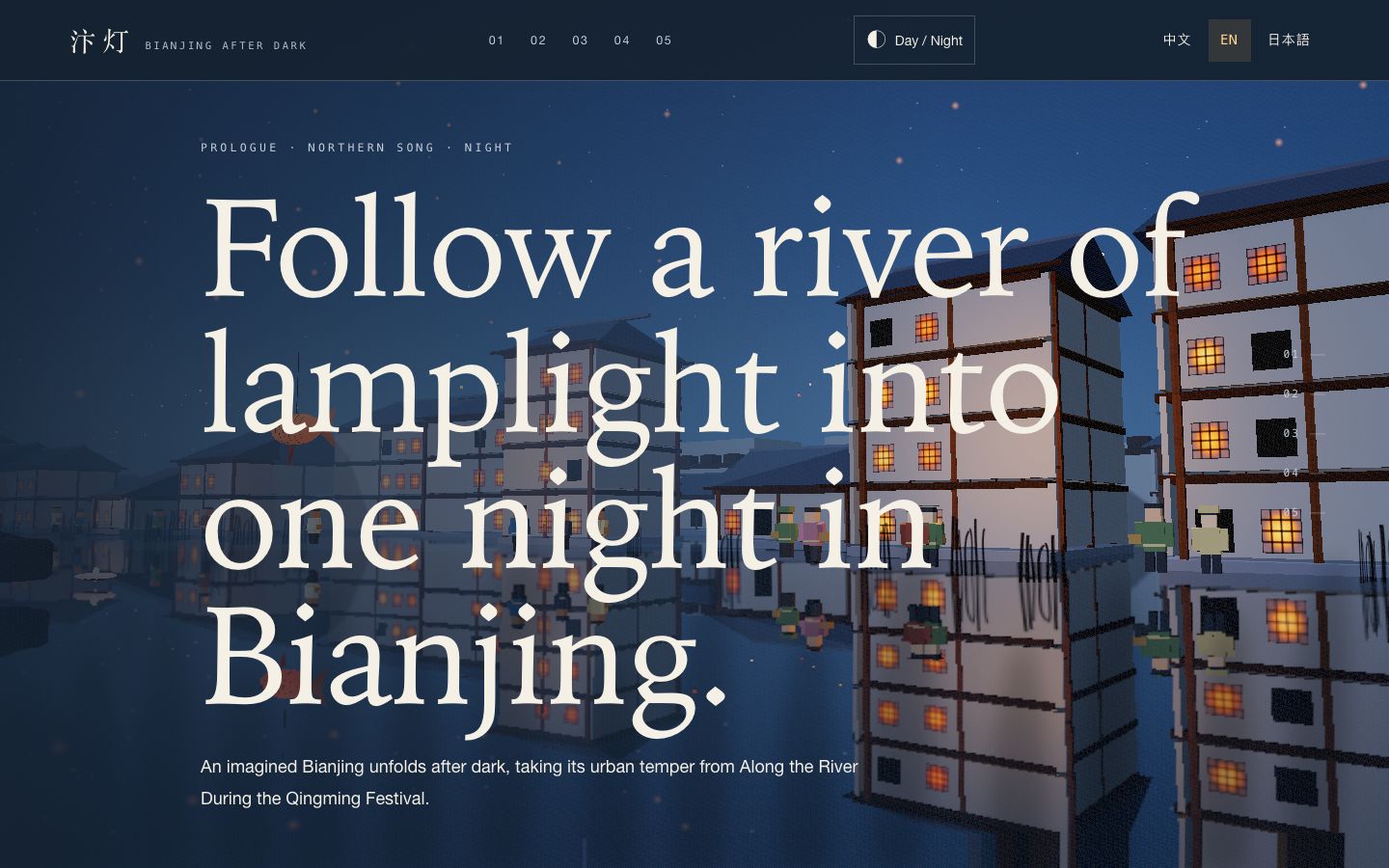
Bianjing Night Tour Website Design
An interactive night journey through an imagined Song-era Bianjing, combining a persistent river city, poetry, lanterns and multilingual chapter pacing.
Website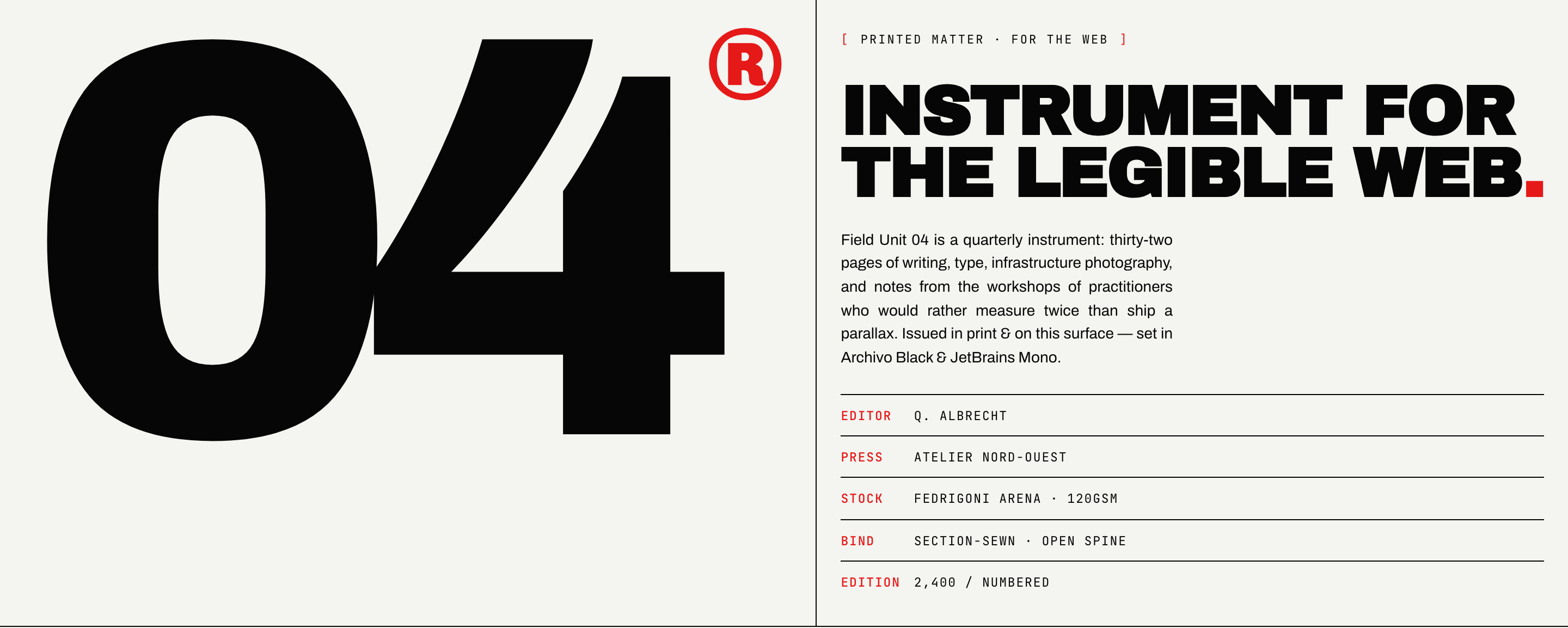
Brutalist Journal Website Design
Brutalist Journal Website Design turns a print-shaped issue into a legible web reading system, pairing bold type with measured editorial structure.
Website