

Graphics
Product Launch Email Design
A sneaker-launch email pairs an orange product illustration with oversized type, one shopping action, and four specifications on a narrow cream canvas.

Email Design Use Cases
- Single-Product LaunchesGive one product, one colorway, and one action the spotlight.
- Footwear CampaignsPair a product silhouette with a short set of specifications.
- Email Art DirectionExplore a narrow reading sequence before preparing a production email.
Launch Email Highlights
- Colorway-Led IllustrationThe Ember Flare shoe and orange headline share an accent.
- One Shopping ActionA dark button follows the product name and launch description.
- Specifications With UnitsWeight, heel stack, heel-to-toe drop, and cushioning stay labeled.
The Product Launch Email, Section by Section
1 / 4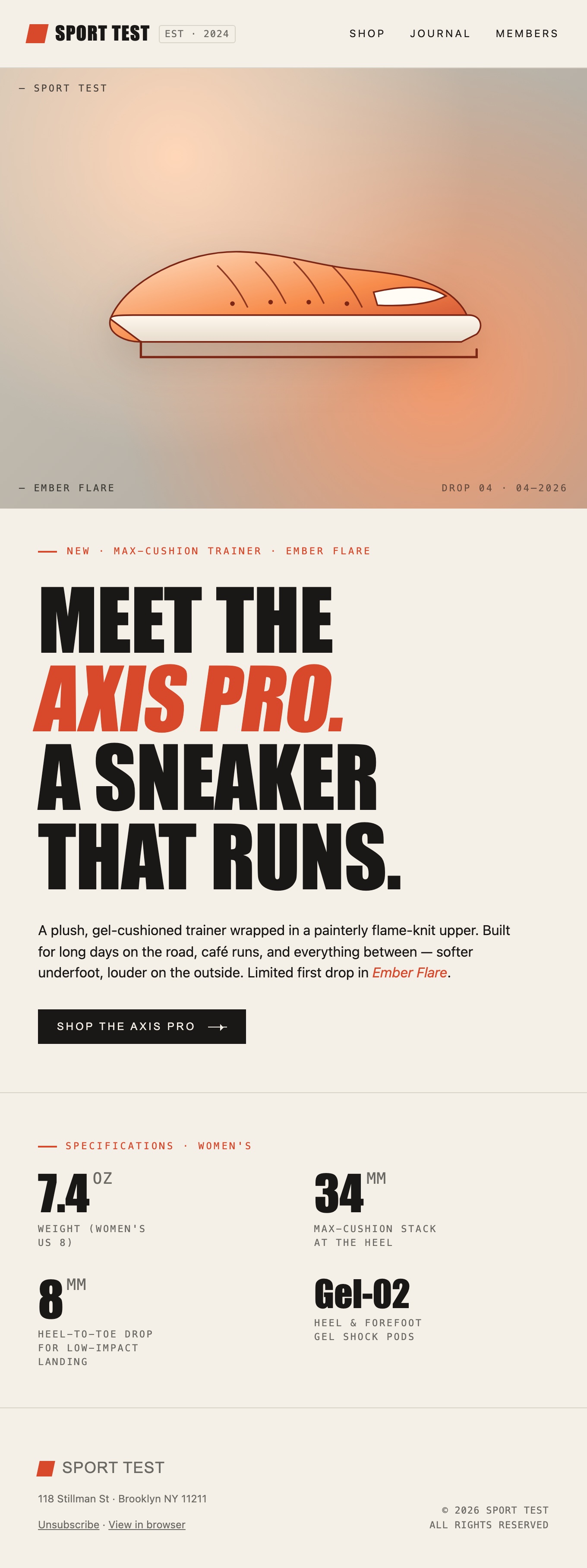
One Sneaker, One Vertical Reading Sequence
SPORT TEST is an illustrative footwear brand, and this HTML email introduces its Axis Pro sneaker in the Ember Flare colorway. The design does not open with a catalog or a grid of competing products. It moves from a compact masthead to one large product illustration, a launch message, a shopping action, a specifications grid, and a small subscription footer.
The email's maximum width is 680 pixels. A cream background connects the image, text, and technical details rather than treating them as separate promotional tiles. That narrow canvas gives the reader a predictable top-to-bottom path. It also means the oversized headline has to wrap deliberately; a short product name is part of what makes this composition work.
| Section | Visible Content | Role in the Launch |
|---|---|---|
| Masthead | SPORT TEST with Shop, Journal, and Members links. | Establishes the brand before the product reveal. |
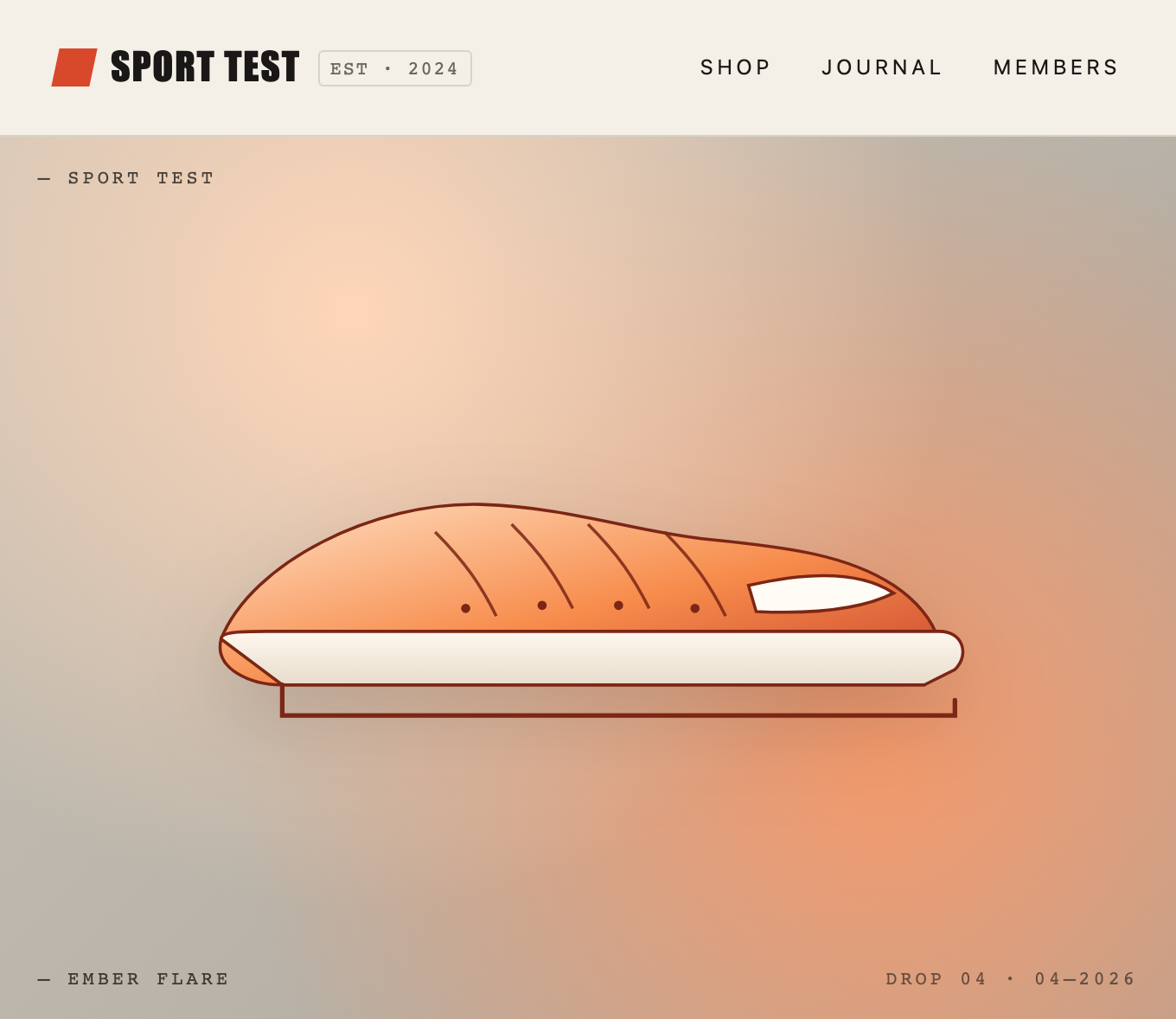
| Illustration | An orange shoe with Ember Flare and Drop 04 stamps. | Introduces the colorway before the reader reaches the product name. |
| Launch Message | Meet the Axis Pro, descriptive copy, and one dark shopping button. | Combines the product's identity, promise, and intended next action. |
| Specifications | Four labeled values above a small brand footer. | Adds technical detail after the main promotional message. |
Let the Colorway Lead the Art Direction
The shoe is a vector illustration, not a product photograph. Its orange upper, pale sole, and dark outline sit on a warm gradient. The visible Ember Flare stamp makes the color choice part of the product story. Below it, Axis Pro appears in orange italic type inside an otherwise dark uppercase headline, carrying that same accent into the message.
This is useful for a launch built around one recognizable silhouette or finish. The illustration can be simplified without competing with a busy environment, while the surrounding cream keeps the long email from becoming a solid block of orange. The tradeoff is product fidelity: a stylized vector can suggest texture and cushioning, but it cannot verify how a physical shoe actually looks.
A Color Name Beside the Product
Ember Flare appears in the illustration and in the launch copy. This ties the colorway to the message instead of using orange only as decoration. A campaign with several variants would need to make the selected variant equally explicit.
Scale Creates the Product Reveal
The shoe occupies most of the hero, while small stamps stay near the edges. The contrast makes the silhouette the first thing to notice. Long promotional labels would weaken that balance; the surrounding text is intentionally brief.
From a Large Headline to Measurable Details
The launch message reads “Meet the Axis Pro. A sneaker that runs.” Large condensed uppercase letters turn a short sentence into a substantial visual block. The orange italic product name separates the thing being launched from the rest of the statement. A smaller paragraph then gives the sample positioning before the dark Shop the Axis Pro button.
There is only one prominent shopping action in the message. The masthead links are much smaller, so they do not look like alternative primary actions. This makes sense for a single-product announcement, although a real campaign would still need working destinations and a deliberate decision about whether navigation belongs in the email at all.
| Displayed Value | Supporting Label | Why the Label Matters |
|---|---|---|
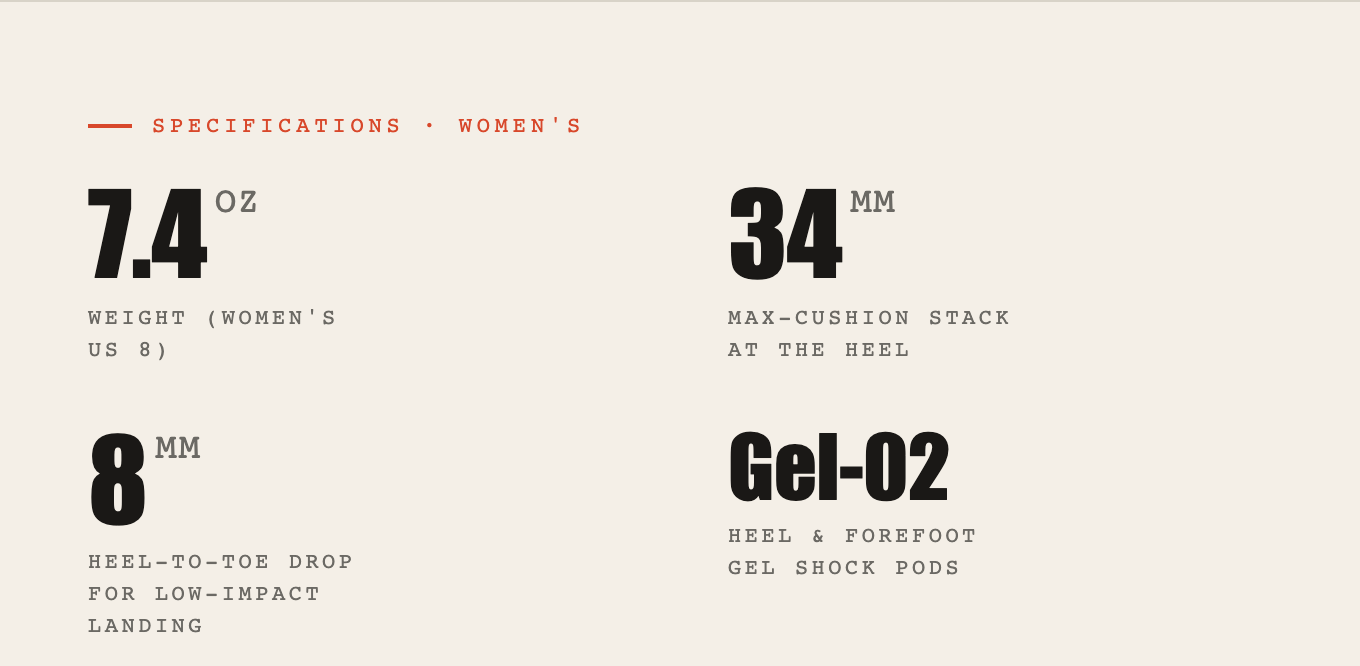
| 7.4 OZ | Weight, women's US 8. | The unit and sample size make the weight claim interpretable. |
| 34 MM | Maximum-cushion stack at the heel. | The location distinguishes stack height from the next measurement. |
| 8 MM | Heel-to-toe drop. | The same unit describes a different relationship, not another stack height. |
| Gel-02 | Heel and forefoot gel shock pods. | This is a component identifier, not a number on the same scale as the other values. |
An Email Design, Not a Delivered Campaign
This OpenDesign example demonstrates a browser-rendered HTML email concept. The product specifications, brand address, and launch language are illustrative. Shopping, subscription, and navigation links use placeholder destinations; no checkout, mailing list, delivery service, or unsubscribe workflow is supplied.
At a narrow viewport, the source hides masthead navigation and reduces padding and headline size. That shows a responsive browser treatment, not verified compatibility with email clients. The source uses modern flex and grid styling. Before sending a real campaign, prepare and test an email-compatible implementation, confirm the product claims, and connect the subscription links to the appropriate service.
How to Create a Product Launch Email Design in OpenDesign
Brief One Product and One Primary Action
Start with a product name, colorway, audience, and intended action. Supply your own verified specifications rather than retaining the illustrative Axis Pro values. The following prompt is a suggested recreation brief, not a claim about the original generation session.
Suggested PromptCreate a single-product launch email concept for my footwear brand. Use a narrow 680px cream canvas, compact brand masthead, warm 4:3 product illustration, oversized condensed headline with the colorway accent, one primary shopping button, four labeled specifications, and a restrained subscription footer. Use only the product facts I supply. Reduce padding and headline size for phones. Treat shopping and subscription links as placeholders until I provide real destinations; do not claim email-client compatibility or connected commerce.
Refine the Product Reveal and Headline
Keep the silhouette readable against the warm background, then check the headline with the actual product name. A longer name may need a different line break or less extreme scale. Keep the colorway accent visible without applying it to every text block.
Check Labels, Links, and the Narrow Layout
Review the four specifications with their units and qualifiers intact. Inspect the phone layout, replace every placeholder destination, and verify the subscription footer. If the design will be sent as email, handle email-client implementation and testing as a separate production step.
Export and Get a Share Link
Export your finished design, then use Share in OpenDesign to get a share link. Open the link in a separate browser window and check that the intended version and its assets are available before sending it.

AI Workflow Editorial Poster Design
AI Workflow Editorial Poster Design presents six illustrated workflow claims with numbered chapters, concrete prompt specimens, and cream-and-rust typography.
Graphics
AI Workflow Social Carousel Design
Seven portrait cards use oversized Chinese headings, numbered habits, changing color fields, and a closing statement to explain AI editing workflows.
Graphics
Aurora Field Shader Design
An automatically animated blue-green noise field gives a WebGL hero its atmosphere, while a fixed headline and small local frame-rate badge anchor the scene.
Graphics
Aurora Veil Shader Design
Aurora Veil is an interactive shader composition that turns layered light, stars, and cursor motion into an atmospheric WebGL hero.
Graphics