

Graphics
Raymarched Sculpture Shader Design
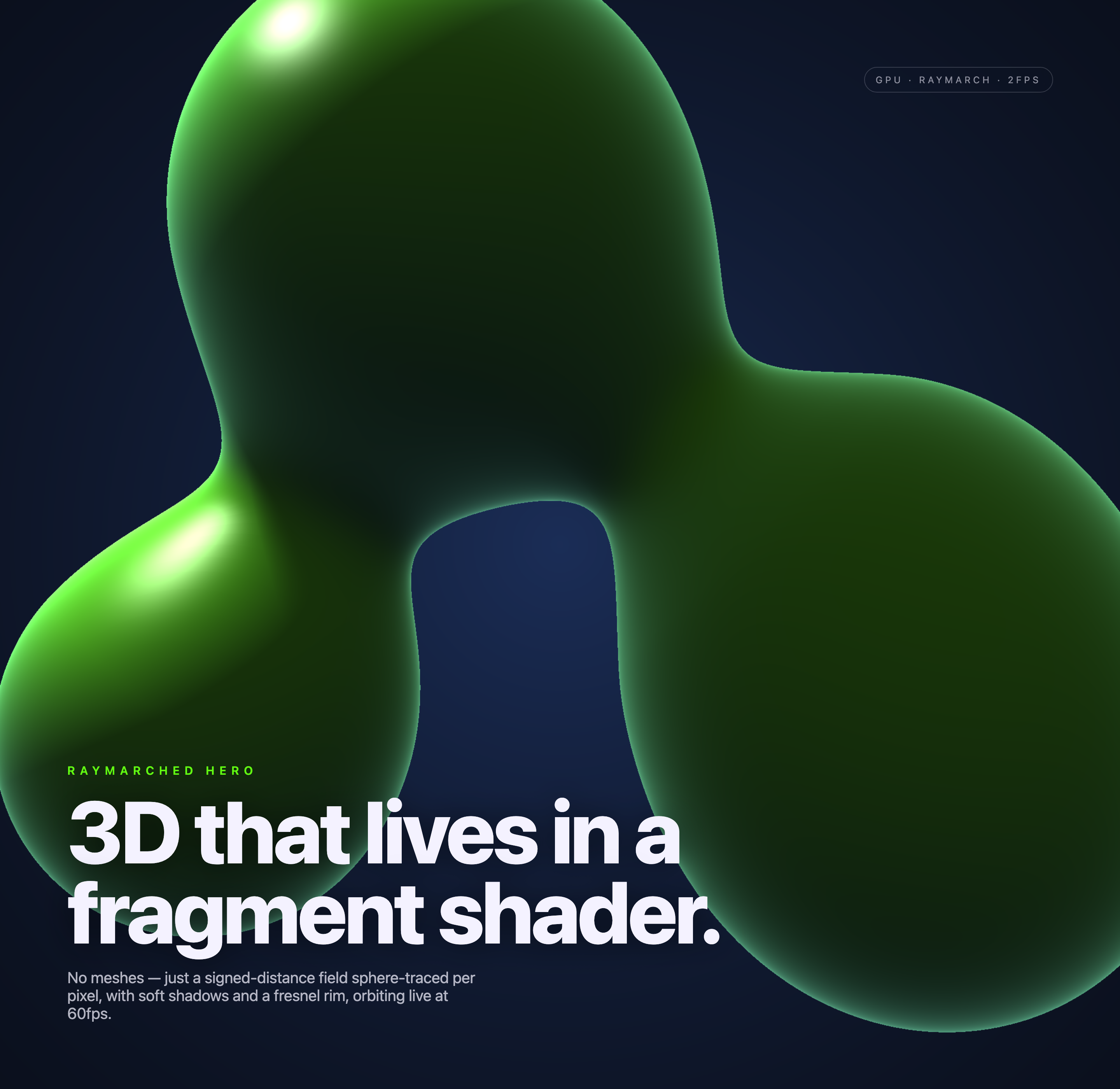
Five smoothly blended distance-field forms orbit on a navy canvas, with soft shadows, bright rims, a slow automatic camera orbit, and fixed typography.

Raymarched Art Use Cases
- Creative Technology ShowcasesPresent shader-based visual experiments as immersive opening compositions.
- WebGL Hero SectionsUse procedural motion to give a landing page a living focal point.
- Generative Art PortfoliosExplain signed-distance rendering through a visible, readable visual study.
Sculpture Shader Highlights
- Fragment-Shader SculptureShapes are rendered per pixel without conventional meshes.
- Orbiting CompositionMultiple green forms shift position across captured visual states.
- Soft Edge LightingBright rims and highlights describe volume against deep navy.
- Editorial OverlayLarge typography anchors the technical experiment as a hero.
Three Moments of the Raymarched Sculpture
1 / 3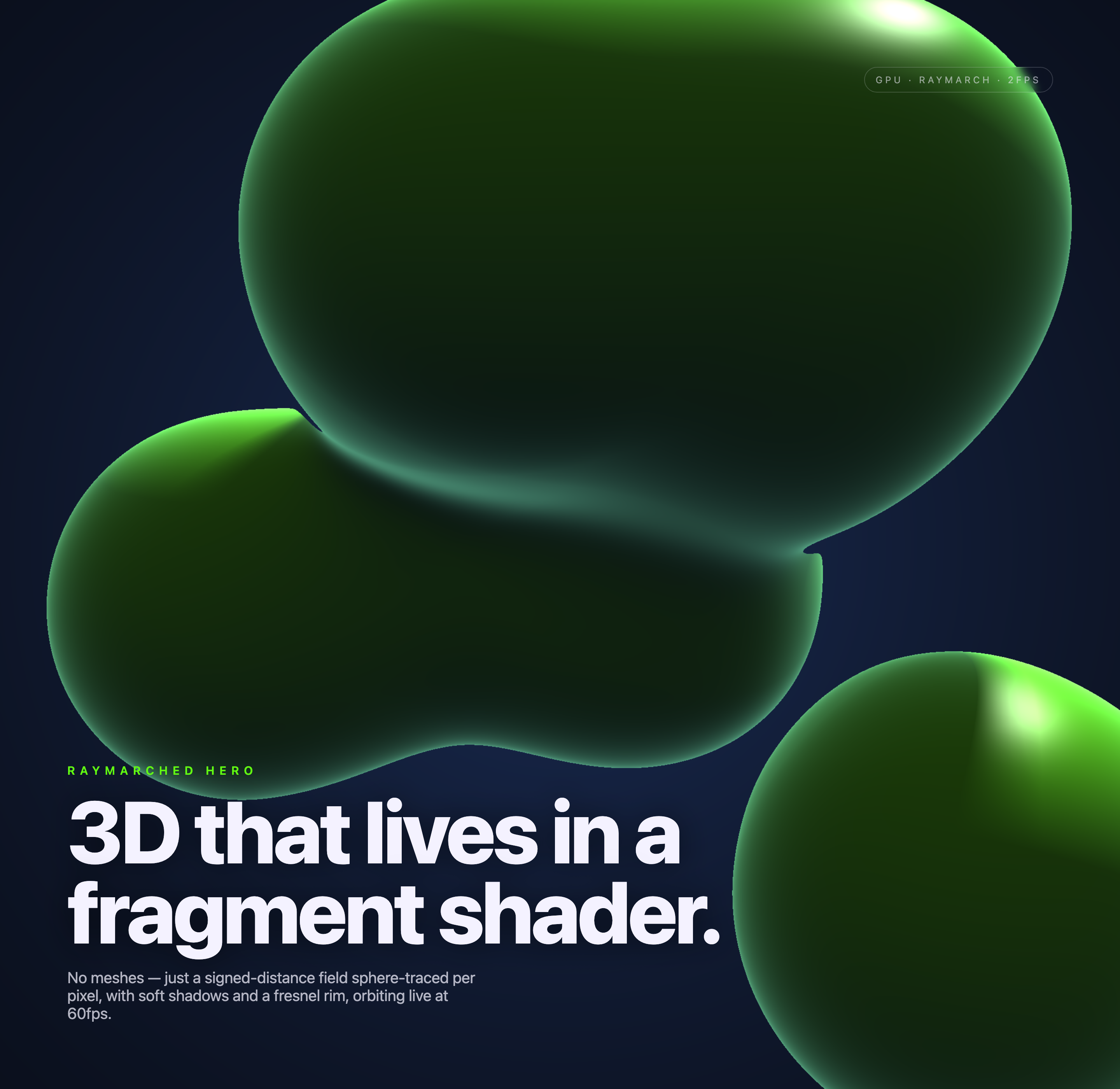
A Hero Built From Pixels
Raymarched Sculpture Shader Design presents a large green procedural form against a deep navy field. The visible heading, “3D that lives in a fragment shader.”, frames the image as a rendering study rather than a conventional 3D asset. That pairing lets a visitor understand the technical premise before inspecting the sculpture’s surface.
The fragment shader sphere-traces the smooth union of five sphere distance fields, whose centers orbit over time. A second, shorter trace estimates soft shadows; finite-difference normals support highlights and a Fresnel-style rim. A slow automatic camera orbit changes the view. The green forms look sculptural, but no sculpture mesh, image texture, or fluid simulation is supplied.
The design keeps the technical explanation below the oversized title: “No meshes” leads into the rendering method, then the stated orbiting motion. This ordering makes the visual idea legible at a glance, while the tradeoff is that the shader vocabulary assumes some familiarity with graphics programming.
Where The Composition Fits
This design is suited to a first-screen hero where atmosphere and technical identity matter more than dense navigation. The sculpture occupies most of the visual field, while the lower-left label and paragraph provide an entry point for readers who want to know what they are seeing.
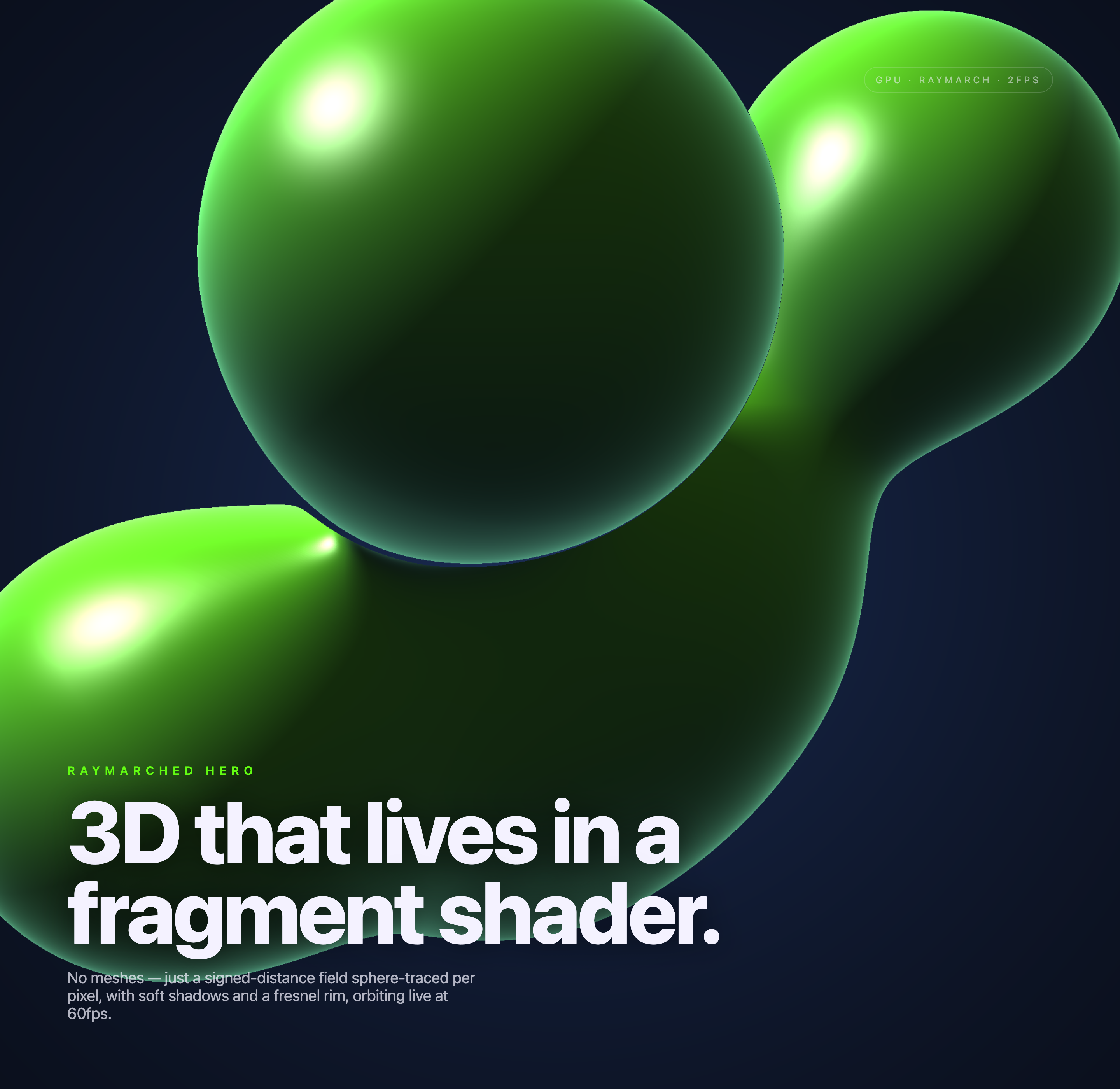
The three supplied states show the same textual system while the rendered forms change arrangement. One state centers a large rounded form, another introduces overlapping forms, and a third pushes a bright-edged form across the upper field. The repeated copy makes motion the subject rather than requiring controls or a gallery of separate scenes.
Technical Landing Pages
Use the composition to introduce graphics tooling, rendering research, or browser-based visual experiments before moving into implementation details.
Animated Art Openings
Use the changing field as a visual arrival state, keeping the title and short explanation stable while the procedural image supplies variation.
Technical Art Portfolios
Use the contrast between the technical badge and expressive sculpture to connect implementation language with an immediately visible outcome.
Reading The State Badge
The upper-right badge keeps its GPU and Raymarch labels and appends a locally calculated FPS estimate. The three captures read 2FPS in this environment, while the explanatory copy says 60fps. These are not equivalent evidence: the counter describes the capture session’s redraw cadence, and the source wording does not establish a portable performance guarantee.
Composition Through Light And Scale
The sculpture is deliberately oversized. In the first capture, its rounded body enters from the top and right edges, leaving navy negative space around the typography; later states bring several forms into closer contact. Cropping the forms at the viewport boundary makes the object feel larger than the page, but it also reduces the amount of contour a reader can inspect.
The green-to-near-black shading supplies the main depth cue. Bright spots sit near the upper-left or upper-right edges of the forms, while a pale rim follows selected contours. This gives the eye a path around the otherwise dark shapes. The tradeoff is contrast: the neon green is visually forceful, so the subdued technical paragraph must remain short and carefully placed.
The editorial layer uses a small uppercase “RAYMARCHED HERO” label, a very large two-line title, and a compact explanatory paragraph. The label establishes category, the title states the idea, and the paragraph names the technique. That three-level sequence is specific to this artifact because each text layer refers directly to the raymarched sculpture rather than describing a generic hero.
Start With The Field
Establish the dark navy canvas and a single oversized green form so the lighting model can be read before additional shapes compete for attention.
Add Volume Cues
Use soft shadows, concentrated highlights, and a restrained fresnel edge to describe the signed-distance form without introducing mesh-specific detail.
Place The Explanation
Keep the category label, main statement, and technical sentence in that order so the visual experiment remains understandable when motion is paused.
Capability Boundary
This official OpenDesign example contains a real local WebGL2 implementation, not just a mock rendering label. A fullscreen triangle runs a maximum 90-step sphere trace per pixel, stops at a 0.001 distance threshold or a range beyond eight, and uses up to 24 steps for soft shadows. These are source facts, not proof of production readiness or a connected service.
The scene and camera animate automatically. Resize is the only input event, and render DPR is capped at 1.5 to limit per-pixel work. There are no pointer, keyboard, camera-steering, material-editing, or parameter controls. The local FPS estimate updates in roughly half-second windows; neither it nor the source’s 60fps wording establishes a cross-device benchmark.
Verified In The Artifact
The source implements five smooth-unioned distance forms, sphere tracing, soft shadows, specular and rim lighting, and automatic camera movement; the captures show the resulting green sculpture and fixed overlay.
Still Proposed Or Unverified
Performance across devices, connected services, production deployment, and any user-controlled camera or material editing are not established by this sample.
How to Create Raymarched Sculpture Shader Design in OpenDesign
Define The Raymarched Hero
Set the subject as a dark navy hero canvas with an oversized green signed-distance sculpture, a small technical badge, and lower-left editorial typography.
Suggested PromptCreate an automatically animated WebGL2 hero on a dark navy canvas. Sphere-trace a signed-distance field made from five orbiting spheres with smooth unions, then add soft shadows, specular highlights, and a Fresnel-style rim. Slowly orbit the camera without pointer controls. Overlay RAYMARCHED HERO, the statement “3D that lives in a fragment shader.”, and a concise technical description at lower left. Keep a small GPU/Raymarch badge and local frame-rate estimate. Do not promise 60fps or imply connected services.
Refine The Rendered States
Compare at least three visual states: one dominant cropped form, one overlapping arrangement, and one alternate close composition. Check that highlights remain readable and the navy field still separates the silhouette.
Check The Editorial Balance
Keep the category label, oversized two-line statement, and concise shader explanation anchored in the lower-left region. Confirm that the sculpture can change position without obscuring the title or turning the technical badge into a performance claim.
Export and Get a Share Link
Export your finished design, then use Share in OpenDesign to get a share link. Open the link in a separate browser window and check that the intended version and its assets are available before sending it.

AI Workflow Editorial Poster Design
AI Workflow Editorial Poster Design presents six illustrated workflow claims with numbered chapters, concrete prompt specimens, and cream-and-rust typography.
Graphics
AI Workflow Social Carousel Design
Seven portrait cards use oversized Chinese headings, numbered habits, changing color fields, and a closing statement to explain AI editing workflows.
Graphics
Aurora Field Shader Design
An automatically animated blue-green noise field gives a WebGL hero its atmosphere, while a fixed headline and small local frame-rate badge anchor the scene.
Graphics
Aurora Veil Shader Design
Aurora Veil is an interactive shader composition that turns layered light, stars, and cursor motion into an atmospheric WebGL hero.
Graphics