

Graphics
Voronoi Shader Design
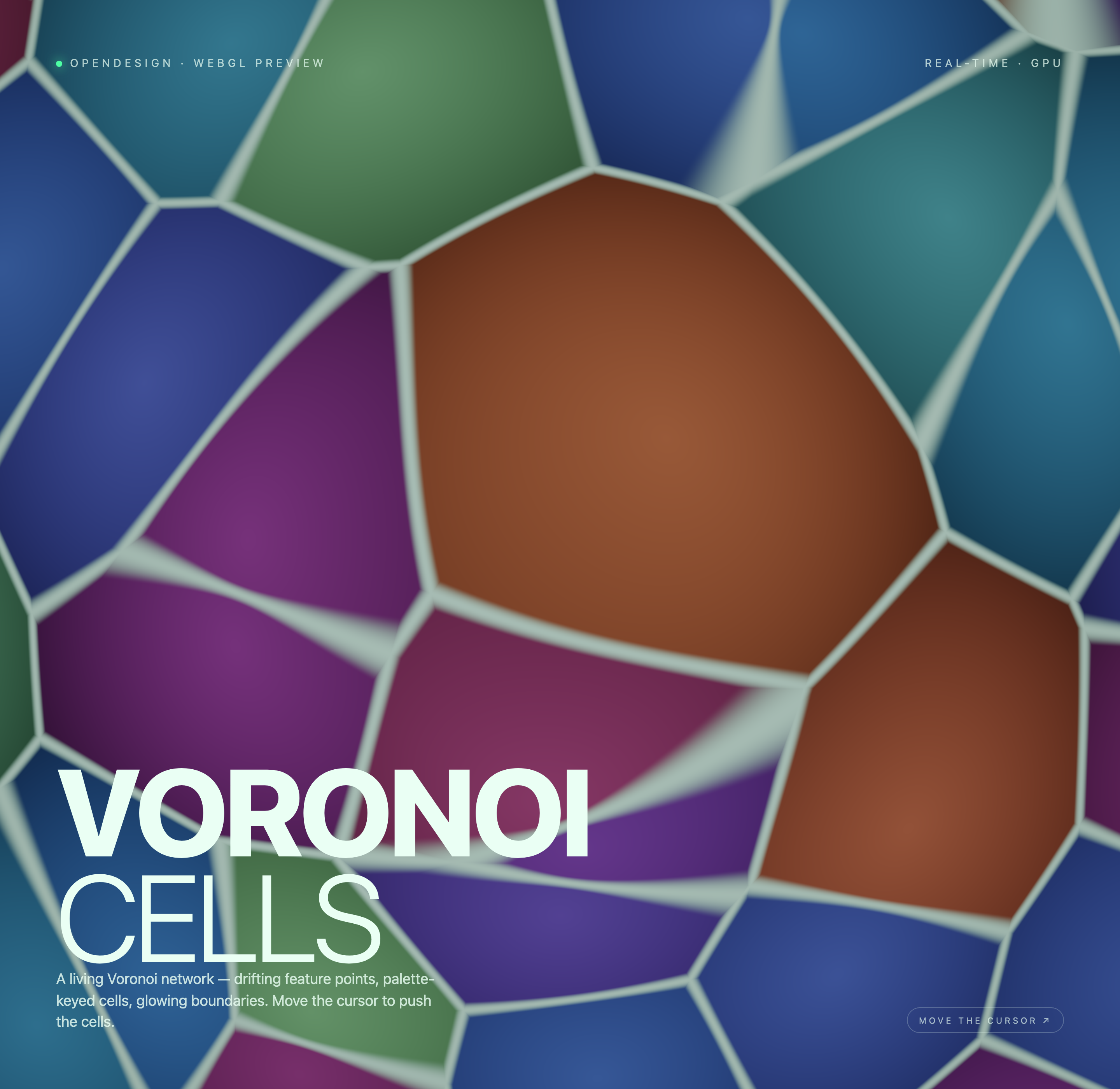
Irregular colored cells drift across a WebGL2 canvas, with pale glowing boundaries, smoothed pointer distortion, and oversized fixed typography.

Voronoi Art Use Cases
- Interactive WebGL BackgroundsFull-canvas visual fields that respond to local pointer movement.
- Generative Art StudiesShader-led compositions built from color, motion, and spatial division.
- Experimental Landing PagesAtmospheric opening screens where typography sits over evolving graphics.
Cell-Network Highlights
- Full-Canvas NetworkVoronoi cells fill the viewport behind the overlay.
- Palette-Keyed CellsBlue, green, purple, teal, and brown regions separate the field.
- Glowing BoundariesPale borders make neighboring cells legible.
- Cursor InfluencePointer movement is presented as a local push interaction.
Three Moments of the Voronoi Field
1 / 3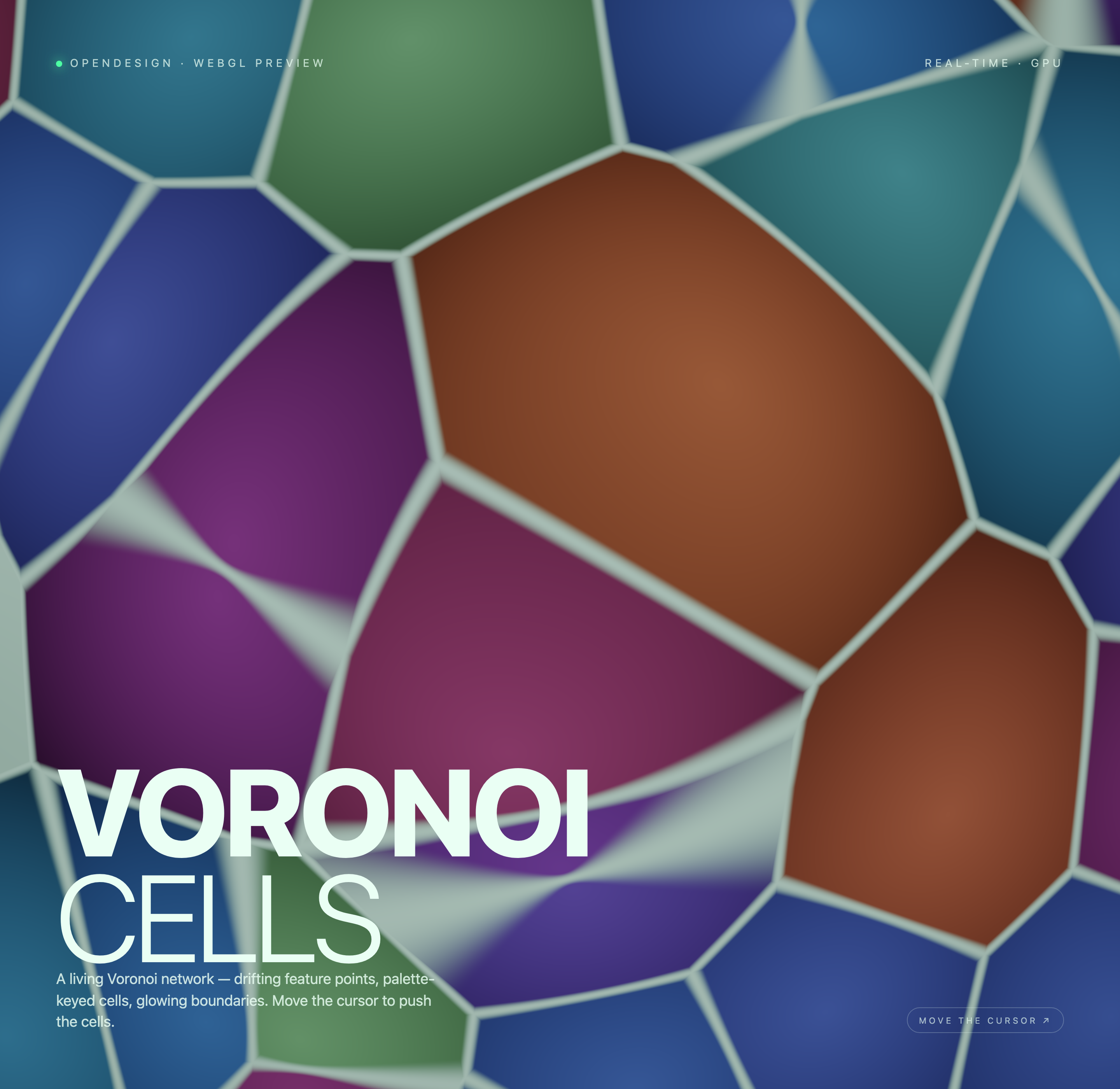
A Full-Canvas Voronoi Field
Voronoi Shader Design is an official OpenDesign graphic example centered on one animated WebGL canvas. The authored heading reads “VORONOI CELLS,” while the supporting line describes “drifting feature points, palette-keyed cells, glowing boundaries.” Together, those labels establish the visual premise before the viewer interacts with it.
The composition uses the canvas as the page surface rather than placing the artwork in a framed panel. Large irregular cells extend beyond the viewport, so the field feels continuous at the edges. The tradeoff is that the artwork supplies atmosphere and scale, while the design exposes little room for secondary content or conventional navigation.
Visible Structure
Pale shared borders divide differently colored polygonal regions, allowing the viewer to read adjacency and scale.
Reading Order
The upper labels identify the preview, the oversized lower-left heading names the subject, and the lower-right prompt introduces interaction.
Where This Design Fits
This design is suited to contexts where visual discovery matters more than dense information: an experimental landing-page opening, a generative-art study, or a WebGL demonstration. The phrase “WEBGL PREVIEW” identifies the work as a visual preview, while “REAL-TIME · GPU” frames the rendering technique in the interface.
Because the source shows one full canvas and no authored controls in static markup, the strongest use is a focused visual moment rather than a control-heavy tool. Adding menus, metrics, or content sections would require a new information architecture and could compete with the deliberately oversized artwork.
Opening Screen
Use the composition as a first visual field when the page needs immediate graphic presence and a short statement.
Interaction Study
Use the pointer cue to explore local coordinate distortion in the animated field, without treating the cells as simulated physical objects.
Visual Reference
Use the palette and boundary treatment as a study for shader-based backgrounds, not as proof of production performance.
Typography Over Moving Geometry
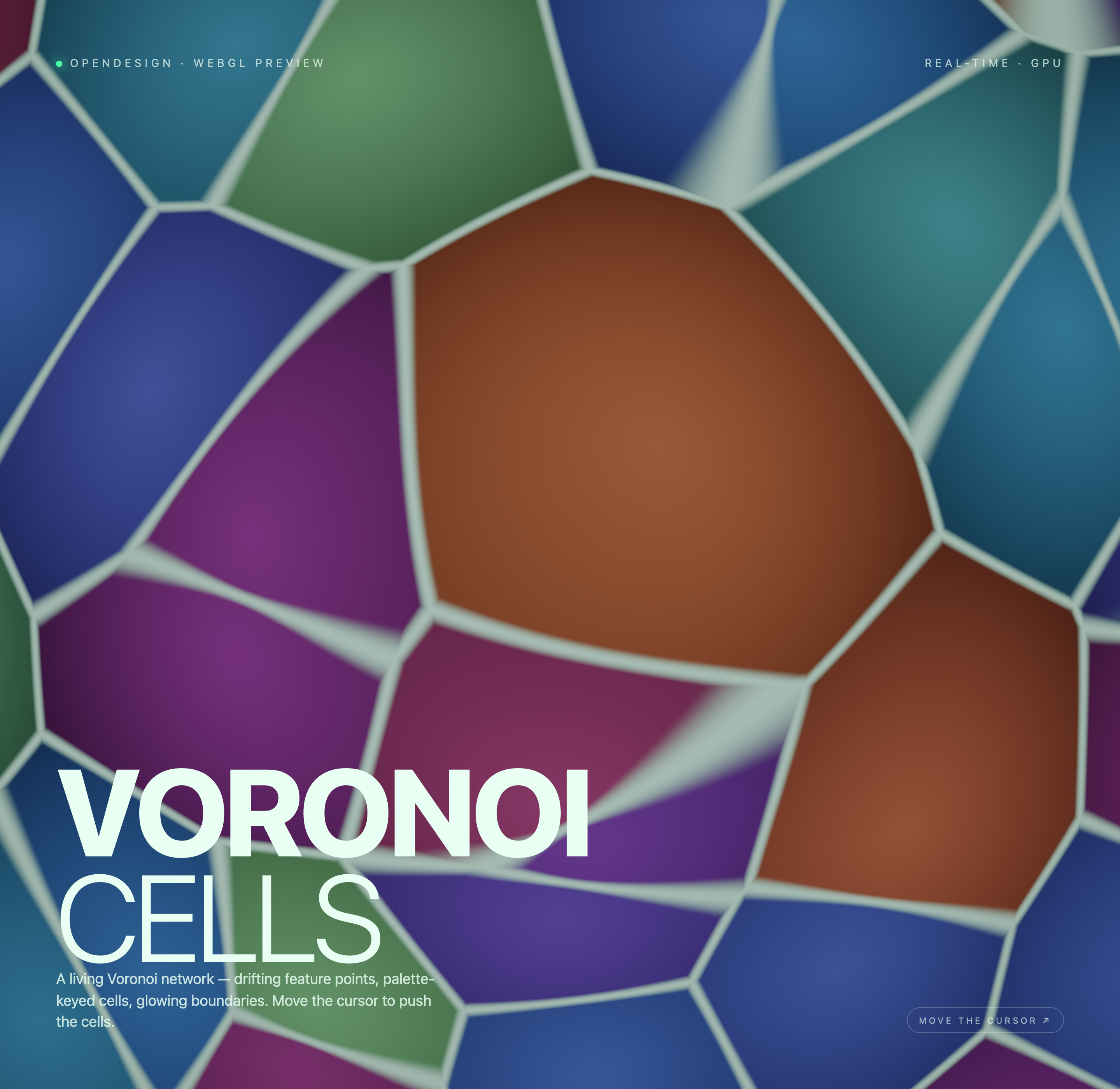
The typography is intentionally large and anchored low on the left. “VORONOI” occupies the dominant line, with “CELLS” below it, while the explanatory sentence sits underneath in smaller text. This scale makes the subject legible against a busy field, but it also means the artwork must maintain enough contrast behind the letterforms.
The fragment shader checks a three-by-three neighborhood of feature points, which drift with elapsed time. The nearest point identifies each cell’s palette, while the difference between nearest and second-nearest distances highlights shared boundaries. A Gaussian-weighted pointer warp changes sampled coordinates; it does not move a physics mesh or simulate cells colliding.
Heading Scale
The oversized two-line title keeps the subject identifiable even when the cell geometry changes behind it.
Edge Labels
Small uppercase labels define the preview context and rendering concept without competing with the main title.
Overlay Placement
The upper-left “OPENDESIGN · WEBGL PREVIEW” label and upper-right “REAL-TIME · GPU” label create a wide frame around the canvas. The bottom-right “MOVE THE CURSOR ↗” prompt balances the large lower-left title and points toward the interaction without adding a conventional button workflow.
Visible Motion And Capability Boundaries
The three captures show one full-canvas composition at different moments, not separate screens. The source implements continuous feature-point drift and local pointer distortion. Both normalized pointer coordinates ease toward their target by 0.06 per frame before influencing the shader. The lower-right cursor badge is a static cue, not a button, and no click, drag, or configuration panel is required.
The evidence does not establish connected services, stored data, measured performance, or a production deployment. It also does not establish that every depicted rendering claim applies across devices. Read this artifact as a design and implementation example whose visible strength is the relationship between shader geometry, color, overlay typography, and local input.
Separate Observation From Behavior
Record the visible polygon field, pale boundaries, color regions, and overlay text as design decisions; treat cursor response and animation as locally evidenced behavior rather than a service capability.
Preserve The Tradeoff
Keep the canvas visually dominant when adapting the composition, but test whether the title and supporting copy remain readable as cell edges and color fields move beneath them.
How to Create Voronoi Shader Design in OpenDesign
Establish The Canvas And Overlay
Create one full-viewport WebGL canvas, then place a small preview label at the upper left, a rendering label at the upper right, and a large two-line title with supporting copy near the lower left.
Shape The Cell System
Refine the Voronoi field around irregular polygonal regions, pale shared boundaries, and a palette that includes blue, green, purple, teal, and brown areas. Check that the title remains readable over the busiest geometry.
Add Local Pointer Motion
Ease both normalized pointer coordinates toward their target and use a distance-weighted warp to influence the sampled field. Keep the lower-right cue static and describe the effect as local distortion, not cell physics. Do not add connected services, stored state, or measured performance claims.
Suggested PromptCreate a full-canvas WebGL Voronoi Cells design with drifting feature points, palette-keyed blue, green, purple, teal, and brown cells, pale glowing boundaries, an upper-left “OPENDESIGN · WEBGL PREVIEW” label, an upper-right “REAL-TIME · GPU” label, a large lower-left “VORONOI CELLS” heading, supporting copy about drifting feature points and cursor-led motion, and a lower-right “MOVE THE CURSOR” prompt. Use local pointer influence only and do not invent backend services, stored data, performance metrics, or extra controls.
Export and Get a Share Link
Export your finished design, then use Share in OpenDesign to get a share link. Open the link in a separate browser window and check that the intended version and its assets are available before sending it.

AI Workflow Editorial Poster Design
AI Workflow Editorial Poster Design presents six illustrated workflow claims with numbered chapters, concrete prompt specimens, and cream-and-rust typography.
Graphics
AI Workflow Social Carousel Design
Seven portrait cards use oversized Chinese headings, numbered habits, changing color fields, and a closing statement to explain AI editing workflows.
Graphics
Aurora Field Shader Design
An automatically animated blue-green noise field gives a WebGL hero its atmosphere, while a fixed headline and small local frame-rate badge anchor the scene.
Graphics
Aurora Veil Shader Design
Aurora Veil is an interactive shader composition that turns layered light, stars, and cursor motion into an atmospheric WebGL hero.
Graphics