

Graphics
Halftone Shader Design
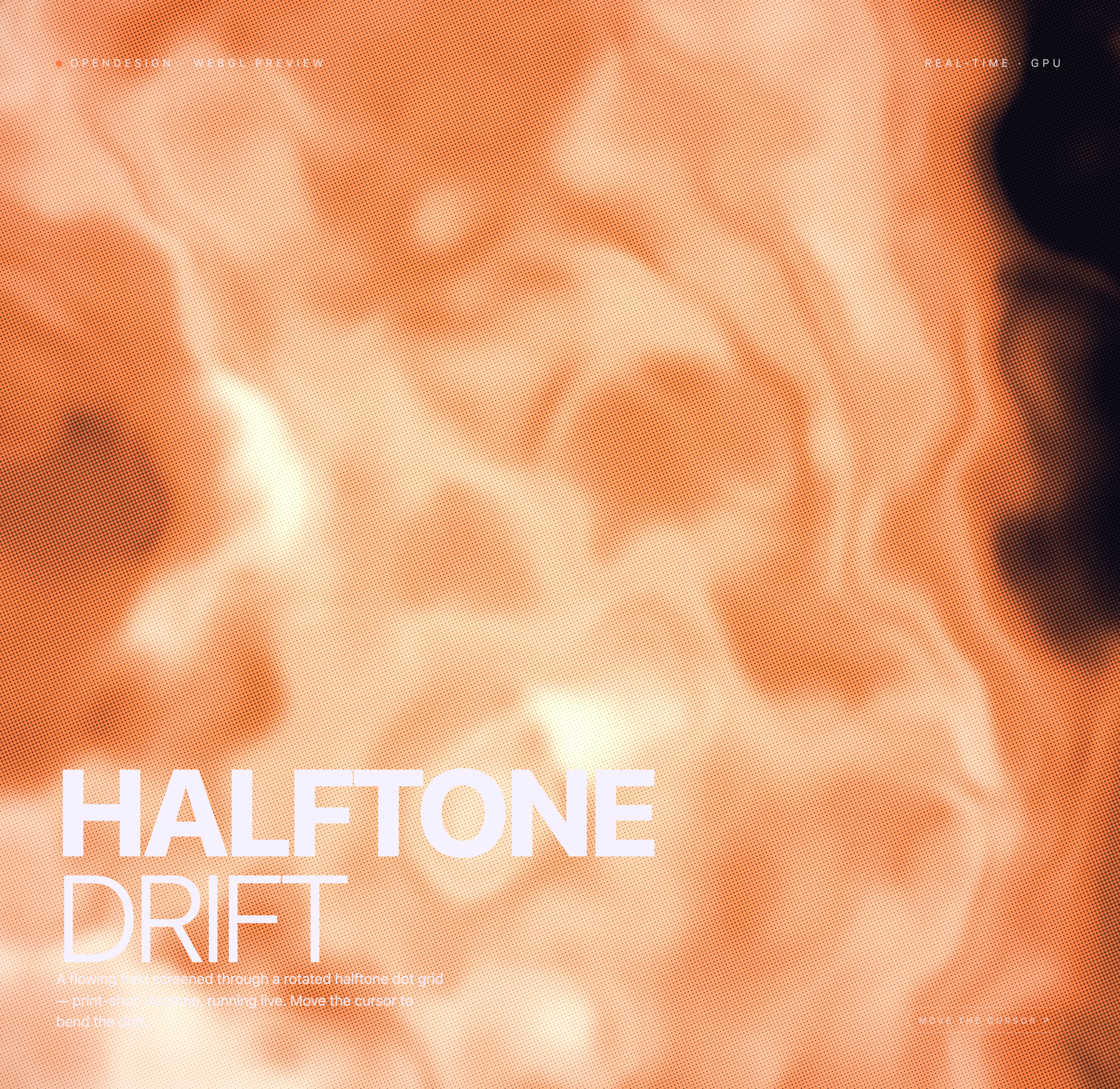
A rotated dot screen turns an orange and cream flowing field into print-inspired texture, with smoothed pointer influence and fixed lower-left typography.

Halftone Art Use Cases
- Interactive Visual ExperimentsExplore movement, texture, and interaction in a focused canvas.
- WebGL Landing ExperiencesBuild atmospheric opening screens around GPU-rendered visual systems.
- Generative Art StudiesStudy how procedural fields become tactile graphic compositions.
Dot-Screen Highlights
- Rotated Dot GridScreens the field with a print-shop halftone texture.
- Print-Inspired PaletteUses warm orange, pale highlights, and dark regions.
- Cursor ResponseLets pointer movement bend the visual drift locally.
- Full-Canvas MotionKeeps the animated field behind a restrained text overlay.
Three Moments of the Halftone Field
1 / 3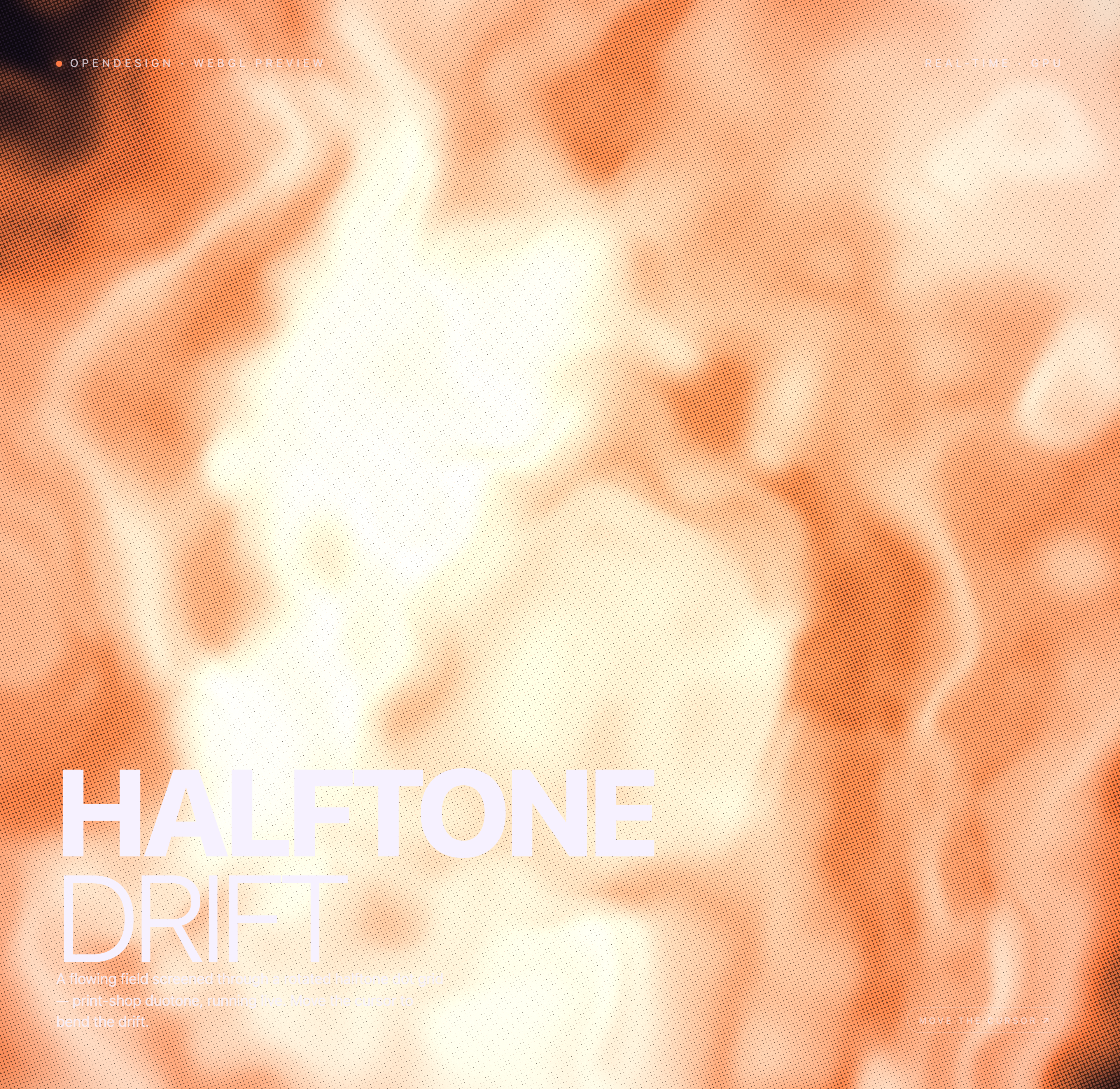
About Halftone Drift
Halftone Drift is an official OpenDesign graphic example built around the heading “HALFTONE DRIFT.” Its WebGL2 canvas combines a procedural field with a rotated screen of variable-radius dots. Cream highlights, orange accents, and dark edges give the moving pattern a printed appearance without using an image texture.
The grid spacing stays regular; the radius of each dot changes with the field value rather than adding or removing dots. The palette mixes near-black ink, cream paper, and a warm orange accent. “Duotone” is the source’s print-inspired description, not a restriction to exactly two RGB colors.
The overlay establishes a compact reading order. “OPENDESIGN · WEBGL PREVIEW” identifies the context, “REAL-TIME · GPU” frames the rendering approach, and the large title gives the composition its visual anchor. The instruction “MOVE THE CURSOR ↗” presents pointer movement as the intended way to affect the drift.
Field
Broad orange and pale regions create the underlying movement and tonal structure.
Screen
The rotated dot pattern converts that field into a distinctly printed visual language.
Response
Pointer movement is presented as a local influence on the otherwise continuous drift.
Where This Design Fits
This design is suited to visual contexts where atmosphere and interaction carry more weight than dense information. The large title and short explanatory copy can introduce a creative tool, an experimental collection, or an editorial feature without competing with the canvas.
The interface is intentionally sparse. There are no visible form fields, menus, charts, or authored controls in the supplied markup, so the composition depends on the relationship between the moving field, the pointer cue, and the fixed overlay. That makes it useful as an opening visual, but less suited to workflows that require persistent controls or detailed status information.
The design’s strongest application is a screen where a visitor can spend a moment observing change. The cursor instruction gives the scene a simple action, while the lack of additional interface leaves room for the shader’s tonal transitions to remain legible.
Opening Visuals
Use the full-canvas field to establish a strong first impression before deeper content.
Creative Showcases
Use the title-and-description overlay to frame an abstract visual experiment.
Interaction Studies
Use pointer movement to demonstrate how input can bend a procedural surface.
Composition And Motion
The composition places the primary text in the lower-left area, leaving most of the frame available to the field. The title is split across two lines, with “HALFTONE” above “DRIFT,” so the typography reads as a large structural block rather than a small caption over an image.
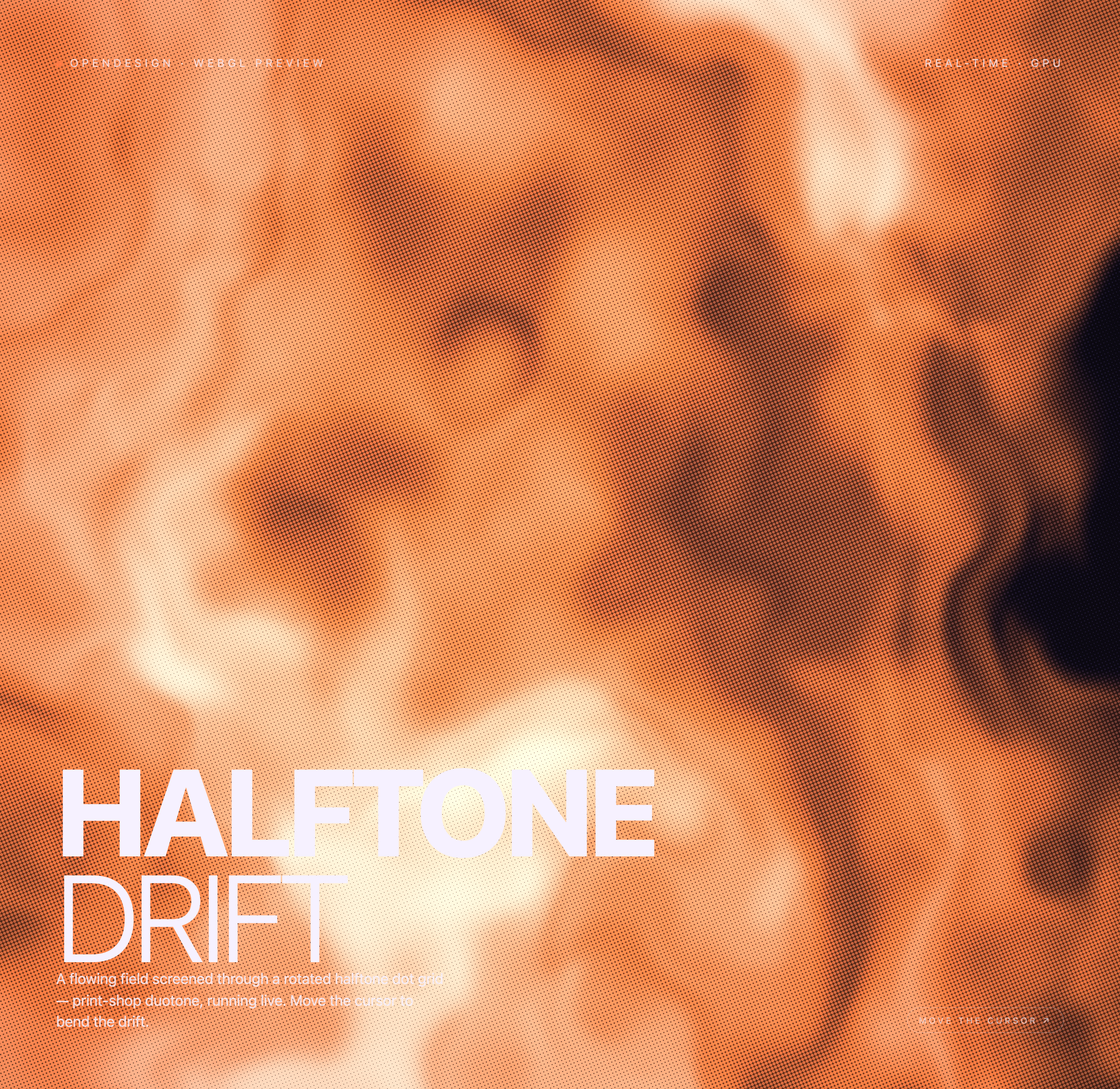
Across the captures, the same overlay remains in place while the orange, cream, and near-black regions shift. This repeated ordering makes the states easy to compare: the artwork changes, but the title, description, top labels, and cursor cue keep the viewer oriented.
The shader builds a five-layer noise field and uses two warped samples to steer a third. Both pointer coordinates are normalized to the viewport and eased toward their target by 0.06 per frame, then applied as a distance-weighted pull on the field. The dot screen rotates by 0.4 radians. This is local coordinate influence, not a fluid-physics simulation or a selectable preset.
Start With The Field
The broad orange and pale forms establish the visual mass before the dot grid defines its surface.
Read The Dot Sizes
The spacing remains regular while dot radii change with field value; their coverage shapes the screened tonal pattern.
Compare The States
The alternate captures retain the same text placement while changing the underlying flow and tonal balance.
Capability Boundary
The supplied artifact is a design example with visible local WebGL and pointer-handling evidence. The captures support the appearance of a full-canvas animated shader composition and show three visual states, but they do not establish measured performance, connected services, persistent data, or production deployment.
The static markup contains no authored controls beyond the pointer cue, so adaptations should preserve the distinction between the visible sample and proposed behavior. A recreation may add controls or accessibility states, but those would be new design decisions rather than documented features of Halftone Drift.
The bundled example is attributed to OpenDesign, and its manifest declares an MIT license. That license record does not establish separate licensing for every depicted asset, so any adaptation should keep asset rights separate from the shader composition itself.
How to Create Halftone Shader Design in OpenDesign
Set The Composition
Begin with a full-canvas visual field and reserve the lower-left area for the two-line HALFTONE DRIFT title, short description, and cursor cue. Keep the top context labels separated from the artwork.
Shape The Halftone Response
Refine the rotated dot grid so each dot’s radius responds to the underlying field value. Compare natural animation states and preserve enough contrast for the fixed overlay to remain readable as the field changes.
Suggested PromptCreate a full-canvas WebGL2 halftone composition titled HALFTONE DRIFT. Build a five-layer domain-warped noise field, screen it through a rotated dot grid with radius driven by field value, and use near-black ink, cream paper, and a warm orange accent. Place the bold first line and lighter second line with a short description in the lower-left, add top OpenDesign and WebGL preview labels, and ease both pointer coordinates to bend the field locally. Do not add connected services, persistent storage, or performance guarantees.
Check The Interaction Boundary
Confirm that pointer movement changes the local visual field gradually while the text remains fixed and legible. Document any added controls or accessibility states as proposed adaptations, since the supplied design has no authored control panel.
Export and Get a Share Link
Export your finished design, then use Share in OpenDesign to get a share link. Open the link in a separate browser window and check that the intended version and its assets are available before sending it.

AI Workflow Editorial Poster Design
AI Workflow Editorial Poster Design presents six illustrated workflow claims with numbered chapters, concrete prompt specimens, and cream-and-rust typography.
Graphics
AI Workflow Social Carousel Design
Seven portrait cards use oversized Chinese headings, numbered habits, changing color fields, and a closing statement to explain AI editing workflows.
Graphics
Aurora Field Shader Design
An automatically animated blue-green noise field gives a WebGL hero its atmosphere, while a fixed headline and small local frame-rate badge anchor the scene.
Graphics
Aurora Veil Shader Design
Aurora Veil is an interactive shader composition that turns layered light, stars, and cursor motion into an atmospheric WebGL hero.
Graphics