

Graphics
Caustic Pool Shader Design
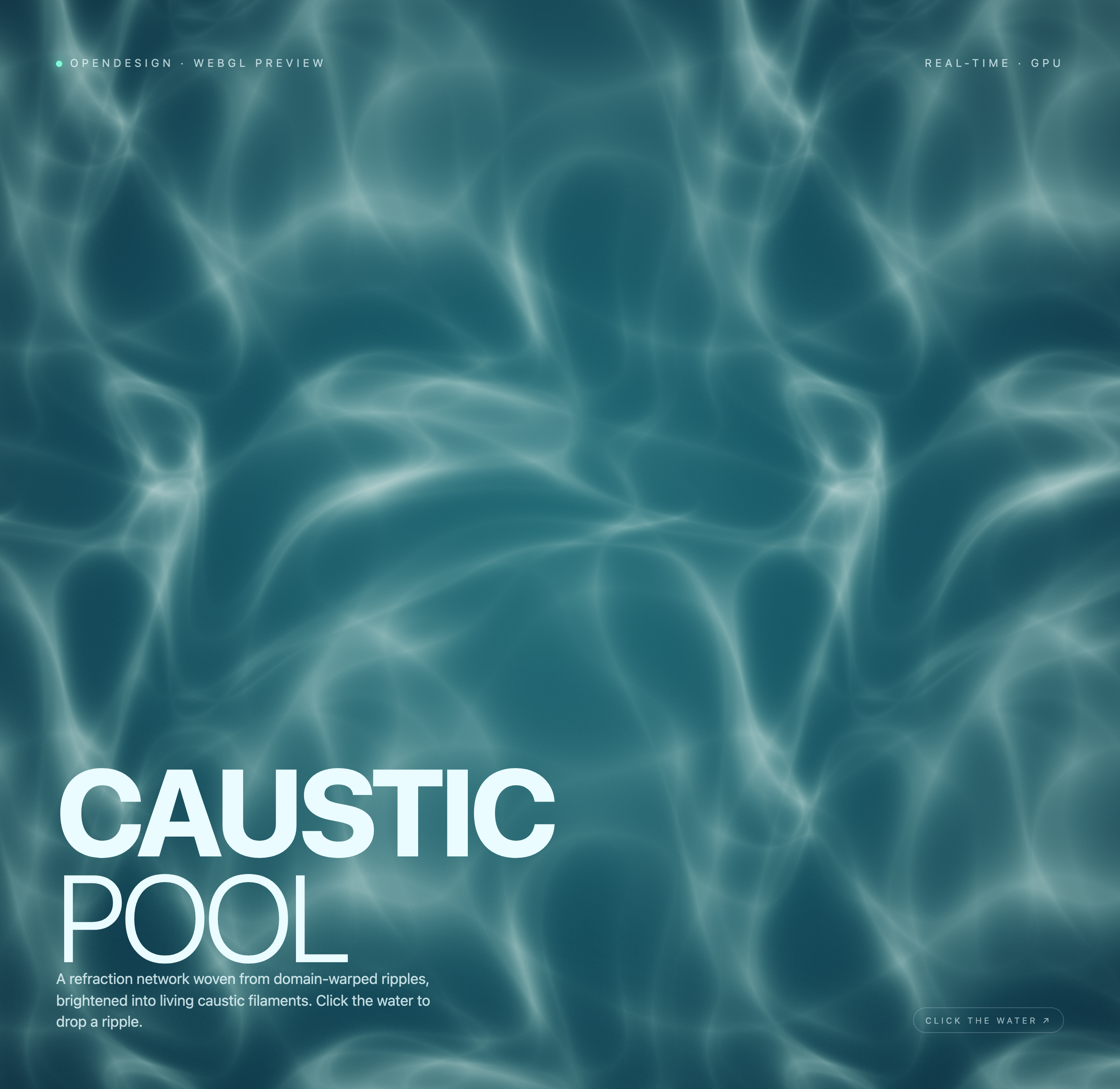
A teal WebGL light field pairs bright caustic filaments with fixed typography and a pointer-down ripple that briefly bends the pattern.

Caustic Shader Use Cases
- WebGL Visual ExperimentsExplore shader-driven motion as a full-screen visual composition.
- Interactive Landing PagesPair a restrained message with responsive local canvas behavior.
- Creative Coding StudiesStudy how ripples, refraction, and light create evolving form.
Water-Light Composition Highlights
- Domain-Warped RipplesLayered water-like distortion produces shifting luminous structures.
- Full-Screen CanvasThe visual field gives the shader room to develop continuously.
- Direct Ripple CueA visible click instruction connects pointer input to motion.
- Editorial OverlayLarge type and small metadata frame the abstract field.
Three States of the Caustic Field
1 / 3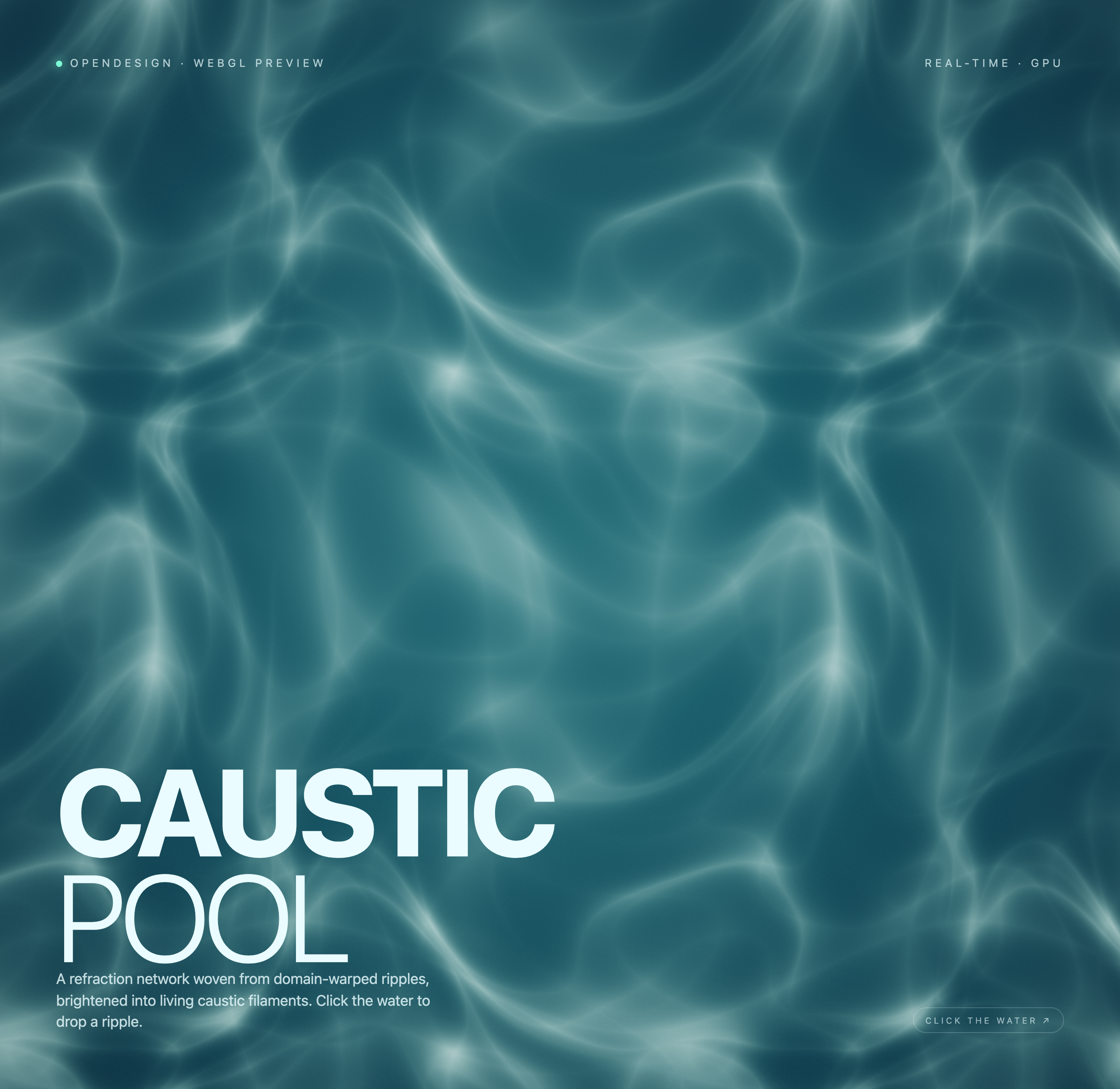
A Luminous Water Field
Caustic Pool is an official OpenDesign WebGL2 example presented as a complete canvas rather than a sequence of screens. Its authored heading, “CAUSTIC POOL,” sits in the lower-left over a deep teal field of pale, branching filaments. The large two-line title establishes the subject first; the supporting copy names the effect as “domain-warped ripples” and “caustic filaments.”
That reading order makes the piece legible before interaction begins. The upper edge carries “OPENDESIGN · WEBGL PREVIEW” on the left and “REAL-TIME · GPU” on the right, giving the otherwise abstract surface a compact technical frame. The tradeoff is deliberate: the labels orient the viewer, but the fixed overlay competes slightly with the uninterrupted atmosphere.
Title Before Technique
“CAUSTIC POOL” names the visual world before the description introduces domain-warped ripples, allowing the effect to remain expressive rather than purely technical.
Instruction At The Edge
“CLICK THE WATER ↗” is placed at the lower right, away from the title block, so the invitation remains discoverable without interrupting the primary reading path.
Where The Composition Fits
The design is suited to contexts where motion is the subject rather than a supporting decoration. A creative-coding study can use it to compare ripple fields and light concentration; an interactive landing page can use the same structure to make a short message feel spatial. The full canvas is especially useful when there is no product interface to scan.
The composition also works as a visual backdrop for an event, installation, or experimental web feature, provided the surrounding experience can accommodate a GPU-rendered surface. Its main constraint is focus: because the field has no authored controls in static markup, the interaction remains intentionally narrow and the visual does most of the communication.
Study And Demonstration
Use the composition to examine how refracted lines gather into bright filaments, while keeping the title and explanatory copy visible as a reading anchor.
Atmospheric Entry Point
Use the canvas as an opening visual where a single pointer gesture is enough to invite participation without introducing a larger control system.
How Ripple And Type Share Space
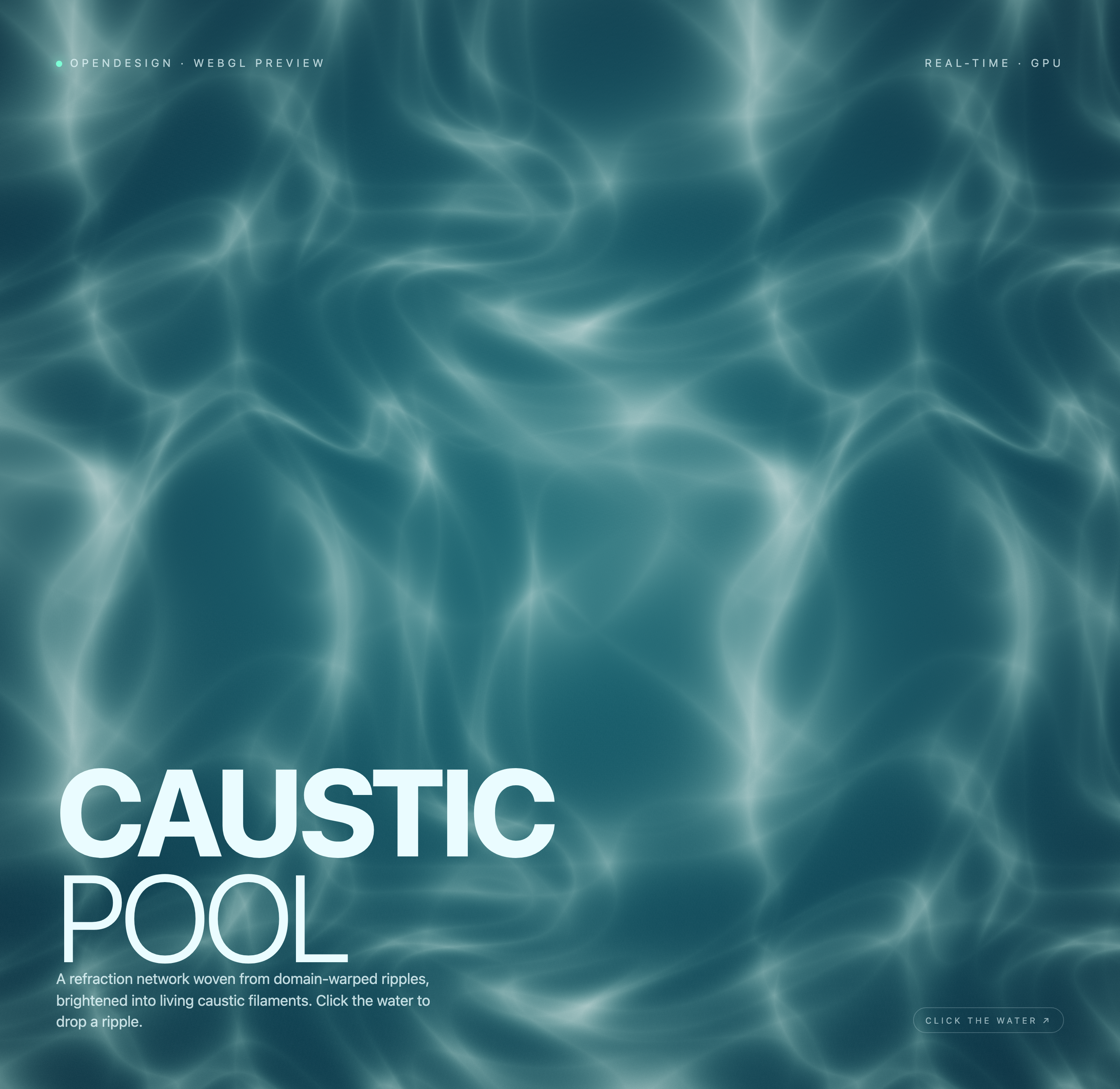
The captures show one complete canvas in changing visual states, not separate screens. Across those states, the teal background remains continuous while the pale network shifts position and density. That continuity makes motion feel like a property of the water field rather than a page transition. The visual consequence is a calm, persistent surface; the tradeoff is that state change is communicated through subtle pattern movement instead of explicit status text.
The shader forms its bright network through five rounds of folded-coordinate calculations. On pointer-down, it resets a ripple location and age; a sinusoidal radial wave then bends the sampling coordinates and fades with distance and age. This produces a water-light impression without a mesh, external texture, or physical fluid solver. The fixed lower-left title and opposite-edge instruction let viewers compare that changing field against stable text.
Anchor
Keep the title and explanatory copy in a stable lower-left block so the viewer can compare changing shader states against a fixed reference.
Contrast
Use bright filaments against the darker teal field to make the refraction network readable without adding charts, controls, or decorative panels.
Invite
Place one concise pointer instruction at the opposite lower edge, connecting the local gesture to the visible water metaphor.
A Single Surface, Several States
The alternate captures retain the same labels, title, description, and click cue while the luminous lines change. That repeated overlay separates content from animated state: viewers can compare the field without relearning the interface. A recreation should preserve that stable editorial layer while allowing the shader output to vary underneath.
Capability Boundary
The source implements local WebGL2 rendering, pointer-down input, resize handling, and a draw loop. Each press replaces the previous ripple rather than accumulating several independent waves. The ripple age increases by 1/60 per animation frame, so its decay timing depends on the actual frame rate. The three captures show states of one canvas; without recorded input traces, they do not independently demonstrate a click response.
This is a visual caustic approximation, not a validated water simulation. The source does not establish connected services, stored user data, measured GPU performance, universal input compatibility, or an original generation model. For a production adaptation, test the local input and timing behavior in the intended environment instead of treating the GPU label or authored water metaphor as acceptance evidence.
How to Create Caustic Pool Shader Design in OpenDesign
Set The Canvas Composition
Create a full-screen teal WebGL canvas with a lower-left title block reading “CAUSTIC POOL,” a short description about domain-warped ripples, and small top-edge labels for OpenDesign and the preview context.
Suggested PromptCreate a full-screen WebGL caustic pool composition: deep teal water-like field, pale domain-warped ripple filaments, large lower-left CAUSTIC POOL title, explanatory copy beneath it, OPENDESIGN · WEBGL PREVIEW at upper left, REAL-TIME · GPU at upper right, and CLICK THE WATER ↗ at lower right. Use local canvas behavior only; do not add services, storage, video, audio, or unverified performance claims.
Shape The Ripple Field
Refine the visible line network so it reads as refracted water rather than a flat texture. Compare broad cloudy bends with narrower bright filaments, keeping enough dark field for the white overlay to remain readable.
Check The Interaction Cue
Use pointer-down to set one local ripple position and reset its age, while preserving the fixed overlay. If adapting the source, use elapsed-time timing for consistent decay across frame rates. Keep the instruction distinct from a button and do not claim physical simulation accuracy.
Export and Get a Share Link
Export your finished design, then use Share in OpenDesign to get a share link. Open the link in a separate browser window and check that the intended version and its assets are available before sending it.

AI Workflow Editorial Poster Design
AI Workflow Editorial Poster Design presents six illustrated workflow claims with numbered chapters, concrete prompt specimens, and cream-and-rust typography.
Graphics
AI Workflow Social Carousel Design
Seven portrait cards use oversized Chinese headings, numbered habits, changing color fields, and a closing statement to explain AI editing workflows.
Graphics
Aurora Field Shader Design
An automatically animated blue-green noise field gives a WebGL hero its atmosphere, while a fixed headline and small local frame-rate badge anchor the scene.
Graphics
Aurora Veil Shader Design
Aurora Veil is an interactive shader composition that turns layered light, stars, and cursor motion into an atmospheric WebGL hero.
Graphics