

Graphics
Holographic Foil Shader Design
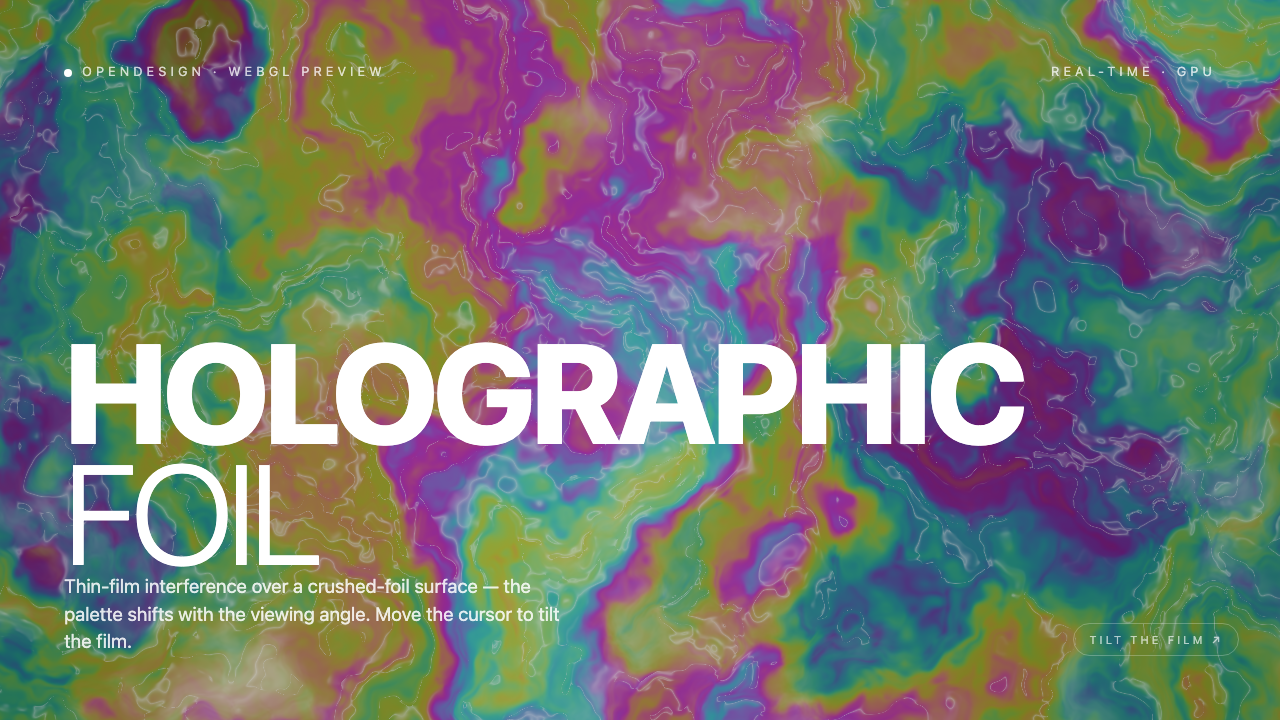
A multicolored procedural foil surface shifts with time and pointer position beneath a fixed two-line title, small preview labels, and a tilt hint.

Foil Shader Use Cases
- WebGL Hero ExperimentsExplore shader-driven surfaces behind prominent editorial typography.
- Interactive Art DirectionStudy how pointer movement can influence a visual composition.
- Creative Coding StudiesInspect a compact example of locally rendered animated texture.
Holographic Surface Highlights
- Crushed-Foil FieldIrregular contours create a tactile, continuously changing background.
- Oversized TypeHOLOGRAPHIC FOIL anchors the composition across two lines.
- Pointer TiltThe prompt connects cursor movement with changing color placement.
- GPU PreviewA small status label frames the work as a WebGL preview.
Three States of the Foil Hero
1 / 3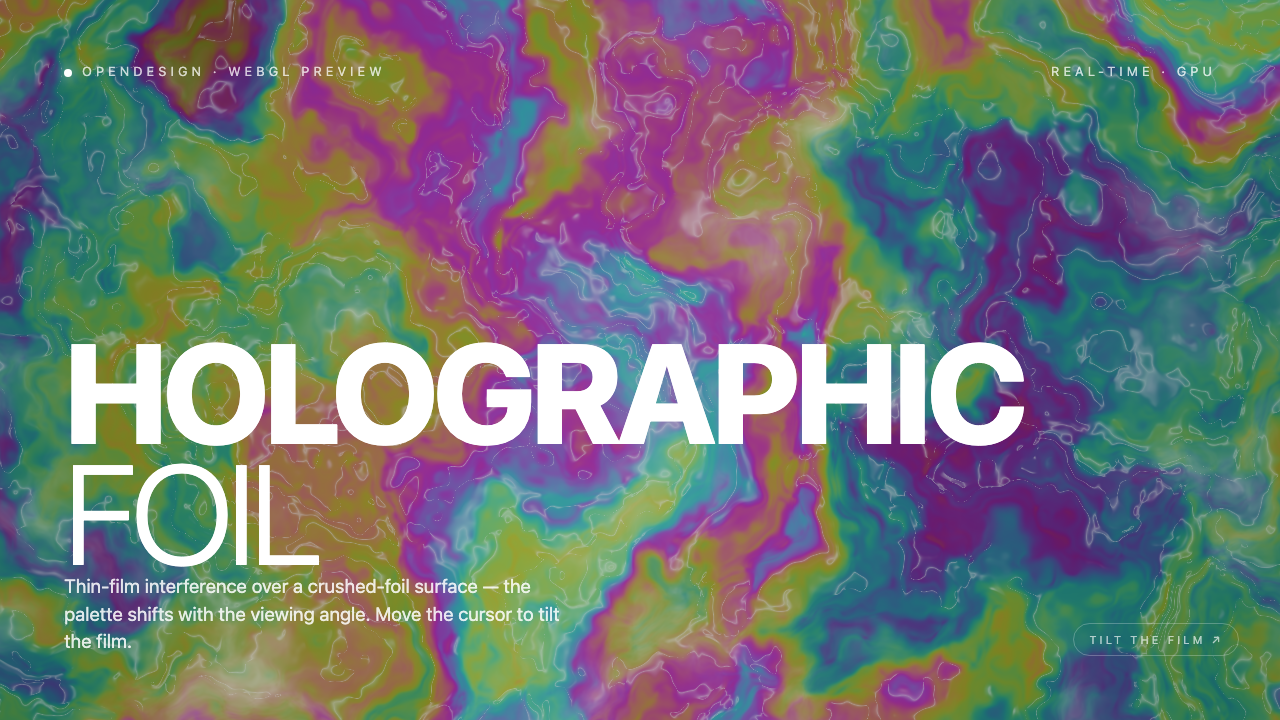
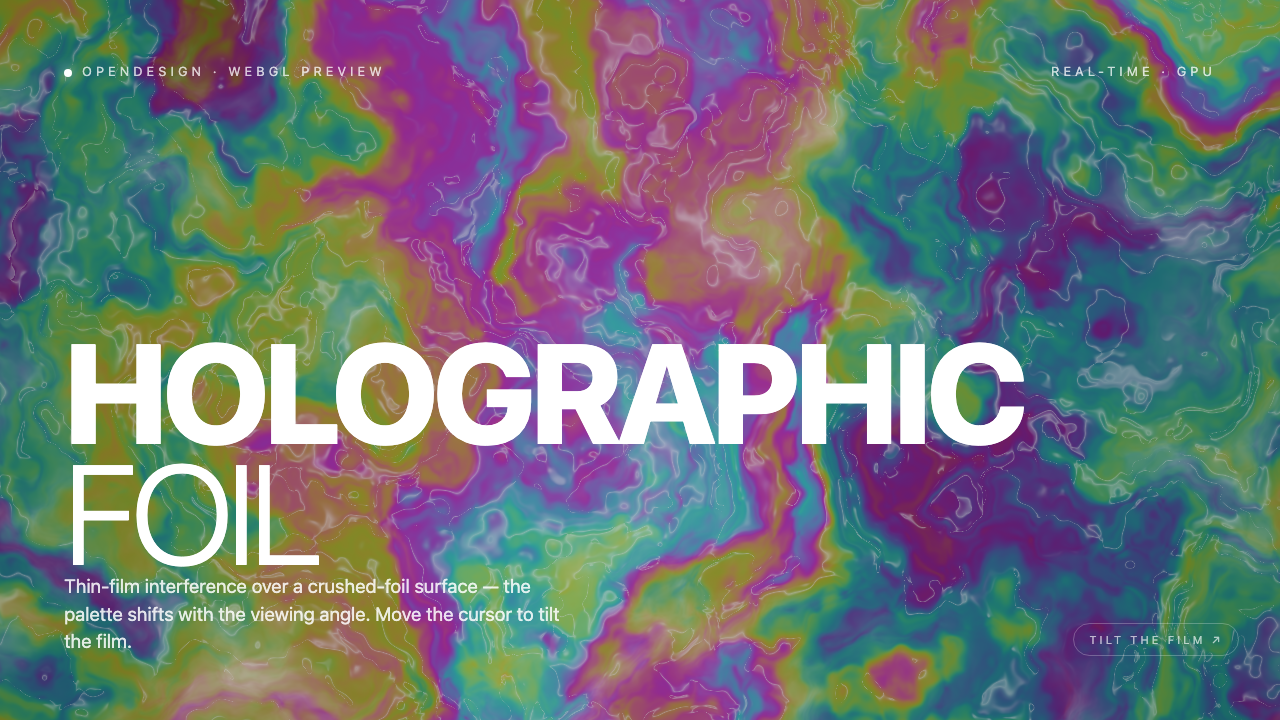
A Foil Surface Without Image Textures
Holographic Foil Shader Design is an official OpenDesign example built around a full-viewport WebGL composition. The visible surface combines magenta, teal, green, violet and yellow regions with thin contour-like highlights, producing the appearance of crushed foil rather than a flat color field.
The composition is explicitly introduced as “Thin-film interference over a crushed-foil surface,” while the palette shifts with the viewing angle. That wording describes the intended visual model; the captures verify the rendered appearance and the accompanying interaction prompt, not optical accuracy or GPU performance.
Where This Design Fits
The artifact is most useful as a visual reference for interactive landing-page heroes, generative art studies and creative-coding demonstrations. Its strongest lesson is compositional: a richly animated background can carry atmosphere while a restrained overlay supplies orientation.
The visible label “OPENDESIGN · WEBGL PREVIEW” identifies the example context, and “REAL-TIME · GPU” signals the intended rendering approach. Those labels help frame the work for viewers, but they should not be read as a benchmark or as evidence of a production deployment.
Editorial Hero
Use a responsive shader field behind a short title when the visual itself should introduce the page.
Creative Coding Demo
Show how a local pointer position can influence a continuously rendered surface.
Visual Direction Study
Compare color movement, texture density and type placement across captured states.
How The Composition Moves
The reading order stays consistent across the three supplied states: the small OpenDesign preview label sits at the upper left, the GPU status sits at the upper right, the large “HOLOGRAPHIC FOIL” title occupies the lower-left area, and “TILT THE FILM ↗” appears near the lower right. This stable overlay lets the background change without making the interface feel like a different screen.
The title uses a heavy uppercase first line and a lighter second line. That contrast gives “HOLOGRAPHIC” immediate weight while leaving “FOIL” visually open against the moving surface. The tradeoff is that the background can compete with the thinner letterforms, so contrast and text placement need checking whenever the shader palette changes.
The shader builds a warped thickness field from six layers of noise, estimates its gradient, and maps a thickness-and-tilt phase into a cosine color palette. Separate ridge and sparkle terms add foil-like glints. Pointer position on both axes supplies the tilt proxy, while elapsed time changes the field. These calculations create the contour-like color islands without an image texture or scene mesh; they are a visual material approximation rather than measured thin-film optics.
Stable Overlay
Fixed labels and title preserve orientation while the animated field changes underneath.
Two-Line Emphasis
A bold first line and lighter second line separate material subject from descriptor.
Moving Contrast
Changing color placement can improve or reduce readability, making contrast part of the composition.
Capability Boundaries
The source creates a local WebGL2 canvas and listens for pointer movement, easing both coordinates toward their targets on each frame. It uses those coordinates as a viewing-angle proxy, not physical device orientation or a 3D camera control. “TILT THE FILM” is a static instruction, not a button. The captures show temporal states of one hero and do not establish connected services, stored data, optical accuracy, measured performance, or a historical generation process.
How to Create Holographic Foil Shader Design in OpenDesign
Build The Full-Viewport Composition
Start with a full-viewport WebGL canvas and reserve stable overlay regions for the upper-left preview label, upper-right GPU label, two-line title and lower-right tilt prompt.
Shape The Foil Surface
Create an animated field with irregular contour-like variation and a shifting palette that includes teal, green, violet, magenta and yellow. Check the title against multiple color placements rather than relying on one still frame.
Suggested PromptCreate a full-viewport WebGL2 hero called HOLOGRAPHIC FOIL. Use a procedural crushed-foil appearance with shifting teal, green, violet, magenta, and yellow regions. Build color variation from a warped noise field and a cosine palette, with ridge-like highlights. Keep the OpenDesign preview labels, heavy first title line, light second line, and lower-right tilt instruction fixed. Use both pointer coordinates as a smoothed visual tilt proxy while time changes the surface. Do not add a clickable tilt button, device-orientation claims, connected services, stored data, physically validated optics, or performance guarantees.
Check Motion And Legibility
Compare the foil field over time and with pointer movement on both axes, keeping overlay order fixed. Check the lighter FOIL line against bright and dark regions. The source implements local pointer handling; verify its behavior in the adaptation without claiming optical accuracy or guaranteed performance.
Export and Get a Share Link
Export your finished design, then use Share in OpenDesign to get a share link. Open the link in a separate browser window and check that the intended version and its assets are available before sending it.

AI Workflow Editorial Poster Design
AI Workflow Editorial Poster Design presents six illustrated workflow claims with numbered chapters, concrete prompt specimens, and cream-and-rust typography.
Graphics
AI Workflow Social Carousel Design
Seven portrait cards use oversized Chinese headings, numbered habits, changing color fields, and a closing statement to explain AI editing workflows.
Graphics
Aurora Field Shader Design
An automatically animated blue-green noise field gives a WebGL hero its atmosphere, while a fixed headline and small local frame-rate badge anchor the scene.
Graphics
Aurora Veil Shader Design
Aurora Veil is an interactive shader composition that turns layered light, stars, and cursor motion into an atmospheric WebGL hero.
Graphics