

Desktop app
Issue Briefing App Design
Issue Briefing App Design turns a Linear-style daily digest into a focused desktop workspace for cycle status, attention items, and issue history.

Issue Briefing App Use Cases
- Daily Issue TriageScan assigned work and identify items needing follow-up
- Cycle TrackingRead progress and remaining time at a glance
- Issue HistoryReview recent status changes and ownership signals
- Desktop Workspace DesignCompose dense operational information for focused review
Daily Issue Digest Design Highlights
- Cycle SnapshotCycle 12 pairs progress with remaining days
- Attention QueuePriority work appears before recently updated issues
- Issue DetailMetadata and activity stay with the main issue
- Quiet Visual SystemMuted surfaces reserve color for status signals
The Issue Briefing, Panel by Panel
1 / 3
Daily Digest Structure
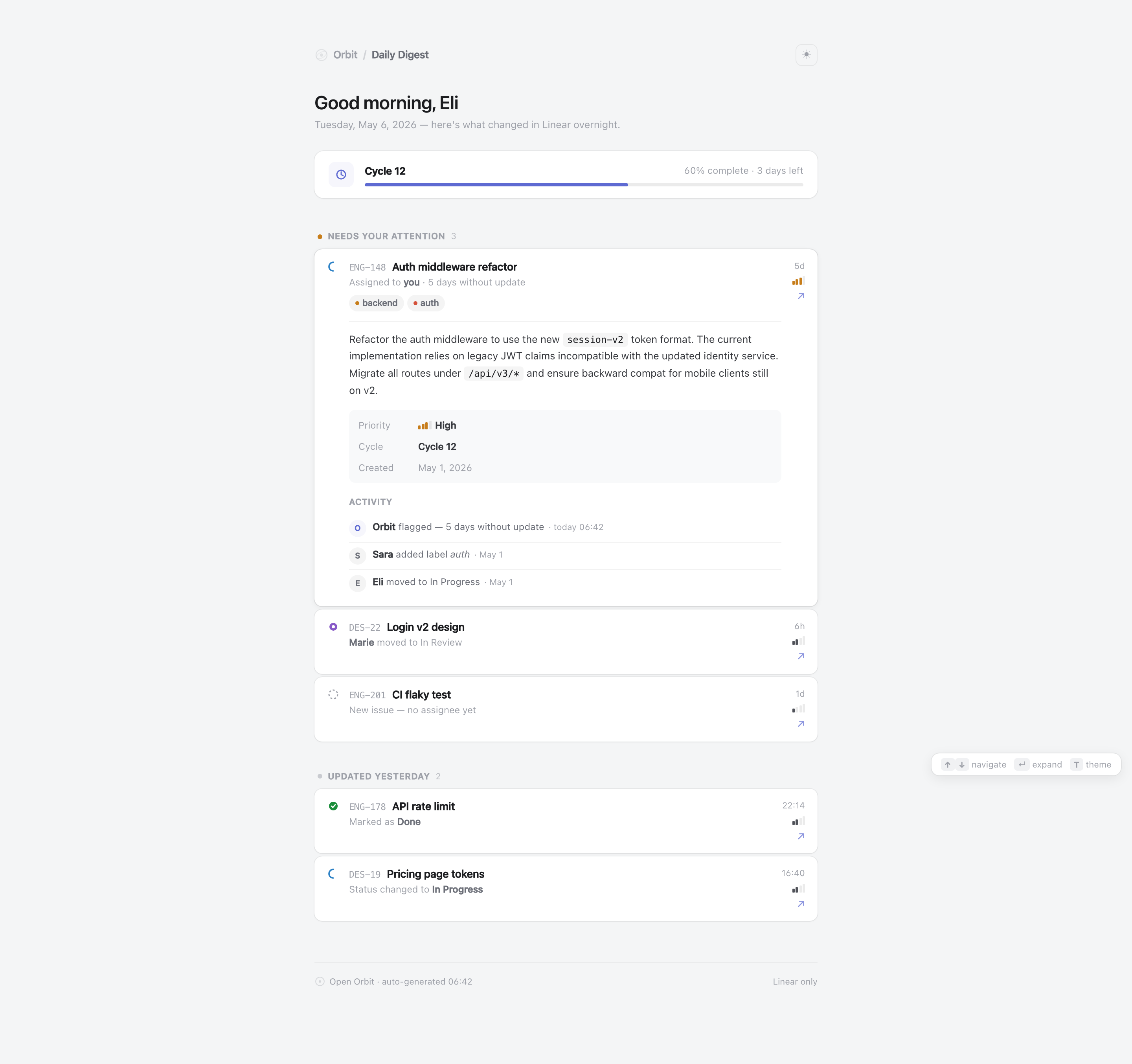
Issue Briefing App Design is an official OpenDesign desktop-app example for a Linear-style daily digest. Its authored heading, “Good morning, Eli,” establishes a personal morning review, while the date line frames the content as an overnight update. The design is organized around one narrow reading column rather than a broad multi-pane workspace.
The shipped CSS sets the page maximum width to 680px, which keeps issue text and activity within a focused scan path. That constraint supports readable descriptions, but it also limits how much parallel information can appear beside the primary queue. The composition therefore favors ordered review over simultaneous comparison.
A Focused Opening
The Cycle 12 card comes first, followed by Needs Your Attention and Updated Yesterday. This places current risk before historical movement. The sun button and T shortcut actually switch the local light and dark palettes; the source stores the selected theme locally when storage is available and otherwise uses its in-memory fallback. That is a local display preference, not a synchronized account setting.
Reviewing Work By Urgency
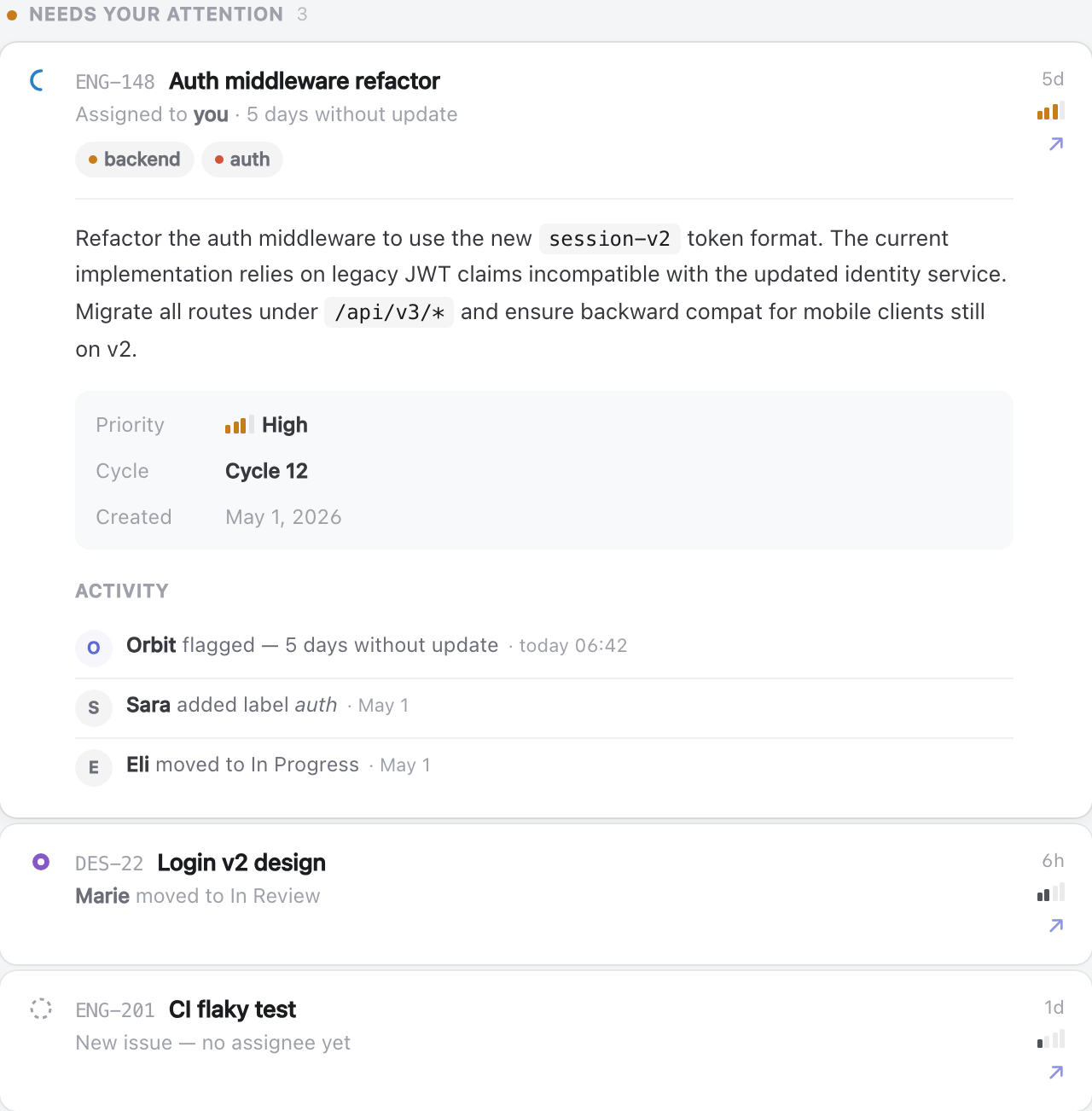
The attention queue uses a count of 3 and leads with ENG-148, “Auth middleware refactor.” Its supporting line says “Assigned to you · 5 days without update,” while the backend and auth labels make the issue’s domain visible before the longer description. For a reader, these elements answer who should look, why now, and what area is involved.
The issue description contains concrete technical tokens such as “session-v2,” “/api/v3/*,” and “v2.” Inline code styling separates implementation terms from explanatory prose, making the card useful for deciding whether the item requires technical follow-up. The tradeoff is vertical depth: the leading issue expands substantially compared with the compact rows below it.
Assigned Attention
ENG-148 combines ownership, elapsed time, labels, priority, cycle, and activity so a reviewer can decide whether to open the issue or continue scanning.
Recent Movement
DES-22 and ENG-201 use shorter rows for “Marie moved to In Review” and “New issue — no assignee yet,” preserving status context without opening full detail.
Completed Context
The updated-yesterday group records ENG-178 as “Marked as Done” and DES-19 as changed to “In Progress,” separating history from immediate attention.
From Cycle Context To Issue Detail
The workspace flow begins with a horizontal progress bar labeled “60% complete · 3 days left.” The percentage and time remaining are presented as a pair, so the reader can relate cycle position to its deadline. The bar communicates relative completion visually, but the supplied artifact does not define how that percentage is calculated.
The first expanded issue then moves from summary to evidence: title and identifier, assignment age, labels, description, metadata, and activity. The metadata block lists Priority as High, Cycle as Cycle 12, and Created as May 1, 2026. This sequence lets a reviewer verify the issue’s classification before reading its history.
Activity is ordered with the latest event first: Orbit flagged the five-day gap at today 06:42, Sara added the auth label on May 1, and Eli moved the issue to In Progress on May 1. That ordering makes recency legible, while the limited event set cannot establish a complete audit trail.
| Group | Visible Example | Reader Consequence |
|---|---|---|
| Needs Your Attention | ENG-148, assigned to you, 5 days without update | Start with ownership and stale-work risk |
| Needs Your Attention | ENG-201, no assignee yet | Spot an ownership gap without expanding the row |
| Updated Yesterday | ENG-178, marked as Done | Confirm completed movement in the secondary queue |
| Updated Yesterday | DES-19, changed to In Progress | Review recent status movement after urgent work |
Visible Design And Capability Boundary
The source implements local issue expansion, one-open-detail behavior, arrow-key navigation, Enter collapse, and light/dark theme switching. It also constructs outbound Linear links from sample issue identifiers. These controls change the supplied presentation or open authored destinations; they do not establish a live Linear connection, synchronized assignments, production notifications, or verified issue history. The cycle figure, names, statuses, and timestamps remain illustrative.
The footer’s “Linear only” text and “auto-generated 06:42” label belong to the depicted interface, not independent evidence of a connected service. The design can therefore be studied as an information-architecture and visual-composition reference: a narrow daily digest, a prominent cycle card, one expanded attention item, and compact historical rows.
Adaptation Boundary
A recreation may propose real issue data and connected behavior, but those are implementation additions rather than properties demonstrated by this artifact. Keep the visual distinction between the progress summary, attention queue, issue detail, and historical updates even when replacing the sample content.
How to Create Issue Briefing App Design in OpenDesign
Set The Daily Digest Frame
Create a narrow desktop reading column with a personal greeting, date context, cycle summary, attention queue, and recent-update group. Keep the main review path ordered from cycle context to urgent work to history.
Add Concrete Issue States
Use sample records that distinguish assigned stale work, unassigned new work, review status, completed work, and in-progress work. Include identifiers, labels, timestamps, priority, cycle, and activity only where each field supports a review decision.
Suggested PromptCreate a desktop Issue Briefing App Design for a Linear-style daily digest. Use a 680px maximum reading column with “Good morning, Eli,” a Cycle 12 card showing “60% complete · 3 days left,” a “NEEDS YOUR ATTENTION” group led by ENG-148 “Auth middleware refactor,” and an “UPDATED YESTERDAY” group. Include issue labels, ownership age, priority, cycle, created date, and a short activity timeline. Treat all data as illustrative, use local visual interactions only, and do not imply a live Linear connection, storage, notifications, or measured outcomes.
Refine The Review Sequence
Check that the expanded attention item carries the technical description, metadata, and activity timeline, while secondary issues remain compact. Preserve the muted surfaces and reserve accent colors for progress, priority, labels, and status signals.
Export and Get a Share Link
Export your finished design, then use Share in OpenDesign to get a share link. Open the link in a separate browser window and check that the intended version and its assets are available before sending it.
Analytics Dashboard Wireframe Design
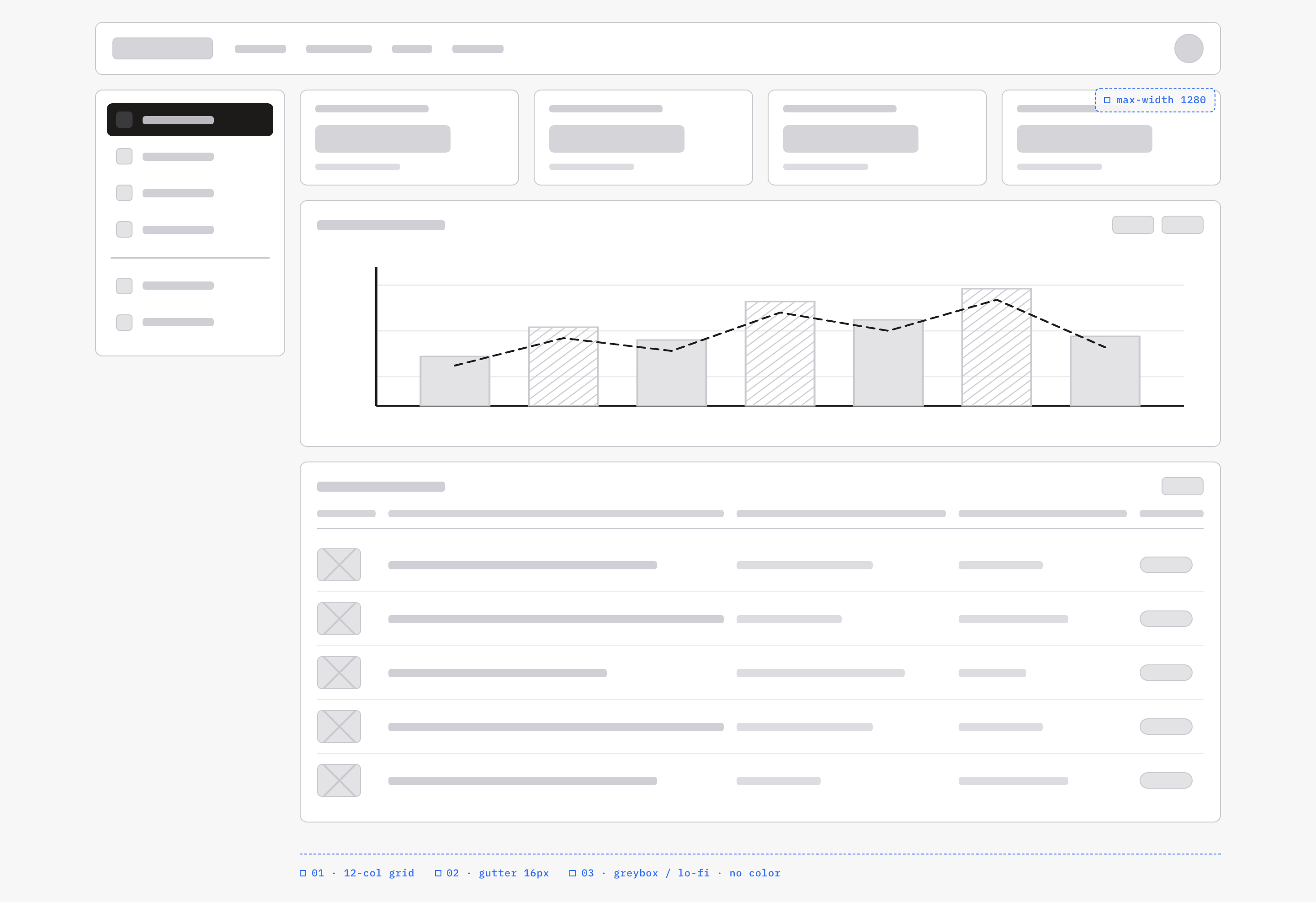
An OpenDesign greybox dashboard maps an analytics workspace through a sidebar, four KPI placeholders, a schematic chart, five table rows and blue layout annotations.
Desktop app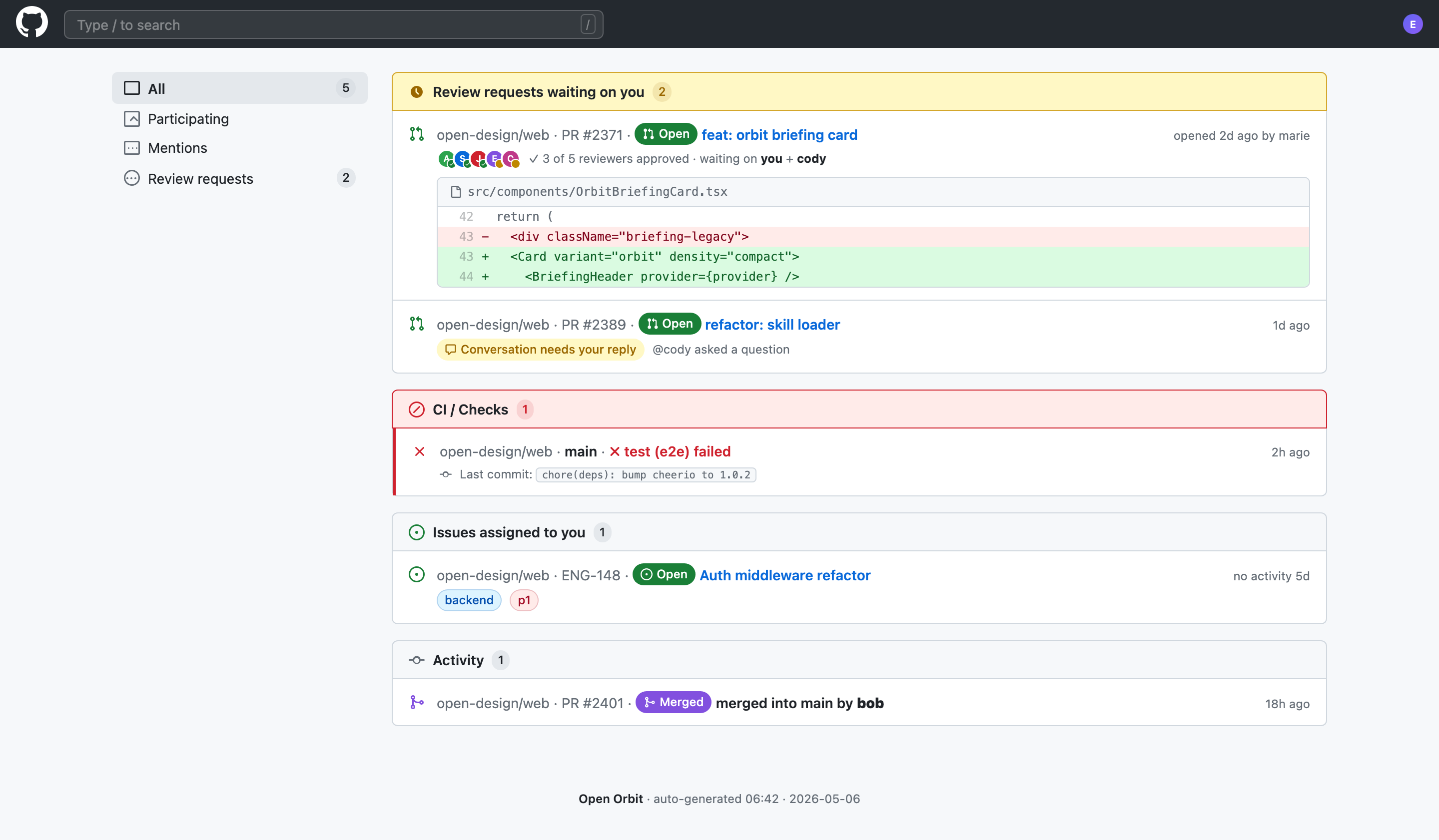
Code Review Inbox App Design
Code Review Inbox App Design brings review requests, CI failures, assigned issues, and activity into one scan-ready workspace for daily triage.
Desktop app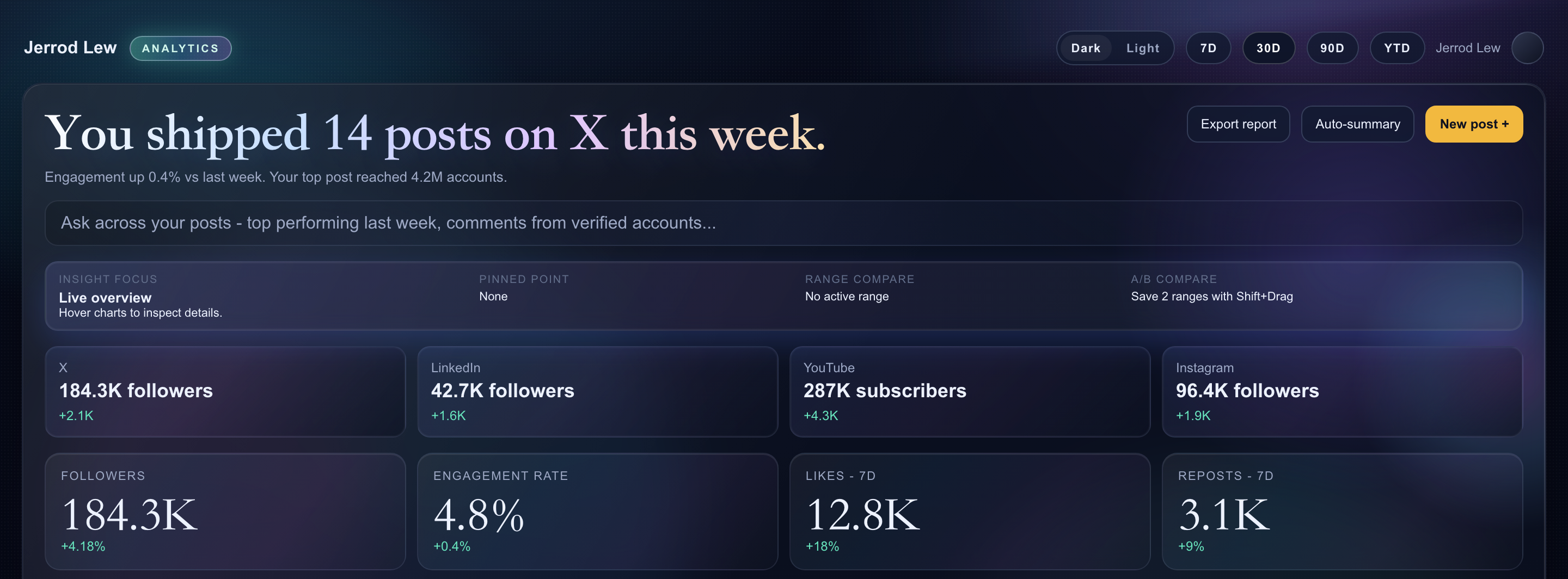
Content Performance Dashboard Design
A dark content dashboard connects platform snapshots with chart inspection, draft planning and a deeper view of audience and conversion signals.
Desktop app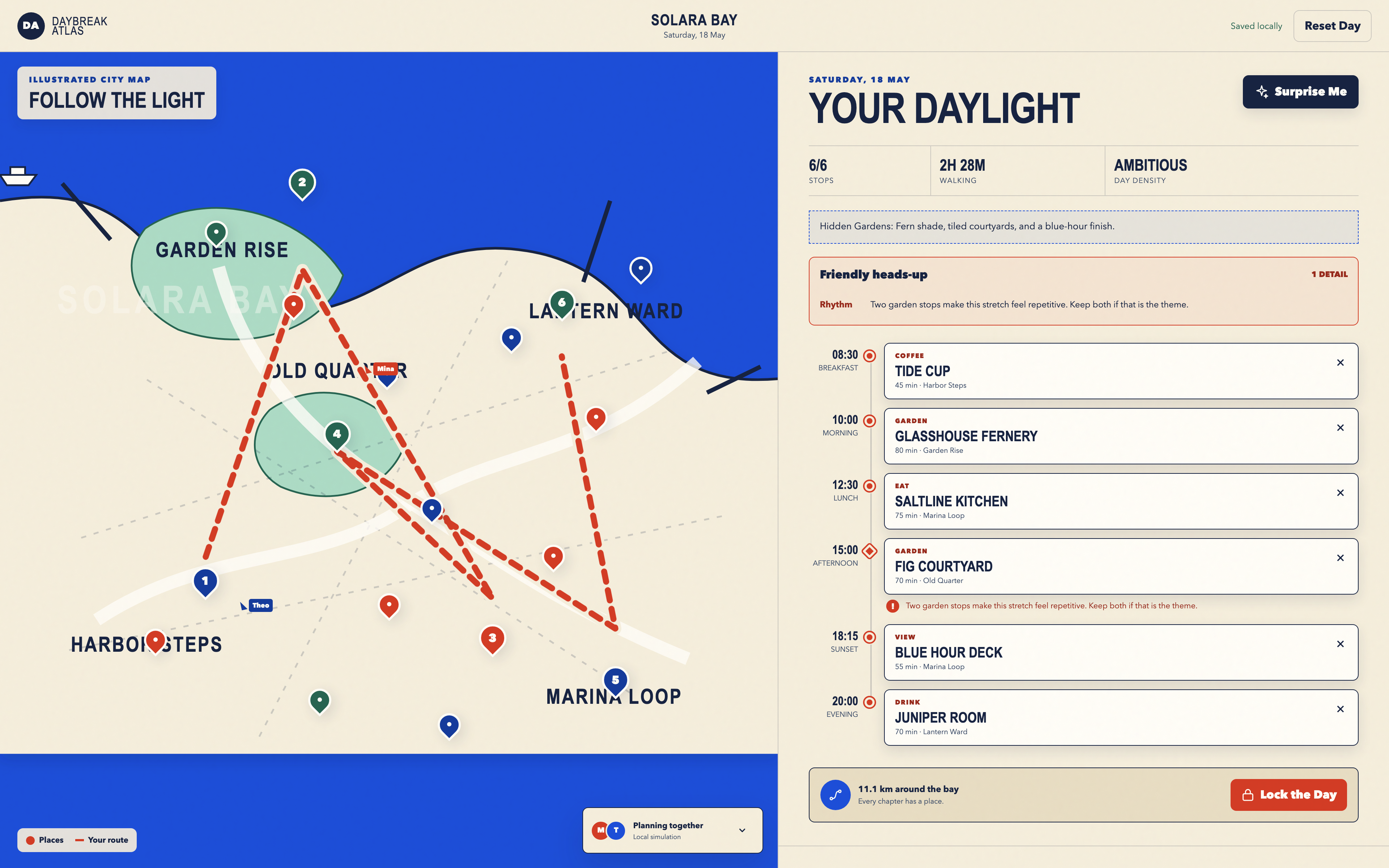
Day Trip Planner Design
Plan six timed stops in fictional Solara Bay, with an illustrated map, walking estimates and useful route warnings.
Desktop app