

Slides
Product Presentation Design
An agent-native workspace pitch in 3 slides.

Design Ideas for
- Product Vision DecksIntroduce a product idea before explaining its interfaces.
- Concept PresentationsConnect a broad thesis to a specific screen.
- Team Workflow PitchesShow how individual work expands into shared operations.
Presentation Highlights
- Three Changes of ScaleMove from a workspace thesis to a phone and a control room.
- A Phone Beside Its ExplanationPair the interface concept with three short supporting points.
- Visible Presentation ControlsThe original deck includes arrows, Auto, and Full controls.
Product Presentation Design Preview
1 / 3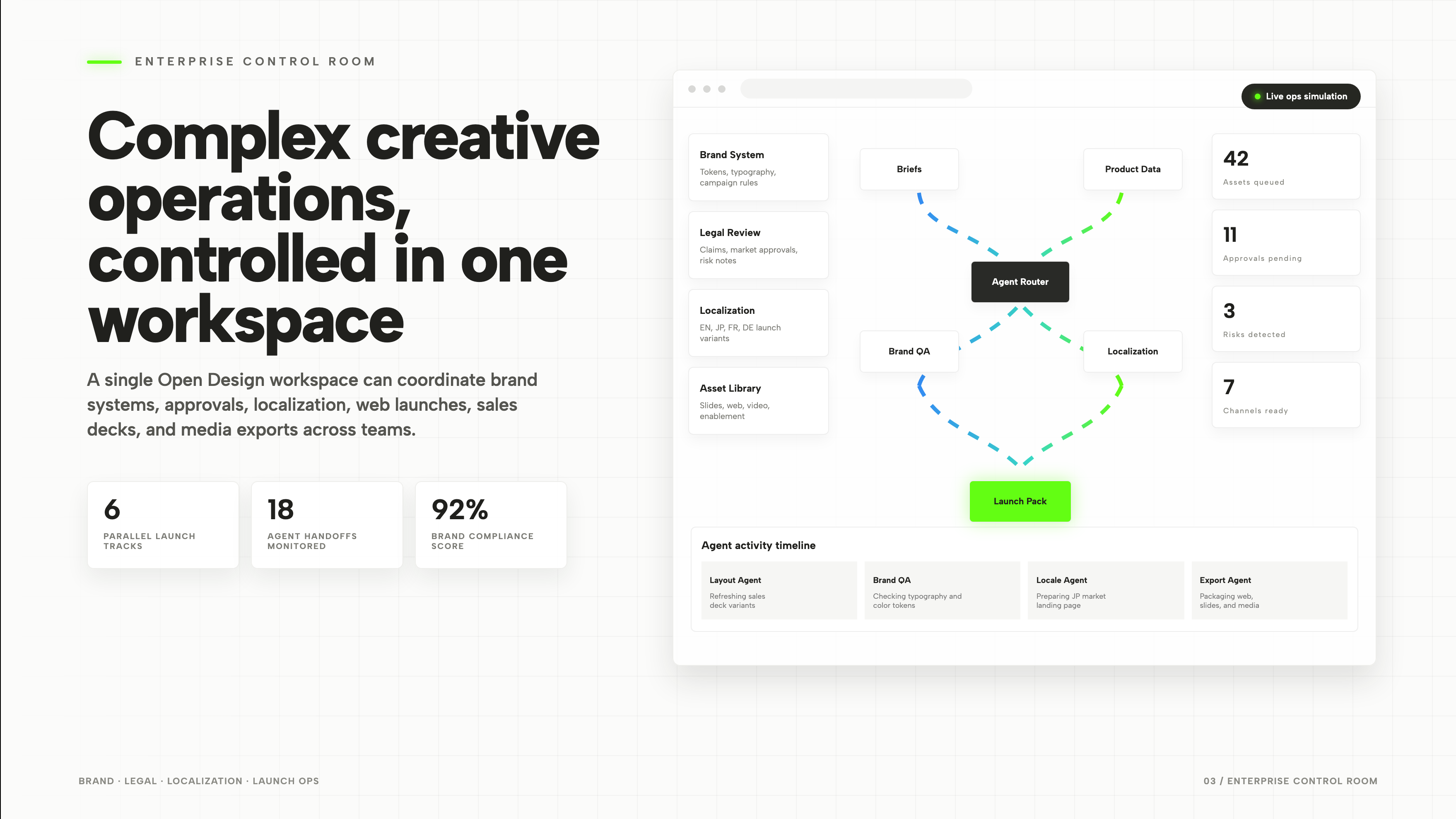
A Product Story in Three Slides
The deck does not follow three features with three nearly identical screenshots. It changes the scale of the argument: a broad workspace thesis, one mobile interface, then a larger operational view. The middle slide is the hinge. Without it, the jump from an abstract claim to a dense control room would ask the audience to accept the product before seeing a manageable example.
| Slide | Visible Content | Narrative Job |
|---|---|---|
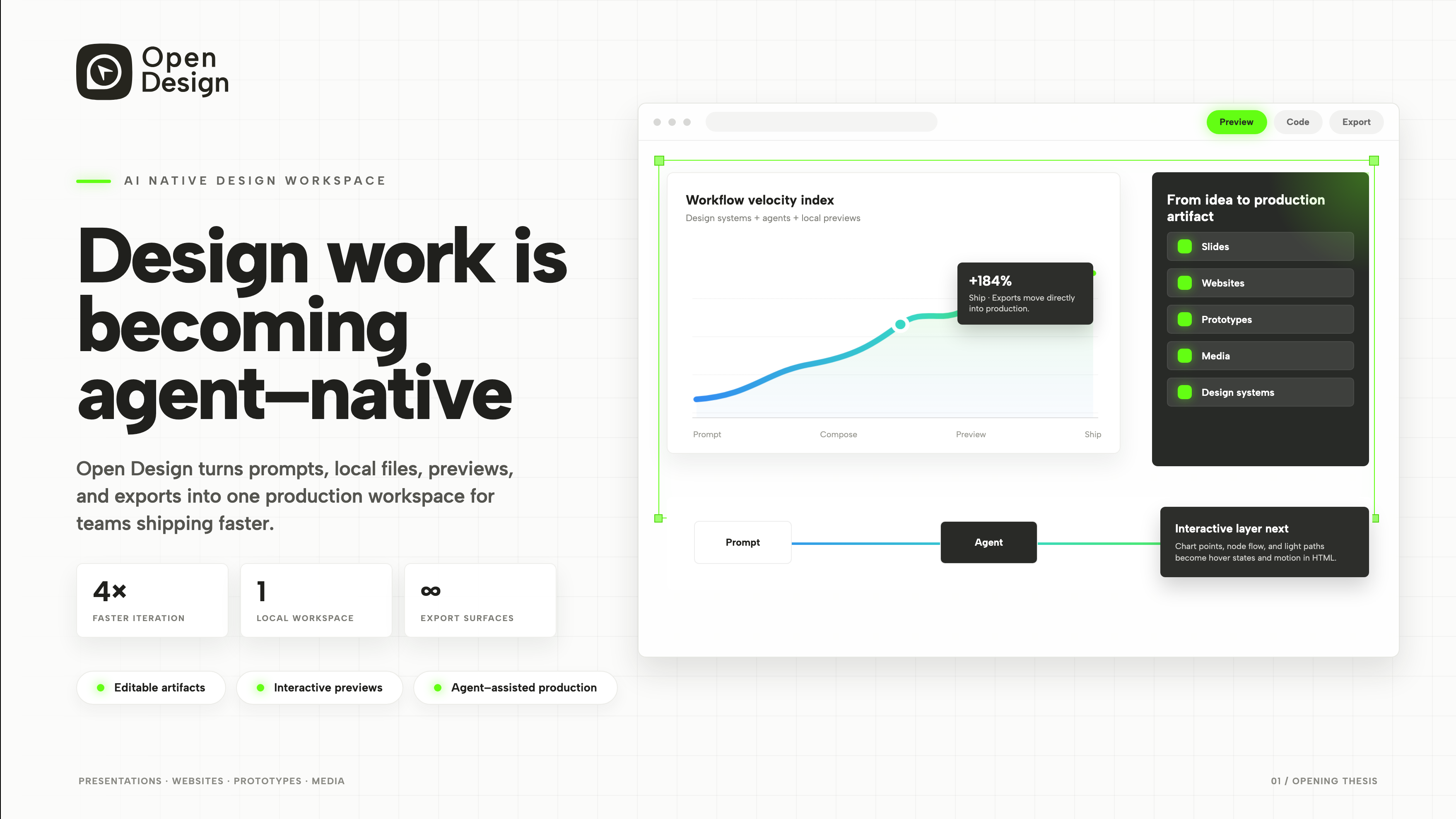
| Opening Thesis | A headline, workspace preview, and Prompt → Compose → Preview → Ship sequence. | Name the proposed change and give the audience a short process to remember. |
| Mobile Companion | A phone interface beside three explanations of the concept. | Reduce the scope to one screen so the product idea becomes easier to discuss. |
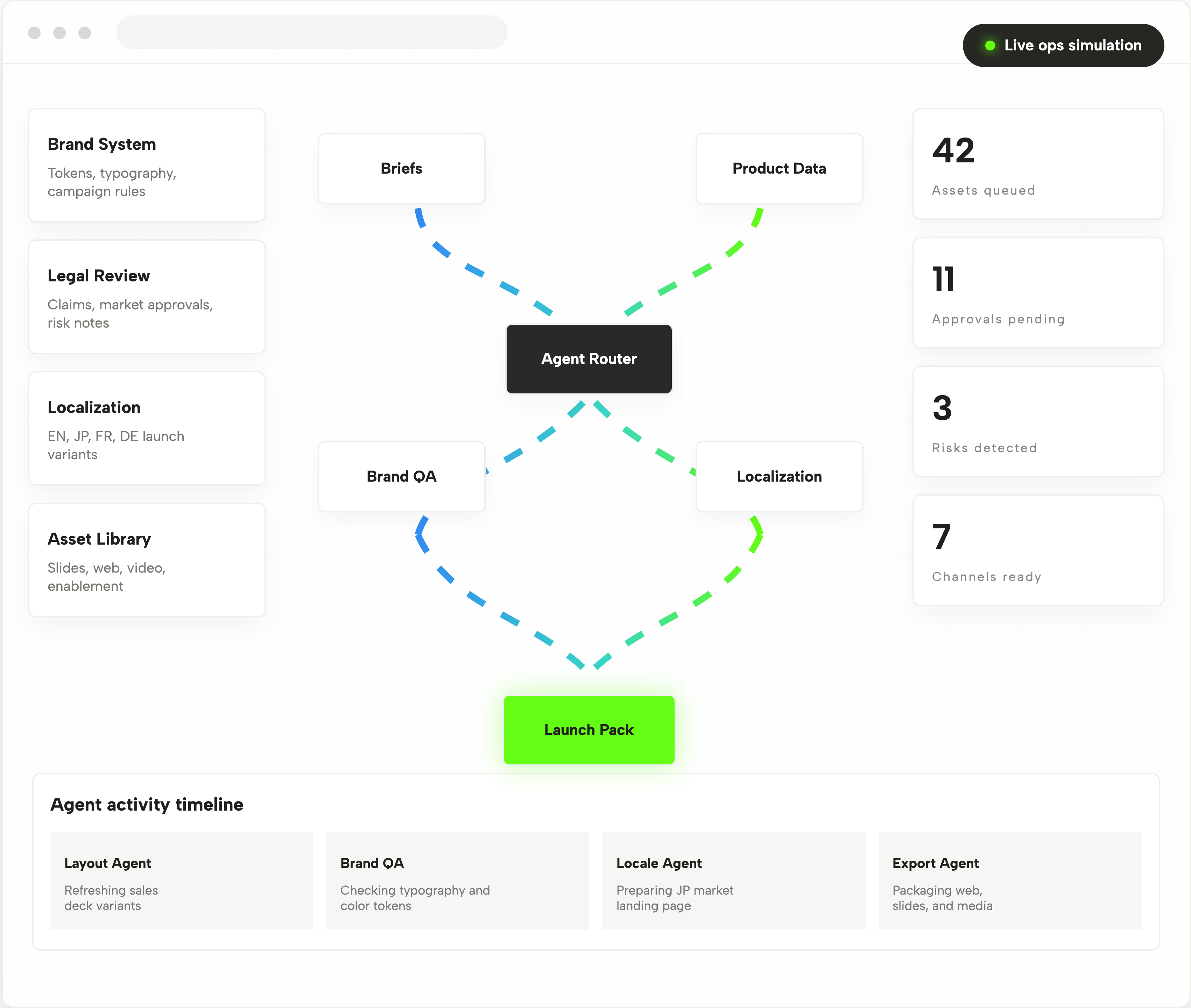
| Enterprise Control Room | Launch tracks, agent handoffs, approvals, and an activity timeline. | Show how the same idea could support coordinated work across a team. |
Three Metrics and Two Navigation Layers
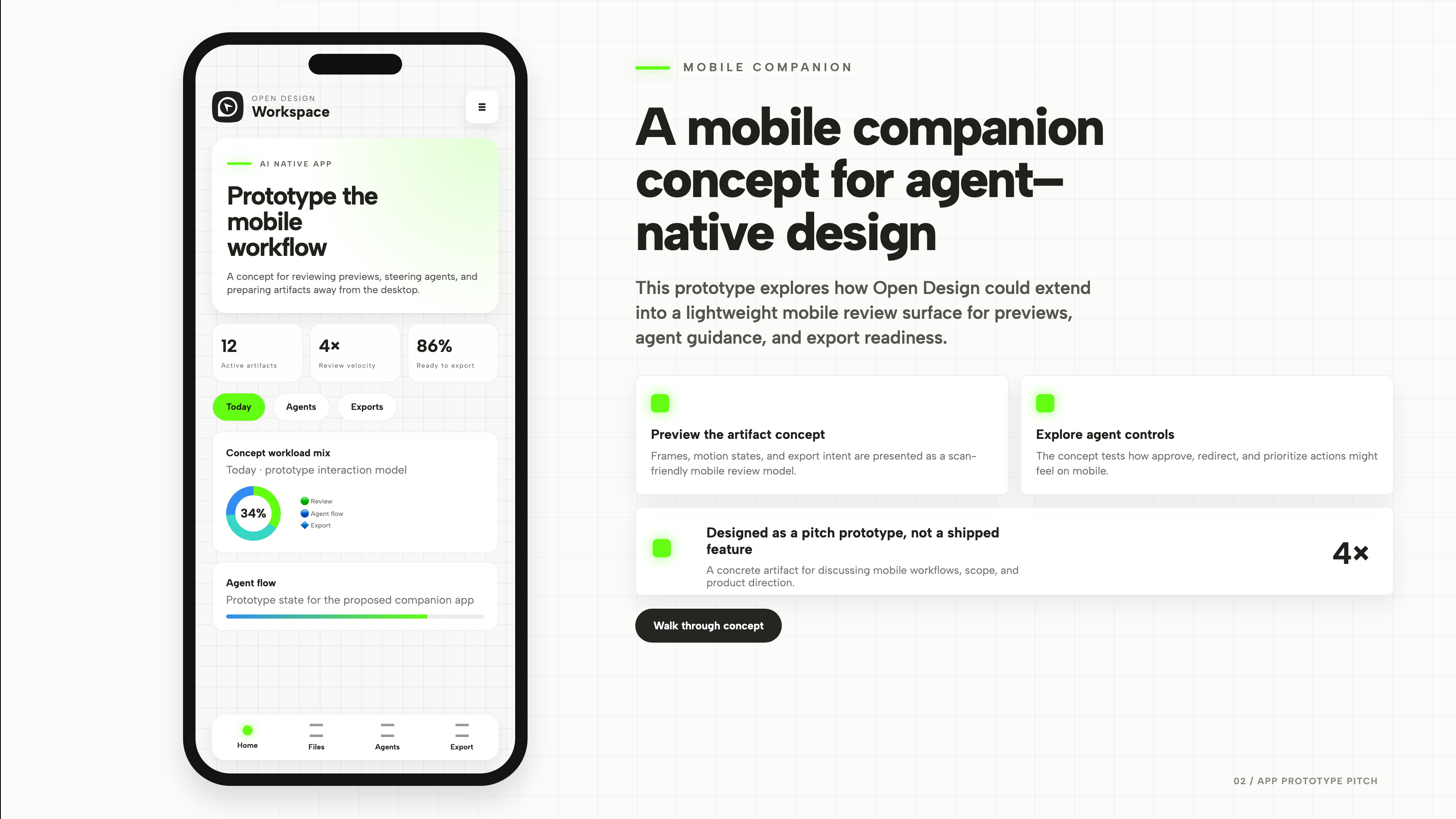
The phone contains both Today / Agents / Exports tabs near the top and Home / Files / Agents / Export navigation at the bottom. These are two different levels of interface, but Agents appears in both. That is a useful detail to discuss in a product presentation: is the upper row filtering the current view, or taking the user to another destination?
Do Not Let Repeated Labels Hide the Interaction Model
The bottom row looks like app-wide navigation; the upper row appears closer to view-level tabs. The deck does not fully resolve their relationship. A refinement should name the scope of each layer—for example, a global Agents area versus a filter for activity on the current page—before adding more screens.
Three Metrics Describe Three Different Things
12 Active Artifacts is a count, 4× Review Velocity is a comparison, and 86% Ready to Export is a proportion. They can share a visual row, but they cannot share an implied definition. The count needs a scope, the multiplier a baseline, and the percentage a denominator. None of those missing definitions can be supplied by the visual treatment alone.
Four Kinds of Information in the Control Room
The final slide places four context cards down the left, an agent-routing diagram in the center, operational counts on the right, and recent activity along the bottom. They are not interchangeable dashboard widgets. Each represents a different relationship, and the presentation becomes more useful when the speaker explains those differences.
| Visible Structure | What It Represents | What to Explain in the Pitch |
|---|---|---|
| Brand, Legal, Localization, and Assets | Four sets of constraints or reference material. | Where the workflow obtains rules, not four consecutive tasks. |
| Briefs and Product Data to Agent Router | Inputs connected to an orchestration diagram. | What moves between nodes and which part is only conceptual. |
| 42 Queued, 11 Pending, 3 Risks, 7 Ready | A snapshot of operational state. | What each count includes; different labels do not make them comparable totals. |
| Layout, Brand QA, Locale, and Export Activity | Named agents paired with recent actions. | What happened most recently, separately from what still needs attention. |
A Presentation Reference for Hackathon Demos
This is an official OpenDesign hackathon example, not a participant submission. Its three-slide structure is a useful constraint for a demo: one argument, one interface to inspect, and one explanation of the larger workflow. The presentation’s density should rise only after the audience has a concrete example to hold onto.
What the Presentation Demonstrates
The supplied artifact is an animated HTML deck with three slides and presentation controls. The mobile companion and enterprise control room are concepts within that deck, not evidence of shipped applications. Opening the full preview lets you inspect the presentation itself; it does not connect the interfaces to a production workflow.
How to Create a Product Presentation Design in OpenDesign
Define Three Slides With Different Jobs
Start with the audience’s central question, then give each slide a separate purpose. Keep the opening argument short enough to explain before showing the interface.
Suggested PromptCreate a three-slide product presentation design for an agent-assisted design workspace. Slide one introduces the idea and a four-stage workflow. Slide two pairs a mobile review concept with three short explanations. Slide three shows a team control room with approvals and recent activity. Use clearly labelled sample data, readable static compositions, and manual slide controls. Do not imply that the concept interfaces are shipped products or invent performance results.
Refine the Screen and Its Explanation Together
Ask OpenDesign to make the phone labels readable while keeping the supporting argument outside the device. Remove any sentence that only repeats a label. Check the deck at the size you will actually present, not only in a full-resolution screenshot.
Check the Deck Without Automatic Playback
Review all three slides with motion stopped. Each should retain its headline, key visual, and supporting explanation. Then test manual navigation so the presenter can pause for a question without losing the thread of the story.
Export and Get a Share Link
Export your finished design, then use Share in OpenDesign to get a share link. Open the link in a separate browser window and check that the intended version and its assets are available before sending it.
Careers Website Design
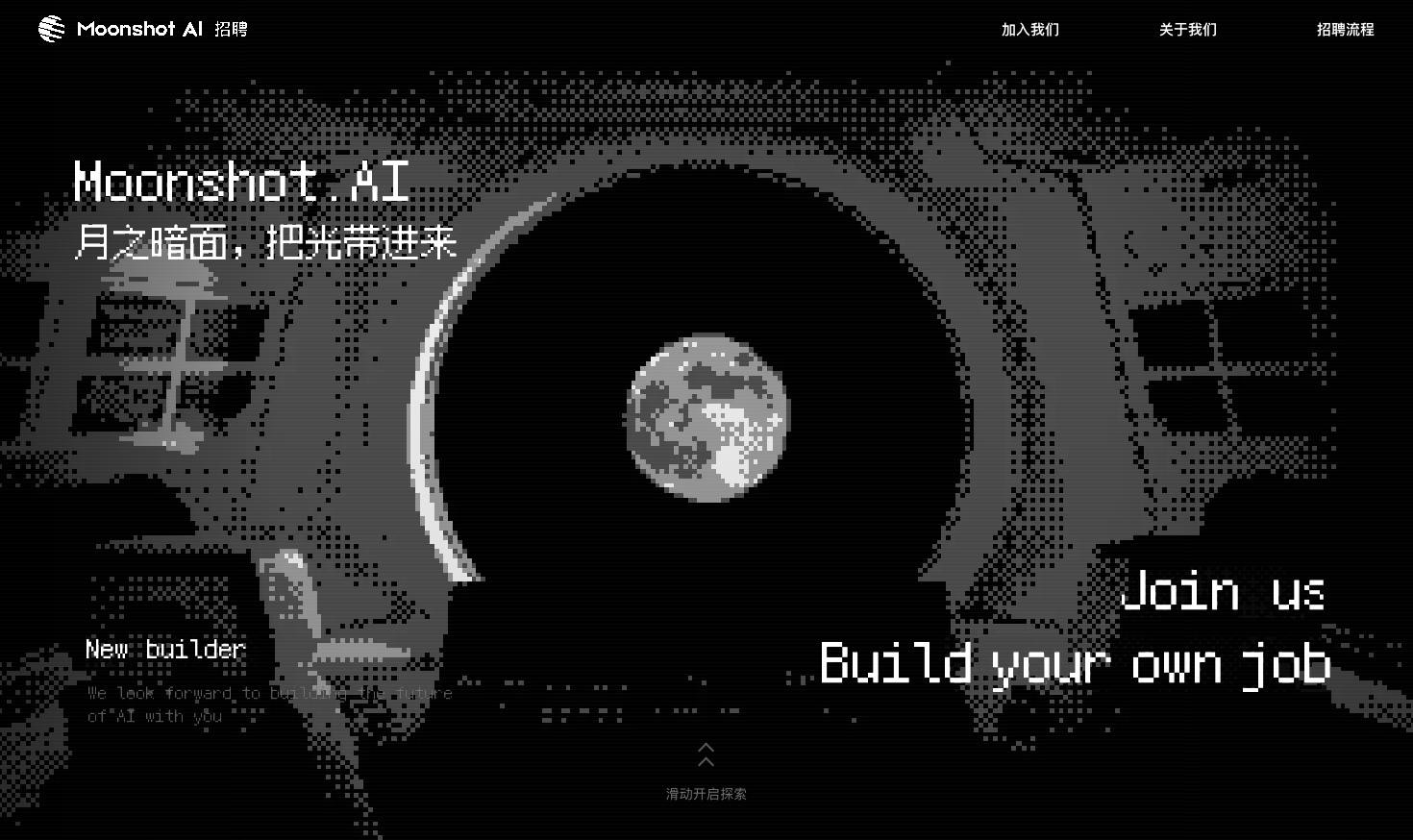
A Kimi careers study built from eight lunar scenes, with scroll-linked transitions and an illustrated application process.
Website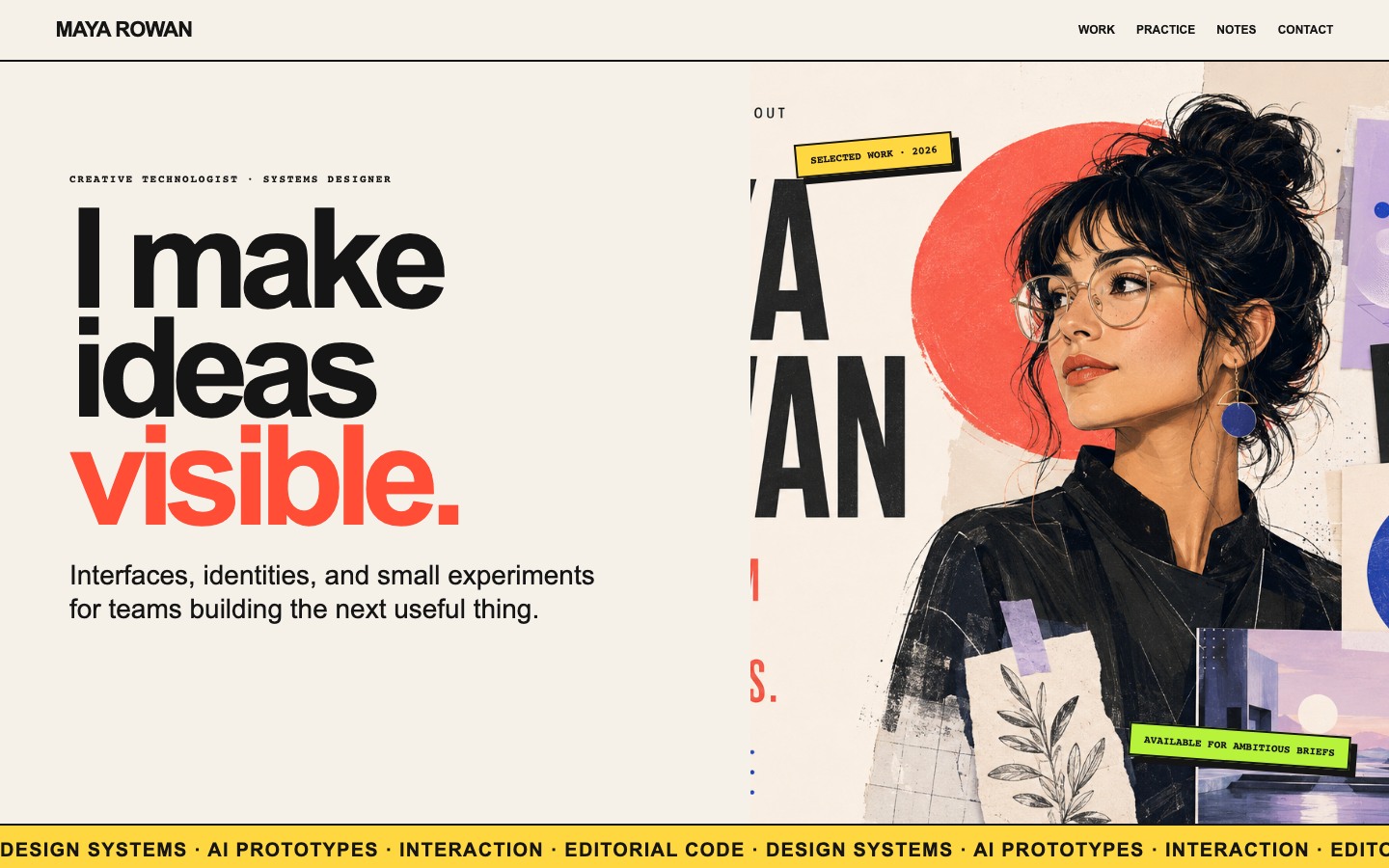
Creative Portfolio Website Design
Maya Rowan’s fictional portfolio connects project cards, practice, and notes.
Website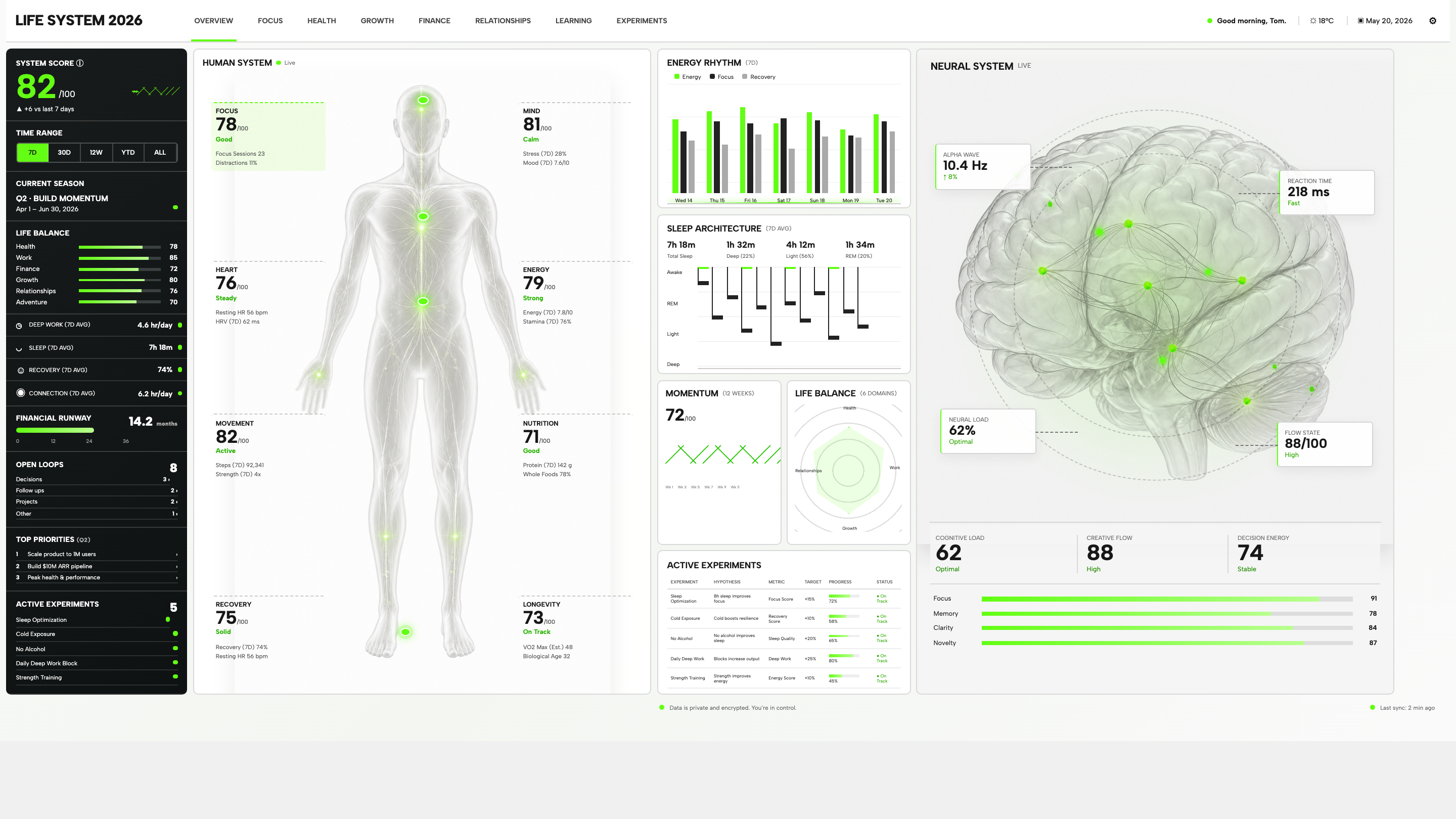
Personal Dashboard Design
Life System puts a weekly score, body-map metrics, daily rhythms, and five experiments on one desktop dashboard. Explore the layout in detail.
Desktop app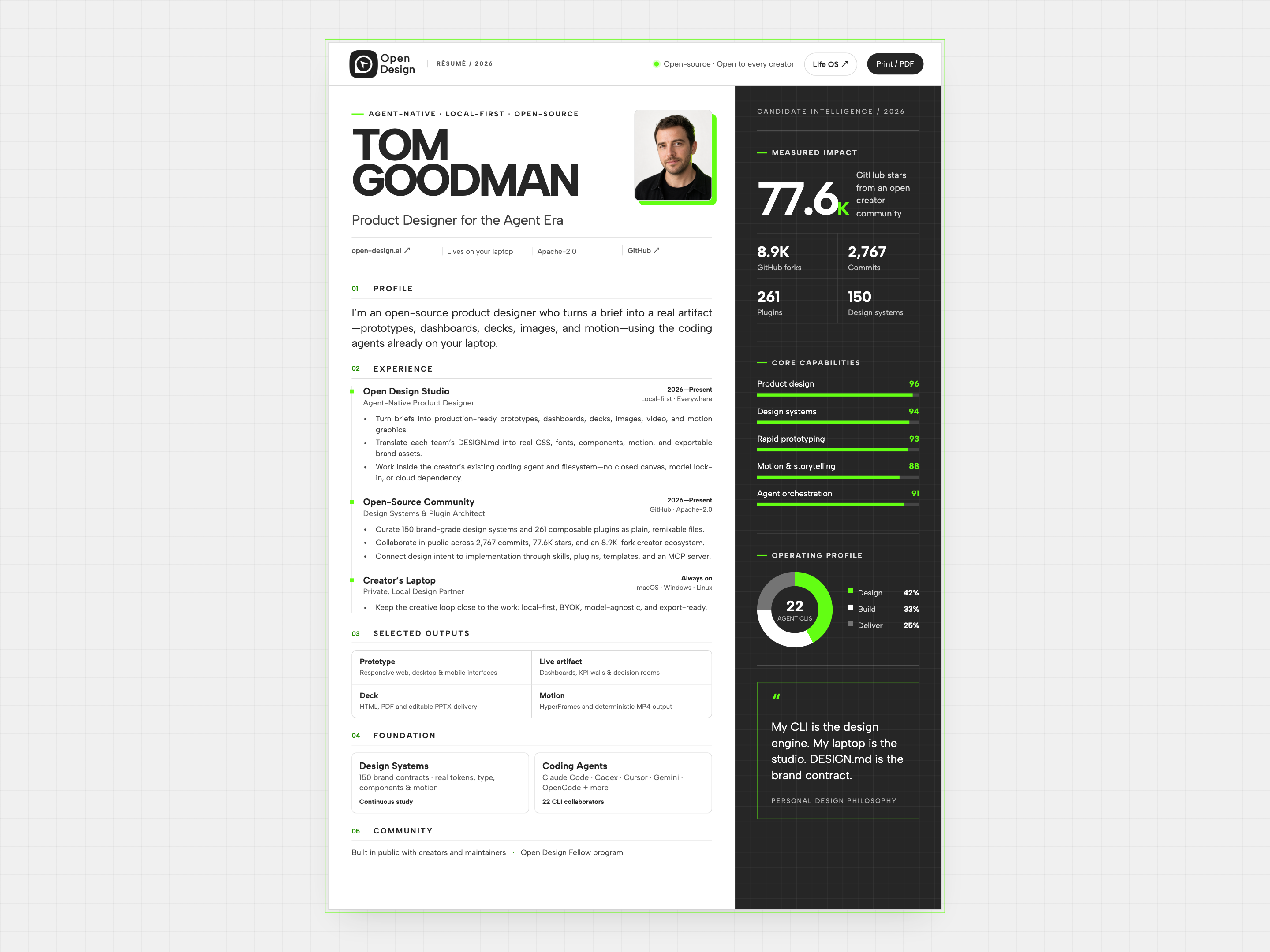
Resume Website Design
Tom Goodman’s fictional resume pairs experience with capability charts and selected outputs. Explore its two-column reading order, compact work cards, and separate print layout.
Website