


Open Source Claude Design? OpenDesign Explained in 5 Minutes — Local, Self-Hosted, Multi-Agent
A 5-minute overview of OpenDesign — the open-source, local-first, multi-agent AI design tool that plugs into Claude Code, Cursor, Codex, and Gemini CLI. Based on 菲莉 AI 快報's walkthrough of what it is, its core features, and how it compares to Claude Design, Figma, v0, and Lovable.
Ever wished you could just tell an AI “build me a SaaS landing page with Stripe’s clean, elegant look” and get real, editable code back — instead of opening Figma frame by frame? This overview from 菲莉 AI 快報 walks through exactly that idea in five minutes: OpenDesign, the tool built to do it. This article follows the video’s structure and is based on its walkthrough, rewritten and updated for the current release.
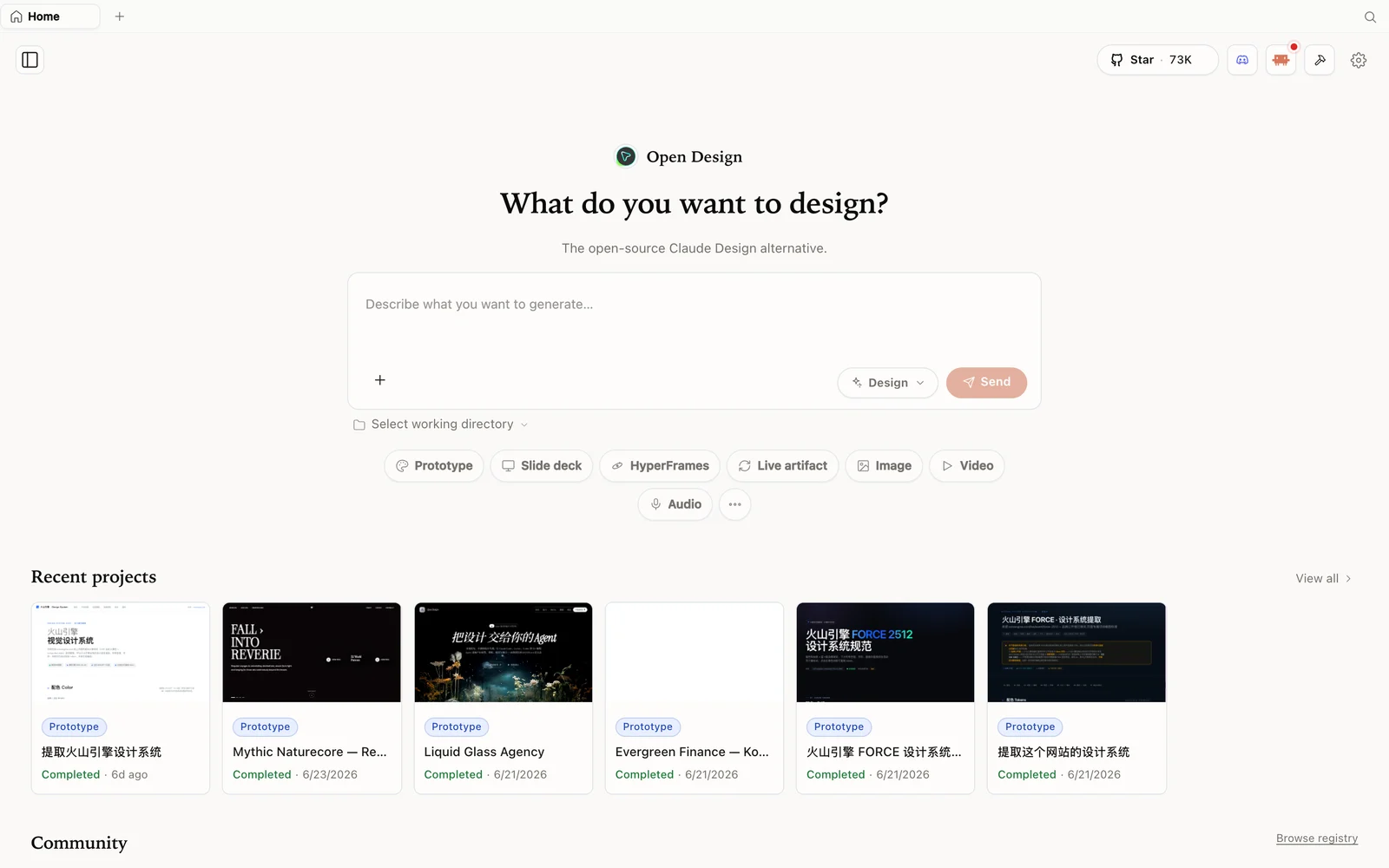 OpenDesign’s workspace: describe what you want, pick a mode, and your connected agent builds it.
What is OpenDesign?
As the video puts it, think of OpenDesign as an open-source version of Claude Design — but it is not simply an image-generation tool. It behaves more like having Claude Code, Codex, Cursor, or Gemini CLI already on your machine, extended into a local-first AI design environment.
- Open source, Apache-2.0 — no subscription fee for OpenDesign itself; the code is free to read, self-host, and modify.
- Local-first and self-hostable — the desktop app, daemon, and project files run in your own environment rather than only in someone else’s cloud.
- Bring your own agent (multi-agent) or your own key — it works on top of coding agents you already use, including Claude Code, Codex, Cursor, GitHub Copilot CLI, and OpenCode; you can supply your own model API key, or use the official router and pay per token used.
- More than prototypes — output is not just a picture. It produces real HTML, PDF, PPTX, and MP4 artifacts you can hand off and keep iterating on, not a one-off screenshot.
The problem it is built to solve
The video frames OpenDesign’s motivation in engineering terms: if you already have a capable coding agent, why limit it to writing code? OpenDesign extends that agent’s design process — giving it templates, design systems, and more — so the product moves from merely “functional” to something “visible, deliverable, and modifiable.” Instead of asking a model to draw a pretty picture, the goal is a design artifact that is actionable and can keep being changed.
Four highlights from the video
1. Local-first, bring your own agent. Desktop apps, daemons, and project files run in your environment wherever possible. The model can use its own API key, or you can use the official router. Keeping control over your data means holding it in your own hands rather than depending entirely on the cloud.
2. Design systems. A headline feature is brand-based design systems — pull colors, fonts, components, and tone rules from your existing brand website, Figma file, screenshots, or browser clips into a reusable set. Instead of the AI improvising something new every time, it works from a consistent, extracted rulebook — closer to reliably opening the same “brand box” instead of a surprise box.
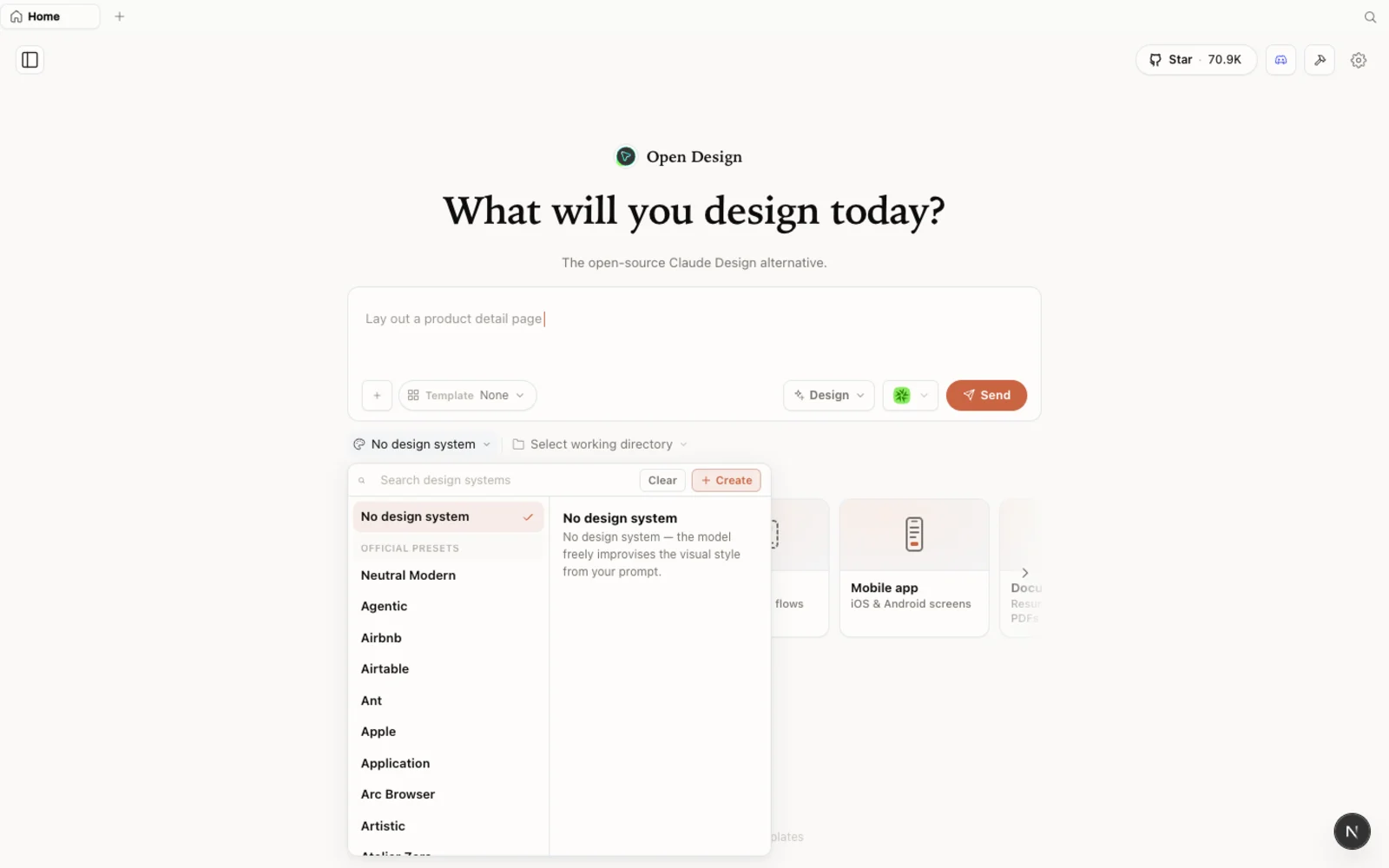 Design systems: extract reusable colors, fonts, components, and tone from a brand and build on top of it.
3. Practical output formats. Landing pages, dashboards, mobile app prototypes, presentations, images, and videos can all come out of the same workspace — exported as HTML, PDF, PPTX, or MP4. The point is not just “wow, that looks nice”; it is having something you can actually move to the next step of work with.
4. Agent-native, not another closed AI. Rather than building a separate closed AI, OpenDesign connects to the tools you already use — Claude Code, Codex, Cursor, Copilot CLI, OpenCode, and more. It is not a mascot for developers; it behaves like a teammate that works alongside your existing agent.
Plugins and the wider ecosystem
Beyond design systems, OpenDesign ships with a browsable plugin and template library covering prototypes, slide decks, and image/video generation starting points, so you are not starting from a blank canvas every time.
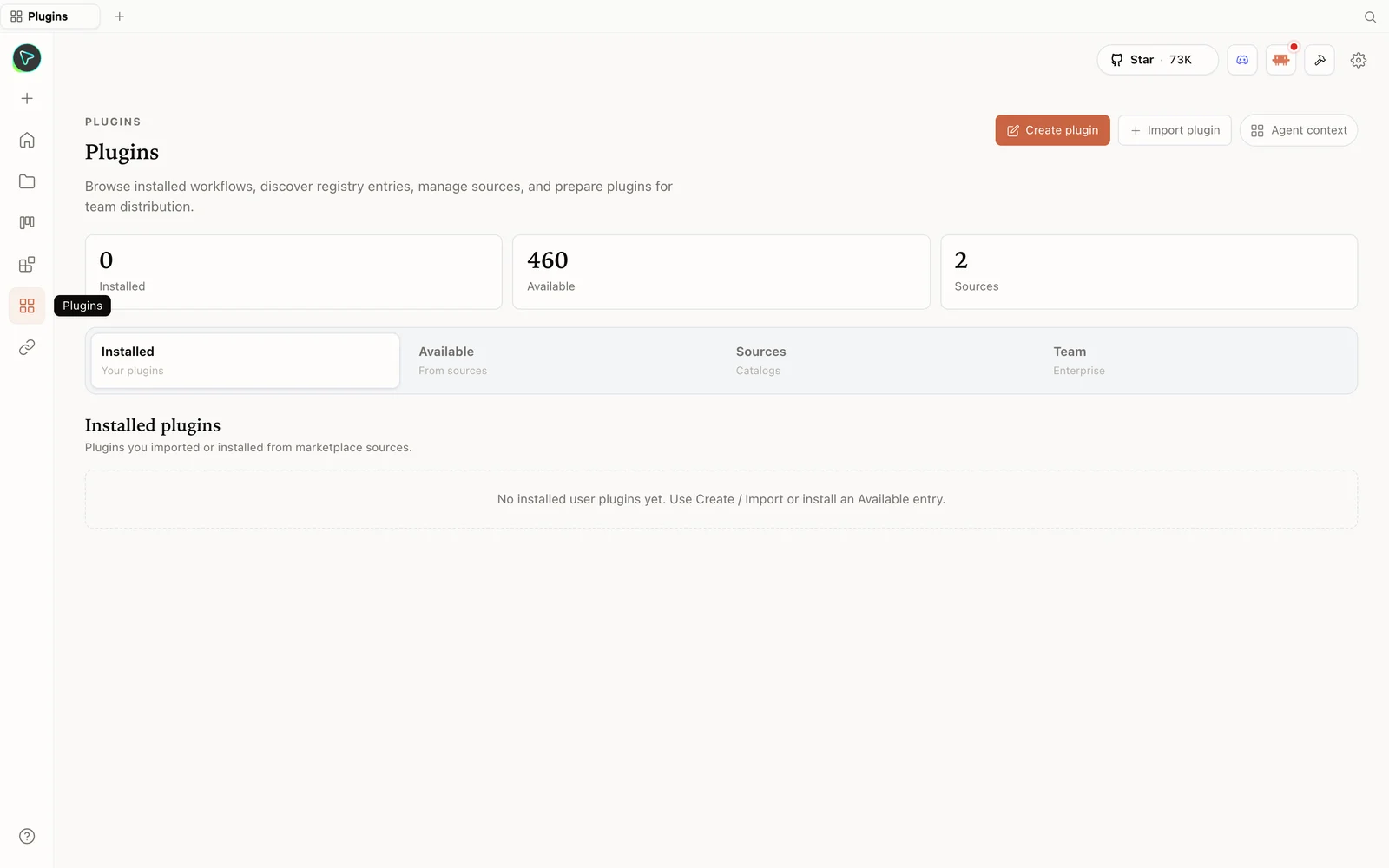 The plugins hub: browse installable skills and templates that extend what your connected agent can generate.
Real-world use cases
The video lists concrete, everyday scenarios: an independent developer building a product page, a project manager assembling a quarterly KPI dashboard, a creator generating a carousel or short-form video storyboard for social media, and a frontend team documenting their brand site as a DESIGN.md. As the video puts it, OpenDesign is more like a barista machine for designers — the beans (your direction, brand rules, and taste) are still yours to pick.
Getting started
There are two quick ways to try it. Regular users download the desktop app; developers can run it via Docker or from source. To wire it into a coding agent, use od mcp install codex (or cursor, claude, and others), then simply prompt your agent directly — for example, “use a linear style to build me a SaaS landing page.”
How it compares
- vs. Claude Design — OpenDesign’s edge is being open source, self-hostable, and multi-agent; the trade-off the video calls out is that it may still be catching up in overall polish.
- vs. v0, Lovable, and Bolt — OpenDesign leans more toward a local agent plus a design system plus multiple output formats, rather than a single hosted generation flow.
- vs. Midjourney — this is not about generating a single image; it is about a workflow that produces a deliverable artifact.
Who it’s for
The video recommends OpenDesign to four groups: developers who already use coding agents, product managers who need fast demos, aspiring creators of social-media graphics and presentations, and anyone curious about agent-native design workflows and keeping control of their process. If you just want to open a webpage with zero setup, this may not replace your go-to tool for that.
Limitations to know
Two honest caveats from the video: first, this is not a fully no-tech-required tool — some familiarity with local installation, API keys, and daemons helps. Second, output quality depends heavily on the model, the prompt, the design system you feed it, and your own aesthetic judgment — don’t expect one click to summon a senior design director. For mature multi-person collaboration, detailed vector editing, and comprehensive delivery specs, the video notes Figma is currently the more stable choice; OpenDesign is closer to an AI-generated-and-deployed working environment where you set direction, layout, and brand rules first, then hand it back to an agent or designer for further refinement.
FAQ
Is OpenDesign really open source? Yes — it is built on the Apache-2.0 license, so there is no subscription fee for the tool itself.
Do I still need to pay for anything? Model costs don’t disappear. Bring-your-own-key works with providers like OpenAI, Anthropic, and Google; using the official router bills based on token usage instead.
Which coding agents does it work with? The video names Claude Code, Codex, Cursor, GitHub Copilot CLI, and OpenCode, among others — it is designed to plug into agents you already run rather than replace them.
Is this a replacement for Figma? No. As the video concludes, OpenDesign is not a perfect Figma alternative and not a magic one-click designer. It points at a different direction: future design tools may not be just canvases, but a workflow built from an AI agent, a design system, templates, and plugins together.
Does it only produce images? No — output can be HTML, presentations, PDFs, and videos, and it can also be used to extend a brand through a design system, so results aren’t reinvented from scratch each time.
This written guide is based on 菲莉 AI 快報’s overview of OpenDesign. Watch the full video above, and subscribe to 菲莉 AI 快報 for more AI tool walkthroughs.