

Desktop app
Repository Metrics Dashboard Design
Repository Metrics Dashboard Design turns sample repository signals into a scannable desktop workspace for comparing growth, participation, and recent work.

Repository Dashboard Use Cases
- Repository Health ReviewsCompare headline signals before investigating repository details.
- Open-Source Maintainer WorkflowsScan contributor activity and incoming work in one workspace.
- Community Activity ReportingPresent participation patterns alongside repository context.
- Dashboard Design StudyStudy metric grouping, chart balance, and activity ordering.
Repository Metrics Layout Highlights
- Five Metric CardsStars, forks, contributors, issues, and pull requests.
- Growth And ParticipationPairs a four-period growth chart with contributor rankings.
- Recent Activity TableCombines type, title, status, author, and update time.
- Repository ContextPlaces navigation and repository identity beside analysis.
The Repository Dashboard, Panel by Panel
1 / 3
Repository Metrics Dashboard Design
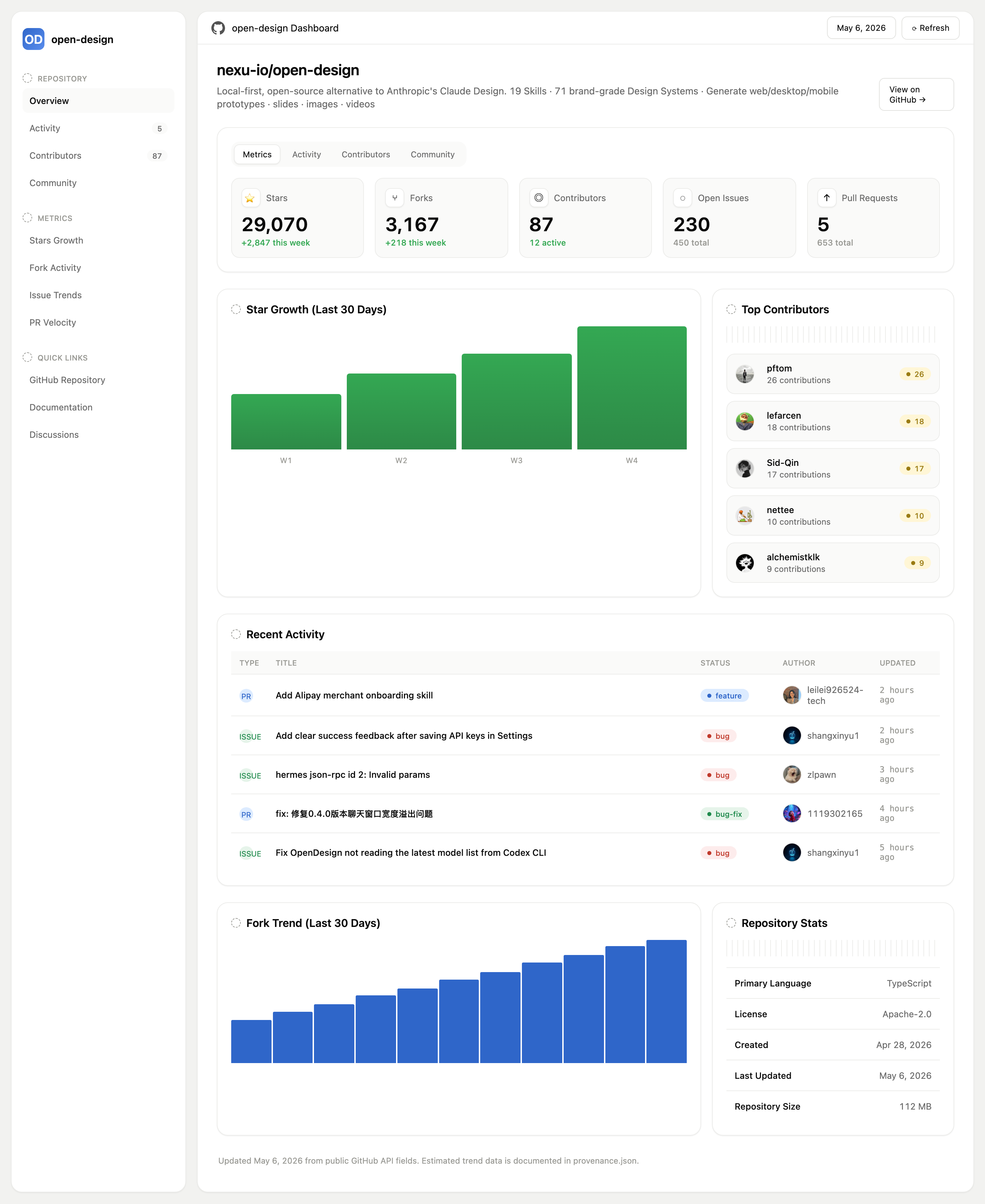
OpenDesign’s Repository Metrics Dashboard Design presents the repository as a desktop workspace rather than a single undifferentiated feed. The authored heading “nexu-io/open-design” establishes the subject first, followed by a short repository description and a “View on GitHub” action. A left rail separates repository navigation, metrics views, and quick links from the main analysis area.
The first reading path is intentional: repository identity, metric tabs, headline cards, trend and contributor panels, then recent activity and repository statistics. This ordering lets a reader move from orientation to comparison and finally to source-like detail. The tradeoff is vertical density: the dashboard supports extended scanning, but the most useful context is distributed across several sections rather than shown in one compact summary.
Repository Context
The sidebar labels “Overview,” “Activity,” “Contributors,” and “Community,” while the metrics group names “Stars Growth,” “Fork Activity,” “Issue Trends,” and “PR Velocity.” These labels distinguish repository areas from measurement views. The visible “May 6, 2026” control and “Refresh” control communicate a selected date and a possible update action, but the supplied evidence does not establish that either control is connected to a live service.
Dashboard Tasks And Audiences
This design is suited to a maintainer reviewing a repository at a glance, a community manager preparing an activity summary, or a designer studying how several repository signals can share one workspace. The concrete labels make the task legible: “Stars,” “Forks,” “Contributors,” “Open Issues,” and “Pull Requests” are presented as separate measures instead of being collapsed into a single score.
The metric cards also show different kinds of comparison. Stars and forks pair a total with a green weekly change, contributors pair a total with “12 active,” and issues and pull requests pair an open count with a total count. That distinction helps readers understand that each card has its own denominator or comparison frame. The tradeoff is that the design does not define how activity, totals, or weekly changes are calculated, so an implementation would need explicit data definitions before these values could support operational decisions.
Headline Comparison
Five cards let readers compare repository scale, participation, and open work without entering another view.
Activity Triage
The recent activity table puts work type, title, status, author, and update time into one scan line.
Contributor Recognition
The ranked contributor panel exposes names and contribution counts as a separate participation view.
From Metrics To Repository Work
The workspace flow begins with a tab strip containing “Metrics,” “Activity,” “Contributors,” and “Community.” In the supplied capture, “Metrics” is selected, so the cards and charts establish the initial state. The five cards then create a compact comparison band: 29,070 stars and 3,167 forks carry green weekly deltas, while 87 contributors, 230 open issues, and 5 pull requests use different supporting labels. These are supplied sample values, not verified current statistics.
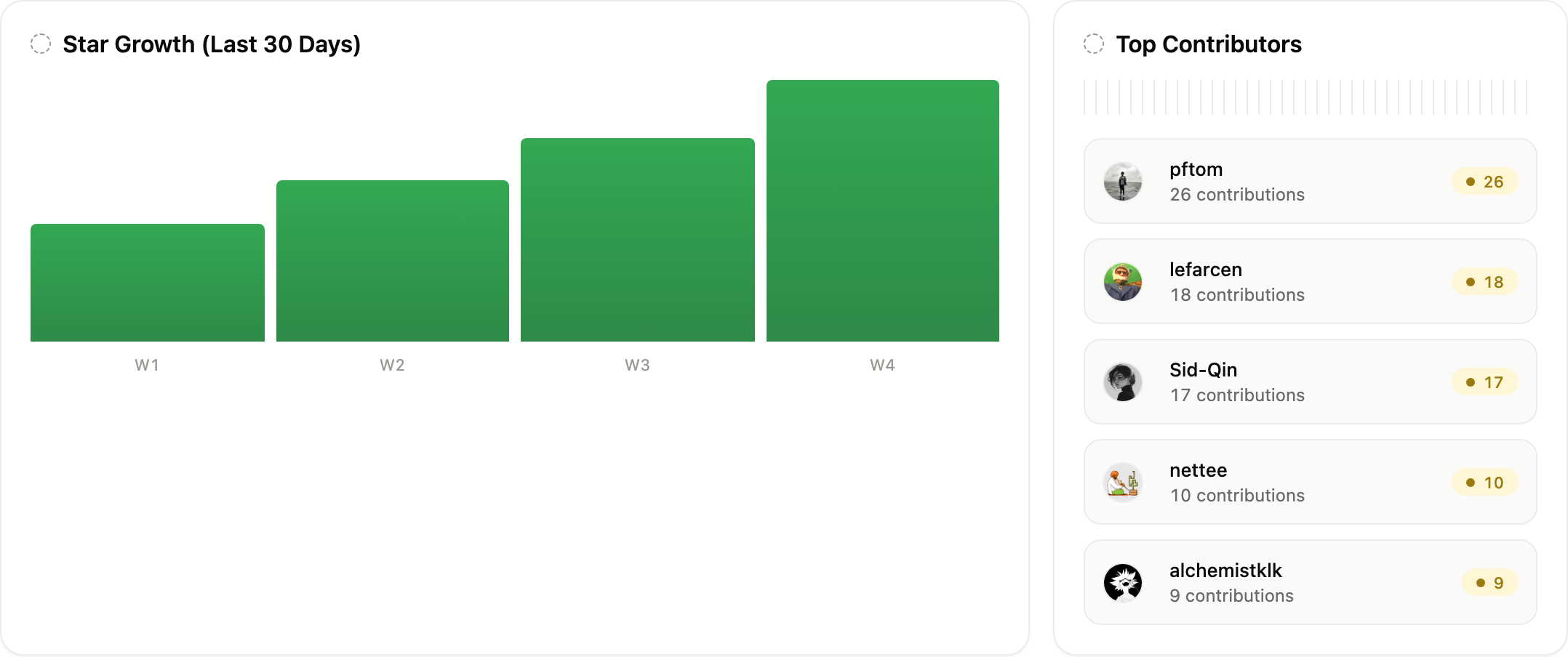
Below the cards, the left panel titled “Star Growth (Last 30 Days)” uses four bars labeled W1 through W4. Their increasing visual heights communicate direction over time, but the chart does not show numeric axes or underlying values. This makes the trend quickly readable while limiting precise comparison. The adjacent “Top Contributors” panel lists pftom, lefarcen, Sid-Qin, nettee, and alchemistklk with 26, 18, 17, 10, and 9 contributions, respectively, so ranking is explicit even without a plotted scale.
The recent activity table changes the reading mode from visual comparison to row-level inspection. Its columns are “Type,” “Title,” “Status,” “Author,” and “Updated.” The supplied rows include a feature pull request, bug issues, and a bug-fix pull request, with update times ranging from two to five hours ago. This ordering gives the reader both category and recency, but the example does not establish filtering, sorting, or live updates.
| Card | Primary Value | Supporting Value | Reading Frame |
|---|---|---|---|
| Stars | 29,070 | +2,847 this week | Weekly change |
| Forks | 3,167 | +218 this week | Weekly change |
| Contributors | 87 | 12 active | Active subset |
| Open Issues | 230 | 450 total | Open versus total |
| Pull Requests | 5 | 653 total | Open versus total |
Layout Proportion
The authored CSS sets the main paired grid to two parts for the larger panel and one part for the narrower panel, then switches to a single column through the full-width and responsive grid rules. In the capture, the star-growth chart consequently receives more horizontal space than the contributor list. That proportion favors trend reading while keeping ranked names visible; on narrower layouts, stacking preserves both modules but increases the distance between the chart and its comparison list.
Visible Design And Capability Boundary
This OpenDesign example depicts a repository workspace with navigation, metric cards, charts, contributor rows, recent activity, and repository statistics. The date and Refresh buttons have no implemented update handler. View on GitHub and the quick links have authored GitHub destinations, while the tab-like links use page anchors rather than switching datasets. None of those links establishes an API connection or live repository data.
The repository counts, contributor names, activity rows, trend bars, and repository statistics are supplied sample content. The screen does not establish current GitHub data, storage, authentication, refresh behavior, or completed submissions. The bundled manifest declares MIT licensing for the example, while its accompanying note does not establish separate licensing for every depicted asset.
How to Create Repository Metrics Dashboard Design in OpenDesign
Define The Repository Signals
Start with the specific measures this case displays: stars, forks, contributors, open issues, pull requests, four-period growth, contributor ranking, recent activity, and repository statistics. Label whether each value is a total, weekly change, active subset, or open-versus-total comparison.
Generate The Workspace Structure
Create a desktop repository dashboard with a left navigation rail, repository identity header, four-view tab strip, five metric cards, a two-part trend-and-contributors row, a full-width recent activity table, and a paired trend-and-stats row. Keep the larger chart panel at roughly twice the width of its companion panel, then stack the paired panels at narrower widths.
Suggested PromptCreate a desktop Repository Metrics Dashboard Design for nexu-io/open-design. Use a left rail for Overview, Activity, Contributors, Community, and metric links; show tabs for Metrics, Activity, Contributors, and Community; add cards for Stars, Forks, Contributors, Open Issues, and Pull Requests; include W1-W4 star growth bars, a ranked contributor list, and a recent activity table with Type, Title, Status, Author, and Updated. Use sample data only, and present Refresh and View on GitHub as visual controls without claiming live connectivity.
Refine Reading States And Evidence
Check that the selected Metrics state is distinct from the other tabs, that green weekly changes are not confused with totals, and that open-versus-total labels remain attached to their cards. Verify that chart labels, contributor counts, activity statuses, and repository statistics stay readable when the two-column workspace becomes a single column.
Export and Get a Share Link
Export your finished design, then use Share in OpenDesign to get a share link. Open the link in a separate browser window and check that the intended version and its assets are available before sending it.
Analytics Dashboard Wireframe Design
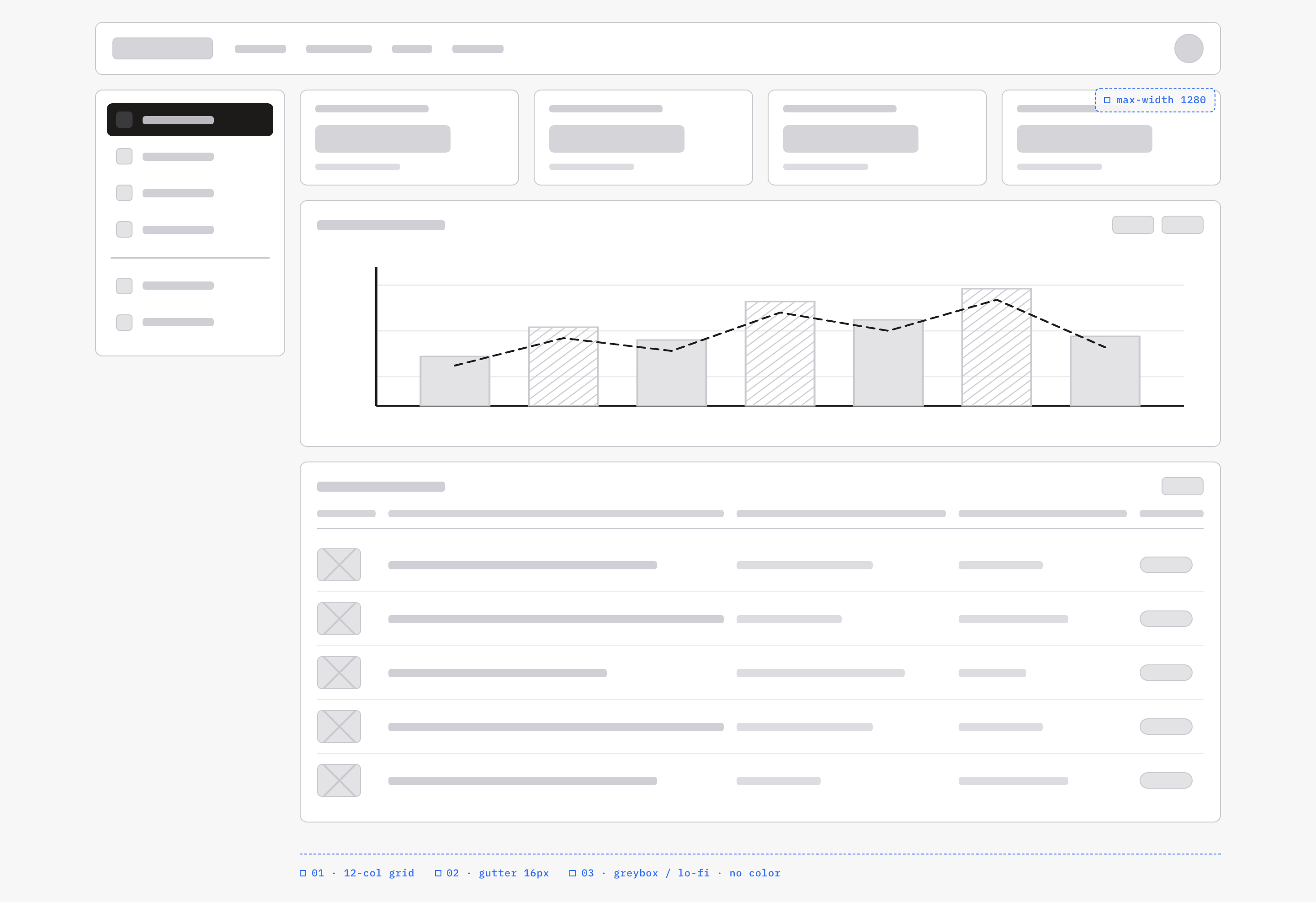
An OpenDesign greybox dashboard maps an analytics workspace through a sidebar, four KPI placeholders, a schematic chart, five table rows and blue layout annotations.
Desktop app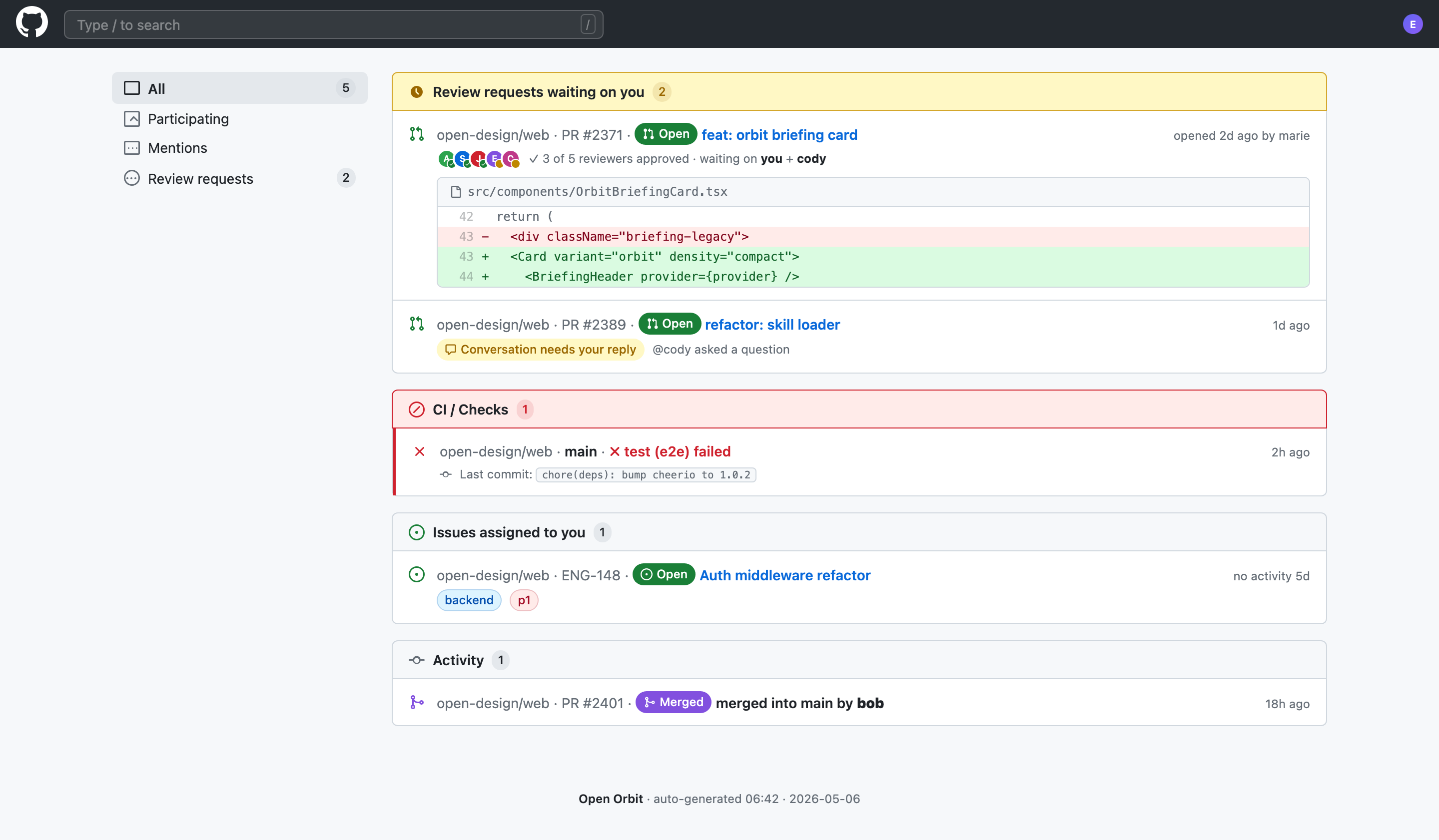
Code Review Inbox App Design
Code Review Inbox App Design brings review requests, CI failures, assigned issues, and activity into one scan-ready workspace for daily triage.
Desktop app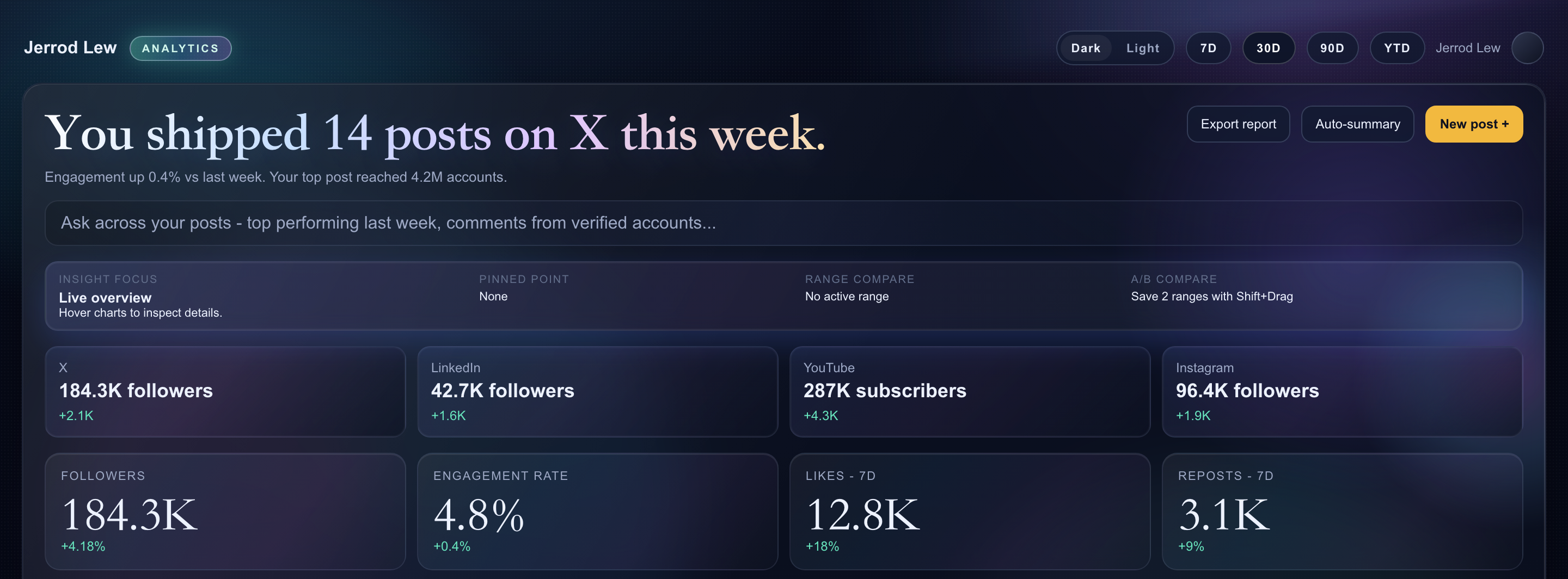
Content Performance Dashboard Design
A dark content dashboard connects platform snapshots with chart inspection, draft planning and a deeper view of audience and conversion signals.
Desktop app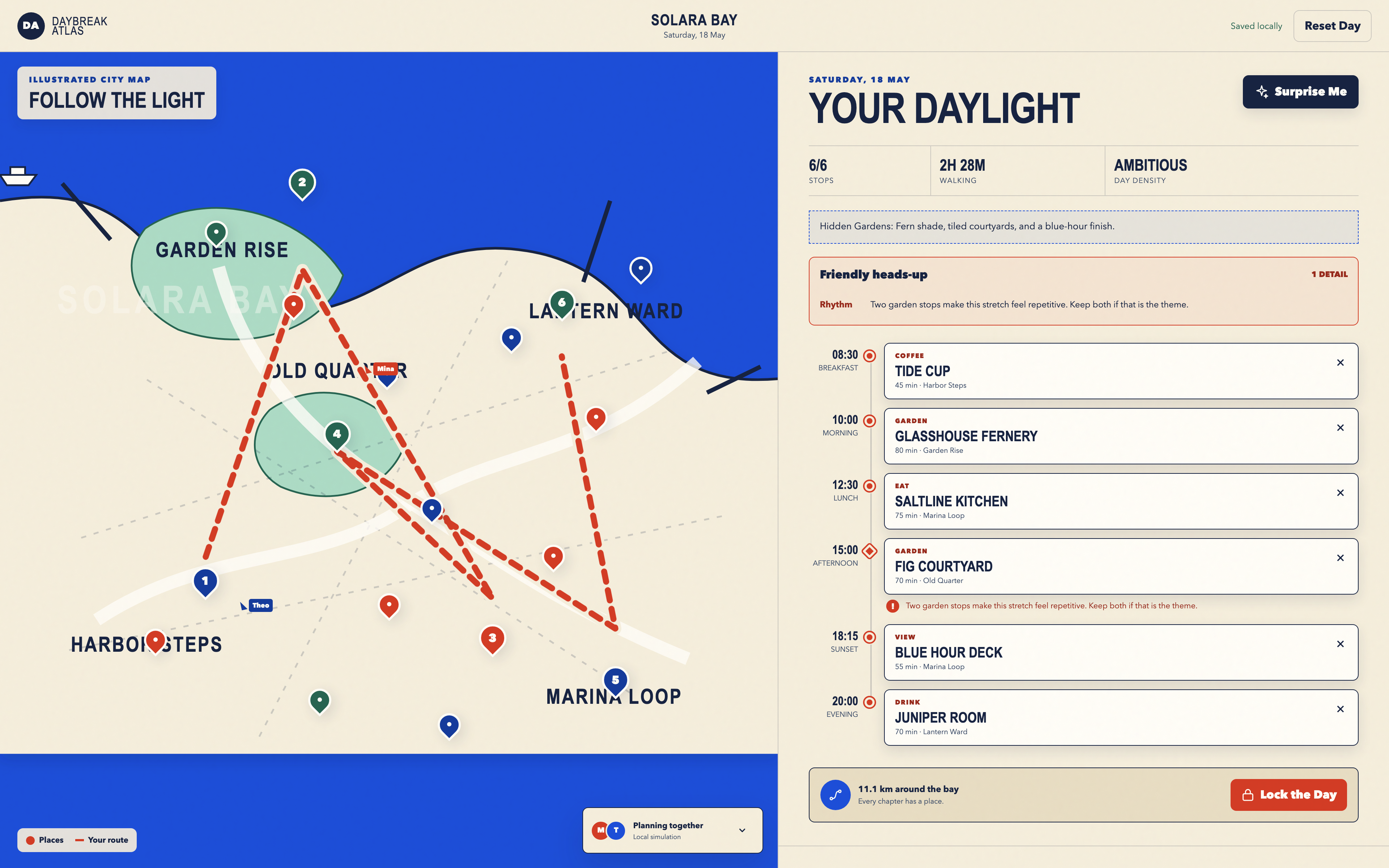
Day Trip Planner Design
Plan six timed stops in fictional Solara Bay, with an illustrated map, walking estimates and useful route warnings.
Desktop app